
Laptop and Computer Recycling Atlanta GA: Laptop And

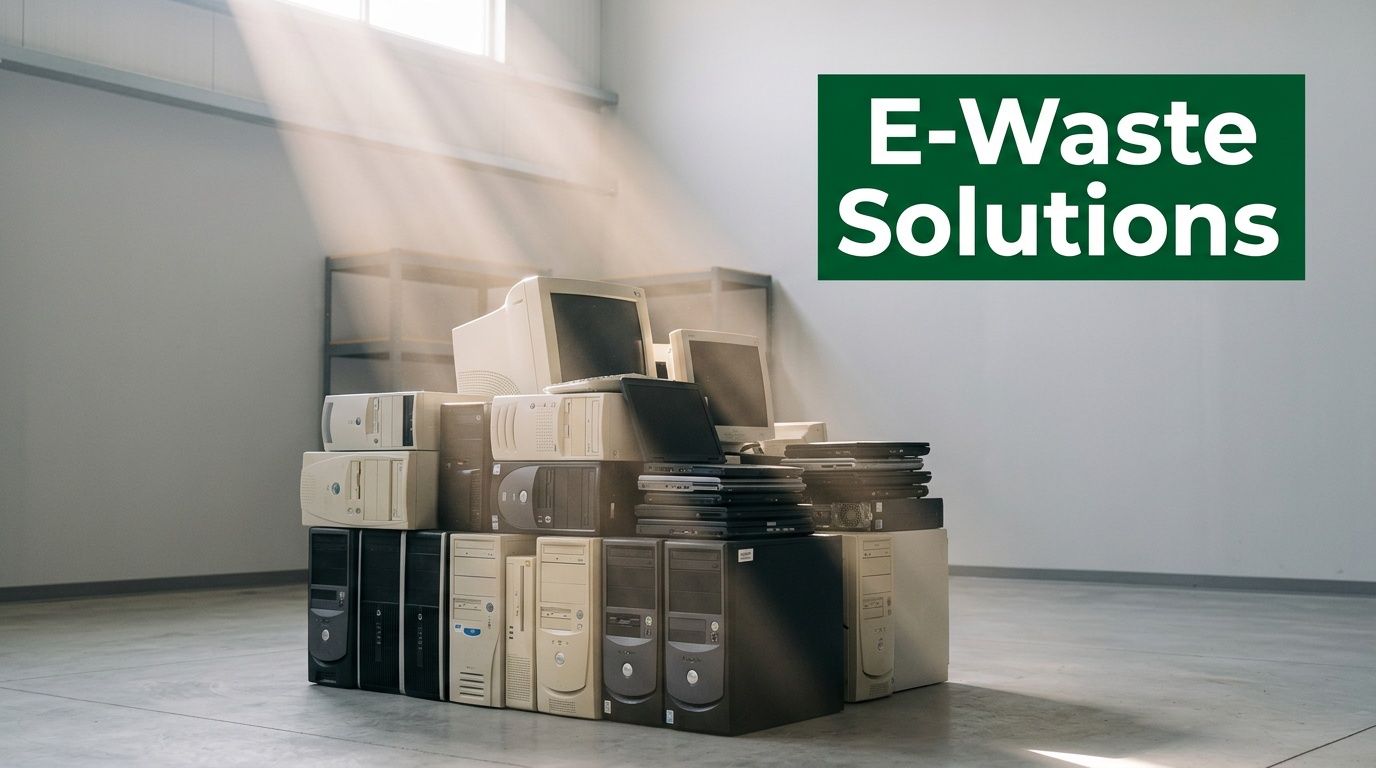
That back room has a pattern. Retired laptops from the last refresh cycle. A row of desktop towers nobody wants to touch because nobody is fully sure what data is still on them. A few failed hard drives in a drawer. Maybe a server or two waiting for a move that already happened.
For an Atlanta IT manager or office administrator, that pile isn’t just clutter. It’s a data security problem, a compliance problem, and an environmental problem. The good news is that Laptop and Computer Recycling Atlanta GA doesn’t have to be a rushed cleanout or a vague handoff to an unknown hauler. Done correctly, it becomes a controlled IT asset disposition process with documentation your team can stand behind.
There’s also a bigger opportunity inside the work. A disciplined recycling program can support sustainability reporting, strengthen community ties, and give your company a more credible story about how it handles end-of-life technology.
From E-Waste Liability to Community Impact
An office move gets scheduled, and the problem shows up fast. Twenty retired laptops are stacked in a storage room. Three desktop towers still have asset tags on them. A box of failed drives has been sitting untouched because nobody wants to guess what is still recoverable, what must be destroyed, and what has to be documented.
That backlog creates business risk, but it also creates an opening to do something better with equipment your company no longer needs.
The scale of the issue has been clear for years. The EPA reported that more than 63 million computers were discarded in 2007. Federal recycling data also shows that only 15 percent of used electronics were collected for recycling in the United States. For Atlanta companies replacing devices in batches, old equipment can either become a lingering liability or a managed recovery project with real value attached to it.
What makes old tech risky
A retired laptop is rarely empty. It may still hold saved credentials, locally stored files, cached email, browser history, customer records, and licensed software tied to your environment. Even equipment that has no resale value can still create exposure if it leaves your control without a defined process.
The material side matters too. Computers and related electronics contain components that need proper downstream handling. The broader environmental impact of electronic waste becomes much more immediate when your company is clearing out an entire refresh cycle instead of tossing one broken device.
Ownership is the dividing line.
When no one owns disposition, equipment sits longer, inventories drift out of date, and disposal decisions get pushed to facilities staff or a rushed cleanout vendor. That is where good intentions turn into bad records.
Why companies are changing the way they recycle
Strong recycling programs serve two purposes at the same time. They reduce risk, and they produce a result the company can stand behind publicly.
For many Atlanta organizations, that second piece matters more than it used to. A documented recycling event can support veteran-focused community programs and reforestation efforts while still meeting the handling and documentation standards your IT, legal, and compliance teams expect. That changes the conversation with leadership. End-of-life equipment is no longer just a disposal line item. It becomes part of your ESG and CSR story, backed by actual operational discipline.
I have seen the difference this makes inside organizations. Employees pay attention when retired technology supports a mission they can name. Executives pay attention when the same project also reduces storage pressure, cleans up asset records, and produces documentation that holds up under review.
Obsolete equipment in a closet is dead weight. A controlled recycling program with social and environmental outcomes gives that same equipment a final use that reflects well on the business and does measurable good beyond it.
The Business Case for Compliant IT Asset Disposition in Atlanta
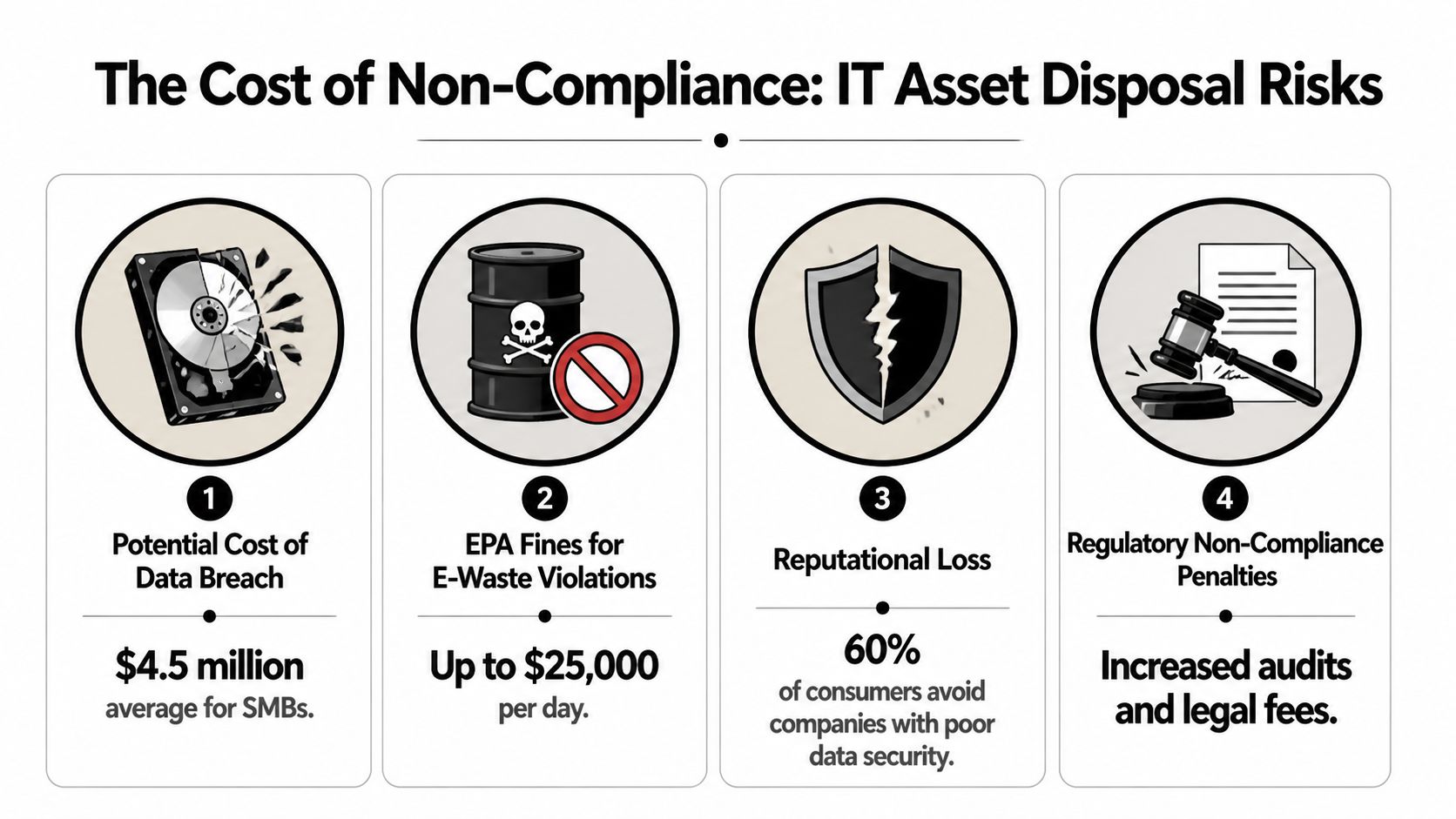
A common Atlanta scenario looks harmless at first. Retired laptops stack up in a storage room after a refresh, facilities schedules a cleanout, and everyone assumes the devices are gone for good once they leave the building. Months later, legal asks for destruction records, security wants confirmation on failed drives, and no one has a complete trail.
That is the business case for compliant IT asset disposition. It protects data, preserves records, and gives leadership a process they can defend to auditors, customers, and their own board.
For healthcare systems, schools, public agencies, financial firms, and multi-site businesses, disposal is part of risk management. A missing chain of custody for a retired laptop can create the same kind of internal scramble as a missing access log or an undocumented policy exception. The issue is not whether equipment left the office. The issue is whether the company can prove how it was handled from pickup through final processing.
Compliance starts with proof
The first question I would ask any IT manager is simple. If an auditor or customer asked about a specific retired asset six months from now, what could you produce?
A compliant ITAD program usually includes:
- Serialized asset tracking tied to an internal inventory record
- Chain-of-custody documentation from pickup through downstream processing
- Recognized sanitization methods such as DoD 5220.22-M or NIST 800-88 for media that can be wiped
- Physical destruction for failed media when sanitization is not the right option
- Final certificates and processing records that your team can retain for audits, contracts, and internal review
Those details matter because different devices require different handling. A working laptop headed for data sanitization follows one path. A failed hard drive with no viable wipe option follows another. Good vendors document both paths clearly. Weak vendors give you a truck and a promise.
Why disposal belongs in your risk register
Companies get into trouble when end-of-life IT is treated as a simple hauling job. Facilities should help with loading access, staging space, and timing. They should not be the only group defining what happens to data-bearing equipment.
The trade-off is real. A fast cleanout can free up space this week, but speed without documentation creates exposure that can last for years. If serial numbers were never captured, storage media were mixed in bulk gaylords, or the vendor cannot show who received the equipment, your company has no reliable way to verify the outcome later.
Environmental responsibility raises the stakes too. Electronics contain recoverable materials, embedded manufacturing impacts, and components that should not end up in the wrong stream. Mishandled disposal can weaken sustainability reporting just as quickly as it weakens security controls. That is one reason many Atlanta organizations now route retired equipment through a documented Atlanta IT asset disposition program for businesses instead of treating it as general surplus.
What works and what usually fails
The strongest programs are boring in the best way. Roles are clear, pickups are scheduled, exceptions are documented, and records are easy to retrieve later.
What tends to work:
- IT owns the asset list because IT can verify what is being retired
- Security, legal, or compliance defines handling rules for data-bearing devices and record retention
- Pickup is planned in advance so staging, dock access, and packaging do not create last-minute confusion
- The vendor agreement spells out processing requirements before the first device leaves the site
What usually fails:
- Bulk cleanouts with no serial capture
- Factory resets treated as if they were certified sanitization
- Drives, batteries, loose cables, and whole systems mixed together without process controls
- Transport vendors used for electronics removal without audit-ready downstream documentation
One sentence is worth remembering. If a vendor can remove equipment but cannot produce records that hold up under review, they handled transportation, not disposition.
Brand value is part of the return
Risk reduction is the baseline. The stronger business case is broader.
Well-run ITAD supports ESG and CSR in a way leadership can use. When retired devices are processed with documented security controls, responsible material handling, and a defined community outcome, the company gets more than a certificate file. It gets a story backed by operations. For Atlanta Green Recycling clients, that can include support for veteran-focused initiatives and reforestation work, which gives the project a visible social and environmental result instead of leaving it as a hidden back-office task.
Employees notice that difference. So do customers, procurement teams, and community partners.
Handled correctly, compliant recycling stops being a cost center with no upside. It becomes evidence that your company manages risk carefully and puts retired technology to work for a mission people can respect.
Preparing Your Laptops and Computers for Secure Recycling
At 4:30 on pickup day, the problems usually show up fast. A department still has five assigned laptops no one can locate. Two carts contain mixed peripherals and loose drives. One manager assumes the devices were already “wiped,” but no one can say how, when, or by whom.
That is avoidable.
Preparation is where secure recycling either stays controlled or starts creating risk. For Atlanta companies, the goal is simple. Release every device with a clear record, the right data handling decision, and a process your IT team could defend in an audit or explain in an ESG report.
Start with asset visibility
Before pickup, identify each device and decide its disposition path. That means recording what the item is, whether storage media is present, whether the unit still works, and whether it should be reused, recycled, or sent for destruction.
Use a preparation sheet that includes:
- asset tag
- serial number
- device type
- user or department
- working or non-working status
- storage media present or removed
- special handling notes
If your records are incomplete, work from physical verification. In practice, a clean handwritten count tied back to serial numbers is better than a polished spreadsheet full of assumptions.
A disciplined intake process also supports the broader outcome companies want from IT asset disposition. As described in Reworx’s overview of Atlanta e-waste recycling processes, including documented tracking, recognized data sanitization standards, and high landfill diversion through responsible downstream handling, secure processing and environmental performance depend on what gets identified correctly before transport.
Separate equipment by processing path
Sorting before pickup saves time and reduces mistakes. It also prevents your vendor from having to make disposition decisions on the fly with mixed material in front of them.
A practical separation model looks like this:
- Laptops for possible reuse or remarketing
- Desktops and towers for standard recycling
- Servers and network hardware for project-based handling
- Loose hard drives and SSDs for dedicated destruction
- Peripherals and accessories in a separate stream
- Items with damage, swelling batteries, or missing components flagged in advance
A working laptop with intact memory and storage may still have reuse value. A failed SSD from a finance department system belongs on a different path. Mixing those items together creates confusion, slows release, and increases the chance of a documentation gap.
Know the difference between reset and certified sanitization
Factory reset is an operational step. It is not the same as documented sanitization or destruction.
That distinction matters for legal, contractual, and internal policy reasons. If a device handled client data, employee records, protected health information, financial data, or regulated internal files, your company may need evidence of how the media was sanitized or destroyed, not just confirmation that the machine boots to a setup screen.
If your team wants to do pre-pickup hygiene, keep it practical. Remove devices from MDM, sign users out, confirm backups, and collect chargers only if they affect reuse value. Then match the final data disposition method to the device condition and your compliance requirements.
Teams that want an internal pre-release workflow can use this guide on how to erase a hard drive securely before recycling to align their internal steps with the recycler’s documented process.
Device Preparation Checklist for Secure Pickup
| Step | Action Required | Why It's Important |
|---|---|---|
| Inventory assets | Record serial numbers, device types, and departments | Creates the basis for documented release |
| Confirm disposition status | Mark devices for reuse, recycling, or destruction | Prevents the wrong processing path |
| Remove from active systems | De-register from MDM, user assignments, and internal asset tools | Avoids licensing and ownership confusion |
| Separate by category | Group laptops, desktops, servers, and loose media apart | Speeds handling and reduces mistakes |
| Flag damaged items | Identify failed drives, broken screens, or battery concerns | Supports safe and correct processing |
| Back up needed data | Preserve anything the business still requires | Prevents accidental loss before release |
| Stage equipment securely | Move assets to a controlled room or locked area | Limits access before pickup |
| Assign an internal owner | Name one contact for IT, facilities, and the recycler | Keeps pickup day organized |
What to have ready on pickup day
The strongest projects usually have one internal lead, one backup contact, and a staging area that facilities and IT both understand. That is especially important during office moves, hardware refreshes, and multi-floor cleanouts where assets may be released in phases.
Have these details settled before arrival:
- Pickup contact with mobile number and authority to release assets
- Access instructions for loading dock, elevator, freight path, or service entrance
- Packaging expectations if de-installation or palletizing is needed
- Scope confirmation so everyone agrees on what is leaving that day
Good preparation does more than reduce errors. It turns a routine cleanout into a process your company can stand behind. Devices leave under control, your records stay usable, and the retired equipment can support a better outcome through responsible recycling, veteran-focused community support, and reforestation tied to the project.
Our Secure Process From Pickup to Final Certification
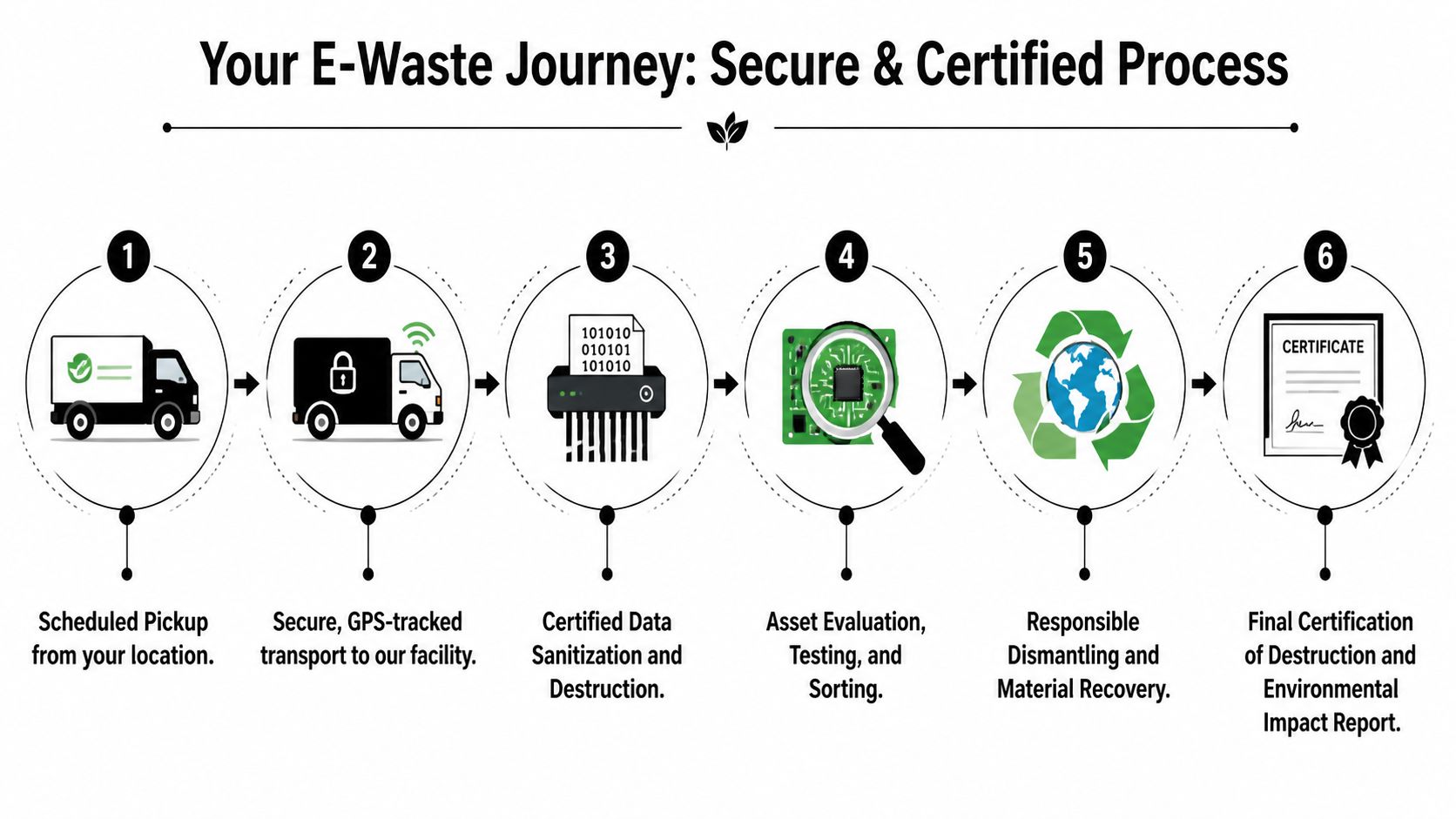
A secure recycling project is judged after the truck leaves. If your legal team, IT staff, and an outside auditor cannot trace what happened to each device, the process failed its main job.
Pickup and transport
Control starts on site. Assets are matched to the approved scope, counted, and loaded through a defined path so there is a clear chain of custody from your office, school, warehouse, or data room to the processing facility.
Large Atlanta projects add logistical pressure. A headquarters move, regional refresh, or decommissioned server room may require after-hours access, dock coordination, elevator reservations, and phased removals so business operations stay intact. Good ITAD work is as much about disciplined handling as it is about recycling.
Atlanta Green Recycling is one example of a provider serving business clients with electronics recycling, secure data destruction, de-installation, and pickup logistics. What matters is whether your recycler can run transport, intake, data handling, and downstream processing as one controlled system instead of a set of disconnected handoffs.
Data destruction decisions
Once equipment reaches the facility, the next decision is about the storage media. That decision should follow your policy, the condition of the drive, and the reuse potential of the asset.
Two standard paths are used:
- Software sanitization for functional drives, using recognized methods such as DoD 5220.22-M or NIST 800-88
- Physical shredding for failed drives, damaged media, or assets your policy requires to be destroyed
There is a real trade-off here. Shredding is final and simple from a risk perspective, but it removes any chance of reuse for that media. Sanitization preserves more asset value when drives pass testing, but it also requires tight recordkeeping and process discipline. For many corporate IT managers, the right answer is not one method for everything. It is a documented decision tree applied consistently.
Testing, sorting, and downstream processing
After data destruction, devices are evaluated for reuse, parts harvesting, or material recycling. Some laptops can be refurbished. Some desktops are useful only for parts. Some assets go straight to commodity recovery because age, damage, or configuration makes reuse impractical.
This step has financial and reporting consequences. Reuse and remarketing can offset part of the project cost. Recycling still carries value because it keeps regulated materials out of disposal channels and supports environmental reporting. Either way, a credible recycler should be able to explain where reusable equipment goes, where scrap commodities go, and which downstream partners handle final processing.
That visibility also supports a stronger CSR story. Companies are under pressure to prove that retired technology was handled responsibly, but the best programs do more than close a compliance ticket. They connect secure disposition to visible public value. That is why Atlanta businesses increasingly pair certified recycling with veteran support and reforestation initiatives, then use those outcomes in internal communications and external reporting. For teams focused on driving commercial growth with storytelling, this turns an operational necessity into a credible brand asset.
Final records and why they matter
Documentation is what turns a completed pickup into an auditable result. Your team should receive records that confirm what was collected, how data-bearing items were handled, and how the material moved through approved processing channels.
Typical final documentation includes:
| Record | What it confirms | Why your team keeps it |
|---|---|---|
| Asset inventory report | Which items entered the process | Supports internal review and chain-of-custody verification |
| Certificate of Destruction | That data-bearing media was destroyed or sanitized | Helps satisfy client, legal, and policy requirements |
| Environmental reporting | That materials were processed through responsible recycling channels | Supports ESG, sustainability, and board reporting |
| Value recovery summary | Which assets had resale or parts value | Helps finance and procurement assess recovery results |
If your team wants a standard reference for internal files, this certificate of destruction form for secure media destruction records is a practical starting point.
Good recycling ends with proof. Good leadership goes one step further and shows how that proof supports security, compliance, community benefit, and environmental progress at the same time.
Turn E-Waste Into a Powerful ESG and CSR Story
A retiring fleet of laptops can do more than satisfy disposal policy. Handled well, it gives your company a clean, defensible story about security, environmental stewardship, and community investment that employees and customers can picture.
End-of-life technology is easier to communicate than many sustainability initiatives because the items are concrete. Staff members know what an old laptop stack looks like. Facilities teams know what a storage room full of obsolete towers costs in space and risk. Once that same project also supports veteran assistance and reforestation, the result stops sounding like back-office maintenance and starts reading like a real ESG program.

Give your recycling program a narrative people remember
Corporate sustainability language often loses people because it stays abstract. Terms like circularity and responsible disposal are accurate, but they do not give employees or outside stakeholders much to hold onto.
Clearer framing works better:
- Retired devices support veteran-focused programs.
- Recycling activity contributes to tree planting and long-term restoration.
- Your company receives impact records it can share internally and externally.
- Employees can connect a cleanup project to a visible public benefit.
That difference matters. A campaign built around purpose gets stronger participation than one built around surplus removal alone. If your team is planning a collection initiative, a structured electronics recycling event for Atlanta businesses and community partners gives communications, HR, and operations a concrete focal point instead of a one-line disposal notice.
Use the documentation beyond compliance
The strongest programs produce records that work in two directions. One direction supports audit, legal, and procurement needs. The other supports reporting, recruiting, and brand communication.
Useful ESG and CSR assets include:
- Plant-A-Tree certificates for sustainability files and annual summaries
- Veteran Support Impact Reports for community giving and outreach updates
- Digital badges such as “Recycled with Purpose” for vendor pages or partner materials
- Event recap assets for LinkedIn posts, recruiting content, and internal newsletters
Brand work starts here. A documented recycling project has more credibility than a general sustainability claim because it ties a routine operational action to a verified outcome. For teams refining that message, driving commercial growth with storytelling is a useful framework for turning proof into a story people remember.
ESG reporting improves when the evidence is operational and the story is human.
Why this resonates with stakeholders
Responsible recycling has real resource value, which helps sustainability teams explain why old equipment deserves attention instead of indefinite storage. As noted in this Atlanta-area laptop and computer recycling reference, including the figures that recycling one million laptops saves enough energy to power 3,500 U.S. homes for a year, and that recycling one million cell phones can recover 75 pounds of gold, 772 pounds of silver, and 35,000 pounds of copper, end-of-life electronics contain recoverable materials and energy-saving potential that support a stronger ESG case.
That environmental case gets stronger in Atlanta when it is paired with a social one. Companies are under pressure to show that ESG activity is specific, measurable, and relevant to the communities where they operate. Recycling programs tied to veteran support and reforestation meet that standard because the benefits are easy to explain and easy to document.
For a corporate audience, that gives one asset disposition project several uses:
- an employee engagement campaign around Earth Day, Arbor Day, or Veterans Day
- a recruiting signal that the company funds community outcomes, not just marketing slogans
- a supplier or customer proof point in sustainability reviews
- a cleaner, more credible story for annual reports and stakeholder updates
That is a far better use of retired IT assets than filing the certificate and letting the impact go unseen.
Launch Your Own Corporate or Community Recycling Drive
A strong recycling drive starts before the first box hits the loading area. An Atlanta office manager announces a collection day, employees show up with old laptops, and then the hard questions arrive. What is accepted, what contains company data, who signs for custody, and what proof will exist after the event? Those details decide whether the drive clears inventory cleanly or creates new risk.
A repeatable event structure solves that problem. It also gives Atlanta businesses a better story to tell. Retired equipment leaves storage, veterans benefit through mission-aligned program support, trees get planted, and the company has documented results it can share internally and externally.
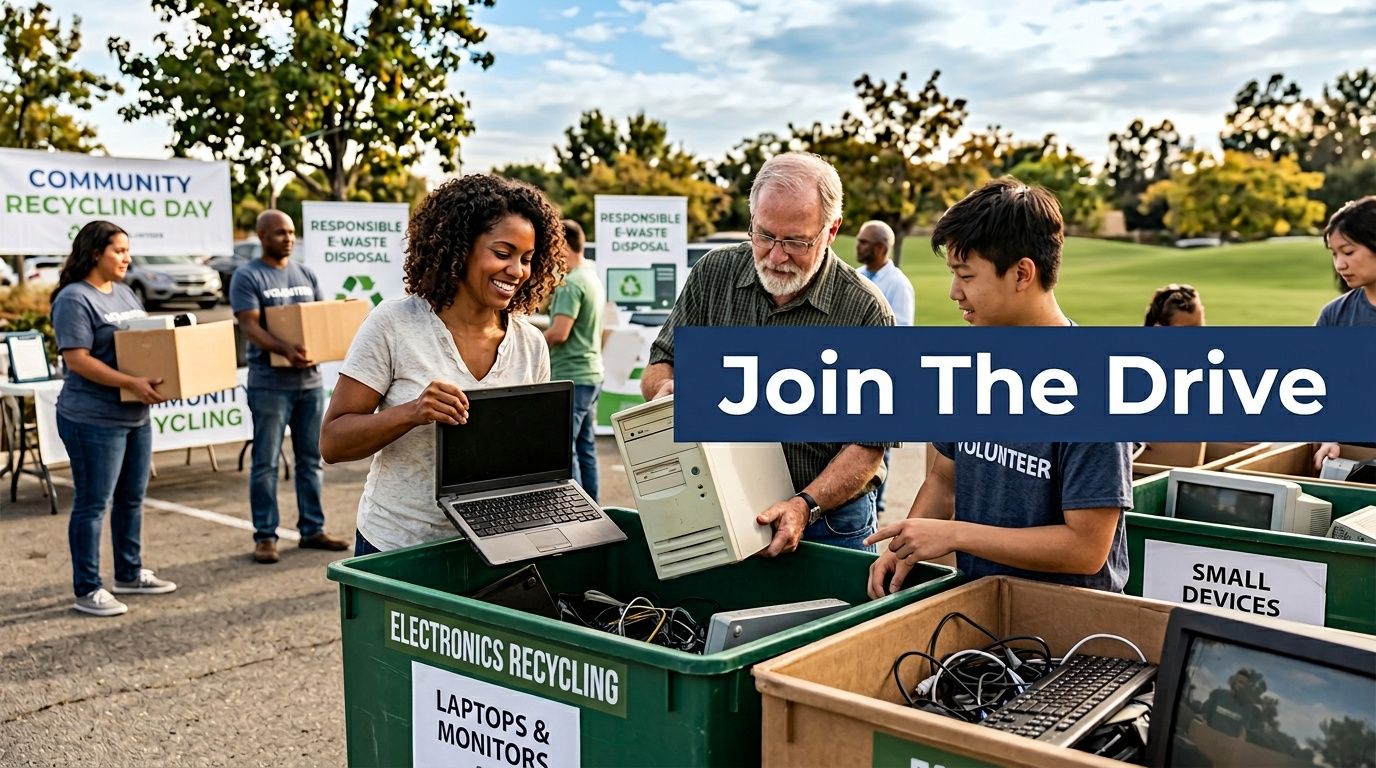
Two models that work well
A corporate recycling drive fits private organizations that want control, tighter intake, and cleaner documentation. Internal teams gather approved devices from offices, storage rooms, and IT areas, then schedule one coordinated handoff. At Atlanta Green Recycling, pickup terms are typically scoped around project size, device mix, access conditions, and service requirements. For larger collections, pickup can often be built into the event plan.
A community partnership event fits companies that want employee engagement and local visibility along with proper electronics handling. Schools, veteran organizations, municipalities, and nonprofits can co-host a public collection day while the recycling partner manages intake, transportation, sorting, and downstream processing. That model takes more planning up front, but it produces broader participation and stronger CSR value.
What to plan before announcing an event
The best drives feel organized because they are organized. Staff should not be making data-handling decisions at a folding table with a line of cars waiting.
Use this planning sequence:
Choose the audience
Decide whether the event is internal, invite-only, or open to the public. Public events need tighter traffic flow, clearer signage, and narrower acceptance rules.Define accepted items
List laptops, desktops, monitors, peripherals, loose hard drives, and any exclusions. This prevents volunteers and employees from bringing items that require a different disposal path.Set intake and data rules
Company-owned systems, employee-owned devices, and loose media do not belong in the same workflow. Regulated organizations should decide in advance which items require tracked custody, serial capture, or physical destruction.Assign ownership
IT, facilities, compliance, HR, and communications all have different roles. Name one event lead who can make decisions quickly on event day.Decide how impact will be reported
If you want the event to support ESG and CSR goals, define that before launch. Tie the drive to veteran support, reforestation, or both, and confirm what documentation participants and leadership will receive afterward.
One common frustration in this market is vague post-event paperwork. Regulated organizations usually need more than a pickup receipt and a general assurance that materials were handled properly. As noted in Atlanta computer recycling guidance covering documentation expectations, secure handling concerns, and the reporting gaps many organizations still face, many providers describe secure recycling at a high level but do not show the audit-ready records that healthcare, finance, legal, education, and public-sector clients often need.
Make the event useful to more than one department
A recycling drive earns better internal support when several departments benefit from it at the same time.
- IT clears retired hardware from controlled areas.
- Facilities gets back valuable storage space.
- Compliance gets disposition records that support policy and audit needs.
- HR and communications gets a credible employee campaign with visible community value.
- CSR teams gets a local impact story tied to veteran support and reforestation, not a generic sustainability claim.
If you are planning a public-facing collection, a dedicated electronic recycling event page for accepted items, scheduling details, and reporting expectations keeps the process clear for employees, residents, and partners.
Well-run drives are practical first. They are also memorable for the right reasons. The company removes obsolete equipment responsibly, employees see where the effort goes, and the final result supports both compliance and a mission people want to be part of.
Frequently Asked Questions About Atlanta Computer Recycling
The last hesitation usually comes down to logistics. Companies know they need to clear old equipment, but they want to know what the process looks like in real terms. These are the questions that come up most often in Atlanta business recycling projects.
FAQ
| Question | Answer |
|---|---|
| What items are usually included in laptop and computer recycling? | Most business projects include laptops, desktops, servers, monitors, docking stations, keyboards, mice, loose hard drives, and related IT peripherals. The exact accepted list should be confirmed before pickup so equipment is routed correctly. |
| Should our team wipe devices before pickup? | Your team can remove devices from active systems and complete internal offboarding steps, but that shouldn’t replace documented sanitization or destruction. For regulated data, keep the final proof with the recycler’s records. |
| What if some laptops still work and others are damaged? | That’s normal. Working units may be evaluated for reuse or remarketing, while failed devices and non-functional media move directly into destruction and material recovery workflows. |
| Do we need serial numbers for every device? | Full serial capture is the cleanest approach, especially for business ITAD. If your records are incomplete, identify as many as possible before pickup and reconcile the rest during intake. |
| How should we handle loose hard drives and SSDs? | Keep them separated from general equipment. Data-bearing media should be staged in a controlled container or clearly labeled box so chain-of-custody and destruction handling stay clean. |
| Can hospitals and healthcare groups use the same recycling process as a regular office? | The core logistics may look similar, but healthcare environments usually need tighter documentation, stronger custody discipline, and records that support HIPAA-sensitive internal controls. |
| What about employee-owned devices collected during a company event? | Set separate intake rules. Company-owned assets and employee-owned devices shouldn’t be mixed casually, especially if your event includes destruction options or compliance reporting. |
| Is pickup or drop-off better for a business? | Pickup is usually better for larger office cleanouts, distributed device collections, and projects involving data-bearing media. Drop-off can work for smaller, controlled loads if your internal chain-of-custody process is solid. |
| What paperwork should we expect at the end? | Most organizations should expect an asset report, proof of destruction or sanitization where applicable, and environmental reporting suitable for internal records. |
| Can recycling support our ESG or CSR reporting? | Yes. If your recycler provides impact-oriented documentation such as environmental summaries, tree-planting certificates, or veteran support reporting, your communications and sustainability teams can use that material in a more credible way. |
| How often should a business schedule recycling? | Don’t wait until storage becomes unmanageable. Most organizations benefit from a recurring schedule tied to refresh cycles, office moves, or quarterly asset review. |
| What is the biggest mistake companies make? | Treating e-waste as junk removal. The right mindset is controlled IT asset disposition with documented data handling, not just clearing space. |
A short decision filter
If you’re comparing providers, ask these questions before you hand over anything:
- Can they document chain-of-custody from pickup to processing?
- Can they explain when they wipe versus shred?
- Can they produce final records your compliance team will keep?
- Can they support a business-scale pickup without disrupting operations?
- Can they turn the outcome into something useful for ESG or CSR reporting?
Those answers tell you more than a price sheet ever will.
If your team is ready to clear retired devices without creating new risk, start with a documented process and a partner that understands business compliance, secure data destruction, and impact reporting. Atlanta Green Recycling supports Atlanta-area organizations with business electronics recycling, IT asset disposition, pickup logistics, and audit-ready documentation that can also support broader sustainability and community goals.