
Responsible Computer Disposal Atlanta GA: Responsible

An Atlanta office move, hardware refresh, or data center cleanup usually starts the same way. A locked room fills up with retired desktops, laptops, monitors, drives, docking stations, and loose networking gear. What looks like clutter is a mix of data risk, environmental liability, and compliance exposure.
That’s why Responsible Computer Disposal Atlanta GA can’t be treated like junk hauling. In the Atlanta market, disposal decisions now affect audit readiness, sustainability reporting, and brand reputation. The organizations that handle this well don’t just clear space. They protect regulated data, document every handoff, and turn an operational task into a visible ESG action.
Beyond the Landfill A Strategic Approach to Computer Disposal in Atlanta
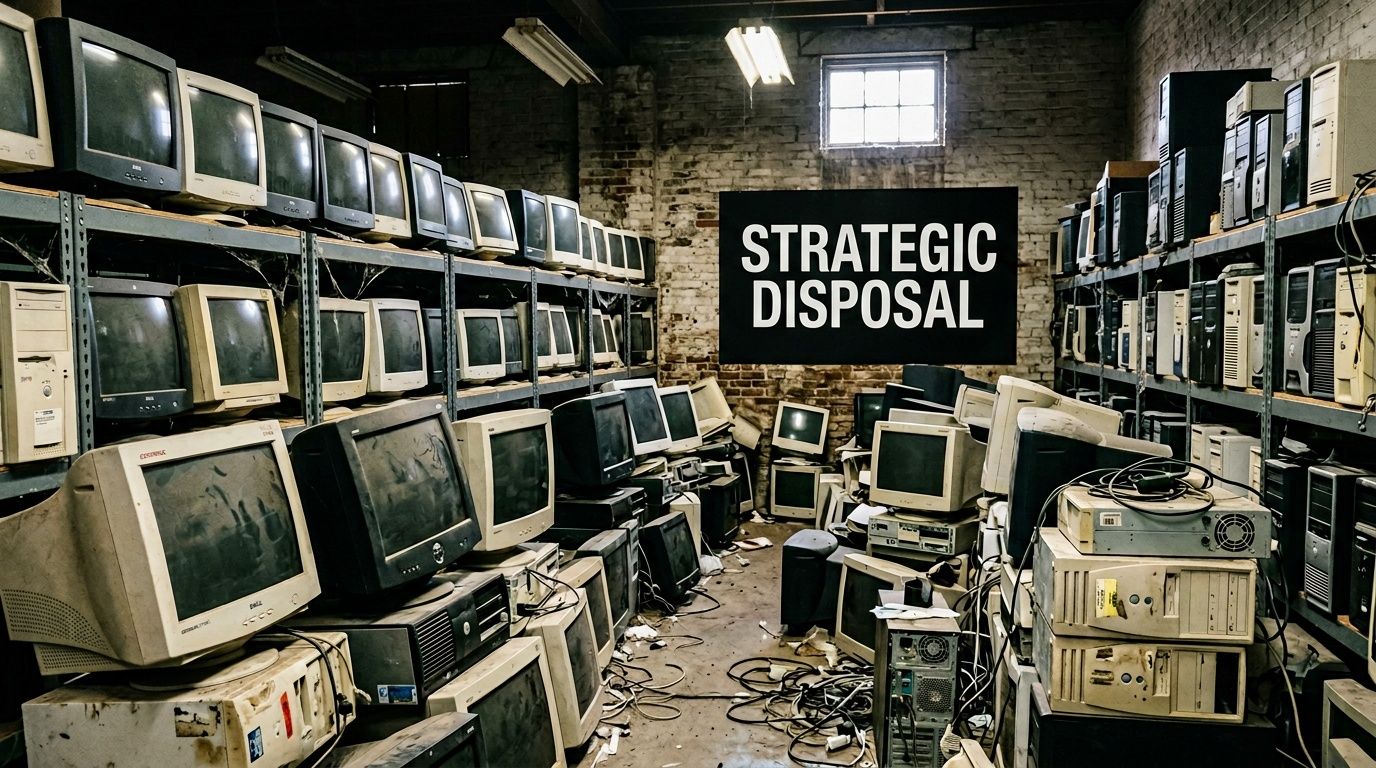
A familiar scene plays out across Atlanta. Leadership wants a storage room cleared before an office move, audit, or lease turnover, and the retired equipment looks like a hauling problem. It rarely is. Old laptops, desktops, servers, and loose drives carry legal, environmental, and reputational consequences long after employees stop using them.
Why landfill thinking fails
Cheap removal sounds efficient until someone asks for the chain of custody, proof of destruction, or a record showing where the material went. At that point, disposal stops being a facilities issue and becomes an ITAD issue. The difference matters because unmanaged equipment can expose regulated data, create gaps in audit files, and send hazardous material into the wrong downstream channel.
Local policy pressure is tightening that standard. A 2026 development cited by Reworx on Atlanta e-waste disposal describes the April 2026 Fulton County “Zero Landfill” ordinance, which mandates 90% diversion for commercial electronics and notes potential fines of up to $5,000 for non-compliance. For Atlanta organizations, disposal now carries board-level implications in security, compliance, and ESG reporting.
Old computers do not become low-risk because they are unplugged.
The stronger approach treats disposition as a business process with clear outcomes:
- Security control through documented pickup, handling, and data destruction
- Compliance support through records that stand up in audits, customer reviews, and internal policy checks
- CSR value through responsible recycling tied to a credible local mission
That third outcome is often underused. I have seen companies spend real money on sustainability campaigns while retired equipment sits in a back room, waiting to become a problem. A mission-driven ITAD partner can turn the same material into a story employees, customers, and investors understand. Atlanta Green Recycling’s dual-impact model is a good example of what that can look like in practice, connecting electronics recycling to support for veterans and reforestation rather than treating the job as a silent waste transfer.
That shift changes the internal conversation. The project is no longer just “remove obsolete hardware.” It becomes a visible act of stewardship with audit value behind it. Messaging like “Recycling That Restores Lives and Environments” or “Your old tech can house a veteran and grow a forest” gives stakeholders a reason to care beyond compliance.
For companies reviewing sustainable electronics recycling in Atlanta, the decision should be framed as procurement strategy, risk control, and brand opportunity at the same time. The right partner helps protect data, document every step, and produce a social impact outcome your marketing and ESG teams can use.
Inventory and Asset Preparation Before Pickup
The most important disposal document is usually created before the truck arrives. It’s the inventory list.
A proper inventory isn’t just a count of “about forty laptops and some monitors.” It’s the first control point in the chain of custody. If your list is vague, everything that follows becomes weaker. If your list is serialized and specific, audits get easier and disputes get shorter.

Build a usable asset register
Start with every device that could store data or be tracked as property. That includes desktops, laptops, servers, external drives, network appliances, tablets, and loose hard drives. Monitors, keyboards, docking stations, and cables matter too, but they usually belong in a separate equipment category unless your internal policy requires full serialization.
Capture these fields where possible:
- Asset tag from your internal tracking system
- Manufacturer and model
- Serial number
- Device type
- Location or department
- Condition, such as working, damaged, locked, or incomplete
- Contains storage media, yes or no
- Final instruction, such as wipe, shred, remarket, or recycle
If a device lacks an asset tag, assign a temporary internal reference before pickup. That one step prevents a lot of confusion later, especially when departments hand over mixed equipment from storage closets and satellite offices.
Prepare the assets like an operations team
Most pickup delays come from preventable issues inside the facility. Devices are still under desks. Chargers are mixed in with personal items. Servers are half-racked. A closet that “only has old monitors” turns out to contain loose drives in a banker’s box.
Use a staging plan:
- Consolidate by category: Keep laptops together, desktops together, servers together, and loose media separate.
- Separate high-risk assets: Any device that held regulated or sensitive data should be visibly flagged for the destruction workflow your policy requires.
- Bundle accessories sensibly: Coil cables and place them in labeled containers. Don’t tape cords directly to screens.
- Identify exceptions early: Damaged batteries, broken chassis, and partially disassembled systems need special handling notes.
- Limit access: Once the staging area is assembled, restrict who can enter it.
Practical rule: If your team can’t answer “what is this device, where did it come from, and what should happen to its data,” it isn’t ready for pickup.
Back up first, then remove uncertainty
No recycler or ITAD provider should be the place where your staff discovers a forgotten archive, old PST file, or licensing record. Backup and signoff belong on your internal checklist before transfer.
A clean prep sequence looks like this:
- Confirm retention: Ask business owners whether any files, logs, or images still need to be retained.
- Disable access: Remove devices from domain management, MDM tools, and identity platforms as required by internal policy.
- Note encryption status: Record whether the drive was encrypted before handoff.
- Mark destruction intent: Don’t leave the destruction choice to a loading dock conversation.
Teams that want a simpler handoff often use a standard prep guide like this computer recycling preparation checklist as a practical reference for internal staging.
What to do with mixed loads
Many Atlanta businesses don’t hand off clean, uniform batches. They hand off mixed lots from office moves, branch consolidations, renovations, and storage cleanouts. In those cases, don’t wait for a perfect inventory to start. Create a structured exception list instead.
For example:
| Asset group | Common issue | Better action |
|---|---|---|
| Laptops | Missing power adapters | Tag and process anyway if serials are present |
| Desktops | Unknown user history | Flag for secure data destruction workflow |
| Servers | Partially decommissioned | Document rack position and storage count |
| Loose drives | No system association | Assign temporary IDs before pickup |
The goal isn’t perfection. The goal is control.
Choosing Your Data Destruction Method DoD Wiping vs Physical Shredding
A controller signs off on an office refresh, the equipment is stacked for pickup, and one question suddenly carries the legal risk, recovery value, and reputational impact of the whole project. Should those drives be wiped, or should they be shredded?
That choice shapes far more than data security. It determines whether usable devices can be remarketed or donated, whether sustainability goals hold up under scrutiny, and whether your ITAD program creates a business story worth telling. In Atlanta, that matters. A mission-driven processor such as Atlanta Green Recycling can turn end-of-life equipment into two outcomes at once: defensible data destruction and visible community benefit through veteran support and reforestation.
When wiping makes sense
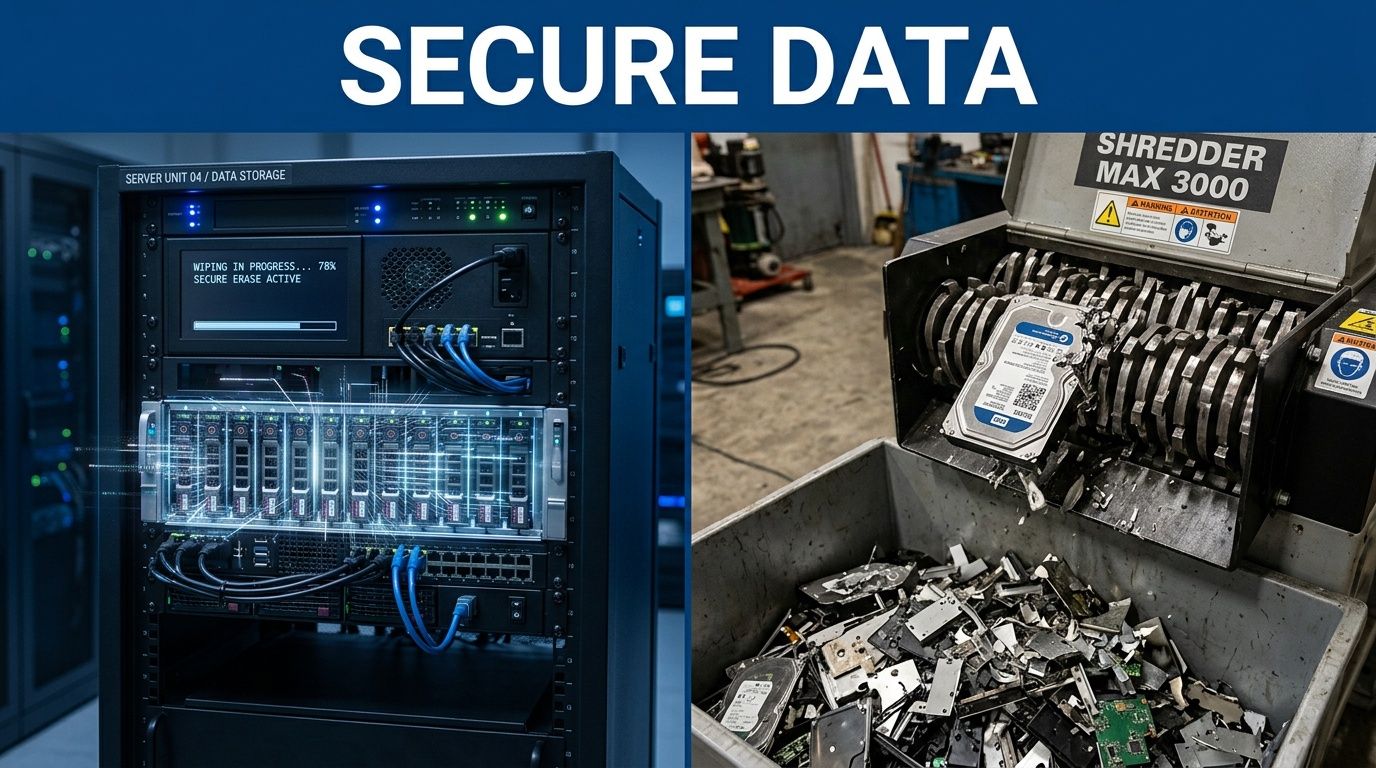
DoD-standard wiping is usually the right fit when the asset still has reuse or resale value and the drive is functional enough to complete a verified sanitization process. That often includes laptops, desktops, and some servers coming out of production in stable condition.
The trade-off is straightforward. Wiping preserves downstream value, but only if the media is healthy, the process is validated, and the provider can tie the result back to the specific asset. Without those controls, “wiped” is just a claim.
Wiping is often the better choice when your organization wants to keep:
- Verified sanitization records
- Residual asset value
- Refurbishment or donation potential
- Lower material waste
For ESG teams, disposal comes to intersect with CSR. A wiped, reusable device can support refurbishment channels instead of going straight to destruction. If your company reports on waste diversion, community impact, or responsible asset recovery, that distinction matters.
When shredding is the stronger choice
Physical shredding is the better call when certainty matters more than recovery. I recommend it for failed drives, loose media with unclear history, damaged SSDs, and storage pulled from systems tied to stricter legal or contractual obligations.
Healthcare, legal, finance, and public-sector environments often set the tone here. If the media cannot be reliably accessed, if the chain of use is muddy, or if internal policy requires irreversible destruction, shredding removes doubt at the cost of any remaining value.
Use shredding when:
- The media is damaged or unreadable
- The prior use of the device cannot be confirmed
- Internal policy requires destruction instead of sanitization
- The system cannot complete a verifiable wipe
- The business wants a final, non-redeployable result
One practical benchmark for teams thinking through privacy expectations is WhatPulse data privacy, which shows how software providers describe data collection and handling transparency. It is not a disposal standard, but it reinforces a useful discipline. Know what data exists, where it resides, and what your vendor is doing with it before anything leaves the building.
Weak methods create strong liability
Staff sometimes default to visible damage because it feels decisive. Drilling a drive, smashing it with a hammer, or running a factory reset may satisfy an internal audience for five minutes, but it does not create a controlled destruction record and may not fully address recoverability.
The point of failure is usually proof. If your organization cannot show what happened to a specific serial-numbered device or drive, the method did not serve the business, no matter how aggressive it looked on the loading dock.
A side-by-side decision view
| Method | Best use case | Main advantage | Main trade-off |
|---|---|---|---|
| DoD wiping | Functional devices with reuse value | Preserves remarketing, redeployment, or donation potential | Depends on drive health and verified sanitization results |
| Physical shredding | Failed, damaged, or highly sensitive media | Final and irreversible destruction | Eliminates reuse value of the storage media |
Many Atlanta organizations use a blended policy. They wipe systems that still carry lifecycle value, then shred failed drives, loose media, and sensitive exceptions. That approach usually produces the best balance of security, sustainability, and financial discipline.
If your team wants one controlled workflow for both options, secure business data destruction in Atlanta should include verified wiping, physical shredding where appropriate, and a service model that supports both compliance goals and the broader CSR story your company can stand behind.
Navigating Compliance with Audit-Ready Documentation
The audit usually starts after the pickup is over.
A controller asks for proof that five retired laptops left the building. Legal wants confirmation that a failed server drive was destroyed. Procurement needs records that match the vendor scope. If your team cannot produce clear documents tied to specific assets, a routine computer disposal project turns into an avoidable internal problem.
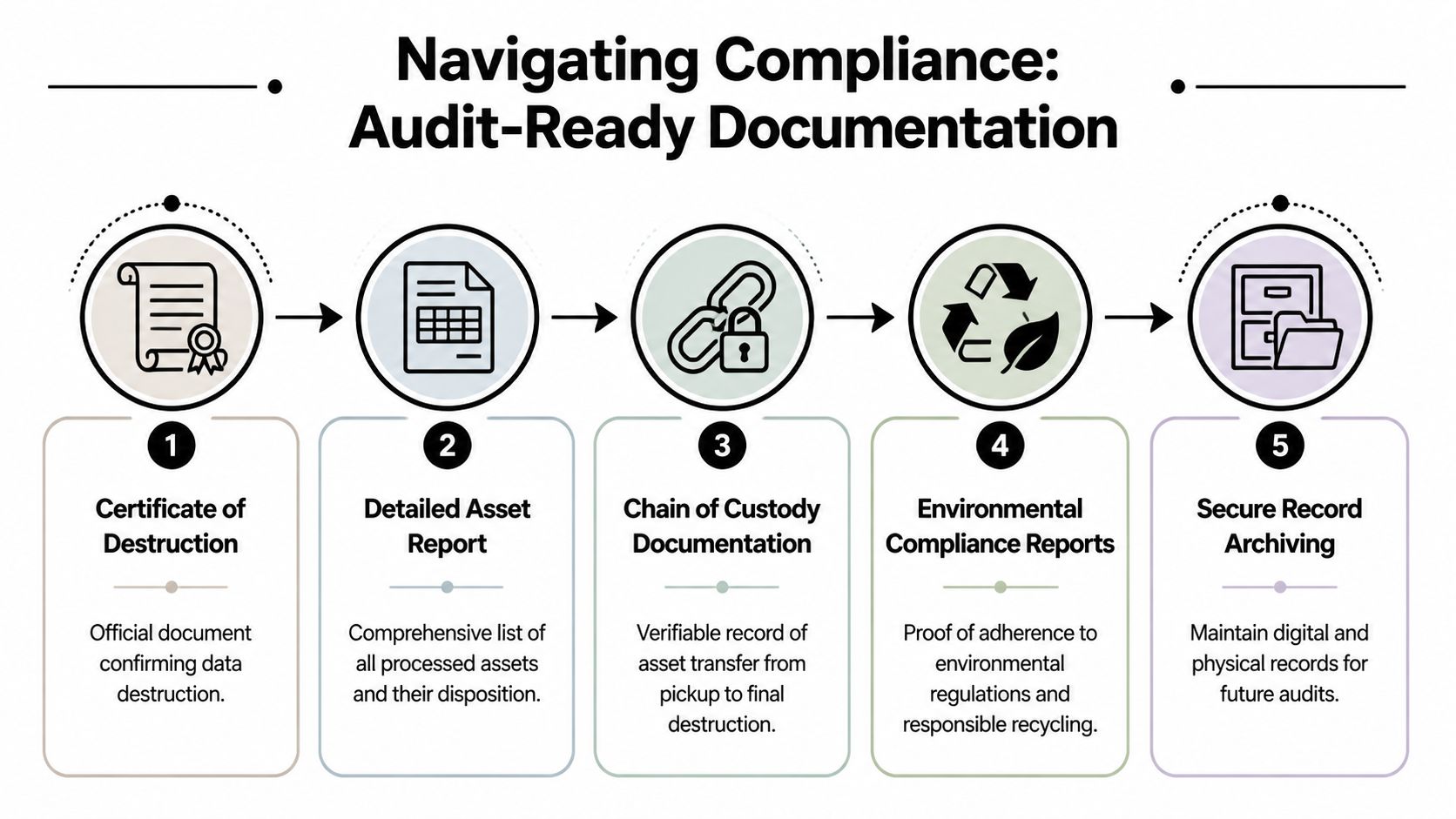
Good documentation starts before processing. The strongest programs create a record at pickup, maintain custody logs during transport and handling, and close the file with disposition documents that finance, compliance, and security can all use without translation.
What the paper trail should include
A proper audit file should answer four questions fast. What assets were included, when custody changed, what happened to each device or drive, and where the material went next.
Expect records such as:
- Pickup acknowledgment: A signed transfer record showing custody moved from your organization to the service provider
- Serialized asset report: A list tying each device or media item to a serial number, tag, or other identifier
- Certificates of destruction: Item-level confirmation for hard drives, SSDs, and servers when destruction is included in scope
- Final disposition summary: A report showing whether assets were wiped, shredded, recycled, remarketed, or otherwise processed
- Supporting evidence: Photos, dates, timestamps, and internal approvals where the policy or client requires them
I tell clients to review the sample paperwork before the first truck arrives. That step exposes weak processes early. If a vendor cannot show you what the final file looks like, they are asking you to trust a control they have not demonstrated.
Why regulated sectors need more than a receipt
Healthcare systems, universities, financial firms, and public agencies face a higher documentation standard because their risk is higher. A generic invoice that says "electronics recycled" does not answer the questions an auditor, privacy officer, or outside counsel will ask.
The practical gap is simple. A receipt proves a pickup happened. It does not prove which storage media were included, whether data-bearing devices were sanitized or destroyed, or where liability shifted.
That is why these records matter:
| Document | What it proves | Why your team needs it |
|---|---|---|
| Transfer record | When custody changed hands | Sets the liability boundary |
| Serialized inventory | Which assets were included | Prevents missing-asset disputes |
| Destruction certificate | What happened to storage media | Supports privacy and security controls |
| Environmental report | How equipment was handled downstream | Supports compliance and ESG reporting |
Store disposal records where audit, legal, and procurement can retrieve them quickly. Shared inboxes and personal folders fail this test all the time.
A standardized certificate of destruction form also helps internal teams agree on the proof they expect before the project begins, not after someone asks for missing paperwork.
Turn compliance files into reporting assets
A mission-driven ITAD partner changes the business value of the project. The same serialized reports and destruction records that satisfy compliance can also support CSR reporting, employee communications, and brand storytelling, if the provider can document impact credibly.
Atlanta Green Recycling's dual-impact model gives Atlanta businesses a stronger narrative than disposal alone. Equipment is handled under controlled processes, while the project also contributes to veteran support and reforestation. For ESG teams, that creates usable reporting material. For marketing and communications teams, it creates a story grounded in operational proof rather than vague sustainability language.
That distinction matters.
A disposal event can produce security records for an auditor, environmental documentation for an ESG file, and impact evidence your company can share with employees, customers, and community stakeholders. Done well, the compliance package does more than close a risk ticket. It helps turn a back-office requirement into visible corporate responsibility with records to back it up.
A Vendor Selection Checklist for Atlanta Businesses
Price matters. It just shouldn’t be the first filter.
For larger electronic waste, including computers and television equipment, only 39% achieved proper recycling according to the analysis cited by the Georgia Political Review on e-waste legislative gaps. That same source explains why the market is fragmented and why organizations should work with R2 or e-Stewards certified facilities. In practical terms, Atlanta businesses can’t assume every company advertising electronics pickup is equipped for compliant IT asset disposition.
Questions that expose weak vendors fast
A good vetting call gets specific quickly. If a vendor answers in generalities, keep digging.
Ask questions like:
- Certification scope: Are you R2 or e-Stewards certified, and which facility processes our material?
- Chain of custody: How do you serialize devices at pickup and track them through transfer points?
- Data destruction options: Do you offer both wiping and shredding, and how do you document each result?
- Transport control: Do you use your own fleet and your own staff, or are pickups subcontracted?
- Audit package: Can you show a sample of the records we’ll receive after completion?
- Downstream transparency: Where do non-reusable materials go after processing?
- Exception handling: How do you process loose drives, damaged systems, and mixed loads from office cleanouts?
The goal is to hear operational detail, not marketing language.
E-Waste Vendor Vetting Checklist
| Verification Area | Question for Vendor | Why It Matters |
|---|---|---|
| Certification | Are you R2 or e-Stewards certified? | Confirms recognized recycling controls |
| Pickup process | Who performs pickup and how is custody documented? | Reduces handoff risk |
| Inventory control | Do you scan or serialize every asset at pickup? | Creates traceability from day one |
| Data destruction | Will we receive per-device destruction records? | Supports audits and internal policy |
| Environmental handling | What happens to equipment that cannot be reused? | Helps prevent irresponsible downstream disposal |
| Regulated data experience | Have you handled healthcare, education, or government assets? | Indicates process maturity |
| Reporting | What reports will we receive at project close? | Avoids documentation gaps after the fact |
| ESG support | Can you provide impact documentation for sustainability files? | Extends value beyond operational disposal |
Don’t overlook the mission question
A modern vendor review should include one question many procurement teams still skip: What positive outcome does this project create beyond risk removal?
That question matters because disposal isn’t only a cost center anymore. Many Atlanta companies need credible local actions they can include in sustainability summaries, community engagement recaps, recruiting materials, and employee volunteer campaigns.
A mission-driven partner can support things such as:
- Veteran-focused collection drives around Veterans Day
- Earth Day and Arbor Day recycling campaigns
- Plant-a-tree certificates tied to electronics recycling
- Employee participation programs that turn surplus tech into a community-impact story
- A digital “Recycled with Purpose” badge for sustainability pages or CSR updates
That doesn’t make certifications less important. It makes the overall vendor decision more aligned with how companies now report value.
The cheapest pickup can become the most expensive option if your team later has to explain missing records, unclear handling, or weak downstream practices.
One practical standard
If a vendor can’t explain their process in a way your compliance manager, IT lead, and sustainability coordinator all understand, they probably aren’t ready for a serious business account. The right partner should be able to talk with equal clarity about serialized inventory, destruction proof, environmental handling, and impact documentation.
That’s the bar Atlanta businesses should set.
Turn Your E-Waste into a Legacy of Hope and Restoration
Most companies still treat obsolete electronics as a nuisance. Something to remove, document, and forget.
That mindset is too small for what these projects can do. Responsible computer disposal can protect data, support environmental stewardship, and create a visible local good that employees and customers remember.

The bigger meaning behind the process
The industry exists for a reason. The U.S. framework began with RCRA in 1976, and by 2007 the EPA reported that more than 63 million computers were discarded annually, a scale summarized by Atlanta Computer Recycling’s overview of computer disposal history and e-waste growth. When that many devices exit service, disposal choices shape environmental outcomes far beyond a single office or campus.
But there’s another decision inside that reality. You can process retired IT assets as a narrow compliance event, or you can use the same project to reinforce corporate character.
That’s where cause-based disposal becomes powerful. A business recycling campaign tied to veteran aid and reforestation gives people a reason to participate. It gives leadership a stronger internal message. It gives ESG and CSR teams a story rooted in a real operational activity rather than a vague pledge.
What a mission-driven disposal program can look like
The strongest programs don’t rely on abstract sustainability language. They connect equipment retirement to visible outcomes and repeatable reporting.
That can include:
- Seasonal campaigns: Run a Veterans Day or Earth Day collection tied to office cleanouts or refresh cycles.
- Impact certificates: Share plant-a-tree records or veteran support summaries with procurement, HR, and communications.
- Employee storytelling: Show staff how old tech moved from storage to responsible recycling to community benefit.
- Website proof: Use an impact counter, a sustainability page badge, or a short report in your annual CSR update.
- Client-facing value: If your company serves enterprise buyers, responsible e-waste handling can strengthen your own vendor credibility.
A phrase like “Turning E-Waste into Hope” works because it accurately reframes the project. The security controls are still there. The chain of custody is still there. The environmental handling is still there. The difference is that the outcome doesn’t stop at “disposed.”
Why this matters in Atlanta
Atlanta has a dense concentration of healthcare systems, universities, agencies, logistics operations, and corporate headquarters. That means there’s a constant stream of retiring technology across the metro area. Every refresh cycle is an opportunity to either push the problem downstream or convert it into something useful.
Local organizations are in a strong position to make these projects more meaningful:
- A hospital can align device retirement with both privacy controls and community-facing sustainability commitments.
- A school system can pair surplus electronics collection with environmental education.
- A corporate office can turn a storage room purge into a CSR activation employees can rally around.
- A government contractor can show that compliance and public-interest outcomes don’t have to compete.
That’s why e-scrap recycling services in Atlanta should be viewed as part of a larger business system, not just a removal event.
Your old tech can do more than leave the building. It can support a cleaner materials stream, a stronger compliance posture, and a cause your team is proud to mention.
The best outcome isn’t merely that the equipment is gone. It’s that the organization handled it with discipline, documented it properly, and created a legacy from assets that had already reached the end of their working life.
If your organization is planning an office refresh, storage room cleanout, server retirement, or compliance-driven IT asset disposition project, Atlanta Green Recycling offers a practical next step. You can schedule pickup, confirm accepted equipment, and request the documentation your IT, compliance, and sustainability teams need, while also exploring a mission-driven recycling model built around veteran support and reforestation.