
Your Atlanta Business Technology Recycling Guide for 2026


That back room is probably doing double duty right now. It stores retired laptops, extra monitors, a few old phones, maybe a server that came out during the last office move, and a mystery box of cables nobody wants to touch.
For many Atlanta businesses, that closet feels like a nuisance. In practice, it’s a mix of security risk, compliance exposure, and missed sustainability value. A discarded hard drive can still hold regulated data. A stack of aging devices can turn into a disposal problem if no one knows what a recycler accepts, what needs wiping first, or what records an auditor will ask to see later.
A good Atlanta Business Technology Recycling Guide should do more than tell you where to drop things off. It should help you decide what to inventory, what to sanitize, what to shred, what to redeploy, and how to document every step so your company stays protected. It should also help you turn a routine cleanout into something bigger. Old tech can support environmental goals, strengthen CSR reporting, and even power cause-based campaigns that connect your business to veteran support and reforestation.
Beyond the Storage Closet A New Purpose for Old Tech in Atlanta
A familiar scene shows up in offices across the metro area. An office manager opens a storage room to make space for new equipment and finds years of leftovers: retired desktops, cracked monitors, docking stations, boxed-up phones, and a few unlabeled hard drives from a past IT refresh. Nobody is sure which devices still hold data. Nobody wants to be the one who throws anything away incorrectly.
That hesitation makes sense. Business electronics aren’t ordinary trash. They hold sensitive information, contain materials that need proper handling, and create reporting questions once procurement, IT, facilities, and compliance teams all get involved.
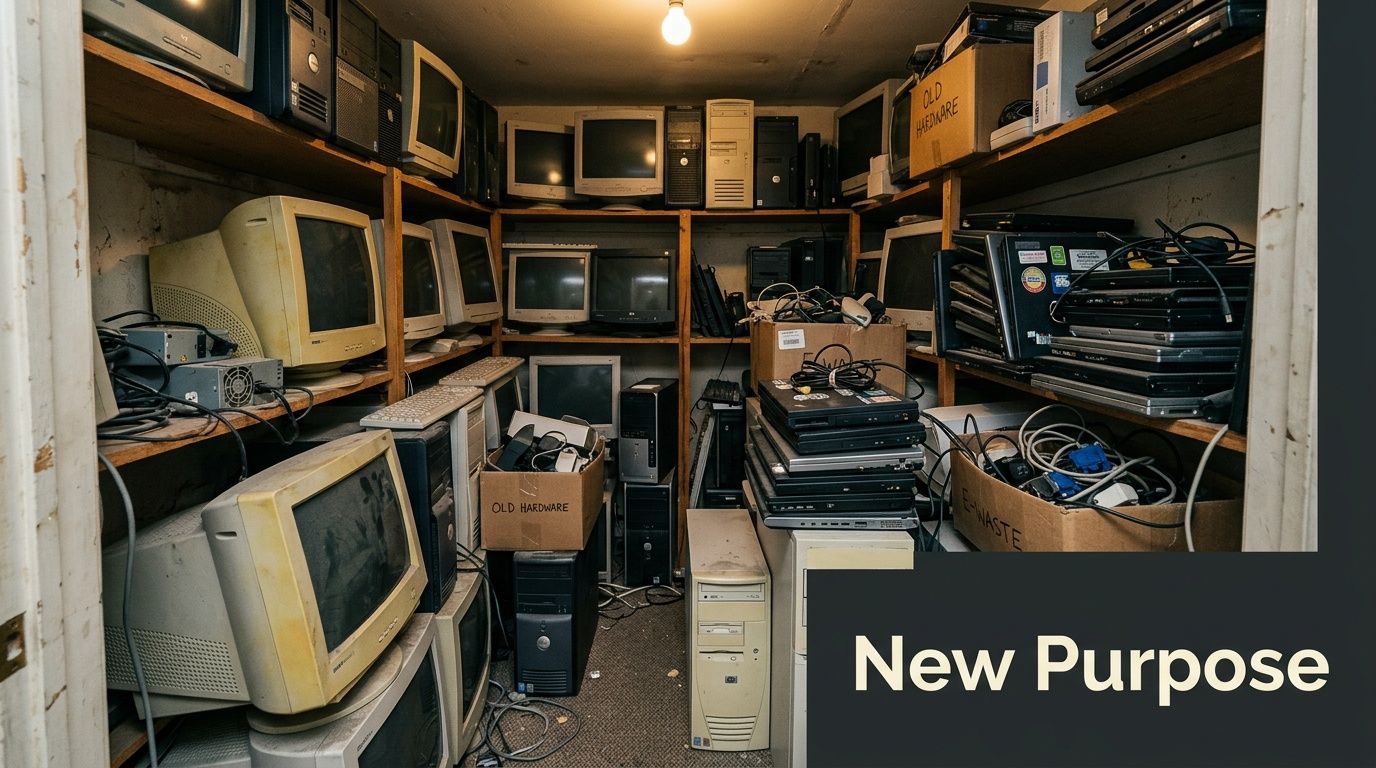
The bigger context explains why this problem keeps growing. Globally, e-waste generation reached 62 million tonnes in 2022, an 82% increase since 2010, with only 22.3% properly recycled, resulting in $62 billion in lost valuable metals annually. In the United States, e-waste is the fastest-growing municipal waste segment at over 3.5 million tons yearly, according to Atlanta Computer Recycling’s summary of the e-waste landscape.
Why old office tech becomes urgent fast
An old laptop doesn’t look dangerous sitting on a shelf. The risk comes from what people assume about it.
- “It was reset” isn’t enough: A quick reset doesn't replace formal data sanitization.
- “It’s broken” doesn’t mean safe: A nonworking device can still hold recoverable data.
- “We’ll deal with it later” gets expensive: Delays create clutter, confuse asset records, and make office moves harder.
Practical rule: If a device once connected to your network or stored company files, treat it like a data-bearing asset until a documented recycling or destruction process proves otherwise.
A different way to think about e-waste
Most companies begin with risk avoidance. That’s the right first instinct. But there’s a second opportunity hiding inside the same process.
When a business handles retired technology responsibly, it can convert a back-office cleanup into a visible act of stewardship. Instead of saying, “We got rid of some old computers,” you can say your company followed a secure chain, kept materials out of landfills, and tied the project to a broader social mission. For Atlanta organizations, that can mean linking electronics recycling to local community support, veteran-focused initiatives, and tree-planting programs that give staff and stakeholders something concrete to rally around.
That shift matters. It turns disposal into purpose.
Understanding Atlanta’s E-Waste Landscape and Regulations
Atlanta businesses sit inside a busy equipment cycle. Offices upgrade fleets. Hospitals retire clinical workstations. Universities replace lab devices. Data centers decommission infrastructure. All of that equipment has to go somewhere, and the quality of that “somewhere” matters.
Local recycling providers operate inside a broader e-waste challenge. In the U.S., e-waste generation exceeds 3.5 million tons annually, and it remains the fastest-growing solid waste category. In Atlanta, certified facilities use automated sorting to process assets from hospitals, universities, and data centers while following standards such as R2, ISO 14001, and ISO 45001, as outlined by ReWorx Recycling’s overview of Atlanta e-waste recycling.
What that means for an office manager
Those standards can sound abstract until you connect them to everyday decisions.
If your office is replacing employee laptops, the issue isn’t just pickup. It’s whether the recycler can track each unit, separate reusable equipment from end-of-life material, and process everything under documented environmental and safety procedures. If your organization is in healthcare, government, finance, or education, that paper trail becomes even more important.
A practical local reference is REDCHIP IT SOLUTIONS INC. on e-waste, which gives a plain-language overview of why electronics disposal needs more structure than standard office junk removal.
The regulation behind the process
The federal foundation goes back to RCRA, the Resource Conservation and Recovery Act of 1976, which established guidelines for hazardous waste management. You don’t need to memorize the statute to use it correctly. You do need to understand the implication: electronics can contain components that require controlled handling, not casual disposal.
For a business, that translates into a few nonnegotiables:
- Use certified downstream handling: Ask how the recycler manages materials after pickup.
- Keep asset records: You need a clear internal record of what left your site.
- Match vendor capability to asset type: Desktop towers, networking gear, monitors, and storage media don’t all follow the same path.
- Confirm standards in writing: Certifications and operating procedures should be documented, not implied.
Why certification matters locally
Atlanta’s market includes everything from small office cleanouts to multi-rack decommissioning work. Certified providers help businesses manage both routine and complex projects with more consistency.
A recycler with standards-based processes is more likely to offer:
| Business need | Why it matters in practice |
|---|---|
| Serialized tracking | Helps reconcile what was removed from the site |
| Automated sorting | Improves handling of mixed loads such as monitors, PCs, and accessories |
| Environmental controls | Supports responsible recovery of materials |
| Safety systems | Reduces operational risk during removal and processing |
The right vendor doesn’t just haul things away. They create a documented end-of-life path for every class of asset you hand over.
That’s the mindset behind a strong Atlanta Business Technology Recycling Guide. You’re not hiring a junk service. You’re selecting a compliance process.
Secure Data Destruction Your First Priority
When businesses talk about recycling old technology, people often jump to trucks, pallets, and pickup scheduling. That’s not the first issue. Data destruction comes first.
The reason is simple. The most serious consequence of poor electronics disposal usually isn’t clutter or inconvenience. It’s the chance that a retired hard drive, SSD, mobile device, or server leaves your control with information still on it. For healthcare groups, lenders, law firms, schools, and public agencies, that risk can touch regulated records, customer files, employee data, and internal credentials.
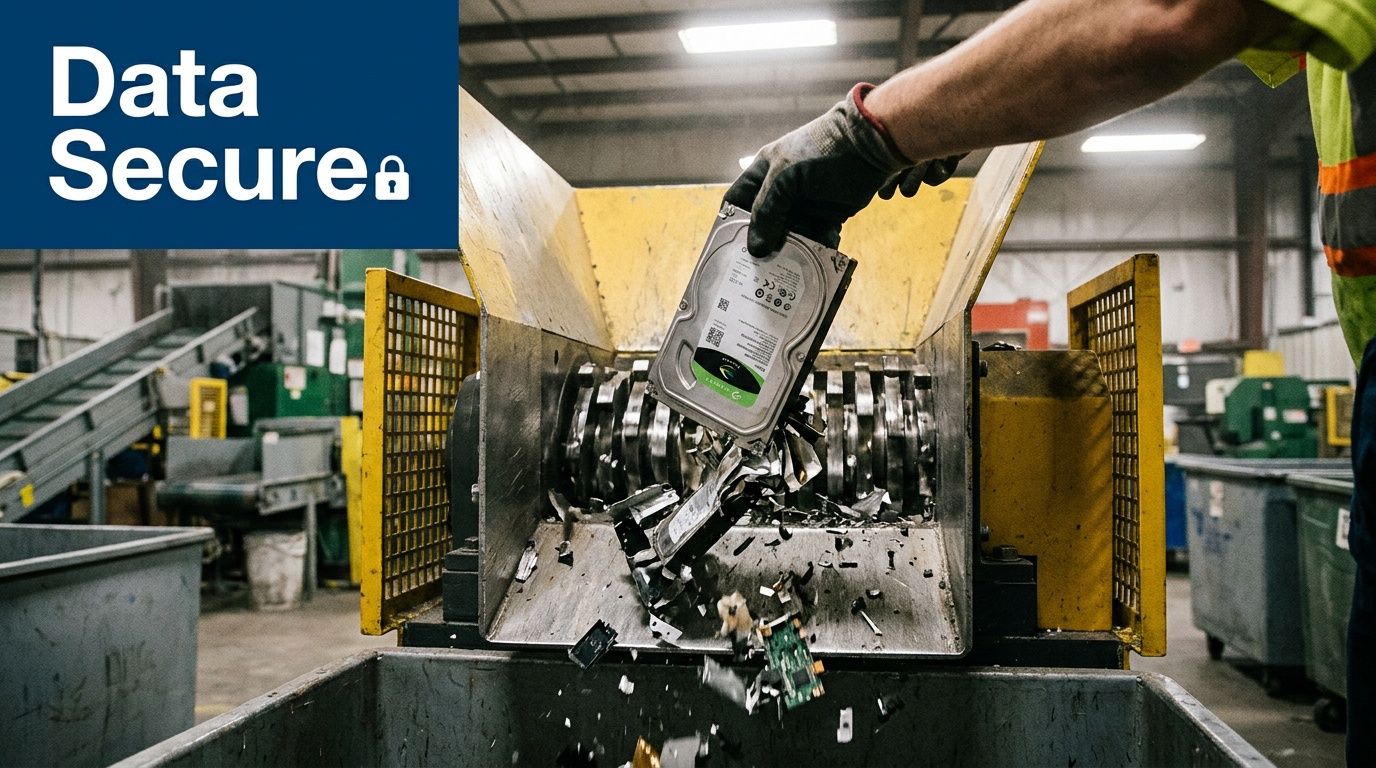
Atlanta recycling providers address this through data destruction methods aligned with NIST 800-88, using either software-based wiping to eradicate 100% of information or physical destruction. For compliance-heavy industries such as healthcare, they maintain documented chain-of-custody logs and provide a Certificate of Disposal for audit purposes, according to Greentek Solutions’ description of secure computer recycling processes.
Wiping versus shredding
Many office teams often get stuck. They ask a fair question: should the device be wiped or destroyed?
The answer depends on the asset and your risk tolerance.
Software wiping
Software wiping is used when a device or storage media may still have reuse or resale potential. The process overwrites stored data according to recognized sanitization methods. It’s useful for newer systems that still have operational value.
Physical destruction
Physical destruction is the safer choice for media that is damaged, obsolete, highly sensitive, or not worth remarketing. Shredding removes the uncertainty. If the media no longer exists in usable form, the data can’t be recovered from it.
A broken drive is not a destroyed drive. If you can still hold it in your hand as a drive, treat it as live risk until you have proof otherwise.
Chain of custody is the quiet control that protects you
A lot of companies focus on the destruction event and forget the handoff stages around it. That’s where chain-of-custody documentation matters.
A strong chain of custody records who handled the asset, when it moved, how it was identified, and what happened to it at final disposition. In practical terms, this can include serial numbers, device type, and risk classification. If an auditor or compliance officer asks what happened to a retired server, you shouldn’t have to rely on memory.
For teams reviewing their broader security posture, this article on affordable data security pentests is a useful companion because it frames disposal controls as part of overall compliance hygiene, not a separate facilities task.
Questions to ask before anything leaves the building
Use these questions in your vendor call or internal planning meeting:
- Which assets will be wiped, and which will be shredded?
- How are serial numbers captured?
- Who signs for pickup?
- What document confirms final destruction or disposition?
- Can the process support regulated records and internal audits?
If you need a more focused look at local options and documentation expectations, this guide to Atlanta secure data destruction services is a practical next read.
The standard you should hold
For healthcare, finance, and public-sector organizations, secure recycling isn’t mostly about sustainability language. It’s about evidence. Can you show that every data-bearing device was accounted for? Can you show how it was sanitized? Can you produce documentation without scrambling?
If the answer isn’t yes, the recycling project isn’t ready yet.
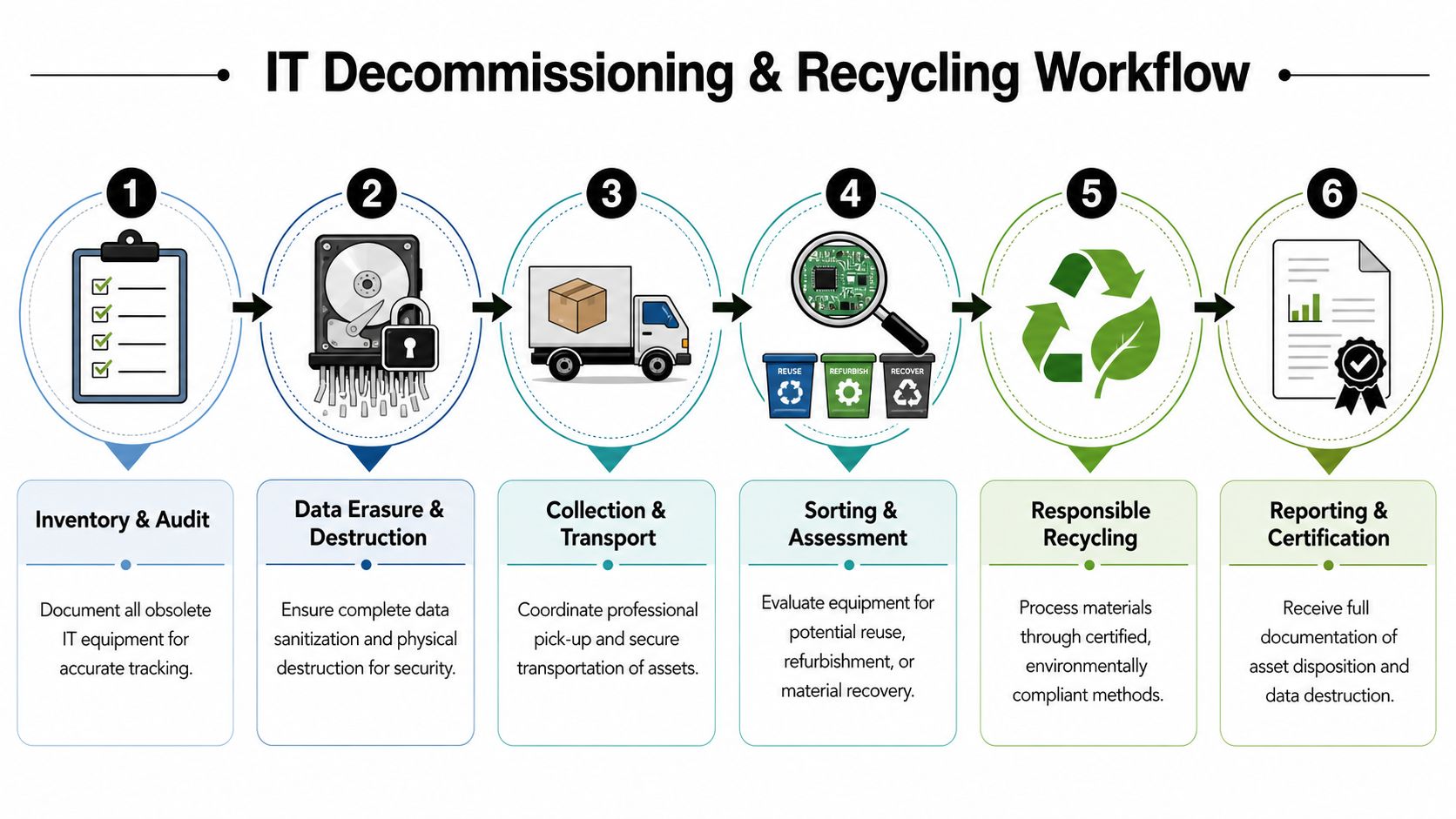
The Step-by-Step IT Decommissioning and Recycling Workflow
A clean decommissioning project feels calm from the outside because the planning happened earlier. Someone knows what’s being retired, how it will be removed, where data destruction fits, and which records need to come back at the end.
The workflow below works for a small office refresh, a multi-floor relocation, or a larger infrastructure retirement. The scale changes. The logic doesn’t.
Step 1 Start with an asset inventory
Before pickup, build a working list of what’s leaving the business. Don’t wait for the recycler to discover it all onsite.
Include device type, model when available, location, and whether the item stores data. If your company already tags assets, use those tags. If not, even a spreadsheet organized by room or department is far better than a pile with assumptions attached.
A useful split is:
- End-user devices: Laptops, desktops, tablets, phones
- Infrastructure equipment: Servers, switches, routers, racks
- Display and accessory hardware: Monitors, docks, keyboards, cables
- High-sensitivity items: Storage media, backup devices, specialty systems
Step 2 Decide the data path before pickup day
This part should never be improvised at the loading dock. Your team should know which assets are eligible for wiping, which need physical destruction, and who approves exceptions.
That prevents the common mess where facilities staff want things gone quickly while compliance staff wants everything held until someone checks the drives. If your project involves server rooms or network hardware, review a structured data center decommissioning process before scheduling removal.
Step 3 Prepare the site for safe removal
This is the operational step people underestimate. Equipment removal goes faster when the site is staged.
What staging usually looks like
- Consolidate by type: Put laptops with laptops, monitors with monitors, and loose drives in clearly marked secure containers.
- Separate reusable accessories: Power adapters, docking stations, and keyboards may follow a different handling path.
- Flag special spaces: Server rooms, lab areas, and clinical environments often need supervised access.
- Protect business continuity: Make sure nobody disconnects a live device that still supports users or systems.
Teams save time when they stage assets by category before the truck arrives. They also make inventory disputes less likely.
Step 4 Handoff and transport
Once equipment leaves your site, your documentation matters as much as the truck itself. The recycler should record what was collected and maintain a secure transfer process from pickup to processing.
For larger business projects in Atlanta, vendors may also provide onsite de-installation, packing, and fleet-based logistics. That’s especially helpful when an office manager is coordinating with IT, facilities, and building management at the same time. Atlanta Green Recycling is one local provider that offers business electronics recycling, onsite de-installation, packing, and pickup logistics for organizations managing end-of-life IT assets.
Step 5 Sorting and downstream disposition
At the processing stage, equipment is assessed for the proper path. Some devices may be suitable for refurbishment or remarketing after approved sanitization. Others go straight to material recovery. Monitors, batteries, storage media, and specialty electronics may require separate handling streams.
It becomes clear to many businesses why certified providers matter. “Recycling” is not one single bin or one single machine. It’s a sequence of decisions.
Quick Reference E-Waste Sorting Guide
| Item Category | Generally Accepted Items | Items Requiring Special Handling or Inquiry |
|---|---|---|
| Computers and laptops | Desktops, laptops, workstations | Devices with unknown ownership or missing asset IDs |
| Servers and networking gear | Servers, switches, routers, racks | Equipment still mounted in active environments |
| Mobile equipment | Phones, tablets, handheld devices | Locked or specialty devices tied to managed systems |
| Displays | Flat-panel monitors | CRT monitors and damaged screens |
| Storage media | Hard drives, SSDs, backup media | Media requiring witnessed destruction or elevated security controls |
| Accessories | Keyboards, mice, docks, cables | Mixed boxes with batteries or non-electronics |
Step 6 Get the closing documents
The project is not done when the truck leaves. It’s done when the paperwork comes back.
Look for records such as chain-of-custody logs, serialized inventories where applicable, and certificates confirming destruction or disposition. Your accounting team, compliance lead, procurement manager, and sustainability staff may all need different pieces of that final package.
A good closing file should help you answer three questions clearly:
- What did we retire?
- How was data handled?
- What was the final disposition?
That’s what turns a stressful cleanout into a controlled business process.
From Compliance to CSR Turning E-Waste into an ESG Win
Most recycling conversations stop too early. They end at compliance, which is necessary, but incomplete.
A business can do everything right operationally and still miss the strategic value of the project. That gap matters in Atlanta, where 78% of enterprises now mandate ESG documentation, and there has been a 35% rise in SEC-mandated ESG disclosures for public firms, according to Montclair Crew’s discussion of ESG reporting gaps in recycling guidance. The same source notes that many guides still fail to show companies how to turn disposal records into reporting-ready impact documentation.
What ESG-ready recycling actually looks like
An ESG-ready program doesn’t just remove old equipment. It produces usable proof for internal and external reporting.
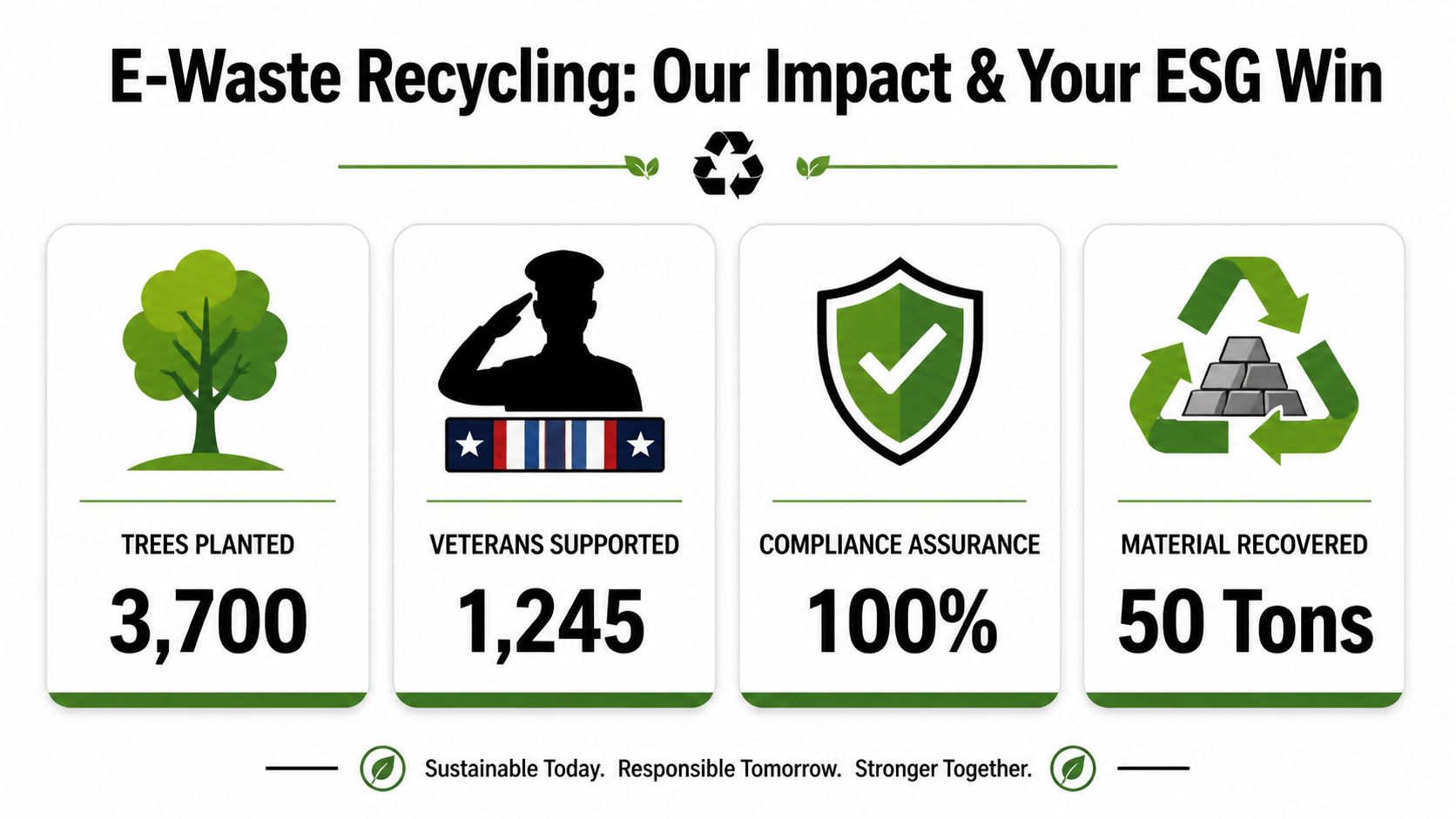
That usually means the recycler can supply documentation your business can plug into sustainability summaries, supplier reviews, board materials, or CSR updates. Depending on the program, that may include diversion reporting, certificates tied to tree planting, or impact summaries linked to veteran support initiatives.
If your sustainability or office operations team wants a broader overview of the business case, this guide on the benefits of e-waste recycling connects environmental handling with operational value.
The dual-impact model gives IT a stronger story
Cause-based recycling distinguishes itself. Instead of reporting e-waste as a narrow compliance activity, a business can connect it to two visible outcomes: environmental restoration and community support.
That changes how the project lands internally.
- For IT teams: It reframes asset disposition as part of governance and sustainability.
- For HR and internal communications: It creates a human story employees can support.
- For leadership: It produces a cleaner line between operations and stated values.
- For procurement and compliance: It adds useful documentation without creating a separate reporting burden.
Businesses don’t need more symbolic sustainability activity. They need documented actions they can verify and explain.
Simple examples of reportable outputs
A cause-based electronics recycling partner may be able to issue items such as:
| Output | How a company might use it |
|---|---|
| Plant-A-Tree certificate | Attach to CSR updates or employee engagement campaigns |
| Veteran Support Impact Report | Include in community impact summaries |
| Digital “Recycled with Purpose” badge | Display on a sustainability or partner page |
| Diversion documentation | Support ESG files and audit preparation |
The key is not to overstate what the data proves. If a provider gives you a certificate, use it accurately. If they provide qualitative impact reporting but not a framework-specific report, say that clearly. Credible ESG communication is specific, documented, and modest in tone.
A strong Atlanta Business Technology Recycling Guide should help office managers see this clearly. The recycling event is the operational task. The evidence package is the strategic asset.
Recycle for a Cause Amplifying Your Impact in the Community
The strongest recycling campaigns don’t feel like disposal projects. They feel like participation.
Think about how this looks inside a company. Employees bring in retired office devices from a department refresh. Leadership shares a short message explaining that the equipment will be processed securely and that the project also supports veterans and tree planting. Suddenly, the event isn’t just about cleaning out a closet. It becomes a story people remember and repeat.

Messaging that people understand quickly
Some CSR language is too abstract to move anyone. Cause-based recycling works better when the message is concrete.
“Your old tech can house a veteran and grow a forest” works because people understand both halves immediately. One speaks to social impact. The other speaks to environmental restoration. Together, they give an office cleanout emotional weight without changing the practical steps of secure recycling.
Campaign ideas that fit Atlanta organizations
A business doesn’t need a giant budget to make this work. It needs a reason, a calendar, and a simple participation model.
Seasonal drives
Tie collection events to moments that already carry meaning.
- Veterans Day: Highlight veteran support as part of the campaign story.
- Earth Day: Connect office cleanouts to sustainability goals.
- Arbor Day: Pair electronics recycling with tree-planting communication.
Partnered community events
Co-host with schools, nonprofits, veteran groups, or local civic organizations. These partnerships add trust and broaden participation.
Internal impact follow-up
After the event, send employees a short summary with what was collected, what documentation was issued, and how the effort supported the cause. That follow-up matters as much as the event itself.
“Recycle for a Cause” works best when the company closes the loop. People want to know what happened after they participated.
From one-time event to ongoing habit
The easiest way to lose momentum is to treat recycling as a one-off cleanup. A better approach is to create a repeatable rhythm.
That can include a standing annual drive, a quarterly equipment review, or a simple manager checklist for departments holding outdated devices. If you’re organizing a larger collection day, this guide on how to host an electronic recycling event can help with planning, communications, and handoff details.
For companies with a cause-based model, website impact counters can reinforce the story. The publisher brief’s examples, such as 1,245 veterans supported and 3,700 trees planted, belong in campaign materials when they reflect the organization’s own verified program reporting. Used carefully, those figures make the impact visible without forcing staff to read a long sustainability report.
That visibility turns participants into advocates.
Choosing the Right Atlanta Recycling Partner
A vendor shortlist gets better when you stop asking only, “Who can pick this up?” and start asking, “Who can protect us, document this, and support our reporting needs?”
That’s the primary buying decision for business electronics recycling in Atlanta.
The checklist that matters
Use this filter when comparing providers, including any firms listed in directories of IT asset disposition companies.
- Certification first: Look for R2 or e-Stewards, and confirm related operating standards are current.
- NIST 800-88 alignment: Ask exactly how the provider handles wiping, shredding, and exceptions.
- Chain-of-custody documentation: Every business project should produce a clear asset trail.
- Certificates and audit records: If they can’t show you sample documentation, keep looking.
- Business logistics capability: Onsite de-installation, packing, and secure transport matter for larger projects.
- ESG and CSR support: Ask whether they can issue impact-oriented documentation your team can use.
Questions worth asking on the first call
Not every recycler is built for business needs. A short conversation usually reveals the difference.
Ask what happens to data-bearing assets, how pickups are documented, whether they serve regulated industries, and what final reports you’ll receive. If your company wants to connect recycling to broader community impact, ask that directly too. Some providers can support cause-based programs with veteran-focused reporting, tree-planting certificates, or campaign-ready materials. Others can’t.
The right partner should make your job easier, not more mysterious. They should answer plainly, document thoroughly, and understand that responsible recycling sits at the intersection of IT, compliance, facilities, and sustainability.
If your organization needs a business-focused partner for secure electronics recycling, data destruction, pickups, and documented end-of-life IT handling in the Atlanta metro area, Atlanta Green Recycling offers services designed for offices, healthcare groups, schools, government agencies, and data center projects, with support for both compliance workflows and cause-based sustainability programs.