
Secure Corporate IT Disposal Services Atlanta GA

Old laptops in a locked closet feel harmless. A retired server under a table feels even less urgent. Many Atlanta businesses keep stacks of unused devices for months or years because nobody wants to make the wrong call on data, compliance, or disposal.
That delay creates its own risk. A forgotten desktop can still hold payroll files, client emails, patient information, contracts, saved passwords, and backup copies nobody remembers. A cracked monitor or old UPS can also create environmental handling issues if it’s treated like ordinary trash.
For an office manager, IT director, compliance lead, or operations executive, this is why Secure Corporate IT Disposal Services Atlanta GA matters. It’s not just hauling away old equipment. It’s a controlled process for protecting data, documenting every step, and moving retired technology through a responsible end-of-life path that your business can defend in an audit.
Introduction The Hidden Risks in Your Office Storage Closet
In many Atlanta businesses, a hardware refresh ends the same way. New devices go out to staff, old laptops and monitors are labeled for pickup, and then the retired equipment stays put for weeks or months in a back room, file area, or locked closet.
At first, that pile looks harmless. It is out of the way. Nobody is using it. The problem is that old technology does not become low-risk just because it is unplugged.
A storage closet can turn into a holding area for sensitive business history. Retired devices may still contain employee records, customer files, saved logins, contract drafts, archived emails, or regulated data that was never fully removed. For companies in healthcare, legal services, finance, education, and government contracting, that creates a business control problem, not just a housekeeping problem.
Why the closet matters more than it seems
The risk usually starts with good intentions. Someone wants to wait for approval. Someone else wants IT to review the equipment first. Another team is unsure whether a device should be reused, recycled, or destroyed. Bit by bit, temporary storage becomes an unmanaged process.
That is where companies get exposed.
Without a documented path for retired equipment, chain of custody gets blurry. Asset lists drift away from reality. Hard drives get separated from the systems they came from. A simple audit question can suddenly become difficult to answer: Which devices left the office, who handled them, and what happened to the data?
A helpful comparison is paper records. Few Atlanta businesses would leave banker boxes of old personnel files in a closet indefinitely and assume a locked door solved the problem. Retired electronics deserve the same level of control, because they can hold far more information in a much smaller space.
Old tech becomes risky when a company treats it like delayed cleanup instead of an active security and compliance task.
Risk can also become an ESG and CSR opportunity
Handled correctly, this process does more than reduce exposure. It gives your company a clear, repeatable way to protect data, clear out space, and route retired equipment into responsible downstream channels instead of informal disposal. If your team is reviewing workplace electronic waste disposal, look for a provider that can explain each step in plain language and document what happened at the end.
That documentation matters, but so does the bigger outcome. The strongest IT disposal programs do not stop at destruction and recycling. They help Atlanta businesses turn a compliance burden into a visible ESG and CSR win by connecting e-waste handling to environmental restoration and support for veterans through mission-driven processing and reuse programs.
When that happens, the office closet stops being a quiet source of risk. It becomes the starting point for a safer process, a cleaner workplace, and a disposal decision your company can stand behind.
What Secure Corporate IT Disposal Really Means
A lot of Atlanta managers first see IT disposal as a pickup job. Equipment leaves the building, a recycler takes it away, and the problem feels finished. In practice, secure disposal is a controlled business process with security, compliance, operations, and sustainability decisions built into each step.
Secure corporate IT disposal means your company knows what assets are leaving, who handled them, how data was removed, and where each item ended up. That last part matters more than many teams expect. A retired server can hold regulated information, resale value, recyclable materials, and components that need special environmental handling, all at the same time.
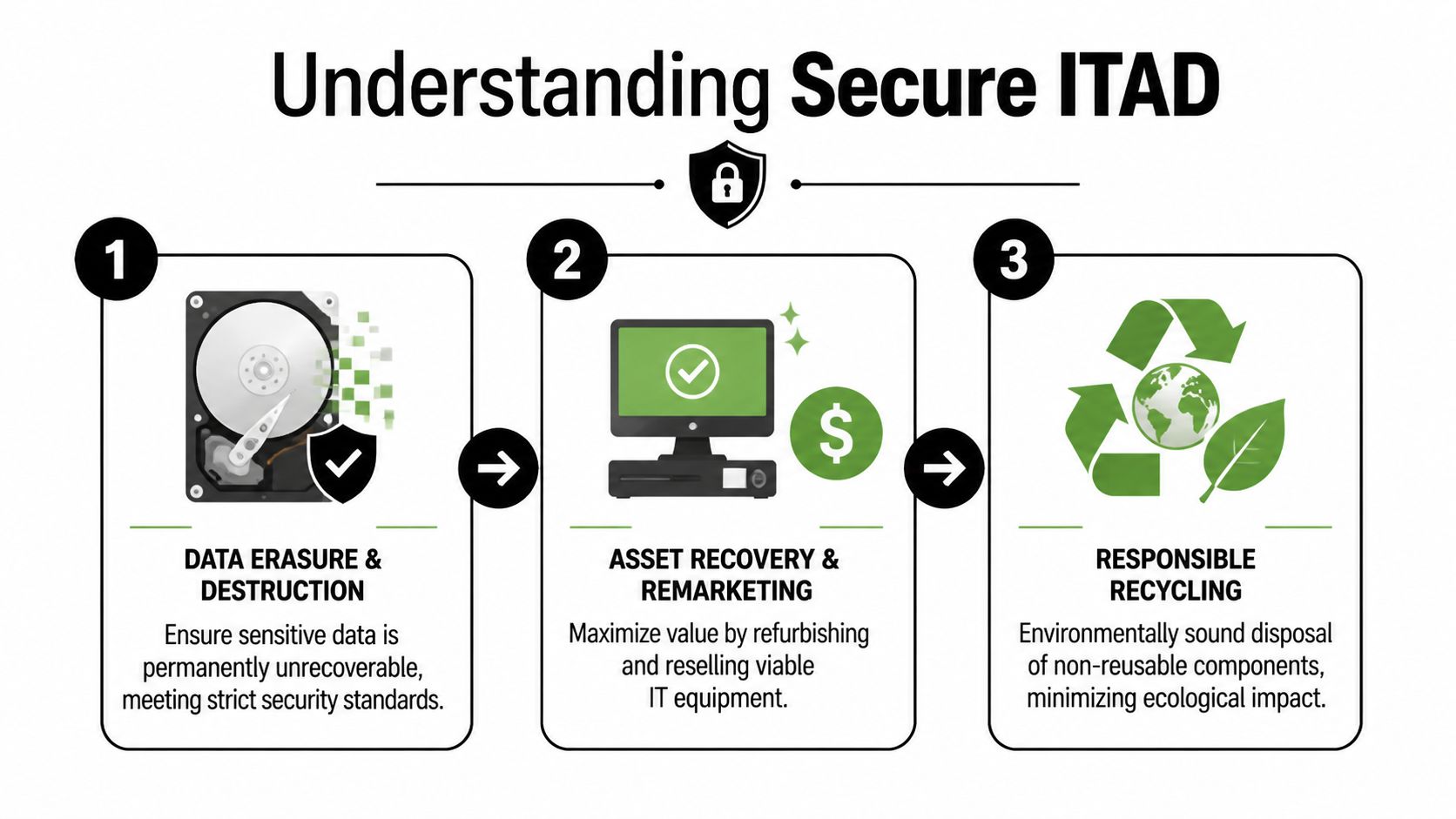
The three parts that define real ITAD
A useful way to judge any provider is to check whether they can manage three connected responsibilities, not just one.
| Core part | What it means in plain language | Why it matters |
|---|---|---|
| Data destruction | Information is made permanently unrecoverable using a documented method | Protects customer, employee, patient, and business data |
| Chain of custody | The asset is tracked from pickup through final processing | Reduces the chance of loss, mix-ups, or unauthorized access |
| Responsible recycling | Equipment is reused, resold, dismantled, or recycled through compliant channels | Supports environmental handling and internal sustainability goals |
These parts work together. If a vendor wipes drives but cannot account for devices during transport, you still have a gap. If a vendor tracks every serial number but sends material into unclear downstream channels, you may solve one risk while creating another.
Why the term ITAD matters
Many Atlanta businesses find it helpful to start with the basics of IT asset disposition. The term sounds technical, but the idea is practical. It refers to the full lifecycle of retiring business technology in a way that protects data, preserves value where appropriate, and routes unusable equipment into compliant end-of-life processing.
That broader definition changes the questions a business manager asks. Instead of only asking, “Can you haul these away?” the better questions become, “How do you document custody, decide between reuse and destruction, and verify the final outcome?”
What secure disposal includes in practice
A proper engagement can include several steps, depending on the equipment, the condition of the assets, and the rules your industry follows:
- Pickup and inventory handling so your team knows what left the site and when.
- Sorting by risk and condition because a reusable laptop, a failed hard drive, and a network appliance should not all follow the same path.
- Sanitization or destruction decisions based on the sensitivity of the data and whether the device still has legitimate reuse value.
- Testing and remarketing for eligible assets, which can support both cost recovery and waste reduction.
- Material recycling and hazardous component separation for equipment that has reached the end of its useful life.
- Final records and reporting for audits, internal controls, and sustainability tracking.
For many companies, secure disposal transcends a mere compliance task. A well-run program can support ESG and CSR goals by reducing landfill waste, extending the life of usable equipment, and connecting processing outcomes to mission-driven work that benefits veterans and environmental restoration. That gives Atlanta businesses a chance to turn a routine cleanout into a documented community impact story.
Practical rule: If a provider can remove hardware but cannot clearly explain data destruction, asset tracking, and final documentation, your company still carries unnecessary risk.
The simplest definition is often the most useful. Secure disposal means every sensitive asset leaves your business through a documented path, with a handling method that matches the risk and an end result your company can defend in an audit, a board meeting, or an ESG report.
Mastering Data Destruction Standards and Proof
Data destruction is the part everyone worries about, and for good reason. The device may be old, but the information on it might still be current, regulated, or highly confidential.
That’s why standards matter. They give your business a repeatable way to decide how data should be eliminated and how to prove the job was done.
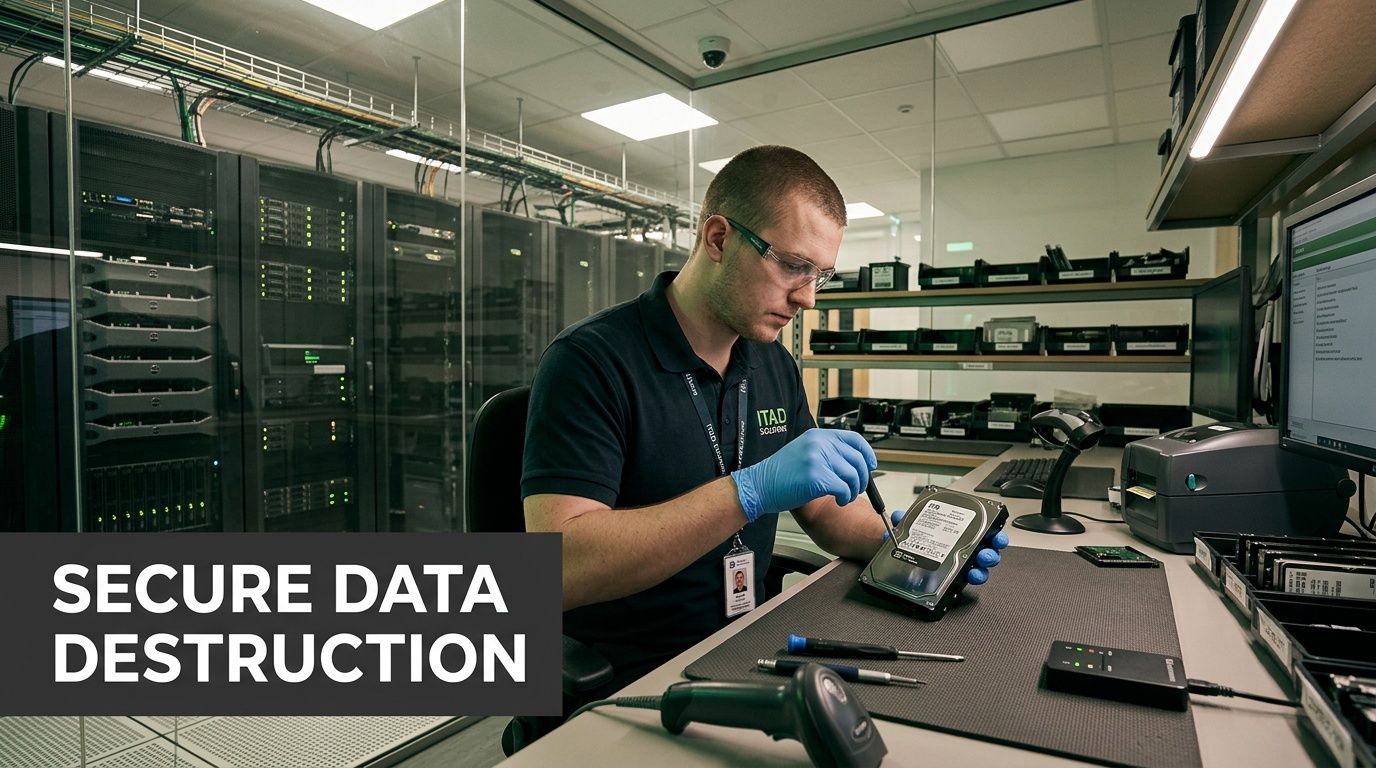
What NIST 800 88 means in plain English
A useful benchmark in the industry is NIST 800-88. In practical terms, it’s a framework for choosing the right sanitization method based on the media type and the sensitivity of the data.
The key idea is simple. Not every device needs the same treatment, but every treatment needs to be appropriate to the risk.
Verified guidance for corporate IT disposal states that providers use NIST 800-88 compliant drive wiping protocols, and that high-sensitivity environments often need a tiered approach that uses software overwriting for standard assets, degaussing for magnetic media with classified data, and physical hard drive shredding for maximum assurance. It also notes that healthcare organizations face six-figure HIPAA penalties when improper disposal contributes to a breach, according to Park Place Technologies on IT asset disposition.
The three main methods and when each fits
Here’s the simplest way to think about the options:
Software wiping
This is used when the drive is still functional and the organization wants to sanitize data while preserving the asset for reuse or remarketing. It’s often suitable for standard office equipment when the risk level allows it.Degaussing
This applies to magnetic media. The process disrupts the magnetic pattern so the stored data can’t be recovered. It’s more relevant when the data classification is high and the media type supports that method.Physical shredding
This is the most final option. The media is physically destroyed, which is often the right choice for failed drives, highly sensitive information, or industries that want maximum certainty over value recovery.
Why proof matters as much as destruction
A business doesn’t just need data gone. It needs evidence.
That’s where the Certificate of Data Destruction becomes important. It should document what asset was processed, what destruction method was used, and when the work occurred. In regulated environments, that document helps show that the company applied a method proportionate to the risk.
If you’re comparing documentation standards, it helps to review what a certificate of destruction should include and how your records team will store it.
A shredded drive without documentation solves only half the problem. If you can’t prove what happened, you may still struggle in an audit, lawsuit, or internal investigation.
Common points of confusion
Many managers assume deleting files or reformatting a device is enough. It usually isn’t. Those actions change how data appears to the user, but they don’t necessarily make the information unrecoverable.
Another point people miss is that sensitivity levels differ inside the same company. A marketing laptop, a finance workstation, and a server from a healthcare records system may all require different handling. Good disposal partners don’t apply one blanket method to every asset. They match the process to the data classification and the business need.
That’s what turns disposal from an improvised cleanup into a defensible control.
Navigating E-Waste Compliance in Atlanta’s Key Industries
A regional hospital clearing a storage room, a Midtown law firm replacing laptops, and a university closing an old computer lab all face the same question. What, exactly, has to happen for retired technology to leave the building safely, legally, and with a paper trail that stands up later?
In Atlanta, the answer changes by industry. The devices may look similar, but the risk inside them is not. A clinic worries about patient records. A law office worries about privileged files. A public agency worries about public accountability. A data center worries about scale, access control, and safe material handling. Good IT disposal plans reflect those differences instead of forcing every organization into one generic process.

Healthcare and life sciences
Healthcare organizations usually start with HIPAA, but the underlying issue is broader than a single rule. Retired nursing station PCs, tablets, backup drives, printers, and network equipment can all hold protected information, saved logins, or traces of clinical workflows.
That makes disposal a two-part job. The first part is obvious: destroy or sanitize data appropriately. The second part is process discipline. Staff need to know which assets are covered, where they are staged, who signs them out, and what proof goes into the compliance file.
A useful way to view it is this. The hard drive is only one piece of the risk. The chain of handling around that device matters just as much. For high-sensitivity equipment, many providers recommend documented onsite hard drive shredding services in Atlanta so compliance and IT teams can observe the work and close the loop quickly.
Finance, legal, and professional services
Law firms, accounting groups, insurers, and finance teams often retire fewer devices than a hospital or university, but each device may carry dense concentrations of confidential material. Client files, merger documents, tax records, payroll data, and internal investigations can all sit on endpoints long after active use ends.
These organizations usually need three things from a disposal program. They need asset-level tracking. They need a destruction method that matches the sensitivity of the information. They need reports that legal, compliance, and operations teams can read without technical guesswork.
Inventory control matters more than many managers expect. If your team has ever handled multi-location asset sorting, the discipline is similar to optimizing estate sale inventory. You need clear item counts, consistent categorization, and records that explain where each item went.
Government, schools, and universities
Public and educational institutions have a different pressure point. Their challenge is usually scale combined with transparency.
One refresh cycle can pull equipment from classrooms, admin offices, labs, libraries, and storage closets. Some devices are old but reusable. Others are damaged, missing parts, or packed with sensitive data from students, staff, or agency operations. A weak process creates confusion fast, especially when several departments are involved and records requests or audits can surface months later.
For these organizations, the best disposal workflow is easy to follow from the outside. Internal complexity is acceptable. Confusing paperwork is not.
Data centers and large enterprise operations
Enterprise projects add another layer. A server room or data center decommission is closer to a controlled move than a simple pickup. There may be racks, storage arrays, switches, cabling, badges, loading schedules, and strict facility rules, all happening while security and uptime concerns stay in view.
The common failure point is movement. Devices can be labeled correctly and still create problems if de-installation is rushed, staging areas are unsecured, or serialized assets disappear into mixed pallets before reconciliation. In large environments, disposal works like an operations exercise. IT, facilities, security, compliance, and the recycler all need the same map.
This is also where a stronger partner can turn disposal into something more valuable than risk reduction. Equipment that cannot be reused should be recycled responsibly. Equipment with remaining life may support refurbishment programs tied to veteran job support and environmental recovery. For Atlanta businesses building ESG and CSR goals, that connection matters. It turns end-of-life hardware from a compliance burden into documented community impact.
The Logistics of Disposal Onsite vs Offsite Workflows
Once a company decides to act, the next question is usually practical. Should data destruction happen onsite, or should assets move to a secure offsite facility?
Both models can work. The right choice depends on sensitivity, volume, observation needs, budget, and whether the equipment still has reuse value.
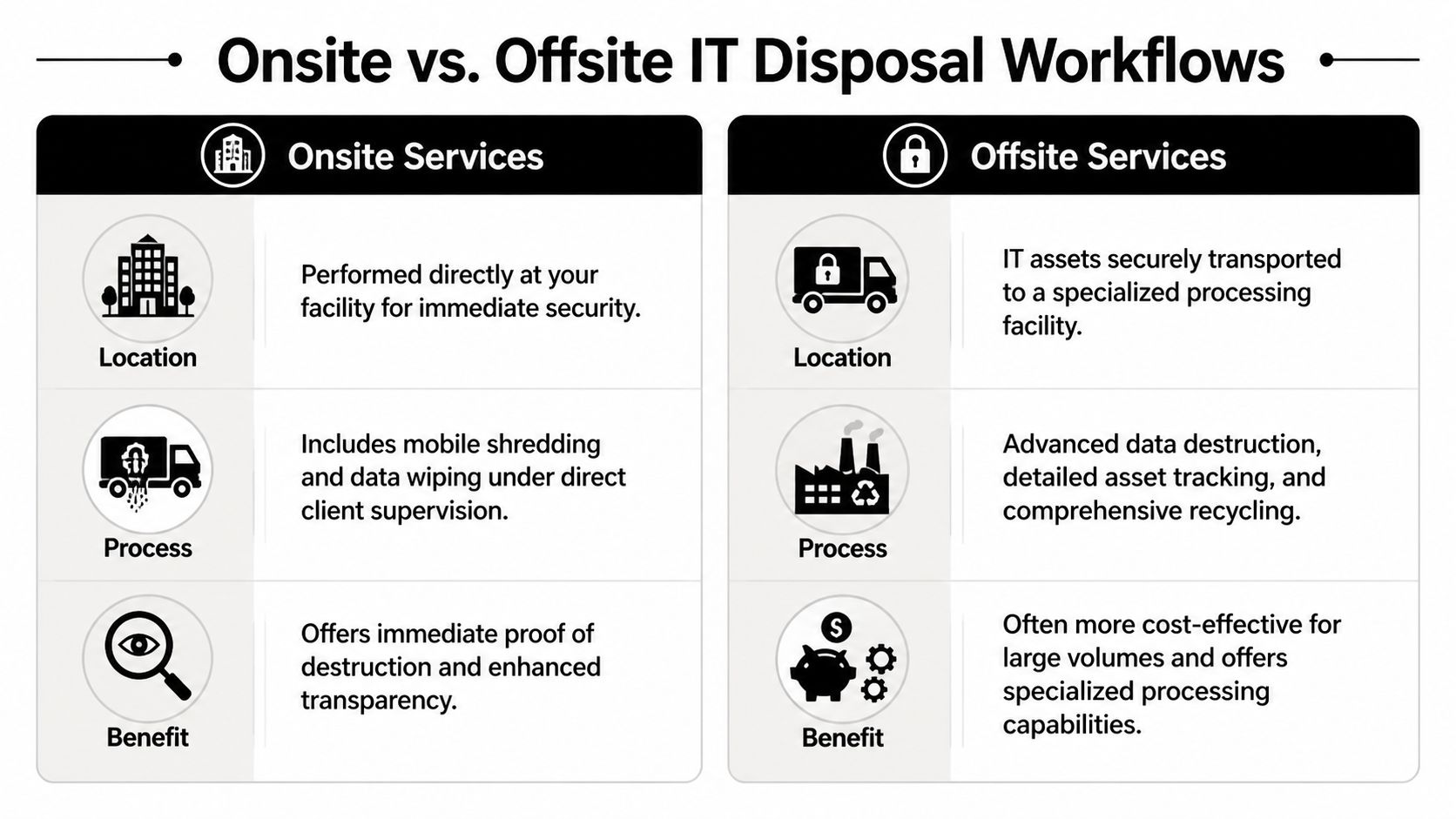
A side by side view
| Workflow | Best fit | Main advantage | Tradeoff to consider |
|---|---|---|---|
| Onsite disposal | High-sensitivity environments or organizations that want direct observation | Immediate visibility into destruction activity | May be less efficient for complex sorting or large mixed loads |
| Offsite disposal | Bulk pickups, mixed equipment streams, or projects needing facility-based processing | Centralized handling, detailed processing, and often smoother large-volume workflows | Requires very strong transport security and chain-of-custody controls |
What secure movement should look like
Verified industry guidance notes that expert providers use traceable fleet logistics with tamper-proof containers to reduce chain-of-custody vulnerabilities. It also states that improper staging during de-installation can damage storage devices and reduce asset recovery value by 40-60%, while certified recyclers use segregated workflows for hazardous materials such as lead and mercury and provide audit reports that support ESG goals, according to Corodata’s IT asset disposal policy guidance.
That’s why movement details matter so much. The chain of custody shouldn’t begin at the facility. It should begin at your site.
Look for signs of a mature logistics process:
- Serialized tracking practices so assets don’t disappear into a bulk count
- Locked or tamper-evident collection containers during internal staging
- Controlled loading procedures that prevent accidental mix-ups
- Monitored transport and secure receiving once the shipment leaves your building
When onsite makes more sense
Onsite service is often chosen when executives, compliance officers, or clients want direct assurance that media destruction happened before assets left the property. It can also help when a company has a narrow group of especially sensitive drives mixed into a much larger refresh project.
If your team is considering local options for observed destruction, onsite shredding services near your Atlanta facility are worth evaluating alongside offsite workflows.
When offsite is the better operational fit
Offsite processing is usually stronger for mixed loads that require sorting, testing, recycling, and reporting across many asset types. It’s also useful when equipment may still have reuse or resale potential, because specialized facilities are built to assess that efficiently.
Inventory discipline matters. Teams that have already practiced methods similar to optimizing estate sale inventory often adapt faster to IT disposition projects, because both processes depend on accurate categorization, item tracking, and clear handoff records.
The best workflow isn’t the one that sounds most secure. It’s the one your company can execute consistently, document cleanly, and defend later.
Choosing Your Partner A Vendor Selection Checklist
Choosing a disposal vendor isn’t like ordering office furniture pickup. You’re selecting a company that may handle confidential information, regulated assets, and environmentally sensitive materials on your behalf.
In a market as active as Atlanta, that decision deserves a checklist.
The metro area’s role as a logistics and tech hub creates constant demand for dependable IT disposal, and industry benchmarks showing stable waste-service revenues reinforce why businesses need professional partners capable of bulk equipment removal and data center decommissioning with turnkey execution, according to Atlanta logistics growth and disposal market context.
The shortlist questions that matter
Use this list before you sign anything.
- Certifications: Ask whether the provider can document relevant certifications for electronics processing and data destruction. If a vendor claims rigorous standards, they should be able to show them clearly.
- Chain of custody: Ask how assets are tracked from pickup through final disposition. You want specifics, not general assurances.
- Data destruction options: Confirm whether the company can support wiping, degaussing, and physical shredding when needed, instead of forcing one method onto every job.
- Reporting quality: Ask to see a sample of the documentation package. Good reports should be easy for your compliance or legal team to follow.
- Logistics control: Find out whether the vendor uses its own fleet or subcontracted transport, and how site pickups are secured.
- Employee handling: Ask who touches the equipment, what checks exist, and how access is limited during transport and processing.
- Environmental downstream process: Confirm what happens to non-reusable equipment and hazardous components.
A quick decision filter
If you’re comparing IT asset disposition companies serving Atlanta organizations, these four questions usually separate serious providers from casual haulers:
- Can they explain the exact destruction method for different asset classes?
- Can they show chain-of-custody procedures in plain language?
- Can they produce audit-ready documentation without delay?
- Can they handle both office refresh projects and more complex removals?
One Atlanta-based option in this category is Atlanta Green Recycling, which provides B2B electronics recycling, secure data destruction, bulk IT equipment removal, onsite de-installation, and fleet-based pickup for organizations across the metro area.
What a weak vendor conversation sounds like
Be cautious if you hear phrases like “We usually just take everything,” “We’ll send something after pickup,” or “Our recycler handles that part.” Those answers create gaps right where your company needs clarity.
A reliable vendor should make the process easier to understand, not harder.
Recycling with Purpose Turn E-Waste into ESG Wins
Most companies begin this process because they need compliance, security, and space back. That’s the operational reason. But there’s also a bigger opportunity.
Retired technology can support a social mission when a recycling program is built around more than pickup and destruction. That’s where the idea of recycling with purpose becomes valuable for Atlanta businesses trying to strengthen ESG and CSR efforts without creating a separate internal initiative.

A better story than simple disposal
The strongest message is easy to understand: your old tech can support veterans and contribute to tree planting.
For a business manager, that matters because disposal is rarely a celebrated line item. It’s necessary, but it often feels invisible. When the same project also contributes to veteran support and environmental restoration, the company can connect an unavoidable operational task to a public-facing good.
That helps in several ways:
- Internal buy-in improves because staff see a mission, not just a removal project.
- CSR reporting gets stronger when the business can document both responsible recycling and community impact.
- Brand trust grows because the company’s sustainability story is tied to action rather than slogans.
How companies can use the impact
A mission-based recycling program fits naturally into existing business rhythms.
A company might schedule a spring office cleanout around Earth Day. A regional employer might hold a Veterans Day device drive. A university department might combine surplus tech pickup with a campus sustainability campaign. A business development team might add a “Recycled with Purpose” note to a year-end responsibility report.
Secure disposal solves a risk problem. Purpose-driven disposal also gives your company a story employees, customers, and stakeholders can remember.
Documentation can support both audits and values
For ESG-minded organizations, the ideal outcome isn’t just removal. It’s proof that the equipment was handled responsibly and that the project aligns with larger company values.
That may include items such as:
- Certificates tied to environmental impact
- Reports that summarize veteran support outcomes
- Digital recognition elements for sustainability pages or partner materials
- Campaign tie-ins for Earth Day, Arbor Day, or Veterans Day
This approach works because it doesn’t ask a company to launch a separate cause initiative from scratch. It folds purpose into a process the business already needs to complete.
That’s a practical way to turn e-waste from a compliance headache into something much more useful. A security task. A sustainability action. A community contribution.
Your Next Steps and Frequently Asked Questions
The safest time to plan disposal is before the next office move, hardware refresh, merger cleanup, or audit request. Once old equipment starts piling up, decisions get rushed and records get weaker.
For Atlanta organizations, secure IT disposal should be treated like any other business control. Define what you have. Decide what needs wiping, degaussing, or shredding. Choose a documented chain of custody. Keep the final reports where compliance and operations can find them later.
Frequently asked questions
How do I know whether a device needs wiping or shredding
Start with sensitivity and condition. If the device still works and the data classification allows sanitization for reuse, wiping may fit. If the media is failed, highly sensitive, or requires maximum assurance, physical destruction is often the cleaner choice.
Should we wait until we have a large volume
Not necessarily. Waiting can increase storage risk and internal confusion. Many businesses do better with scheduled cleanouts instead of letting retired assets accumulate.
What equipment usually belongs in a corporate IT disposal pickup
Most projects include laptops, desktops, servers, monitors, networking gear, storage devices, docks, accessories, and loose hard drives. The exact acceptance list should always be confirmed in advance.
What records should we keep after pickup
Keep inventory records, chain-of-custody documentation, destruction certificates, and final disposition reports. If your company has sustainability reporting requirements, keep those materials with the rest of the project file.
Can secure disposal also support sustainability goals
Yes. A responsible program can help divert electronics from landfill pathways, document compliant recycling, and support broader ESG efforts when the provider also offers mission-based reporting tied to environmental and social outcomes.
If your team needs a documented way to remove retired laptops, servers, hard drives, and other electronics, Atlanta Green Recycling provides business-focused e-waste disposal and IT asset disposition services across the Atlanta metro area, including pickup, secure data destruction, and compliance-minded reporting.