
Secure Hard Drive Destruction Services Atlanta GA 2026 Guide

Old laptops stacked in a lockable cabinet. Retired servers waiting for a move. A shelf of loose hard drives nobody wants to touch because they “still need to be processed.” That scene shows up in Atlanta offices, clinics, campuses, and server rooms more often than most leaders admit.
The problem isn’t clutter. It’s retained liability.
Every decommissioned drive is a record of what your organization used to know. Patient files, payroll exports, legal documents, customer account data, student records, engineering files, cached credentials. If those assets leave your control without verified sanitization or destruction, the disposal event can become a security incident.
That risk isn’t abstract. The average cost of a data breach for a U.S. business exceeds $4.45 million, and organizations in regulated sectors such as healthcare and finance face costs above $6 million, according to secure data destruction guidance. For Atlanta teams managing office closures, hardware refreshes, mergers, or data center decommissions, that’s why Secure Hard Drive Destruction Services Atlanta GA isn’t a back-office task. It’s part of risk management.
There’s also a better way to think about it. End-of-life IT handling can protect data, satisfy audit requirements, reduce landfill exposure, and support corporate sustainability goals at the same time. The strongest programs don’t treat destruction as a last-minute pickup. They build it into IT asset disposition from the start.
Introduction The Hidden Risk in Your IT Storage Closet
A crowded IT storage room usually tells the same story. Equipment was replaced on schedule, but disposition lagged behind. The business moved fast. The retired assets didn’t.
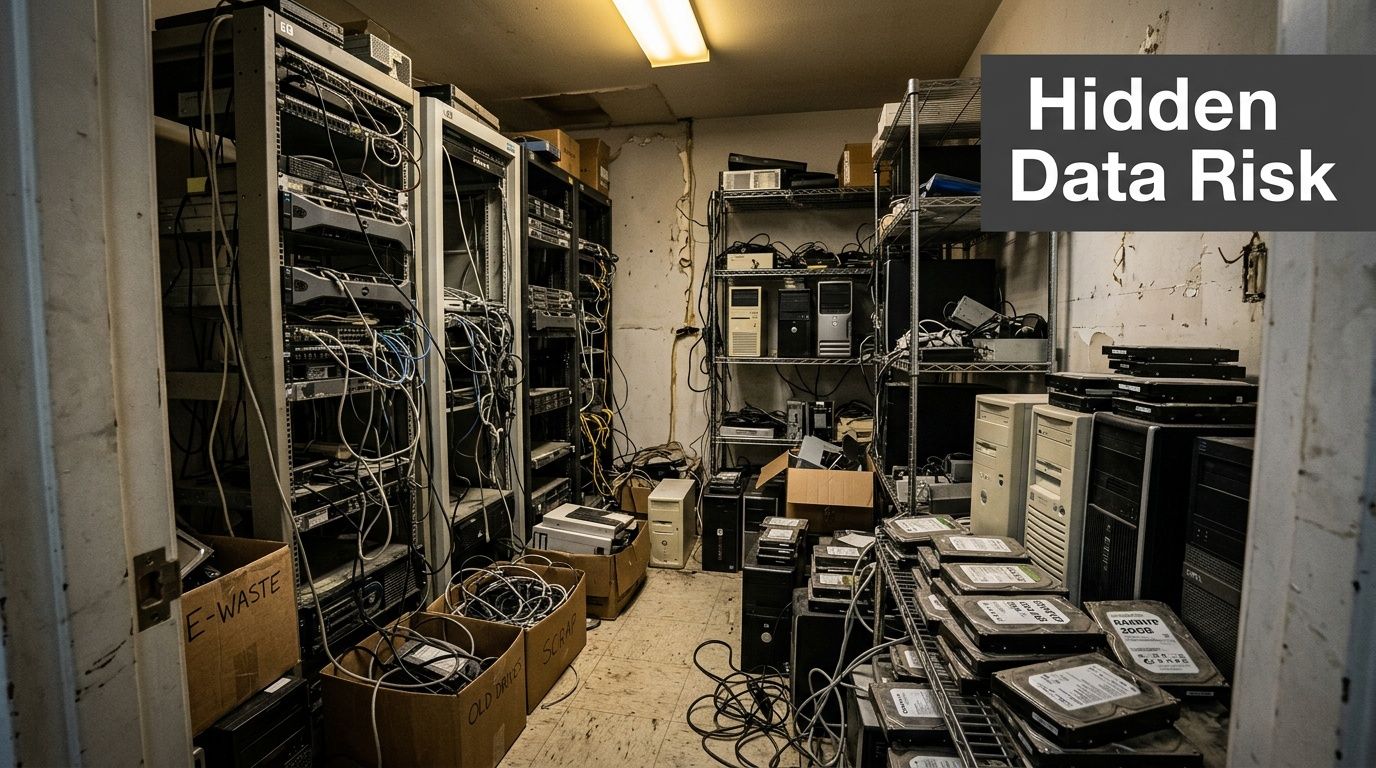
I’ve seen organizations label this as a storage issue, a facilities issue, or an “IT cleanup” project. It’s none of those first. It’s a data governance problem. If a hard drive still contains recoverable information, the organization still owns the risk attached to that information.
Atlanta teams feel this acutely during office relocations, lease exits, data center transitions, and hardware refresh cycles. The longer equipment sits, the more likely chain-of-custody weakens. A drive that’s forgotten in a closet today becomes a disposal question tomorrow. Then someone discovers there’s no serial inventory, no destruction log, and no proof of what happened.
Practical rule: If you can’t prove how a retired drive was handled, assume it remains a live compliance risk.
That’s why secure destruction has to be deliberate. Good programs identify media early, separate reusable assets from destruction candidates, and choose a method that matches the sensitivity of the data. Great programs go one step further and turn this operational burden into something useful for audit readiness and sustainability reporting.
Secure Hard Drive Destruction Services Atlanta GA matter because they remove uncertainty. They replace “we think those drives were handled” with documentation, witnessed procedures, and a defensible end point.
Why Data Destruction Is Non-Negotiable for Atlanta Organizations
Deleting files isn’t destruction. Reformatting a drive isn’t destruction either. Both actions may make a device look clean to the next employee, but they don’t create the kind of defensible outcome regulated organizations need.
Atlanta businesses operate in a market full of sensitive data. Hospitals manage protected health information. Financial firms retain customer account data. Schools hold student and employee records. Local government offices handle citizen data, internal communications, and operational files. Once those assets reach end of life, the legal and operational question becomes simple: can you prove the data was rendered inaccessible?
Secure hard drive destruction services in Atlanta commonly align with DoD 5220.22-M sanitization, NIST 800-88, HIPAA, FACTA, and GLBA, which is why they’re relevant to corporate IT, healthcare, and government workflows, as summarized by Atlanta hard drive destruction guidance.
What non-compliance looks like in practice
Organizations often don’t fail because they intended to cut corners. They fail because disposal gets treated as a generic recycling pickup instead of a controlled data event.
Common breakdowns include:
- Untracked assets: Drives leave a site with no serial capture, no transfer log, and no internal signoff.
- Inadequate sanitization: Staff rely on deletion, quick formatting, or undocumented software tools.
- Broken custody: Equipment sits in open staging areas, loading docks, or mixed pallets during moves.
- Missing proof: Procurement asks for compliance documentation later, and none exists.
For a healthcare provider, that can turn an old workstation into a HIPAA exposure. For a lender or insurer, it can create GLBA trouble. For an employer with customer and employee files on retired systems, FACTA concerns are immediate.
Atlanta-specific pressure points
Atlanta has a dense mix of healthcare networks, universities, legal offices, logistics firms, and public-sector entities. That means old drives aren’t just old drives. They’re often mixed media from multiple departments, multiple retention policies, and multiple compliance obligations.
Office consolidations make this worse. So do mergers, branch closures, and data center equipment swaps. During those events, people focus on uptime, packing, transport, and lease deadlines. Asset disposition gets squeezed into the last phase, when mistakes are easiest to make.
Data destruction should happen under the same discipline as asset deployment. Inventory, custody, verification, and records all matter.
What works and what doesn’t
What works is boring by design. A clear internal policy. Named ownership. A vendor process that matches the sensitivity of the material. Documented results.
What doesn’t work is informal cleanup. If a team member says, “We wiped most of those,” that’s a warning sign. If your recycler can’t explain how they handle drives separately from general e-waste intake, keep looking. If your records team, security team, and facilities team each assume someone else owns disposition, the process is already failing.
For Atlanta organizations, secure destruction is imperative because the data itself doesn’t stop being regulated when the hardware becomes obsolete.
Understanding Secure Destruction Methods Wiping Degaussing and Shredding
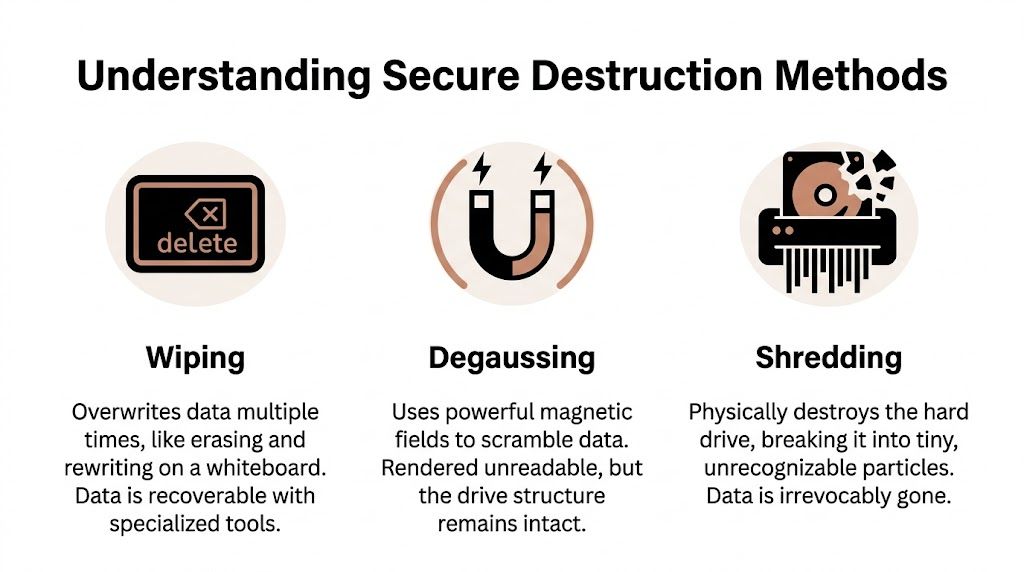
The three methods most buyers hear about are wiping, degaussing, and shredding. They’re not interchangeable, and treating them that way leads to bad decisions.
Wiping when reuse matters
Software wiping is the right tool when an organization wants to remarket or redeploy a functioning asset. The easiest analogy is a whiteboard. You erase what was written and write over it in a controlled way.
That can be appropriate for some reuse programs, but only when the process is documented and the device type supports it. It also depends on the organization’s risk tolerance. For some assets, especially those that held highly sensitive material, buyers won’t accept wiping alone as the final answer.
Degaussing for magnetic media only
Degaussing uses a strong magnetic field to disrupt the data on magnetic storage media. It can be effective in the right context, but it’s not a universal answer. It also introduces a practical challenge for many organizations. Verification is less intuitive for non-specialists, and it isn’t relevant to every media type.
If your team wants a plain-English breakdown of where magnetic field destruction fits, this overview on what a degausser does is useful before you set policy.
Shredding when certainty is the priority
Physical shredding is the closest thing to a final answer because it destroys the storage medium itself. A whiteboard analogy works here too. Wiping is erasing the board. Degaussing is scrambling the surface. Shredding is feeding the board into an industrial machine so there’s nothing left to read.
NIST SP 800-88 places special importance on physical destruction for high-security outcomes, particularly when shredding reduces drives to 2mm or smaller, which renders data irrecoverable even with advanced forensic tools, according to this Georgia enterprise compliance guide.
A practical way to choose
Use the method that matches the desired endpoint:
| Method | Best fit | Limitation |
|---|---|---|
| Wiping | Reuse or resale of working assets | Requires strong documentation and isn’t the strongest choice for every risk profile |
| Degaussing | Certain magnetic media destruction workflows | Not appropriate for every device type |
| Shredding | Final destruction where recovery must not be possible | Asset can’t be reused afterward |
If the organization’s priority is residual value, wiping may fit. If the priority is certainty, shredding usually wins.
That distinction matters for SSDs too. Teams often assume a successful software process means all data locations were addressed. In practice, modern storage behavior can complicate that assumption. When security is paramount, physically destroying the media avoids most of the ambiguity.
Onsite vs Offsite Destruction Which Workflow is Right for You
The right workflow depends less on marketing language and more on how much control your organization needs at the moment of destruction.
Some Atlanta organizations won’t let media leave the premises intact. Others are comfortable using secure transport and plant-based destruction if the chain-of-custody process is disciplined. Both models can work. The mistake is choosing based only on convenience.
If your team is comparing mobile witness options, this page on onsite shredding near you helps frame what an onsite service model typically looks like.
Where onsite makes sense
Onsite destruction is strongest when the organization wants direct observation and minimal movement of intact media. Hospitals, government offices, legal departments, and some financial environments often prefer this model because the custody story is simple. The drives remain under client control until destruction occurs.
It also works well during executive cleanouts, sensitive records projects, and situations where internal stakeholders want immediate confirmation. Security officers and compliance managers often prefer seeing the process rather than reviewing it after the fact.
Where offsite makes sense
Offsite destruction can be efficient when a business has a larger mixed load, broader recycling needs, or site logistics that make mobile service awkward. For an office move, campus cleanup, or warehouse decommissioning, plant-based processing may integrate better with packing, loading, and downstream recycling.
The key is discipline. Offsite only works when bins are locked, serials are tracked as needed, transfers are documented, and the destruction certificate is detailed enough to support audit questions later.
Onsite vs. Offsite Hard Drive Destruction Comparison
| Factor | Onsite (Mobile Shredding) | Offsite (Plant-Based Shredding) |
|---|---|---|
| Chain of custody | Strongest visual control because destruction happens at your location | Strong if transport, intake, and processing are documented carefully |
| Verification | Staff can witness destruction directly | Verification depends on documentation and vendor process quality |
| Operational fit | Good for high-sensitivity projects and controlled batches | Good for larger cleanouts, mixed loads, and broader recycling programs |
| Speed of certainty | Immediate confirmation at point of service | Confirmation follows receipt and processing |
| Site logistics | Requires space and access for mobile operations | Better when your site can stage material for pickup |
| Cost structure | Often justified by higher control requirements | Often attractive when bundled with broader ITAD handling |
What buyers often overlook
The trade-off isn’t “secure versus insecure.” It’s observable control versus centralized efficiency.
A mature procurement team asks different questions depending on the model:
- For onsite: Who witnesses destruction, how are serial exceptions handled, and what happens to non-standard media?
- For offsite: How are assets sealed, transferred, received, segregated, and documented before destruction?
- For both: What proof do we receive, and will it satisfy legal, internal audit, and security review?
Choose onsite when doubt is expensive. Choose offsite when scale and workflow matter more, and the vendor’s custody discipline is strong enough to close the trust gap.
Your Atlanta Vendor Vetting Checklist From Compliance to Cause
Most hard drive destruction vendors sound similar until you ask operational questions. That’s where the field narrows quickly.
A serious buyer in Atlanta should start with documented controls, not slogans. If you need a broader governance frame for the full asset lifecycle, this primer on IT Asset Management Best Practices is a helpful companion to any destruction policy review.
Start with the non-negotiables
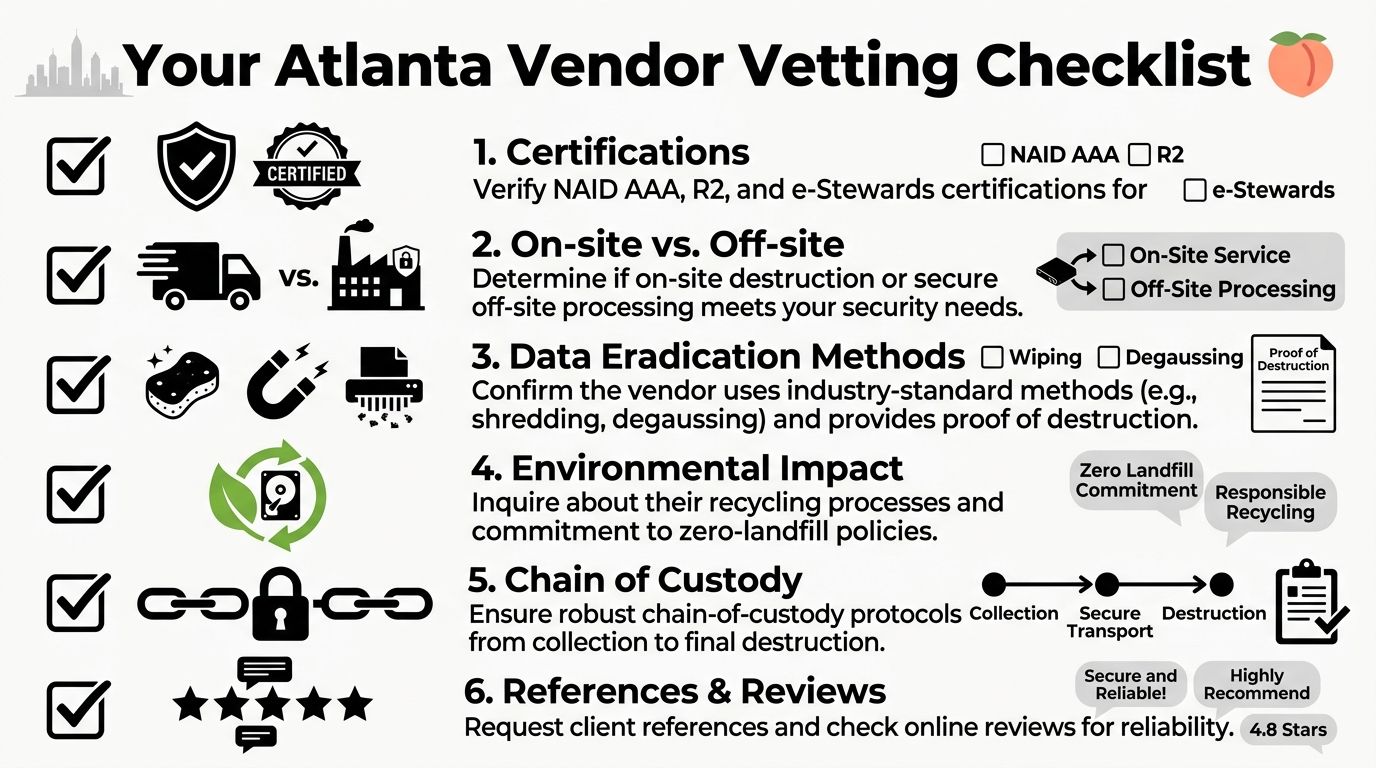
NAID AAA Certification is the first screen. It’s widely treated as the gold standard because it involves unannounced audits, employee background checks, facility surveillance, and process controls, as described in this overview of hard drive destruction services.
That certification doesn’t replace buyer diligence, but it does show the vendor has submitted to external scrutiny. Without that, you’re relying heavily on self-description.
Ask for these specifics:
- Certificates of Destruction: They should identify what was destroyed, when, where, and by what method.
- Chain-of-custody detail: You want to know how assets are logged, transferred, staged, and reconciled.
- Employee handling controls: Sensitive media shouldn’t pass through loosely supervised labor.
- Environmental certifications: If sustainability matters to your organization, ask how downstream recycling is governed.
Then test the workflow, not just the paperwork
A vendor can have the right logos on a proposal and still run a sloppy operation. Ask them to describe a pickup from arrival to final destruction. Listen for specifics. Vague answers usually mean immature process control.
A useful buyer checklist looks like this:
- See the intake process. Ask how assets are identified on pickup and how exceptions are handled.
- Confirm the destruction path. Reuse candidates and destruction candidates shouldn’t be mixed casually.
- Review sample documentation. Don’t wait until after service to discover the certificate is too generic.
- Check environmental downstreams. Secure destruction and responsible recycling should work together, not compete.
- Ask who owns escalation. When serial counts don’t match, someone needs operational authority to resolve it.
A strong destruction provider can explain the ugly scenarios. Missing labels, mixed pallets, failed drives, last-minute site changes. That’s where process quality shows up.
Add one more criterion that most buyers miss
Mission alignment matters, especially for companies with active ESG and CSR reporting. If two vendors can both destroy data securely, ask what else your spend is doing.
That’s where a provider’s social and environmental model becomes relevant. Some organizations now prefer partners that support veteran aid, reforestation, community drives, and reporting-friendly sustainability outcomes alongside data destruction. Those programs can strengthen internal adoption because employees and leadership see more than a disposal invoice. They see business waste converted into measurable purpose.
If you’re comparing firms in the region, this overview of IT asset disposition companies can help frame what to evaluate beyond pickup availability.
The right vendor doesn’t just remove drives. They reduce legal exposure, preserve audit defensibility, and fit the values your organization says it stands for.
The ESG Multiplier Turning E-Waste Into an Easy CSR Win
A lot of companies still treat hard drive destruction as a pure cost center. That’s too narrow. The better frame is this: if you already have to retire IT assets securely, why wouldn’t you extract ESG value from that event too?

The gap in the market is clear. Many providers talk about compliance, but fewer explain the cost-benefit side for corporate buyers or show how disposal can support ESG reporting. A more transparent model helps organizations consolidate services, lower administrative overhead, and produce usable sustainability outputs, as noted in this discussion of data security shredding services and ROI transparency.
Security work can also be brand work
For Atlanta employers, especially those with formal sustainability programs, retired electronics can become part of a stronger CSR narrative. Instead of ending the story with “drives were destroyed,” the company can document that the project also supported responsible recycling and mission-driven outcomes.
That’s where cause-based messaging becomes effective. “Your old tech can house a veteran and grow a forest” isn’t fluff when the program is structured correctly. It gives a facilities cleanup, office move, or refresh cycle a human and environmental dimension that employees understand immediately.
A practical CSR package can include:
- Impact certificates: Useful for internal sustainability summaries and employee communications.
- Corporate recycling drives: Helpful when multiple offices want one campaign instead of fragmented disposal events.
- Digital recognition assets: A “Recycled with Purpose” style badge can support public-facing sustainability pages.
- Seasonal campaigns: Veterans Day, Earth Day, and Arbor Day are natural moments to tie electronics recycling to community action.
Why this matters internally
A surprising amount of ITAD friction is cultural. Employees don’t always prioritize end-of-life handling because it feels invisible. Mission-driven recycling changes that. Teams participate more readily when the organization can say the project did something tangible beyond risk reduction.
This is also useful for procurement and ESG leads. They need vendor relationships that satisfy audit and compliance requirements while generating reporting-friendly outputs. A disposal partner that can support both makes life easier.
For companies building more formal sustainability programs, this explainer on the benefits of e-waste recycling is a practical starting point.
Responsible destruction closes one risk story and opens another. One protects data. The other gives the business a credible sustainability narrative.
The strongest Atlanta programs don’t separate those goals. They combine them. That’s what turns Secure Hard Drive Destruction Services Atlanta GA from a necessary expense into an easy CSR win.
Atlanta Green Recycling Your Turnkey Solution for Secure and Purposeful Disposal
A strong ITAD process should be easy to execute under pressure. When a branch is closing, a clinic is refreshing equipment, or a company is clearing a server room before a move, nobody wants a disposal workflow that creates more work than it removes.

The basic model that works is straightforward. Schedule collection. Separate assets intended for wiping or remarketing from media headed for destruction. Choose onsite or offsite handling based on custody needs. Receive documentation that closes the loop for security and compliance teams.
For organizations trying to tighten the broader lifecycle around procurement, use, retirement, and final disposition, this overview of IT Asset Management is a good companion resource because it places destruction inside a larger asset-control framework.
What a practical provider should handle
A business-focused partner should be able to manage more than the final shred event. Look for capabilities such as:
- Pickup and logistics: Your team shouldn’t be improvising transport for sensitive media.
- DoD-aligned wiping where appropriate: Useful when assets still have reuse value.
- Physical shredding for obsolete or failed media: Important when reuse isn’t realistic.
- De-installation and packing support: Especially useful during larger office or data center projects.
- Recycling coordination: Destruction shouldn’t end with a pile of scrap and unanswered environmental questions.
One Atlanta option in this category is Atlanta Green Recycling, which offers business electronics recycling, secure data destruction, DoD sanitization workflows, physical hard drive shredding, pickup logistics, and documentation for organizations across the metro area. Companies comparing service models can review its business electronics recycling services in Atlanta GA alongside other providers.
Why the mission piece changes the value
The dual focus on veteran aid and reforestation gives a disposal project a second return. Security teams still get controlled destruction. Compliance teams still get records. But the company can also tell a stronger story internally and externally about what happened to retired technology.
That’s the difference between simple recycling and recycling that restores lives and environments. The old tech leaves your site as a liability. It can leave the process as documented security work plus visible community impact.
Frequently Asked Questions About Hard Drive Destruction
Are SSDs handled the same way as HDDs
No. They should be treated with the same seriousness, but not with the assumption that the same methods behave identically across all storage types.
Traditional hard disk drives store data magnetically on platters. Solid-state drives distribute data across flash memory. That difference matters when teams try to rely on simple deletion or informal software routines. For sensitive end-of-life media, organizations usually want a method that removes doubt, not one that requires optimistic assumptions about what the controller did with the data.
What should a Certificate of Destruction include
At minimum, it should clearly document the destruction event in a way your legal, audit, procurement, or compliance team can retain and understand later.
Look for details such as:
- Asset identification: Enough information to match destroyed media to your internal records
- Method used: Wiping, degaussing, shredding, or a combination
- Date and location: Important for audits and incident review
- Provider details: So the event can be traced back to a specific vendor process
- Signoff or witness information: Especially useful in more controlled environments
If the certificate is vague, the service probably was too.
Is onsite destruction always better
Not always. It’s better when direct observation and minimal media movement are your priorities. It isn’t automatically better for every office cleanout or decommissioning project.
Plant-based destruction can be a sound choice when the vendor’s intake controls, transport security, and documentation are solid. The decision should follow your custody requirements, site constraints, and internal risk tolerance.
Can shredded materials still be recycled responsibly
Yes. Secure destruction and environmental responsibility should work together. A well-run provider destroys data-bearing media so the information can’t be recovered, then routes the resulting material through appropriate recycling channels.
That’s important for Atlanta organizations with landfill-diversion goals, sustainability reporting needs, or procurement policies that require responsible end-of-life handling.
How often should an organization schedule destruction
Don’t wait until storage becomes a problem. The cleanest approach is to build destruction into your normal IT asset disposition cycle so retired equipment doesn’t accumulate in closets, back rooms, or unsecured staging areas.
A recurring schedule also helps departments maintain cleaner records and avoid the scramble that happens when a move, audit request, or lease exit suddenly exposes years of deferred disposal.
If your organization needs a cleaner process for Secure Hard Drive Destruction Services Atlanta GA, Atlanta Green Recycling can help you evaluate secure pickup, wiping, shredding, and responsible electronics recycling in one coordinated workflow. It’s a practical way to reduce data risk, improve documentation, and turn retired technology into a more useful security and sustainability outcome.