
Secure Laptop Recycling Services In Atlanta GA

The laptops in the storage room usually aren’t there by accident. They’re there because no one wants to be the person who signs off on moving devices that may still hold employee records, patient data, student files, procurement documents, or customer information. So the pile grows. Office moves happen. Refresh cycles finish. A merger closes. The retired machines stay put.
That hesitation is reasonable. Laptop disposal isn’t just a facilities task. It touches data security, audit readiness, environmental responsibility, and brand reputation at the same time. For Atlanta organizations, that makes Laptop Recycling Services in Atlanta GA less about hauling away obsolete hardware and more about making a controlled, documented business decision.
The timing matters. The Global E-waste Monitor 2024 and Atlanta recycling overview notes that worldwide e-waste generation surged 82% from 2010 to 2022, reaching 62 million tonnes annually, while the U.S. generated 7.3 million tonnes and formally recycled only 15-20%. That gap is exactly why certified local programs matter.
Your Guide to Impactful Laptop Recycling in Atlanta
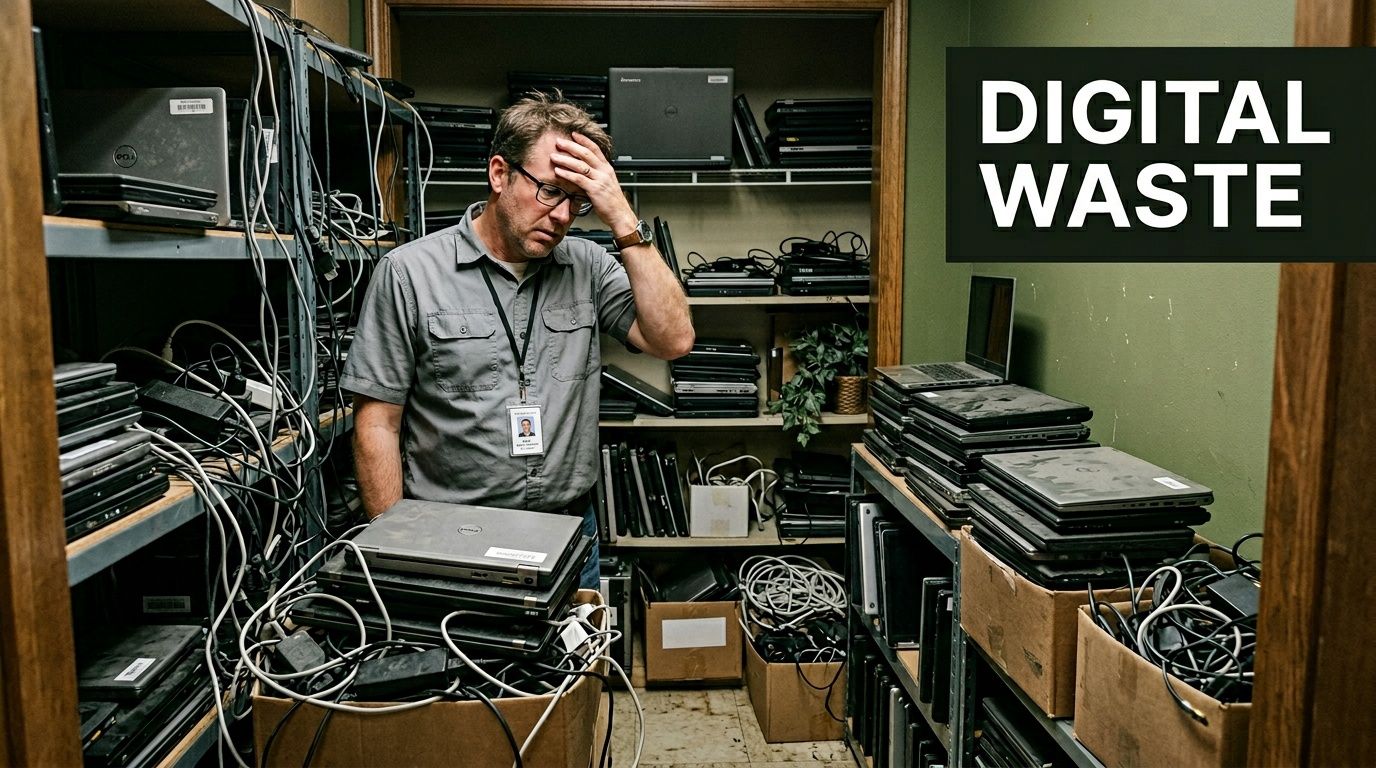
Most companies start looking for recycling help when the backlog becomes visible. IT closets fill up. A department move uncovers retired laptops no one inventoried. Finance wants assets written off. Compliance wants proof that data didn’t leave the building unprotected. Those pressures usually arrive together.
A better approach is to treat recycling as a strategic workflow. If you plan it well, the same pickup can reduce data risk, clear space, support ESG reporting, and create a stronger internal story about how your company handles end-of-life technology. That’s especially true for organizations that need a repeatable business process, not a one-time cleanup.
Atlanta companies also have an opportunity that many teams overlook. E-waste can become part of a broader community impact program. A cause-based model connects laptop recycling to veteran support and tree planting, which gives sustainability teams, HR leaders, and corporate communications something more meaningful than “we disposed of old devices.” It creates a usable CSR narrative.
For businesses that need a practical starting point, business electronics recycling in Atlanta should be evaluated the same way you’d evaluate any risk-sensitive vendor relationship. Ask what documentation you’ll receive, how assets are tracked, what sanitization standard is followed, and whether the recycler can support both compliance and public-facing ESG goals.
Recycling works best when it moves from a cleanup project to a documented policy.
That shift changes everything. It turns laptop disposal from a deferred headache into an operational advantage.
Transform E-Waste into an ESG Win for Your Company
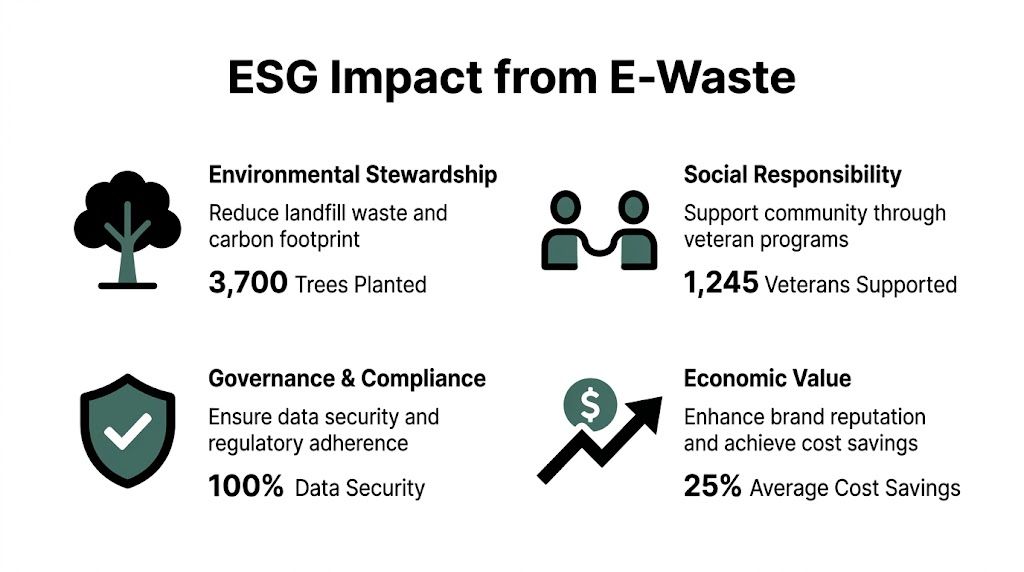
Many companies still treat retired laptops as a narrow IT issue. That misses their true value. End-of-life devices sit at the intersection of environmental reporting, information governance, facilities management, and community engagement. When those functions work together, recycling becomes an easy ESG win instead of a disposal chore.
The environmental case is straightforward. According to Fulton Metals on computer and laptop recycling, recycling one million laptops saves energy equivalent to the annual electricity usage of 3,500 U.S. homes. That’s a useful way to explain laptop recycling to executives who care about resource conservation but don’t want technical detail about metals recovery or downstream commodity processing.
Build the ESG case around real business outputs
If you’re advising leadership, frame the program around outcomes they can use.
- Environmental output: Divert obsolete laptops and related equipment from landfill pathways and support material recovery.
- Social output: Tie the program to a cause your employees and customers can understand, such as veteran aid and reforestation.
- Governance output: Use documented pickup, chain-of-custody, and destruction reporting to support internal controls.
- Communications output: Give marketing and CSR teams verified material for sustainability updates, recruiting content, and stakeholder reports.
A mission-driven recycler gives you another layer of value. “Your old tech can house a veteran and grow a forest” is memorable because it connects a routine operational task to visible human and environmental impact. That’s more useful than generic sustainability messaging because employees can repeat it, leadership can approve it, and community partners can support it.
Turn one-time pickups into repeatable campaigns
Strong programs don’t rely on a random spring cleaning. They run on a schedule and use moments on the calendar to drive participation.
A few patterns work well in practice:
- Earth Day drives: Collect aging laptops, docks, monitors, and peripherals during annual sustainability pushes.
- Veterans Day campaigns: Connect device recycling with veteran support messaging that employees immediately understand.
- Office move collections: Capture surplus devices before they disappear into desks, cabinets, or personal vehicles.
- Department refresh events: Run pickups at the end of hardware rollouts so retired assets don’t sit for months.
Practical rule: If laptops are sitting in storage without a pickup date, they’re not “pending.” They’re unmanaged.
Give compliance teams and brand teams the same project
The best recycling programs satisfy two audiences at once. Compliance teams want evidence. Brand teams want a story. You can serve both if the recycler provides reliable documentation and the company translates that documentation into ESG language without exaggeration.
That’s why impact reporting matters. If your organization wants to use recycling in recruiting, public relations, or investor communications, you need documentation that can be reviewed internally before anyone publishes it. The same goes for digital trust. Companies that care about sustainability messaging should also care about how the public reads their actions, which is why resources on proactive online reputation management can help communications teams align operational proof with public-facing messaging.
For broader planning ideas, benefits of e-waste recycling for organizations is a useful reference point when you’re building a business case across departments.
What to prepare before you launch an ESG-focused recycling initiative
Don’t start with slogans. Start with controls.
- List the asset types you want included. Laptops, accessories, retired drives, docking stations, and mixed IT equipment often move together.
- Decide the impact story before the pickup. If your company supports veterans and reforestation, define how that will be described internally and externally.
- Assign ownership across IT, facilities, finance, and compliance so no one assumes another department is handling disposition.
- Request post-service documentation in advance so CSR and audit teams know what they’ll receive.
- Schedule recurring events instead of waiting for clutter to force action.
That’s how recycling stops being reactive. It becomes part of the way the company operates.
Preparing Your Laptops for Secure and Compliant Disposal
The work starts before the truck arrives. If your internal prep is sloppy, the recycler inherits confusion, and your organization inherits risk. The first step is simple. Know exactly which laptops you’re releasing.
Create an inventory that someone else can verify
A basic spreadsheet is enough if it’s complete. For each device, log the serial number, internal asset tag, user or department, physical condition, and whether the drive is expected to be wiped or physically destroyed. If the laptop doesn’t power on, note that too.
This list becomes your first chain-of-custody record. It also helps finance, compliance, and IT agree on what is leaving the premises.
Use a separate column for decision status:
- Redeploy internally
- Recycle after data sanitization
- Destroy media and recycle remainder
- Hold for legal or compliance review
That one field prevents common mistakes. Teams often mix reusable equipment with devices that should never return to circulation.
Consolidate devices before pickup day
Scattered assets create avoidable handoff failures. Pull devices from branch offices, storage rooms, lab spaces, and department closets into one controlled area if possible. Restrict access and document who handled the transfer.
This part often gets rushed, but it matters. A laptop that sits for months in an unsecured room is still a data-bearing asset.
Simple deletion and basic formatting don’t create a defensible disposal record.
If your internal staff wants guidance before pickup, how to clear a laptop hard drive can help teams understand the difference between casual deletion and formal sanitization.
Compare wiping and shredding during internal planning
Don’t wait until pickup day to choose a destruction method. Make the decision while you’re reviewing inventory.
| Internal decision point | DoD or NIST-aligned wiping | Physical shredding |
|---|---|---|
| Device still has potential reuse value | Strong fit | Usually not preferred |
| Drive is damaged or inaccessible | Often not practical | Strong fit |
| You need the highest level of finality for media | May not match policy | Strong fit |
| You want resale or refurbishment potential | Strong fit | Eliminates that option |
That trade-off is where many organizations go wrong. They either shred everything and lose potential recovery value, or they wipe everything without considering whether some media is too old, damaged, or sensitive for that approach.
Bring the right internal people in early
A smooth disposition project usually involves more than IT.
- Compliance or privacy staff should review required sanitization and reporting standards.
- Finance may need asset retirement support or confirmation for write-off processes.
- Facilities often controls loading access, dock scheduling, or building rules.
- Department managers can help identify unlabeled devices and missing power adapters or docks.
When those groups are pulled in late, pickups stall. When they’re involved early, the recycler receives a clean scope, and your company gets a cleaner audit trail.
Choosing the Right Data Destruction Method for Your Needs
Data destruction isn’t one decision. It’s a set of decisions based on asset condition, regulatory exposure, reuse goals, and how much documentation your organization needs after the fact. Many Atlanta companies say they want “secure recycling,” but that phrase is too broad to guide action. You need to choose a method that matches the devices and the risk.
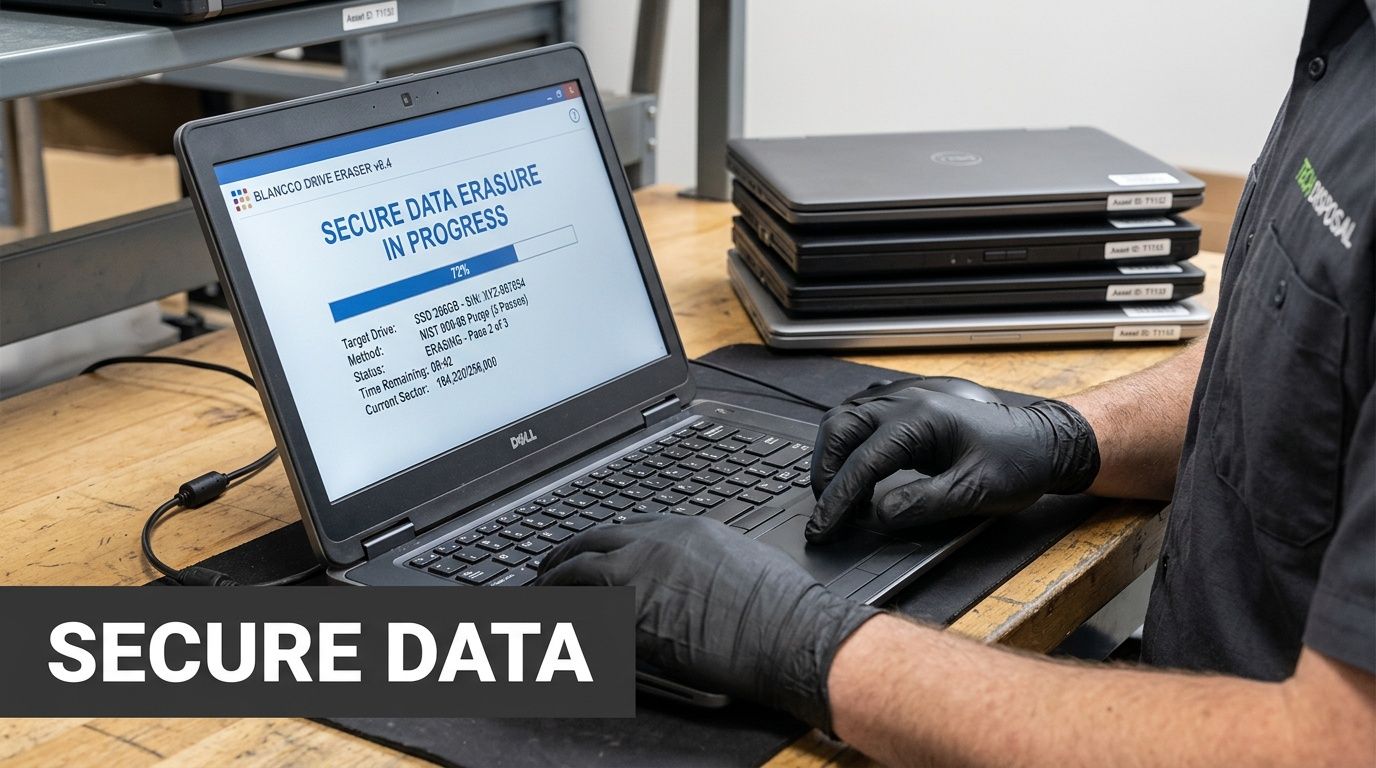
The baseline requirement is mandatory. According to Triangle eCycling’s ITAD compliance guidance, industry-standard ITAD vendors must provide per-device serialized certificates of destruction documenting NIST 800-88 compliance, and simple methods like reformatting are inadequate. That’s the line between consumer-level disposal and enterprise-grade disposition.
If a vendor can’t tell you what certificate you’ll receive for each asset, your process is not mature enough yet.
Data Destruction Methods Compared
| Method | Process | Best For | Compliance Level |
|---|---|---|---|
| Wiping | Software-based sanitization of data-bearing media with documented completion | Laptops that may still have reuse, resale, or refurbishment value | Appropriate when supported by serialized reporting and NIST 800-88 documentation |
| Physical shredding | Physical destruction of the drive or storage media so the media cannot be reused | Failed drives, obsolete media, highly sensitive environments, and devices not suitable for remarketing | Appropriate when documented through chain-of-custody and destruction certificates |
When wiping makes sense
Wiping is the better path when the laptop itself still has practical value. If the device can be refurbished, redeployed, or recovered for commodity and equipment value, software sanitization preserves those options. It also supports sustainability goals because the device isn’t immediately reduced to scrap.
This method only works when the process is documented. A wiped drive without a serialized certificate won’t satisfy a serious audit team. It may also create internal friction later when legal, privacy, or procurement staff asks how the company verified destruction.
When shredding is the right call
Shredding is the stronger choice for damaged drives, nonfunctional media, older equipment with little reuse value, and high-sensitivity environments. Healthcare organizations, government entities, research institutions, and companies handling confidential financial records often prefer the certainty of physical destruction for at least part of their asset stream.
That doesn’t mean every laptop should be shredded. It means your policy should define which devices are wiped, which are shredded, and why.
How to schedule pickup and set expectations
Once your method is chosen, the logistics are easier.
- Confirm volume and equipment mix. Include laptops, loose hard drives, docking stations, and any related equipment in the request.
- State your destruction requirements clearly. Don’t ask for “secure disposal.” Specify wiping, shredding, or a mixed program.
- Request documentation in advance. Ask what chain-of-custody records and certificates are issued and when they’re delivered.
- Prepare the staging area. Keep inventoried assets together and limit access before removal.
- Designate a handoff contact. One person should verify what leaves the site and receive pickup confirmation.
For organizations that need a local service reference, secure hard drive destruction services in Atlanta describes the type of workflow businesses should expect when hard drives require formal destruction and reporting. Atlanta Green Recycling is one example of a provider offering wiping, shredding, pickup, and compliance-minded handling for business equipment in the metro area.
What doesn’t work
Three disposal habits create the most trouble.
- Informal wiping by internal staff: It may remove files, but it rarely produces the documentation auditors want.
- General junk removal with no ITAD process: Assets leave the site, but no one can prove what happened next.
- Ad hoc closet cleanouts: Devices from multiple departments get mixed together, and the audit trail breaks immediately.
A defensible process always answers the same questions. What left the building? Who handled it? How was data destroyed? What record proves it?
Scheduling Onsite Removal and Logistics in Metro Atlanta
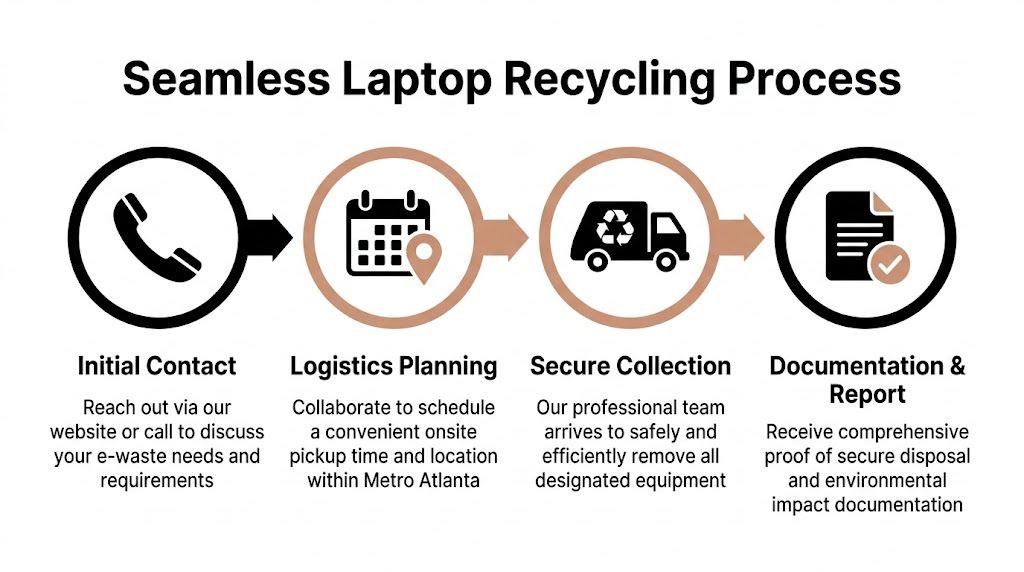
Onsite removal is where planning either pays off or falls apart. A good pickup looks uneventful. Equipment is staged, the building contact is ready, assets are counted, and the removal team moves quickly without interrupting operations. A weak pickup turns into a scavenger hunt across departments.
For Metro Atlanta companies, logistics should be handled like any controlled transfer. That means confirming pickup scope, site access, loading constraints, and what documents will be issued after the equipment leaves. If the service includes free pickup for larger batches, verify the threshold before you schedule. In this market, free business pickup is often tied to volume, and one common benchmark is 50+ devices as noted in the verified material.
What should happen before the truck arrives
The pickup should be scoped in practical terms, not vague terms.
- Volume: How many laptops, loose drives, monitors, servers, or related assets are included?
- Access: Does the team need a loading dock, freight elevator, COI, appointment window, or security escort?
- Handling: Are there boxed assets, palletized loads, or devices still deployed on desks?
- Exceptions: Are any devices held back for legal review, internal transfer, or delayed release?
That prep matters because chain-of-custody begins before the equipment is physically loaded. If your internal list says forty laptops and the pickup team receives thirty-six, someone should resolve the discrepancy before removal.
Accepted items and mixed loads
Most corporate pickups aren’t laptop-only. A realistic batch may include desktops, monitors, network gear, printers, cables, servers, and miscellaneous peripherals. Mixed loads are normal, but they should be identified in advance so the recycler can plan labor, containers, and downstream handling.
A smooth pickup isn’t just fast. It’s documented, scoped correctly, and easy to reconcile afterward.
Documentation is part of logistics, not an afterthought
Often, many companies underestimate the process. The truck removal solves the space problem. The paperwork solves the business problem.
Three records matter most:
- Chain-of-custody documentation that shows when assets changed hands.
- Asset-level or batch-level disposition reporting that helps IT and compliance reconcile inventory.
- Impact reporting for companies using recycling in ESG or CSR programs.
Those documents support different teams. Audit and privacy staff care about control evidence. Sustainability and communications teams care about what can be substantiated publicly. Procurement and finance may care about retirement records or material settlement details where applicable.
If you treat reporting as optional, the project loses half its value. Without documents, laptop recycling is just removal. With documents, it becomes a controlled disposition event your company can defend internally and talk about externally.
Receiving Your Compliance and Impact Documentation

The pickup is not the finish line. The documents you receive afterward determine whether the project reduced risk and created usable business value. If all you get is a generic receipt, you don’t have much to work with. If you receive a clean set of destruction and tracking records, you have something compliance teams can file and leadership can rely on.
The clearest example of why this matters comes from higher education. The Emory University recycling case study reported that the university was paying $64,000 annually under a vendor model with insufficient controls and discovered that data wasn’t always being destroyed before equipment left campus. The improvement came from moving to a certified ITAD process with documented chain-of-custody.
The documents that actually matter
A serious corporate recycling program should produce records that different departments can use for different reasons.
Serialized destruction records
If drives were wiped or shredded, the documentation should reflect the method used and connect that outcome back to specific assets wherever the workflow supports device-level reporting. This is what turns “we disposed of the laptops” into “we can prove how the data-bearing media was handled.”
For companies that need a local reference on what that proof should look like, certificate of destruction documentation is the standard type of deliverable to request and retain.
Chain-of-custody reporting
This record matters even before destruction occurs. It shows that the company controlled the handoff and that the assets moved through a documented path instead of disappearing into a vague vendor process. Internal auditors and privacy teams tend to focus on this because it closes the gap between storage-room inventory and final disposition.
Impact documentation
This is where a mission-driven model stands apart. If your recycling program supports veterans and tree planting, the impact shouldn’t live only in marketing copy. It should appear in a report or certificate that your CSR, HR, or sustainability teams can review and use appropriately.
Why impact reporting belongs with compliance reporting
Some companies treat social impact as a soft add-on. That’s a mistake. When impact reporting is tied to a documented operational process, it strengthens the program in two ways.
- It improves internal adoption. Employees are more likely to participate when the outcome feels concrete and local.
- It expands executive support. Leadership can justify recurring pickups when the result supports compliance, sustainability, and community benefit at the same time.
Initiatives like “Recycle for a Cause” work well. The message is simple. Your old tech can support veterans and contribute to reforestation. For companies that publish CSR updates, that creates a stronger narrative than generic disposal language.
The strongest recycling partnerships leave you with two things. Proof for auditors and proof for people.
Using the records after the project closes
Once you receive the final packet, don’t let it sit in someone’s inbox.
- Compliance teams should archive destruction and custody records with retention in mind.
- IT asset managers should reconcile final disposition against internal inventory.
- Sustainability teams can reference documented recycling and impact outputs in ESG materials.
- Marketing and communications can use approved language to show that the company handled retired technology responsibly.
- Partner organizations can display a “Recycled with Purpose” type badge or mention the initiative on web and social channels if internal policy allows.
That’s how laptop recycling contributes to corporate legacy. The devices leave the building once. The documentation keeps working long after.
Frequently Asked Questions About Corporate Laptop Recycling
| Question | Answer |
|---|---|
| Do businesses need to remove files before recycling laptops? | Internal cleanup can help with staging, but it shouldn’t replace formal sanitization. The safer practice is to inventory devices, keep them secured, and use a recycler that provides documented destruction. |
| What if some laptops no longer power on? | Nonfunctional devices can still be processed. Flag them in your inventory so the recycler can determine whether wiping is possible or whether the storage media should be physically destroyed. |
| Can one pickup include other equipment besides laptops? | Yes. Many business pickups include mixed IT loads such as monitors, desktops, servers, peripherals, and loose drives. Confirm the list before scheduling so the handoff is clean. |
| Who inside the company should approve a recycling project? | IT usually initiates it, but compliance, finance, facilities, and sometimes legal should review the release depending on the data involved and your internal policy. |
| Is a one-time purge enough? | Usually not. Most organizations do better with scheduled pickups tied to refresh cycles, office moves, or recurring compliance reviews. |
| Can recycling support CSR goals as well as compliance? | Yes, if the provider offers documentation that supports both secure disposition and mission-driven impact reporting. That combination is what makes the program useful beyond operations. |
If your team is sitting on retired laptops, loose hard drives, or mixed IT equipment across Metro Atlanta, Atlanta Green Recycling is a practical place to start. Their business-focused services align with the needs covered above, including pickup for larger device volumes, secure data destruction options, and documentation that supports both compliance and broader sustainability reporting.