
What Is Data Sanitization Explained

When you hit 'delete' on a file, you're not actually erasing it. You're just telling your computer it's okay to write over that space later. The actual data often lingers, easily recoverable with the right tools.
Data sanitization, on the other hand, is the real deal. Think of it as the digital equivalent of putting a sensitive document through a cross-cut shredder—it’s the process of permanently and irreversibly destroying data on a storage device.
The Critical Role of Secure Data Destruction
Your company’s data is one of its most valuable assets. Every time a server, laptop, or smartphone reaches the end of its life, it carries a detailed history of sensitive information—from customer PII and financial records to proprietary business strategies. If that device isn't properly scrubbed, you're leaving a backdoor wide open to disaster.
This is where understanding what is data sanitization becomes absolutely essential. It’s not just a technical task for the IT department; it’s a fundamental security measure that protects your entire organization.
Failing to securely sanitize your data can quickly lead to:
- Catastrophic Data Breaches: Old hard drives sold on eBay or tossed in a dumpster are a goldmine for cybercriminals. A single forgotten device can expose thousands of confidential records.
- Severe Financial Penalties: Regulations like HIPAA and PCI-DSS don’t mess around when it comes to data disposal. Non-compliance can result in fines that climb into the millions.
- Irreparable Reputational Damage: Trust is incredibly hard to earn and shockingly easy to lose. A public data leak can permanently tarnish your brand and send customers running to your competitors.
Properly managing this end-of-life process is a core part of a bigger strategy known as IT Asset Disposition (ITAD). To get the full picture, you can learn more in our guide to responsible IT asset disposition.
To make the distinction crystal clear, let's break down the difference between simply deleting a file and truly sanitizing a drive.
Data Deletion vs Data Sanitization at a Glance
| Action | What Happens to Data | Recoverability | Best Use Case |
|---|---|---|---|
| Standard 'Delete' | The pointer to the file is removed, but the data remains on the drive until overwritten. | High (easily recovered with basic software). | Freeing up space for non-sensitive, everyday files. |
| Data Sanitization | The data is permanently erased and made completely unreadable and unrecoverable. | Extremely Low to Impossible. | Disposing of old hardware, redeploying devices, or ensuring regulatory compliance. |
As you can see, relying on a simple delete function for sensitive information is a massive gamble. True sanitization is the only way to be certain your data is gone for good.
Why Sanitization Is a Growing Concern
The need for secure data disposal is becoming more urgent by the day. The global market for these services is exploding, valued at approximately USD 12 billion in 2025 and projected to grow significantly from there. This rapid expansion shows just how seriously businesses are finally taking the threat of data remnants on old hardware.
In an era where a company's data is its lifeblood, leaving old devices unsanitized is like leaving the vault door wide open after business hours. It's an unnecessary risk that no modern organization can afford to take.
Of course, securing your data goes beyond just physical media. A truly comprehensive approach involves managing your entire online presence. For anyone interested in minimizing their digital footprint on a personal level, there's a practical guide to removing yourself from the internet.
Ultimately, though, sanitization is your last line of defense in the physical world. It's the final, crucial step that ensures when your tech leaves the building, your data doesn't go with it.
Understanding the Core Methods of Data Sanitization
When it’s time to securely erase information, there's no single magic bullet. The right approach hinges on the type of device you're dealing with, its age, and your own security needs. Getting familiar with the main methods is the first step toward making a smart, secure choice.
At its core, data sanitization boils down to four main techniques: logical overwriting, cryptographic erasure, degaussing, and good old-fashioned physical destruction. Each one operates on a different principle, offering unique benefits for specific situations.
This simple decision tree can help you picture that initial choice between prepping a device for sanitization or attempting data recovery.
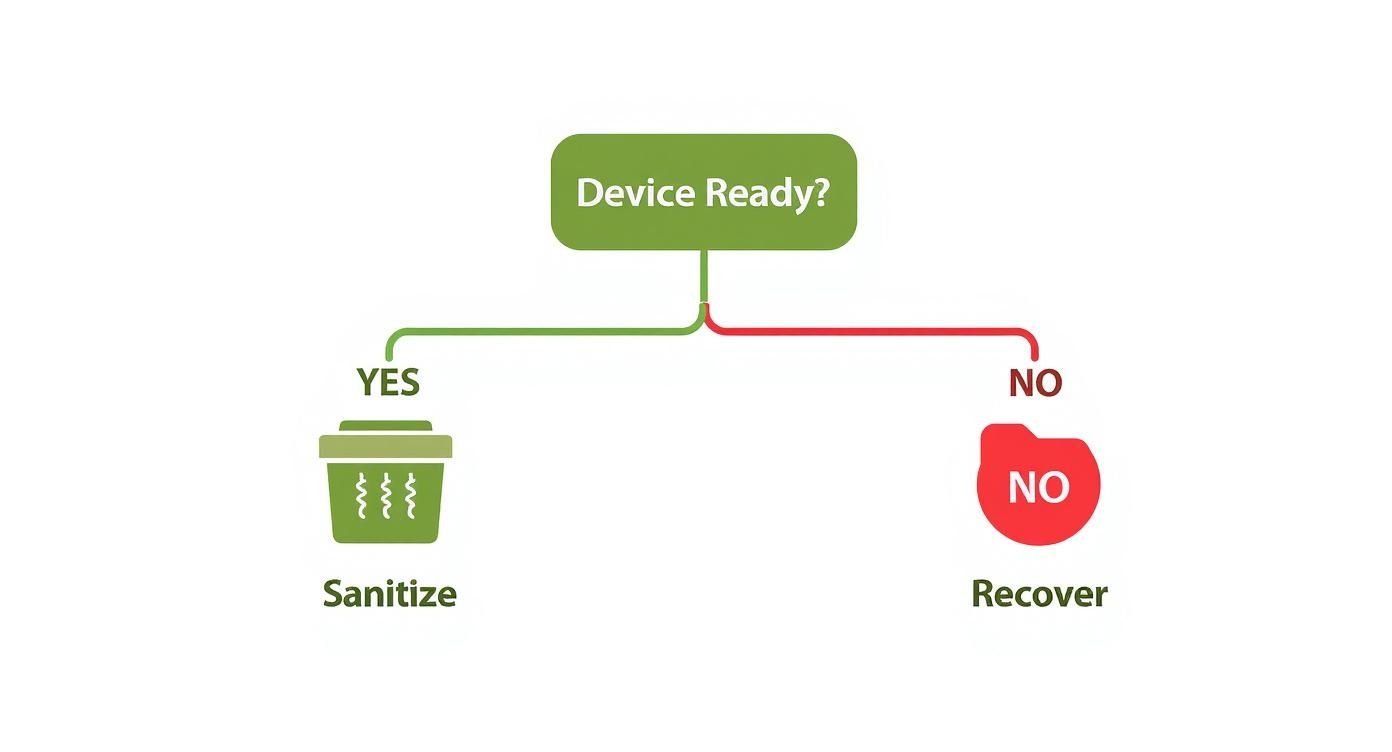
As the visual shows, every asset disposition plan starts at a fundamental fork in the road. You first have to figure out if the device works and if its data is even accessible. That answer determines whether you move forward with sanitization or recovery.
Method 1: Logical Overwriting
Think of logical overwriting (often just called data wiping) like scribbling over a secret note with gibberish until the original message is completely gone. Special software does the same thing digitally, writing patterns of ones and zeros over every single sector of a storage drive, effectively burying the original data.
For high-security needs, this process can be repeated several times to meet strict standards like DoD 5220.22-M or NIST 800-88.
- Best For: Working hard disk drives (HDDs) and some solid-state drives (SSDs) that you plan to reuse or sell.
- Key Advantage: It securely erases data while leaving the drive itself perfectly functional, making it a sustainable and wallet-friendly option.
The biggest win here is being able to redeploy hardware without worrying about leftover data falling into the wrong hands. For a closer look at how this works, check out our full guide on how to permanently delete a hard drive for more details.
Method 2: Cryptographic Erasure
Imagine you have a diary locked with an incredibly complex key, and then you simply vaporize the key. The diary is still there, but no one can ever read what's inside. That’s the basic idea behind cryptographic erasure.
This method is designed for self-encrypting drives (SEDs), which are standard in most modern laptops and data centers. Instead of overwriting the data, the process just deletes the unique media encryption key (MEK).
Without that key, all the encrypted data on the drive becomes a permanent, unreadable jumble of digital noise. The best part? The whole process is nearly instant, taking seconds instead of the hours a full overwrite can take.
This incredible speed makes it a game-changer for large-scale operations where time is money.
Method 3: Degaussing
Degaussing is a much more brute-force tactic. It involves blasting magnetic storage media—like older HDDs and backup tapes—with a super-powerful magnetic field. This field completely scrambles the magnetic alignment on the drive's platters where the data lives.
The result is an immediate and total wipe of all information, making it impossible to recover. But there's a catch: this process also destroys the drive's firmware, rendering the device completely useless.
It's also crucial to know that degaussing is 100% ineffective on flash-based media like SSDs, smartphones, or USB drives, since they don't store data magnetically.
Method 4: Physical Destruction
When data is so sensitive that you can't afford any risk—or when a device is simply broken or too old to be useful—physical destruction is the final answer. It’s the most straightforward and foolproof method there is.
This isn't just taking a hammer to a hard drive. It involves industrial machinery designed to obliterate storage media beyond any hope of repair or recovery. Common methods include:
- Shredding: Powerful shredders grind devices into small, mangled fragments.
- Pulverizing: This process crushes media into little more than dust and tiny pieces.
- Smelting: The device is literally melted down in a high-temperature furnace, destroying its physical form entirely.
Physical destruction offers the ultimate peace of mind. It’s a guarantee that not a single bit of data can ever be retrieved from the hardware.
Choosing the Right Data Sanitization Method
Navigating these options can seem tricky, but it's all about matching the method to the media and your security goals. Some methods preserve the hardware for reuse, while others ensure data is gone for good by destroying the device itself. This table breaks down the key differences to help you decide.
| Method | Best For | Pros | Cons | Allows Reuse? |
|---|---|---|---|---|
| Logical Overwriting | Functional HDDs and some SSDs slated for resale, donation, or internal redeployment. | Cost-effective; allows for device reuse; verifiable with software reports. | Time-consuming for large drives; may not work on damaged sectors. | Yes |
| Cryptographic Erasure | Modern self-encrypting drives (SEDs) in laptops, servers, and data centers. | Extremely fast (seconds); highly secure; energy-efficient. | Only works on drives with built-in encryption (SEDs). | Yes |
| Degaussing | Magnetic media like older HDDs and backup tapes requiring high-security disposal. | Very fast and highly effective for magnetic media. | Renders the device unusable; ineffective on SSDs and flash media. | No |
| Physical Destruction | End-of-life, damaged, or obsolete devices; media containing highly sensitive data. | 100% foolproof and verifiable; provides ultimate security assurance. | Completely destroys the asset, eliminating any resale value; can be costly. | No |
Ultimately, the best choice balances security requirements with the potential for asset value recovery. For devices you plan to reuse, logical overwriting or cryptographic erasure are ideal. For anything too sensitive or too old, degaussing or physical destruction provide the final, definitive solution.
Navigating Key Data Security Standards and Regulations
Knowing how to sanitize data is just the first step. To really protect your organization, you have to navigate the tangled web of laws and industry standards that dictate how data gets handled at the end of its life.
These aren't just helpful suggestions—they're legally binding rules designed to keep sensitive information safe. For businesses here in Atlanta, especially in our bustling healthcare, finance, and tech sectors, getting this wrong isn't an option. It can lead to some truly devastating consequences, including steep fines and a shattered reputation.
The Rules of the Road: Key Regulations to Know
Different industries play by different rules, and each has specific mandates for data destruction. While the full list can get pretty long, there are a few heavy hitters that impact almost every organization out there.
Here are some of the big ones you absolutely have to get right:
- HIPAA (Health Insurance Portability and Accountability Act): This is the bedrock of patient privacy. HIPAA demands that all patient health information (PHI) is rendered completely unreadable, indecipherable, and unusable before any electronic media is thrown out. Just hitting "delete" won't cut it; the data has to be professionally sanitized or the device must be physically destroyed.
- PCI-DSS (Payment Card Industry Data Security Standard): If your business touches credit card information in any way, PCI-DSS is your bible. It requires that all stored cardholder data on any media be made completely unrecoverable once it's no longer needed. This means processes like shredding, incinerating, or wiping media to meet strict security benchmarks.
- GLBA (Gramm-Leach-Bliley Act): This federal law forces financial institutions to be transparent about how they share and secure their customers' private financial details. Its "Safeguards Rule" requires a written security plan that must include procedures for secure data destruction.
NIST 800-88: The Gold Standard for Sanitization
While laws like HIPAA tell you what to do, government standards are what show you how to do it. The most influential guide by far is the National Institute of Standards and Technology (NIST) Special Publication 800-88, "Guidelines for Media Sanitization."
In the world of IT and cybersecurity, this document is the undisputed gold standard. It provides incredibly detailed, risk-based guidance for wiping electronic media clean. It goes way beyond a simple overwrite, offering a clear framework so organizations can pick the right method based on how sensitive the data is.
NIST 800-88 boils it down to three core methods: Clear, Purge, and Destroy. This simple but powerful framework gives businesses a clear roadmap to make sure data is gone for good, tying the security action directly to the information's confidentiality level.
This intense focus on process and verification is what makes the NIST guide so crucial for building a data destruction policy that will actually hold up under scrutiny.
The Growing Demand for Compliance
As these rules get tighter, companies are investing more and more into secure data sanitization solutions. This isn't just some niche IT problem anymore; it's a major piece of corporate Environmental, Social, and Governance (ESG) strategy.
The market for data destruction software alone was valued at USD 1.25 billion in 2025 and is on track to explode to USD 3.45 billion by 2025. That's a huge jump, and it shows just how seriously businesses are taking their compliance duties. You can discover more insights about the growing data destruction software market and what’s driving this trend.
For Atlanta businesses, the simplest and most reliable way to meet these tough requirements is to partner with a certified expert. A provider who lives and breathes these standards can deliver more than just secure destruction—they provide the critical documentation you need to prove you did everything right, turning a massive legal headache into a secure, streamlined process.
The Importance of Verification and Documentation
Wiping your data is only half the battle; you have to be able to prove it. This is where verification and documentation become your best friends, turning your data destruction process into a rock-solid, defensible strategy.
Think of it like getting a certified inspection after a major home repair. It's the official confirmation that the job was done correctly and met all the required codes. Without that proof, you’re leaving your organization wide open to legal challenges and regulatory fines, even if you did everything right. It's the final, critical step that ties everything together.
Proving the Data Is Gone
Verification is the hands-on process of confirming that a sanitization method actually worked. It’s just not good enough to run a wiping program and cross your fingers. You need to use specialized software tools to scan the drive after the fact, ensuring not a single byte of recoverable data is left behind.
This step is an absolute must for overwriting methods. The verification scan goes through every single sector of the drive, confirming that the original data has been completely replaced with useless binary patterns. Nothing can remain.
The Certificate of Destruction: Your Legal Shield
Once verification is complete, you must get a Certificate of Sanitization or a Certificate of Destruction. This legal document is your official record and the absolute cornerstone of your compliance strategy. It creates an unbreakable audit trail that proves you followed a correct, documented, and professional procedure.
A Certificate of Destruction isn't just a piece of paper. It’s your primary defense in an audit and tangible proof that you performed your due diligence. It effectively shifts the liability from your shoulders to the certified vendor who did the work.
This piece of documentation is non-negotiable for meeting the strict requirements of regulations like HIPAA, PCI-DSS, and NIST. It shows you’re accountable and in control of your assets from the moment they leave your sight.
What Should a Certificate Include?
A legit, comprehensive certificate is far more than a simple receipt. It needs to contain very specific details to hold up as a valid legal document. If any of these elements are missing, its power during a compliance audit is seriously weakened.
A proper certificate should always list out:
- Unique Serial Numbers: Every single device—whether it’s a hard drive, server, or laptop—must be individually identified.
- The Sanitization Method Used: The document needs to state exactly how the data was destroyed, be it overwriting (and which standard, like NIST 800-88 Purge), degaussing, or physical shredding.
- Date and Location of Sanitization: Your audit trail needs the specifics—exactly when and where the process happened.
- Name of the Certified Technician: Accountability means knowing who performed the work and, just as importantly, who verified it.
- A Secure Chain of Custody Record: This detail tracks the asset from the moment it left your possession to its final destruction, proving it was secure at every single step.
This level of detail creates an undeniable record that you met your compliance obligations. For businesses in Atlanta, working with a certified expert is the only surefire way to know this process is handled correctly. To see why this matters, check out our guide on why you should use a professional data destruction service. In the end, it’s this thorough documentation that turns the abstract question of "what is data sanitization" into a concrete, provable business practice.
Your Atlanta Partner for Secure and Socially Responsible ITAD
For businesses across Atlanta, IT Asset Disposition (ITAD) is more than just a line item for data security—it's a chance to make a real, measurable impact in our community. While proper data sanitization is an absolute must-have, the right partner can turn that operational chore into a powerful force for good. We turn e-waste into hope.
That’s where we come in. At GreenAtlanta.com, our tagline is "Recycling That Restores Lives and Landscapes." We provide NAID AAA certified, military-grade data destruction, ensuring your organization is buttoned up on compliance with regulations like HIPAA. But our work doesn't stop there. We’ve built a unique dual-impact model that connects your old IT assets directly to critical social and environmental initiatives.

Recycle for a Cause and Elevate Your ESG Goals
We believe recycling should restore more than just materials. Our “Recycle for a Cause” campaign is built on a philanthropic promise that sets us apart from other electronic waste disposal companies.
Your old tech can house a veteran and grow a forest. This isn't just a catchy phrase; it’s the tangible result of our work. We channel the value from recycled electronics into direct support for local veteran aid programs and crucial USDA-approved reforestation projects.
This model makes it incredibly simple for Atlanta companies to meet their Environmental, Social, and Governance (ESG) and Corporate Social Responsibility (CSR) goals. We help you turn a routine IT task into a compelling story of community investment, focusing on keywords like “electronics recycling for veterans” and “corporate sustainability electronics disposal.”
Corporate Partnerships Built on Impact and Transparency
We position GreenAtlanta.com as the easiest ESG win your company has all year. When you work with us, you’re not just solving a logistics problem—you’re gaining a powerful tool to show your commitment to sustainability and social good.
Our corporate program is designed to be seamless and effective:
- Corporate Recycling Drives: We offer free pickup for 50+ devices, handling all the logistics so your team can stay focused on what they do best.
- Detailed Impact Reporting: Once your assets are processed, we provide comprehensive Veteran Support Impact Reports and Plant-A-Tree certificates. You get clear, verifiable data for your annual CSR reports.
- "Recycled with Purpose" Eco-Badge: Partners receive a digital badge to proudly display on their websites and sustainability reports, showcasing their commitment to our shared mission.
This whole process is reinforced by live impact counters on our website, showing stats like “1,245 veterans supported” and “3,700 trees planted.” It’s social proof that demonstrates the collective good we can accomplish together.
Engaging the Atlanta Community
Our mission doesn't stay in corporate boardrooms; it lives in the heart of our community. We build grassroots credibility through community and PR engagement. We’re not just another vendor—we’re a true community partner.
We connect with Atlanta through several key channels:
- Nonprofit Collaborations: We co-host recycling drives with local veteran shelters, VFW chapters, and environmental NGOs to amplify our collective impact.
- Local Media Outreach: We pitch our unique dual-impact story to outlets like the Atlanta Journal-Constitution and local sustainability blogs to raise awareness.
- Civic Partnerships: We team up with schools, universities, and city municipalities for collection events under a shared “Greener Atlanta” initiative.
Choosing GreenAtlanta.com means you’re doing more than just meeting data sanitization standards. You're investing in a partner dedicated to restoring lives and landscapes. You're turning a necessary security task into a story of transformation, proving that responsible business can create lasting, positive change.
Your Simple Data Disposal Policy Checklist
Putting together a solid data disposal policy can feel like a huge undertaking, but it's absolutely critical for protecting your business and staying compliant. This simple checklist breaks the whole process down into manageable, clear-cut steps. It's your roadmap for building a data protection plan you can stand behind.
Think of this as your blueprint. It turns the complex question of "what is data sanitization" into a secure, everyday business practice. When you have a clear policy, you eliminate the guesswork and drastically reduce the chances of human error.
1. Inventory All Data-Bearing Assets
Let’s start with a basic truth: you can't protect what you don't know you have. Your very first step is to create a complete inventory of every single device that holds data. This isn’t just about servers and laptops. We’re talking about everything from company smartphones and tablets to external hard drives, USB sticks, and even networked printers.
This initial audit is the bedrock of your entire data disposal strategy. For a closer look at this crucial first step, our article on IT asset management best practices dives deeper into creating and maintaining a thorough inventory.
2. Classify Your Data
Not all data is created equal, and your policy needs to reflect that. The next move is to classify the information on your assets based on how sensitive it is. This simple act helps you focus your security efforts and use the strongest sanitization methods where they matter most.
Create a few clear categories for your data:
- Public: Information that has no confidentiality requirements whatsoever.
- Internal: Data meant for internal eyes only, but its disclosure wouldn't cause significant harm.
- Confidential: Sensitive information that needs controlled access, like internal business plans or employee records.
- Restricted: The most sensitive data—think customer PII or patient health information (PHI). This stuff is protected by law and could cause severe damage if breached.
3. Choose the Right Sanitization Method
Now that you know what devices you have and what kind of data they hold, you can match the right sanitization method to each one. As we've covered, your options range from logical overwriting for hard drives you plan to reuse, all the way to physical shredding for obsolete media or drives that held highly sensitive information.
Your policy needs to be explicit here. It should clearly state which method is required for each data classification. For instance, you might mandate that all devices holding 'Restricted' data must be physically destroyed, while devices with 'Internal' data can be sanitized using a NIST-compliant overwriting process.
4. Select a Certified Vendor
Handling data sanitization correctly isn't a DIY job; it requires real expertise and specialized equipment. Your policy must require using a certified vendor with credentials like NAID AAA or R2 Certification. Think of these certifications as your guarantee that the provider follows the highest industry standards for security, process, and accountability.
5. Establish a Secure Chain of Custody
A secure chain of custody is non-negotiable. It’s a documented paper trail that tracks your assets from the second they leave your control to the moment they are destroyed. This process proves your assets were secure at every single step, eliminating the risk of a device getting "lost" on the way.
6. Demand a Certificate of Destruction
Finally, your policy must insist on a formal Certificate of Destruction or Certificate of Sanitization for every batch of assets you dispose of. This legal document is your official proof of compliance. It details what was destroyed, how it was done, and who did the work. Without this final piece of paper, your entire process is legally incomplete.
Common Questions About Data Sanitization
Even with a solid plan, a few questions always pop up when it's time to actually sanitize old devices. Getting these answers straight helps clear up any confusion and makes sure your team can confidently make the right call every single time a piece of equipment is retired.
Here are a few of the most common questions we hear, with straightforward, no-nonsense answers.
Is a Factory Reset Good Enough to Sanitize My Device?
Absolutely not. Hitting "factory reset" feels like a clean slate, but it’s a dangerously insecure way to handle old data. All it really does is remove the pointers to your files, kind of like ripping the table of contents out of a book. The chapters are all still there, and anyone with basic data recovery software can easily piece them back together.
True data sanitization doesn’t just hide the data—it makes it permanently unrecoverable, like putting every single page of that book through a cross-cut shredder.
What Is the Difference Between Clearing, Purging, and Destruction?
These terms get thrown around a lot, but they aren't interchangeable. They actually represent three distinct levels of security, as defined by NIST, and knowing the difference is key to matching the method to your risk level.
- Clearing: This is your basic overwrite. Software writes new data over the old, making it tough to recover without specialized lab equipment. It’s a good option for lower-risk data on devices you plan to reuse inside your own company.
- Purging: This is a much stronger approach that’s designed to stop even those advanced, lab-level recovery efforts in their tracks. Methods like degaussing (for magnetic media) or cryptographic erasure fall into this category, and it's the right choice for more sensitive information.
- Destruction: This is the final answer. Physical demolition through shredding or smelting completely obliterates the device. There’s no coming back from this—the data is gone, period.
Can I Sanitize SSDs the Same Way as HDDs?
Nope. This is a critical distinction that trips a lot of people up. SSDs and traditional hard disk drives (HDDs) store data in fundamentally different ways, so they need different sanitization methods.
HDDs use magnetic platters, which means you can reliably wipe them with overwriting software or degauss them with powerful magnets.
SSDs, on the other hand, use flash memory. Because of this, degaussing has zero effect on them. For a solid-state drive, your secure options are cryptographic erasure (if it's a self-encrypting drive), using specialized software built specifically for SSD architecture, or physical destruction.
How Much Does Professional Data Sanitization Cost?
The cost can vary quite a bit depending on what method you choose, the type of device, and how many you have. While it’s tempting to focus on the line-item expense, it’s far more accurate to view it as an investment in risk management.
The cost of professional data sanitization is minimal compared to the massive financial penalties and brand damage that result from a single data breach. It’s the most cost-effective insurance policy you can buy for your data security.
Working with a certified partner isn't just about getting the job done; it's about buying peace of mind and bulletproof compliance.
Ready to turn your IT asset disposal into a secure, compliant, and impactful process? At GreenAtlanta.com, we offer NAID AAA certified data sanitization that protects your business while supporting veterans and reforestation efforts in our community. We make it easy to turn e-waste into hope. After every donation, we even provide personalized Impact Certificates and offer a referral program that plants extra trees in your name.
Schedule your free corporate pickup and get a complimentary impact assessment at https://www.greenatlanta.com.