
How to Delete a Hard Drive Securely


Hitting 'delete' on a file doesn't actually make it disappear. Think of it more like removing a book's title from a library's card catalog—the book is still sitting on the shelf, ready for anyone with the right tools to find it. For corporate IT, this isn't just a technical detail; it's a massive security hole.
Why Just Deleting Files Isn't Enough
When your organization handles sensitive data, simply dragging a folder to the trash is the digital equivalent of leaving your company's front door unlocked. The files might vanish from your view, but the raw data often lingers on the drive, easily recoverable with basic software. This is a huge vulnerability, especially when that hardware is being decommissioned, resold, or recycled.
The consequences of getting this wrong can be catastrophic. Understanding top data security best practices is crucial to grasping why simple deletion is a non-starter for truly secure data removal. In a world where data breaches are more common—and more expensive—than ever, taking shortcuts is a gamble no business can afford to take.
The Stakes Are Higher Than You Think
The digital threat landscape is unforgiving. In just one recent year, the U.S. saw a staggering 3,158 reported data breach incidents—a number that has quadrupled in just four years. Globally, these events impacted around 1.35 billion people.
We’ve all seen the headlines. Events like the ransomware attack on Change Healthcare, which cost nearly $2.87 billion to clean up, highlight the enormous financial and operational risks of poor data security. You can find more on these trends in this in-depth analysis of data loss statistics.
For IT teams, this means the process of how to delete a hard drive has to be both foolproof and auditable. Your decision really comes down to two primary methods.
Quick Decision Guide Wiping vs Destruction
Making the right call between wiping a drive or physically destroying it is a common challenge for IT managers. This quick-reference table breaks down the key factors to help you decide which method best fits your specific needs, whether you're focused on cost, security, compliance, or sustainability.
| Consideration | Software Wiping (Data Erasure) | Physical Destruction (Shredding) |
|---|---|---|
| Best For | Reusing, reselling, or donating hardware. | Damaged, obsolete, or highly sensitive drives. |
| Security Level | High (when using certified software). | Absolute (data is physically unrecoverable). |
| Asset Value | Preserves the hardware's value for reuse. | Destroys all hardware value. |
| Cost | Lower cost, especially at scale. | Higher cost per drive; involves machinery/labor. |
| Verification | Generates digital certificates of erasure. | Provides a certificate of destruction. |
| Sustainability | Supports the circular economy by enabling reuse. | Less eco-friendly; materials are recycled as scrap. |
Ultimately, the choice depends on your organization's risk tolerance and asset management strategy. For drives that can be repurposed, certified software wiping is an excellent, cost-effective choice. But for the most sensitive data or failed hardware, nothing beats the finality of physical destruction.
Turning a Technical Task into an ESG Win
Beyond just meeting compliance, secure data destruction can become a powerful story for your corporate social responsibility (CSR) program. When you team up with a mission-driven vendor, the end-of-life process for your IT assets transforms into a tangible ESG win. Instead of just disposing of e-waste, you can turn it into a force for good.
Imagine your old tech doing more than just being destroyed—imagine it helping build a better community. This "Recycling That Restores Lives and Landscapes" approach allows your company to contribute to vital causes, like supporting local Atlanta veterans or planting trees to reforest our environment. It’s a dual-impact model that turns a routine IT task into a compelling narrative for your annual CSR reports, showing a commitment that goes far beyond the bottom line.
Choosing Your Method: Wiping vs. Destruction
When it comes to getting rid of old hard drives, the first big decision you have to make is whether to wipe them or physically destroy them. This isn't just a technical choice; it’s a strategic one that balances security, cost, and the potential to recover value from old hardware.
Honestly, it all boils down to one simple question: Can this piece of equipment be used again?
This flowchart lays it out perfectly.
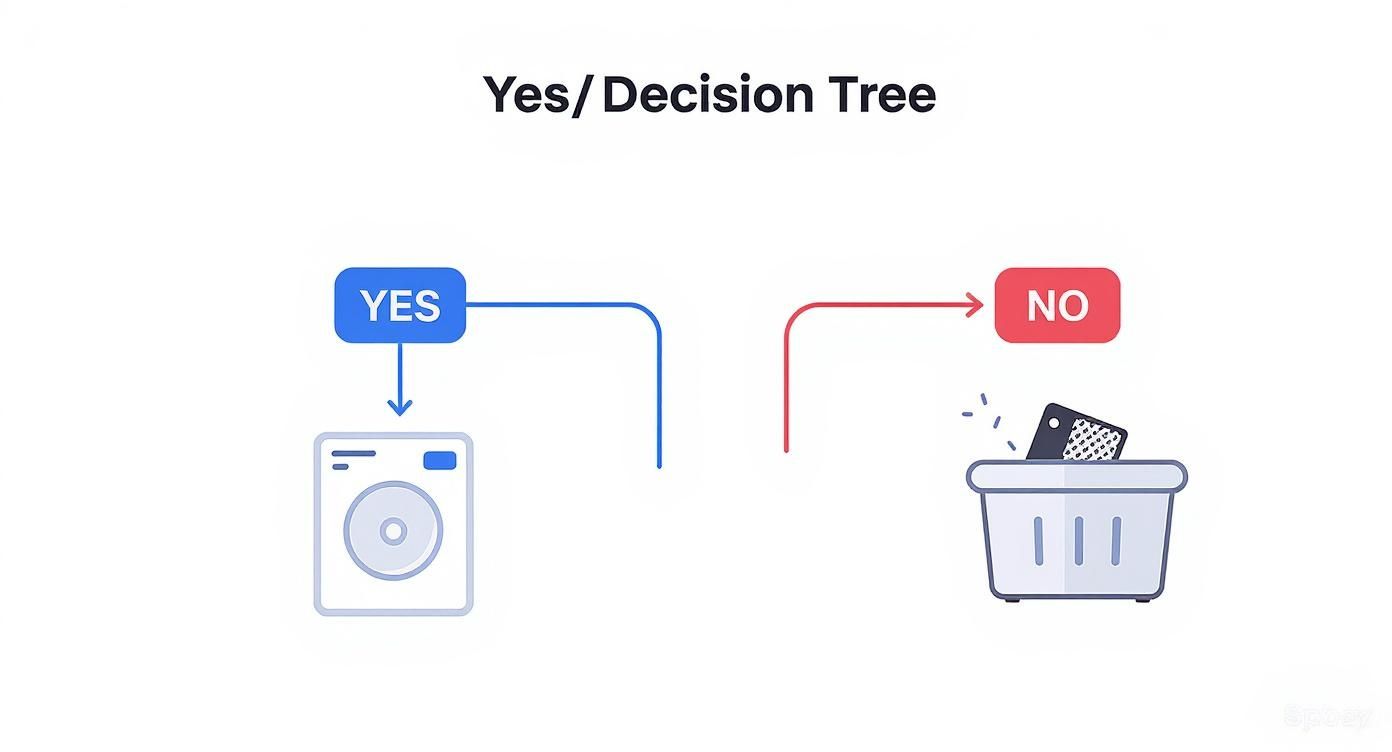
As you can see, your entire data disposal strategy hinges on the future of that IT asset. Following this simple logic prevents you from shredding valuable hardware that could be repurposed while also stopping you from accidentally leaving data on a drive that should have been destroyed.
The Case for Software Wiping
When you plan to reuse, resell, or donate hardware, software wiping—also called data erasure—is the way to go. The process involves overwriting every bit of a drive's existing data with random characters, effectively burying the original information until it's impossible to recover.
Think about these common, real-world scenarios:
- Employee Offboarding: An employee leaves the company. You can securely wipe their laptop and have it ready for the next new hire in a matter of hours, saving a ton on new equipment costs.
- Recovering Asset Value: Those gently used servers and laptops sitting in the IT closet still have value. A certified wipe ensures the data is gone for good, but the hardware is perfectly sellable, turning old tech into revenue.
- Donations: Giving older computers to local schools or nonprofits is a fantastic way to support the community. A thorough, professional wipe is an absolute must before that equipment ever leaves your building.
But not all wiping is the same. You absolutely need to use software that meets recognized industry standards. This isn't just for peace of mind; it's about compliance and having a paper trail to prove you did it right.
The whole point of software wiping is to make the data forensically unrecoverable while leaving the drive itself perfectly functional. For anyone in a regulated industry, this is non-negotiable for any hardware being repurposed outside the company.
You'll often hear two standards mentioned: DoD 5220.22-M and NIST 800-88. The DoD standard is the older of the two, known for its 3-pass or 7-pass wipes. These days, however, the NIST 800-88 guidelines are the industry benchmark. For most modern drives, a single, verified pass using NIST-compliant software is more than enough to get the job done right.
When Physical Destruction Is the Only Answer
Sometimes, there's no coming back. For certain drives, physical destruction is the only acceptable endpoint. It’s the ultimate guarantee of data security because you can't recover data from a pile of metal fragments.
Destruction becomes the clear choice in a few key situations:
- Damaged or Failed Drives: If a drive is physically broken or has failed, wiping software might not even run or be able to reach every sector. Data fragments could be left behind, creating a security risk. Destruction is the only safe bet here.
- End-of-Life Hardware: Got a stack of ancient servers with zero resale value? Shredding is the most efficient and secure way to dispose of them.
- Top-Tier Sensitive Data: When a drive held critical intellectual property, patient health information (PHI), or other highly sensitive data (PII), many organizations simply decide the risk isn't worth it. They opt for destruction to completely eliminate any possibility of a breach.
And we're not talking about taking a hammer to it in the parking lot. Professional destruction involves industrial-grade shredders that grind drives into tiny pieces, ensuring compliance with standards like HIPAA and GDPR. For organizations in our area, understanding secure hard drive shredding services is a crucial part of building a solid data security plan. The process provides you with a Certificate of Destruction, which is your documented proof that the data is gone forever.
Making the right choice here means your organization can confidently protect its data, get money back from assets when possible, and stay on the right side of regulators.
Running Your Own Secure Data Wiping Operation
Handling data erasure in-house can be a smart, cost-effective move, but it demands a process that is both disciplined and defensible. When you take on the responsibility of wiping drives, you're not just running a technical task—you're managing a critical compliance function. This approach gives you complete control over the chain of custody from start to finish.
This isn't a niche activity, either. Data destruction services, including both physical shredding and certified data wiping, are projected to become an industry worth approximately $39.3 billion by 2035. Logical destruction, like the software-based wiping we’re discussing, is expected to capture around 40% of that market because it’s efficient and allows for hardware reuse. You can get a deeper look at these trends in this data destruction service market report.
Setting Up Your Wiping Station
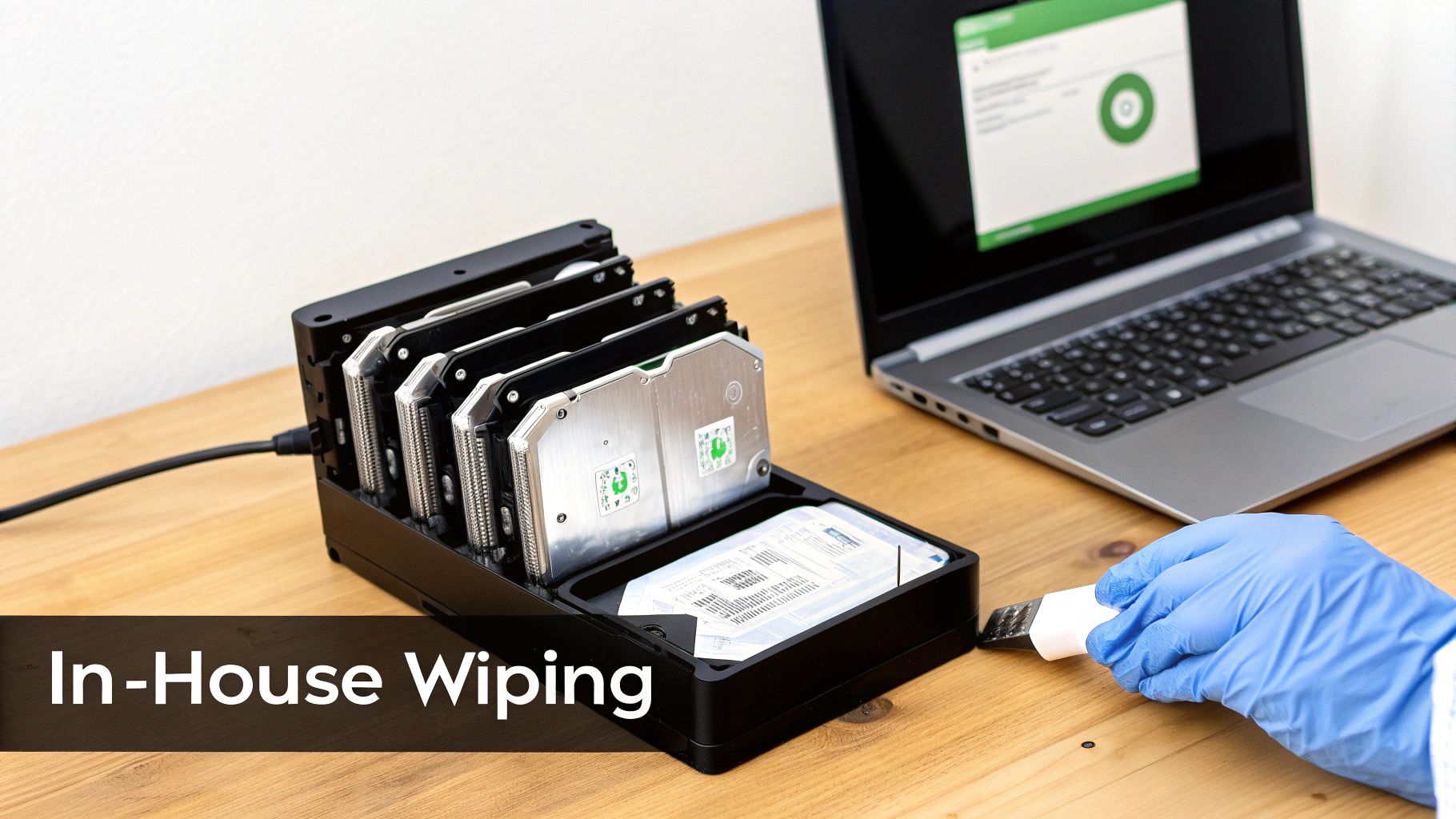
Let's be practical: processing drives one by one is a massive time sink. The key to a successful in-house operation is creating a dedicated wiping station. This doesn't need to be an elaborate setup; a designated workbench with an older-but-reliable desktop computer, sufficient power, and multiple SATA connections can work perfectly.
This central hub allows your team to connect and process several drives simultaneously, turning a slow, manual job into a streamlined workflow. You’ll save countless hours and ensure every drive goes through the exact same validated process.
Choosing Your Wiping Software
Your choice of software is the cornerstone of your entire operation. While free tools are tempting, corporate environments, especially those in regulated industries, need software that provides verification and certified reporting. Without that, you have no proof.
Here’s a breakdown of the common options:
- DBAN (Darik's Boot and Nuke): A well-known, free, and open-source tool. It's effective for basic wiping but has a major drawback for corporate use: it doesn't generate the auditable reports or certificates of erasure needed to prove compliance.
- Commercial-Grade Software: Tools like Blancco, KillDisk, or Parted Magic (which now includes secure erase features) are built for enterprise needs. They offer certified erasure that meets standards like NIST 800-88, hardware diagnostics, and, most importantly, detailed, tamper-proof reports for your audit trail.
For any business concerned with liability, investing in commercial software is a non-negotiable cost of doing business. The certificate of erasure is your proof that the data was properly eliminated.
The Wiping Process from Start to Finish
Once you have your station and software, the process itself is straightforward but requires meticulous attention to detail. The general workflow involves creating a bootable USB drive or CD with your chosen wiping software.
You then boot the target machine or your wiping station from this media, which loads the erasure software instead of the regular operating system. From there, you can select the drives you want to wipe and configure the erasure standard. A 3-pass wipe is a common and secure choice that balances thoroughness with efficiency.
Pro Tip: Always double-check—and triple-check—which drives you have selected for wiping. Once the process starts, there is no undo button. A simple mistake could lead to the permanent loss of critical data from the wrong drive.
Verification and Documentation: The Critical Final Step
This is where many internal processes fall short. The wipe isn't complete until you have verified its success and documented the result. Your software should generate a Certificate of Erasure for each and every drive.
This document is your golden ticket for compliance. It must contain key information to be considered a valid part of your audit trail.
Essential Certificate Details:
- Unique Drive Identifier: The serial number of the hard drive.
- Erasure Standard Used: For example, NIST 800-88 Purge or DoD 5220.22-M.
- Software Version: The specific version of the tool used for the wipe.
- Verification Status: Confirmation that the wipe was successful with zero errors.
- Timestamp: The exact date and time the erasure was completed.
Maintain a detailed log that links each asset tag to its corresponding drive serial number and Certificate of Erasure. This logbook, whether digital or physical, becomes the definitive record of your data disposition activities. For those looking for more detailed guidance, our complete guide on how to properly wipe a hard drive offers additional insights.
By following this structured approach, you can run an in-house wiping operation that is not only effective but also creates the robust, audit-proof documentation your organization needs to stay protected.
Partnering With a Certified Data Destruction Vendor
Handling every data wipe in-house gives you a feeling of control, but let's be honest—it’s not always the most practical or secure route. This is especially true when you're staring down a mountain of old hardware or navigating a minefield of compliance rules.
Sometimes, the smartest play is to bring in a certified data destruction vendor. Doing so shifts the heavy lifting and, more importantly, the liability to a specialist who lives and breathes this stuff.
So, when do you make that call? The need to outsource usually becomes crystal clear in a few common scenarios.
- Large-Scale Projects: If you're decommissioning an entire data center or refreshing hundreds of employee laptops, your internal IT team will be quickly overwhelmed. That's a job for a dedicated partner.
- Strict Compliance Needs: For organizations in the crosshairs of HIPAA, SOX, or GDPR, using a certified vendor is non-negotiable. They provide the independent, auditable paper trail you need to prove compliance.
- Physical Destruction Requirements: Does your security policy mandate that certain drives be physically shredded? Unless you have an industrial-grade shredder in the back room (most companies don't), outsourcing is your only real option.
The growth in this space speaks volumes. The global market for hard drive destruction services is projected to hit around $3.5 billion by 2025, largely because data security regulations are getting tighter and companies are finally waking up to the risks.
Vetting Your Data Destruction Partner
Not all vendors are created equal, and this isn't a decision you want to get wrong. You're handing over keys to the kingdom, so your vetting process needs to be about more than just finding the lowest price. It's about security, compliance, and transparency.
The gold standard to look for is the NAID AAA Certification. This isn't just a piece of paper; it means the vendor is subject to rigorous, unannounced audits covering everything from their hiring practices to their security protocols. It’s the baseline for trust.
When you're interviewing potential partners, get specific with your questions:
- Do you offer both onsite and offsite destruction? Can we witness the process?
- Will we receive a detailed, serialized Certificate of Destruction for our audit records?
- Walk me through your chain-of-custody protocol, from the moment your truck arrives to the final shred.
This is all part of a bigger process known as what IT asset disposition (ITAD) is all about. A top-tier partner doesn’t just destroy your data; they manage the entire end-of-life journey for your assets responsibly.
Turning a Cost Center into an ESG Win
Here’s where things get interesting. Partnering with the right vendor can turn what feels like a necessary expense into a powerful ESG (Environmental, Social, and Governance) story for your company. Look for a partner whose mission clicks with your own corporate values.
Imagine this: your old servers aren't just shredded into anonymous bits of metal. Instead, they become part of something bigger. Through a "Recycle for a Cause" campaign, the residual value from recycling those assets can be funneled into supporting local Atlanta veterans or planting trees to help restore forests. Your old tech can house a veteran and grow a forest.
Suddenly, data destruction isn't just a line item on an invoice. It’s a tangible return for your corporate social responsibility program. Your vendor should be able to arm you with:
- Veteran Support Impact Reports: Showcasing exactly how your retired tech provided critical aid.
- Plant-A-Tree Certificates: Quantifying the real environmental impact your company funded.
- An "Eco-Badge": A digital seal like "Recycled with Purpose" that you can proudly display on your website or in sustainability reports.
Choosing a vendor is a strategic decision that can actually strengthen your brand. When making your choice, look for partners that offer comprehensive certified data destruction and e-waste recycling services. An integrated approach ensures both data security and environmental stewardship are handled seamlessly, turning your e-waste into a source of hope and positive community impact.
Building an Audit-Proof Data Destruction Program
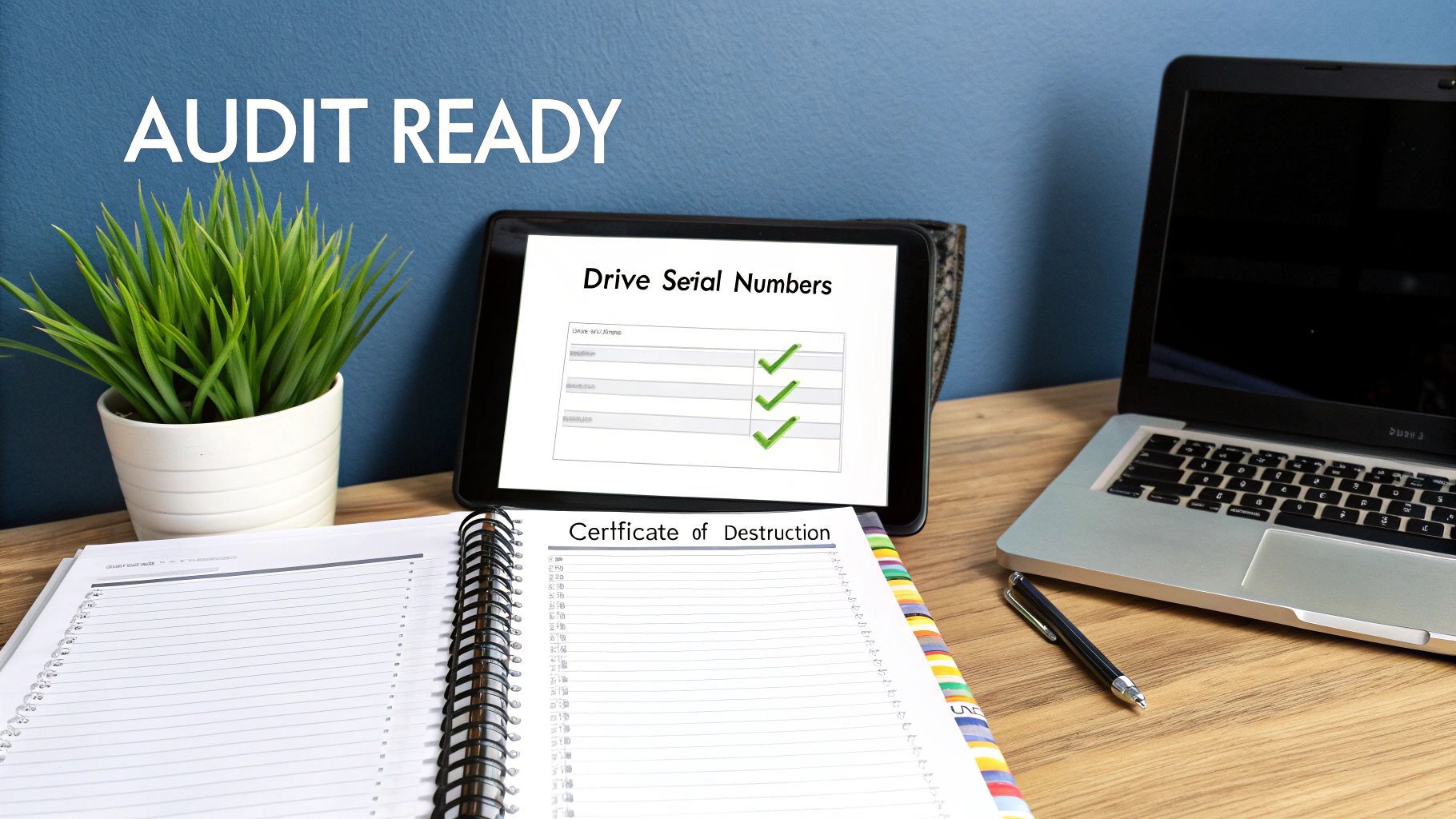
In the world of data security and compliance, there’s an old saying: if it isn’t documented, it never happened. When it comes to getting rid of old hard drives, the final, most crucial step isn’t the wipe or the shred—it’s the paperwork that proves you did everything by the book. Creating an audit-proof data destruction program is all about building a meticulous, defensible record that will stand up to any scrutiny from regulators, auditors, or your own legal team.
Think of this program as your company’s best defense against the staggering penalties tied to regulations like HIPAA, SOX, and GDPR. All it takes is one lost hard drive or one improperly wiped device to trigger a multi-million dollar fine. A rock-solid documentation process closes that loop, turning a routine IT task into a verifiable compliance asset.
The Cornerstone: Chain of Custody
The single most critical part of any defensible program is the chain of custody. This is your chronological paper trail, the unbroken story that documents exactly who had control over your IT assets at every stage. It starts the moment a drive is pulled from a server and ends only when it's been verifiably destroyed.
Any gap in this chain is an open invitation for an auditor to find fault. Your process has to track every single touchpoint. It kicks off with a detailed internal log noting the asset tag, the drive's serial number, and the employee who decommissioned it. The moment a vendor takes possession, that chain continues with a signed transfer of custody form. There can be no breaks.
A strong chain of custody is so much more than a list of serial numbers. It’s a narrative that proves your organization maintained absolute control and security over sensitive data throughout its entire end-of-life journey, leaving zero room for doubt.
Essential Documentation for Your Audit Trail
To make your program truly bulletproof, you need more than just a vendor’s invoice. Your documentation must be standardized, consistent, and complete. Your internal records and your vendor’s paperwork should fit together seamlessly to paint the full picture of an asset’s final disposition.
Here’s a practical look at the key documents and data points every IT manager needs to collect to ensure you’re fully protected and compliant.
Data Destruction Documentation Checklist
| Document or Step | Key Information to Include | Purpose |
|---|---|---|
| Internal Disposition Form | Asset Tag, Serial Number, Date, Employee Name, Reason for Disposal | Standardizes the internal request and creates the first link in the audit trail. |
| Inventory & Transfer Log | A complete list of all asset serial numbers, signature of the vendor rep. | Confirms exactly which assets were handed off and when custody was transferred. |
| Certificate of Destruction | Destruction Method (e.g., Shredding), Date, Vendor Name, List of Serial Nos. | The official, legally sound proof that data has been permanently eliminated. |
| ESG/Impact Reports | No. of trees planted, veterans supported, total lbs recycled. | Connects your ITAD process to broader Corporate Social Responsibility (CSR) goals. |
This checklist isn't just about ticking boxes; it's about building a fortress of evidence around your data destruction activities.
Deconstructing the Certificate of Destruction
The Certificate of Destruction (CoD) is the capstone of your entire audit trail. This is the legally binding document from your certified vendor that serves as official proof that your hard drives were destroyed in a compliant way. A legitimate CoD is not a simple receipt—it’s a detailed report, and it has to contain specific information to be valid.
Make sure you check every certificate for these key elements:
- A unique serial number for the certificate itself.
- The exact date the destruction took place.
- The specific method of destruction used (e.g., cross-cut shredding to a 7mm particle size).
- A comprehensive, itemized list of the serial numbers for every single hard drive destroyed.
This level of detail is completely non-negotiable. Under HIPAA, for instance, a healthcare provider must be able to prove that a specific hard drive containing patient records was destroyed. Without a serialized certificate tying that specific drive to a destruction event, that proof is impossible to furnish, exposing the organization to massive liability. Your program's integrity is built on this foundation of detailed, verifiable documentation.
Common Questions on Deleting Hard Drives
When it's time to retire old hard drives, a few questions always seem to pop up. For IT and compliance folks, getting the details right is non-negotiable. Let's cut through the noise and get straight to the practical answers you need.
Is Drilling Holes in a Hard Drive Secure Enough?
It seems like common sense, right? Punch a few holes through a drive, and the data is gone. But in reality, drilling is a surprisingly flawed method.
While it makes casual data recovery a major headache, it's far from forensically secure. A determined attacker with the right lab equipment can still piece together and recover a shocking amount of data from the undamaged parts of the platters.
For any organization that has to answer to HIPAA, GDPR, or any other compliance standard, drilling holes just won't cut it. It won't pass an audit. For true, compliant physical destruction, you need professional, high-volume shredding or certified degaussing. Drilling is better than nothing for an old home PC, but it falls dangerously short for corporate risk management.
What Is the Difference Between a 1 Pass and 7 Pass Wipe?
You'll hear the term "pass" thrown around a lot. It simply refers to how many times data erasure software writes over the entire surface of a drive with new, random data.
A 1-pass wipe (or single-pass wipe) overwrites every single sector one time, usually with a string of zeros. The 7-pass wipe, on the other hand, became famous from the old DoD 5220.22-M standard. It was developed for much older hard drive technology where "data remanence"—faint magnetic traces of the original data—was a real concern.
On modern hard drives? It's overkill. A single, verified 1-pass wipe that meets the NIST 800-88 standard is widely accepted as completely secure and sufficient. It's much faster and achieves the same result: the original data is gone for good. If you're feeling extra cautious, a 3-pass wipe is the absolute maximum you'd ever need, giving you a great balance of security and efficiency.
How Do I Securely Delete Data From an SSD?
Solid-State Drives (SSDs) are a completely different animal. You can't treat them like traditional spinning hard drives. Standard overwriting software often fails because of how SSDs manage data internally. Features like wear-leveling are designed to spread data across memory cells to extend the drive's lifespan, which means a software wipe can easily miss isolated pockets of old data.
The most reliable way to wipe an SSD is by using the drive's built-in ATA Secure Erase or NVMe Format command. You can usually access this function through the manufacturer's own software utility. It’s the digital equivalent of a factory reset for every storage cell. If you can't use that command for some reason, physical destruction is the only other method that guarantees the data is unrecoverable.
Can My Company Get in Trouble for Improper Disposal?
Absolutely. And the penalties are severe. A data breach traced back to an improperly discarded hard drive can trigger devastating fines.
Under GDPR, penalties can hit €20 million or 4% of global turnover—whichever is higher. HIPAA violations can rack up fines of up to $1.5 million per violation category, per year.
And that's just the start. The damage to your company's reputation, the loss of customer trust, and the potential for class-action lawsuits can be even more costly. A documented, compliant data destruction policy isn't just a good idea; it's a critical part of managing your organization's risk. For a deeper dive, check out these tips to protect your data while recycling your electronics.
At Atlanta Green Recycling, we transform your IT asset disposition from a compliance task into a powerful story of corporate responsibility. Our NAID AAA Certified data destruction services ensure your data is handled with the highest level of security, while our "Recycling That Restores Lives and Landscapes" program turns your old tech into tangible support for Atlanta veterans and our local environment. Ready to build an ESG win into your IT process? Schedule your pickup with Atlanta Green Recycling today.