
Disaster Planning and Recovery: An IT Asset Playbook

A lot of disaster plans look solid until the first real incident hits the building instead of the network.
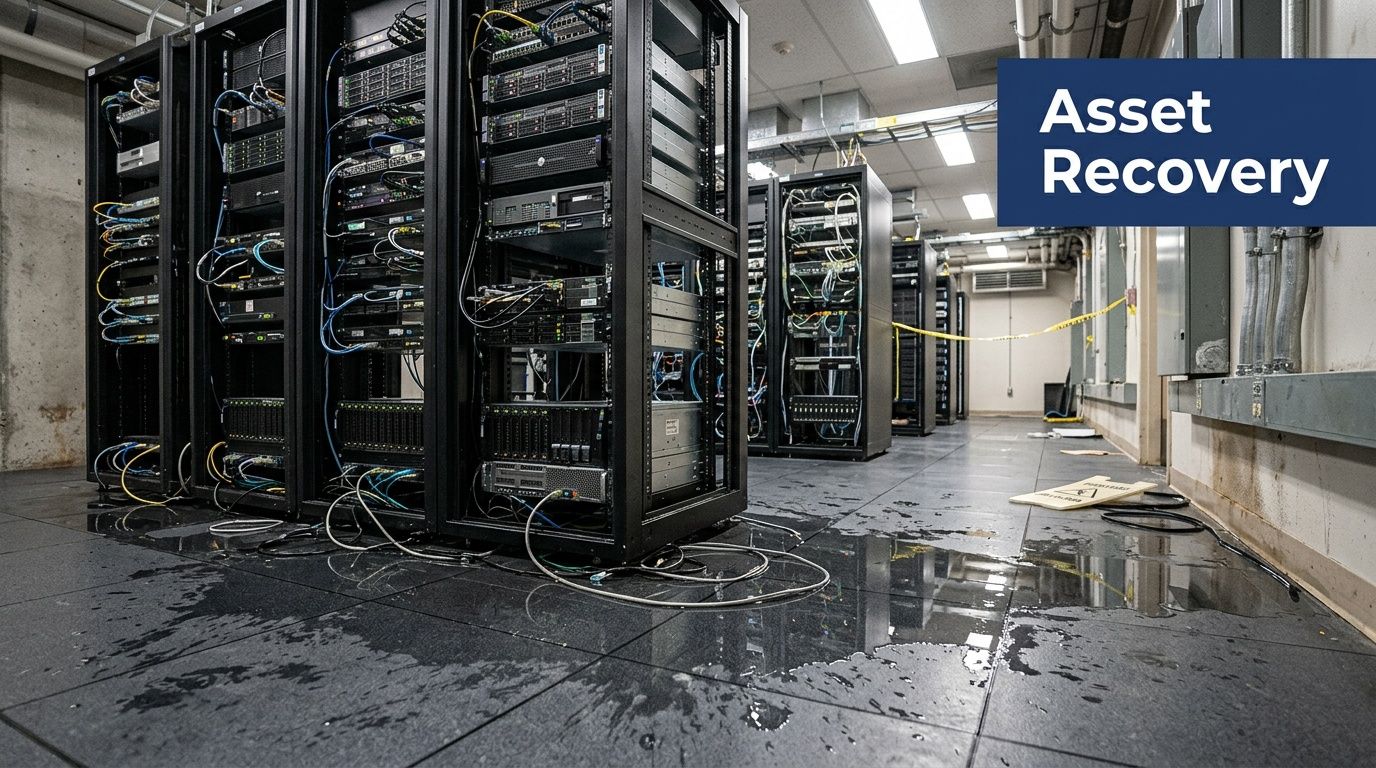
A burst pipe above the server room, a power event that cooks network gear, smoke contamination after a small fire, or a rushed office evacuation can leave an IT team with a hard problem that cloud backups don’t solve. The systems may be recoverable in theory, but the laptops, switches, drives, phones, printers, and storage arrays on site still have to be secured, documented, moved, wiped, repaired, or destroyed.
That’s where disaster planning and recovery usually breaks down. The data plan exists. The physical asset plan often doesn’t.
For regulated organizations in Atlanta, that gap matters. Hospitals, schools, government agencies, law firms, financial offices, and enterprise IT teams don’t just need uptime. They need proof. They need chain of custody, data sanitization records, documented disposition, and a recovery process that won’t create a second incident after the first one.
Why Your IT Disaster Plan Is Incomplete Without Asset Recovery
A company can restore from backup and still fail its recovery.
If water, smoke, theft, contamination, or building access restrictions affect your hardware, your response has to account for physical IT assets just as seriously as virtual systems. That includes servers, desktops, laptops, network appliances, copiers with internal storage, removable media, and backup devices that may still hold regulated data.
The broader context is sobering. Global disaster costs now exceed $2.3 trillion annually, yet only 20% of organizations describe themselves as fully prepared for outages, and just 33% have an organized response approach, according to Secureframe’s disaster recovery statistics roundup. That gap shows up most clearly when teams have to make physical decisions fast.
Backups protect data. They don’t clear the room
A cloud failover runbook won’t answer questions like these:
- Which devices contain protected data and require immediate chain-of-custody control?
- Which assets are salvageable after exposure to water or soot?
- Who approves destruction of failed drives and storage media?
- Where will damaged hardware go if the building manager wants debris removed today?
- How will you document every handoff for audit and insurance purposes?
Those questions don’t belong in facilities alone, and they don’t belong in IT alone. They sit at the intersection of compliance, security, operations, and procurement.
A mature program treats asset disposition as part of recovery, not cleanup.
The hidden risk is secondary loss
The first incident might be a flood. The second one is often avoidable.
Teams under pressure throw damaged laptops into unlabeled bins, leave drives with a general waste contractor, or move equipment offsite without serial-level documentation. That’s how a site emergency turns into a privacy issue, an audit problem, or an insurance dispute.
Practical rule: If a device ever stored sensitive data, treat post-disaster handling as a controlled process from the first touch.
Disciplined inventories and labeling standards matter long before an emergency. Teams that already follow strong asset management best practices have a real advantage because they aren’t identifying critical devices from memory.
If your current business continuity binder barely mentions de-installation, media destruction, equipment staging, or final disposition, it likely needs a dedicated ITAD annex. A useful starting point is understanding the operational scope of IT asset disposition and where it fits inside disaster planning and recovery.
What works and what fails
A simple comparison makes the problem obvious:
| Approach | What happens after a facility incident |
|---|---|
| Data-only recovery plan | Systems may restore, but damaged devices pile up, custody becomes unclear, and cleanup decisions get made ad hoc |
| Physical asset recovery plan | Devices are triaged, logged, secured, moved through approved channels, and matched to sanitization or destruction requirements |
What fails is improvisation.
What works is pre-approval. Preselected vendors. Predefined roles. Device classes tied to handling rules. A recovery lead who can say, without debate, which hardware gets quarantined, which gets forensics review, and which goes straight to sanitization.
That’s the difference between getting through an incident and surviving one.
Building Your Plan with Risk Assessments and Asset Inventories
Most weak recovery plans start with assumptions.
People assume they know what equipment matters most. They assume the riskiest event is ransomware. They assume facilities will handle physical damage and IT will handle systems. Then a real incident exposes missing serial numbers, unknown device locations, and no clear list of which hardware supports patient care, classroom operations, building access, or secure communications.
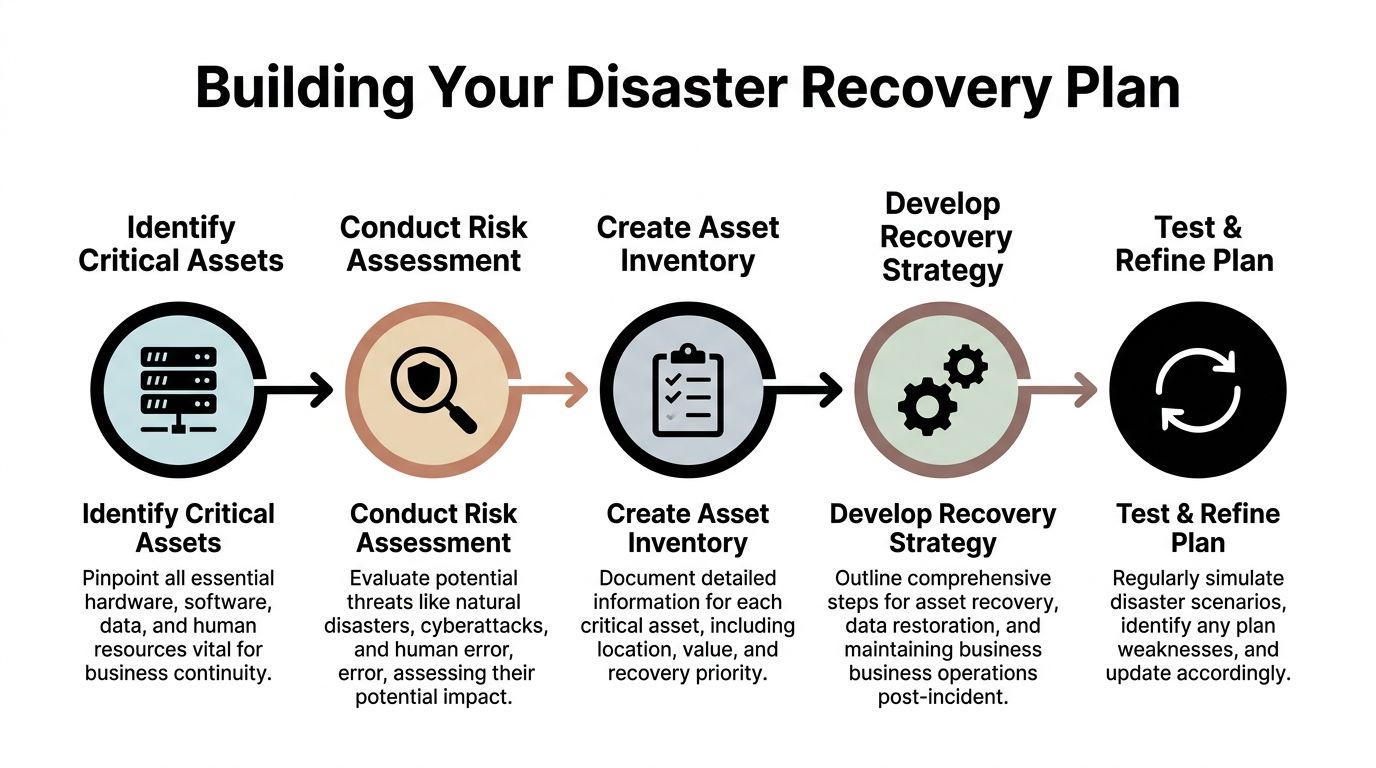
A workable plan starts with two disciplines. Risk assessment and asset inventory.
Start with local and operational risk
In Atlanta, a physical asset risk review should look past the generic cybersecurity checklist.
Ask where your exposure sits:
- Building risk from roof leaks, aging plumbing, drain backups, or poor server room placement
- Power risk tied to UPS coverage, generator dependency, and HVAC failure
- Access risk if your site can’t be entered after a fire alarm event, law enforcement action, or landlord restriction
- Transport risk for assets moved between clinics, campuses, branches, warehouses, and data rooms
- Vendor risk if your disposal or emergency movers aren’t trained on chain of custody
A plan gets sharper when each threat maps to specific hardware classes. A flooded laptop cart in a school has a different recovery path than a smoke-exposed storage array in a healthcare environment.
Inventory assets like an auditor will read it
A useful inventory isn’t a spreadsheet that says “20 laptops, 4 servers.”
It needs enough detail to drive action during an incident. At minimum, each record should include:
- Asset identity including serial number, asset tag, make, and model
- Physical location down to room, rack, closet, floor, or vehicle assignment
- Data sensitivity such as public, internal, regulated, legal hold, or high-risk confidential
- Business dependency including who uses it and what process stops if it fails
- Recovery decision path such as restore, repair, quarantine, sanitize, destroy, or return to lessor
The value of that discipline is economic as well as operational. Every dollar invested in disaster preparedness delivers a $13 return, including $6 saved in direct damages and cleanup and $7 in protected economic activity, according to the U.S. Chamber Foundation’s preparedness ROI research.
That return makes sense in practice. The teams that know what they own make faster decisions, dispose of less equipment unnecessarily, and don’t waste days reconstructing lists for auditors and insurers.
Build tiers instead of one giant list
Don’t treat every device as equally important.
A three-tier model is easier to use under stress:
| Tier | Typical examples | Recovery expectation |
|---|---|---|
| Tier 1 | Core servers, network backbone gear, firewall appliances, storage, clinical or public safety systems | Immediate control, executive visibility, strict custody |
| Tier 2 | Department laptops, shared workstations, classroom carts, office printers with storage | Fast triage and batch handling |
| Tier 3 | Peripherals, accessories, low-risk endpoint hardware | Managed cleanup and scheduled disposition |
This helps staff act without waiting for a meeting on every single device.
Use bad planning as a warning sign
If your current process relies on tribal knowledge, scattered spreadsheets, or a retired employee’s naming convention, that’s already a problem. The signs often look a lot like the anatomy of a poor risk management plan. Missing owners, vague response steps, and no review cycle are exactly what slow recovery when conditions get messy.
The inventory isn’t paperwork. It’s your decision engine when the site is unstable and people need answers quickly.
What to document before the incident
A sound inventory and risk file should also answer a few practical questions in advance:
Who can declare an asset non-recoverable
This prevents informal disposal decisions by whoever happens to be on site.
Which devices require witnessed destruction or special sanitization
That matters for healthcare, government, finance, and legal environments.
Which locations need priority pickup routes
Multi-site organizations usually discover too late that their branch assets were never folded into the main recovery plan.
Where supporting records live
Contracts, warranty status, lease terms, photos, and prior destruction certificates should be easy to retrieve.
For teams refining their operating baseline, IT asset management best practices are a strong foundation because they turn asset records into something recovery teams can use.
Your Emergency Playbook for Secure Asset Handling
The first day after an incident is rarely clean and orderly.
Facilities wants pathways cleared. Leadership wants a status report. Users want replacements. Security wants to know whether any data-bearing device left the room. Insurance wants photos. If nobody owns the physical asset response, confusion takes over.
That’s why the emergency playbook needs to tell people exactly what to do in the first hours, not just what the policy says in general.

The operational case for this is strong. A structured IT disaster recovery methodology depends on clear communication and roles, because poor coordination can increase costs by 16x in firms with frequent downtime, and only 20% of organizations feel fully prepared, as noted by Invenio IT’s disaster recovery statistics and methodology summary.
Name the chain of command before anything happens
For physical IT assets, five roles usually matter:
- Incident lead who authorizes access and sets priorities
- IT asset coordinator who manages inventory reconciliation and triage decisions
- Security or compliance lead who controls custody rules for sensitive devices
- Facilities liaison who coordinates safe entry, staging, and environmental constraints
- Approved disposition vendor contact who handles packing, transport, sanitization, or destruction
Not every organization needs five different people. Smaller teams may combine roles. What matters is that the responsibility is named, not implied.
Triage devices into clear categories
In a real event, teams need a visible and repeatable triage method. I recommend using physical tags or large printed labels with simple status categories.
A practical triage table looks like this:
| Status | Meaning | Immediate action |
|---|---|---|
| Hold for forensic or legal review | Device may relate to breach review, litigation, or incident investigation | Isolate, label, restrict access |
| Salvageable | Equipment may be cleaned, tested, or repaired | Move to controlled evaluation area |
| Sanitize before release | Device won’t return to service and still contains data | Route into approved destruction workflow |
| Destroy | Physically compromised media or nonfunctional high-risk device | Keep in locked custody pending destruction |
| Unknown | Team lacks enough information | Don’t guess. Quarantine and review |
What fails is the “we’ll sort it out later” pile.
Unknown devices are where chain of custody usually breaks.
Keep the chain of custody unbroken
The strongest technical controls don’t help if staff can’t prove who handled a device after the incident.
Use a log that captures:
- Date and time of each handoff
- Person releasing and receiving
- Asset identifier
- Condition notes such as wet, scorched, locked, damaged, or intact
- Destination such as staging room, evidence cabinet, loading area, or sanitization vendor
Take photographs, but don’t rely on photos alone. Images help show condition. They don’t replace signoff.
A damaged drive is still a drive with data on it. Disaster doesn’t lower your duty to control it.
The first 72 hours should run on a checklist
When people are tired, they skip steps. Use a one-page action list.
First 8 hours
- Secure the scene and prevent informal removal of devices
- Separate data-bearing assets from general electronics and debris
- Open the incident log and start recording device movement
- Capture room-level photos before cleanup changes the evidence trail
First 24 hours
- Reconcile priority assets against your inventory
- Stage hardware by triage status
- Notify legal, privacy, and compliance teams if regulated data may be involved
- Arrange controlled packing and transport for devices leaving the site
First 72 hours
- Authorize sanitization or destruction for approved categories
- Issue replacement device priorities for critical functions
- Update leadership with documented counts and status
- Retain all paperwork for audit, insurer, and regulator review
For organizations that expect onsite media destruction during recovery, it helps to know what onsite shredding services typically involve so the process can be built into the playbook ahead of time.
What experienced teams do differently
They reduce improvisation.
They don’t ask technicians to make compliance calls in the hallway. They don’t let building cleanup crews mix electronics with general waste. They don’t release equipment to a transporter without a documented handoff.
They also train for the ugly scenarios. Wet laptops from a school cart. Smoke-exposed hard drives from an IDF room. A hospital storage closet with mixed generations of retired devices and no labels. Those situations are common enough that your playbook should assume they’ll happen.
Managing Logistics and Secure Data Sanitization Post-Disaster
The emergency phase gets most of the attention. The recovery workload usually lives in logistics.
Once the site is stable, someone still has to pack damaged equipment safely, separate reusable assets from end-of-life material, move data-bearing devices through secure channels, and produce records that stand up to internal review. Many organizations lose control at this stage. Not because they ignored data security, but because they treated transportation, staging, and disposal as ordinary cleanup.
That gap isn’t small. Research on disaster recovery planning points to a broader failure to anticipate sustained needs for long-term services, including waste management, and notes that FEMA’s Hurricane Katrina response lacked evacuation transportation, showing how basic operational services can be overlooked in initial response planning, according to the USC Dornsife report on disaster planning and recovery gaps.
Logistics after a disaster need the same controls as the incident itself
The worst time to vet a vendor is when a hallway is full of damaged gear and leadership wants it gone by end of day.
Pre-qualify post-disaster support around a few questions:
- Can the vendor handle de-installation and packing, not just pickup?
- Do they track serialized assets through transport and processing?
- Can they separate devices for remarketing, wipe, shredding, or hazardous recycling
- Do they issue documentation that compliance, audit, and legal teams can use
- Can they work with regulated environments where staff access, timing, and witness requirements matter
If the answer to those questions is unclear, the vendor is not really part of your disaster planning and recovery process.
Sanitization method depends on the device and the condition
Not every post-disaster device should be wiped the same way.
Software wiping
Best for drives that still function and can be accessed reliably. It preserves potential reuse value, but it depends on hardware that powers up and can complete the process without error.
Degaussing
Useful for some magnetic media where destruction of magnetic patterns is the goal. It can be appropriate in high-security settings, but it also renders media unusable and isn’t the universal answer for every storage type.
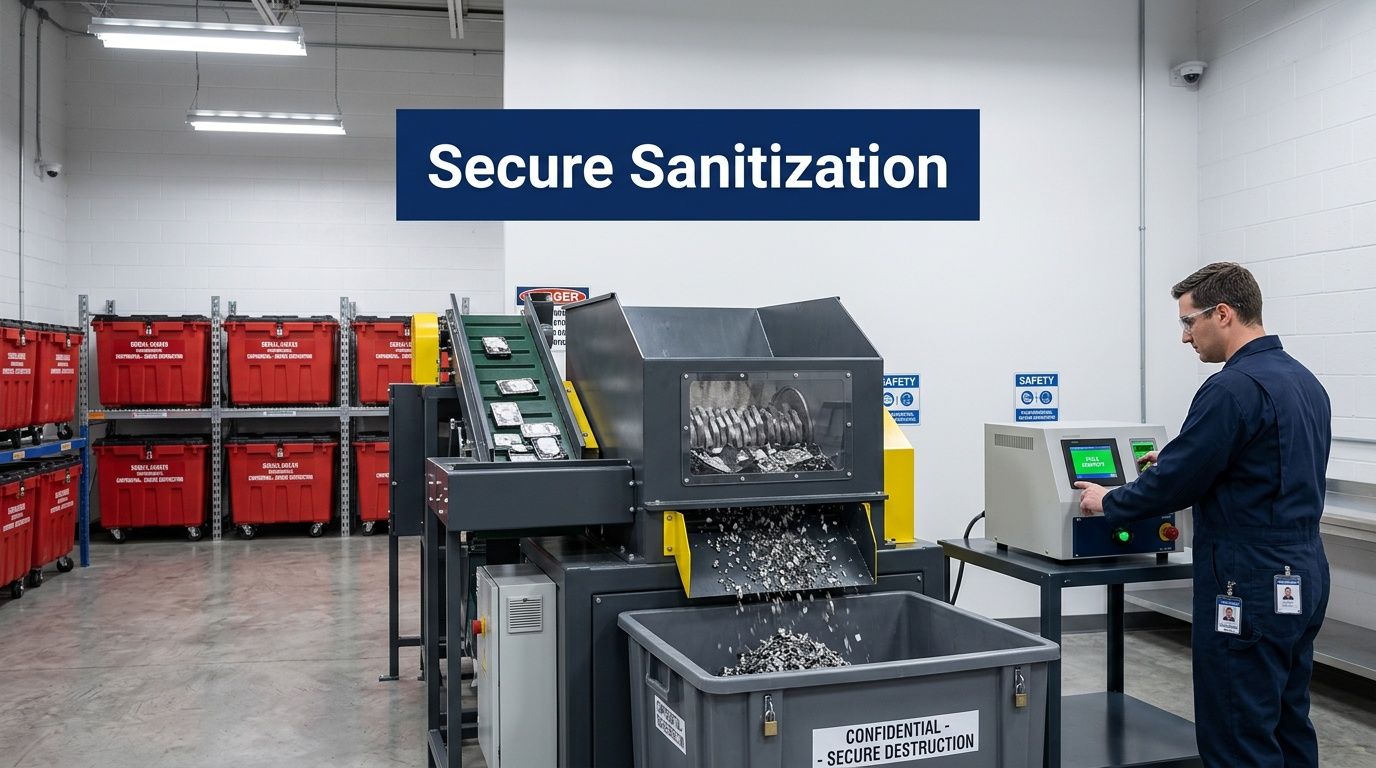
Physical shredding
The right choice when media is damaged, inaccessible, high risk, or not worth the uncertainty of logical erasure. It is often the cleanest path for failed drives after flood, smoke, or impact events.
A quick decision view helps:
| Device condition | Likely approach |
|---|---|
| Operational and low physical damage | Evaluate for secure wiping |
| Intermittent function or uncertain integrity | Escalate to stricter sanitization review |
| Severe damage or high sensitivity | Physical destruction is usually the safer route |
For teams comparing methods and control expectations, a practical overview of data sanitization helps align operations with policy before an incident forces a fast call.
The right sanitization choice isn’t the cheapest one. It’s the one you can defend later with confidence.
One point of contact beats a chain of loosely connected vendors
In post-disaster operations, every handoff increases risk.
A mover, a recycler, a shredding provider, and a separate compliance document source can all be competent. But if nobody owns the full chain, your records become fragmented. Serial numbers go missing. Pickup receipts don’t line up with destruction reports. Internal reviewers spend days rebuilding the timeline.
A single coordinated process usually works better:
- Onsite assessment and packing
- Controlled transport
- Serialized intake
- Approved sanitization or destruction
- Recycling or downstream processing
- Final reporting package
That model is easier to govern, easier to explain during audits, and easier to reconcile against inventory.
Don’t overlook mixed loads
Post-disaster pickups rarely contain one clean device type.
You’ll often see a mix of laptops, dock stations, tablets, monitors, phones, badge printers, switches, servers, backup appliances, damaged batteries, and loose drives pulled from storage drawers. Mixed loads create mistakes when organizations use generic office cleanout procedures.
The fix is simple in concept and demanding in practice. Separate data-bearing assets, non-data electronics, and hazardous or damaged components from the start. If your staging area can’t support that separation, your plan needs a different staging area.
Turning Recovery into an ESG and Compliance Win
A disciplined recovery process does more than reduce operational damage. It creates evidence.
That evidence matters for auditors, internal control teams, privacy officers, procurement, and sustainability leaders. When the asset side of disaster planning and recovery is documented well, the organization can show not only that it recovered, but that it recovered responsibly.
Compliance gets easier when records are produced as part of the workflow
The strongest recovery files usually include:
- Chain-of-custody logs for data-bearing assets
- Serialized asset lists tied to pickup or processing records
- Certificates of data destruction or sanitization
- Internal approvals for destruction, disposal, or replacement
- Exception notes for devices held for legal or forensic reasons
That package helps during audits because staff aren’t trying to reconstruct what happened months later. The record exists because the process required it.
For regulated sectors, that’s a major distinction. A hospital, school system, or public agency may recover operationally within days and still struggle later if it can’t prove how damaged hardware was controlled.
ESG value starts where waste leaves the site
Disaster cleanup can produce a large volume of obsolete or compromised electronics. If that material is handled carelessly, the organization absorbs reputational risk on top of the operational disruption. If it’s handled well, the same event can support ESG reporting, responsible recycling commitments, and stronger board-level governance narratives.
That’s especially relevant for organizations serving vulnerable communities. Recovery systems often fail people who are digitally disconnected or documentation-limited. Research highlighted by the National Alliance to End Homelessness preparedness resource notes disproportionate barriers for people of color, people with disabilities, and undocumented households. CSR-focused technology programs can help address part of that gap.
A practical implication for corporate and institutional IT teams is this: don’t frame end-of-life electronics only as waste. Frame them as part of a broader responsible recovery strategy.
Where cause-based recovery becomes credible
Where cause-based recovery becomes credible. Many organizations undersell what they’re already doing in this area.
If your recycling partner supports veteran aid, tree planting, refurbishment for community benefit, or other documented social programs, that can become part of the recovery record. Not as spin. As a legitimate extension of responsible disposition.
Examples of useful outputs include:
- CSR-ready impact summaries for sustainability files
- Recycling certificates tied to internal environmental goals
- Campaign assets for cause-based drives around Veterans Day, Earth Day, or Arbor Day
- Partner recognition tools such as a “Recycled with Purpose” badge for websites or reports
For Atlanta organizations, this also creates a local communications angle. A difficult event can still produce a defensible story about responsible recycling, community support, and environmentally sound handling of retired tech.
A good explainer on the broader benefits of e-waste recycling can help internal stakeholders connect compliance, sustainability, and public accountability.
Recovery documentation shouldn’t stop at “disposed.” The better standard is “tracked, sanitized, recycled, and reportable.”
What doesn’t work
Three habits usually weaken both compliance and ESG outcomes:
| Weak habit | Why it causes trouble |
|---|---|
| Treating damaged electronics as general cleanup | Data-bearing assets can leave controlled channels |
| Using disposal vendors that don’t document enough | Audit and ESG reporting both become harder |
| Separating compliance records from sustainability records | The organization misses the strategic value of the same event |
When teams connect those records instead, recovery becomes more than a loss-control exercise. It becomes proof that the organization can handle disruption without abandoning governance standards.
Keeping Your Disaster Recovery Plan Battle-Ready
A disaster recovery plan that sits untouched in a shared drive will fail in ordinary, predictable ways.
Phone numbers go stale. Vendors change scope. Server rooms get repurposed. Storage closets fill with untracked devices. New office openings, clinic expansions, school refresh cycles, and lease exits all change the physical asset picture. If the plan doesn’t change with them, it stops being a plan and becomes a historical document.
Testing shows whether the plan is usable
The fastest way to expose weakness is a tabletop exercise with the people who would respond.
Give them a realistic scenario. Water intrusion in an MDF. Smoke contamination in a records area. Sudden closure of an office with mixed IT assets on multiple floors. Then ask them to work the process as written.
Watch for friction:
- Do staff know who can authorize destruction
- Can they locate the latest inventory quickly
- Do they know where chain-of-custody forms live
- Can they name the approved vendor without searching old email
- Do facilities and IT agree on staging areas
If they can’t answer those questions cleanly in a conference room, they won’t answer them well in a disrupted building.
Full drills matter for physical workflows
Tabletops are efficient. They don’t replace hands-on practice.
Run occasional live drills that test physical actions such as labeling, quarantine handling, packing procedures, room access control, and mock handoffs to a vendor. The point isn’t to create theater. It’s to test the awkward details that policies tend to gloss over.
Good drill targets
- A batch of retired laptops with mixed data sensitivity
- Loose hard drives discovered during office cleanup
- A damaged network closet that needs controlled de-installation
- A branch location that was never fully reconciled to the central inventory
Weak drill targets
- Generic “IT outage” scenarios with no hardware decisions
- Exercises limited to leadership only
- Walkthroughs with no paperwork, labels, or handoff testing
After-action reviews are where maturity shows up
The review after the exercise matters as much as the exercise itself.
Keep it simple. Ask what slowed response, what created confusion, what records were missing, and which approvals took too long. Then update the playbook. Don’t leave observations in meeting notes with no owner.
The strongest plans aren’t the ones with the thickest binders. They’re the ones revised after every test, move, and real-world disruption.
Review triggers should be automatic
Don’t wait for the annual compliance calendar.
Update the plan when any of these happen:
- Office move or floor reconfiguration
- Data center or server room change
- Major asset refresh
- New regulated workflow or application
- Vendor change
- Merger, acquisition, or location closure
Disaster planning and recovery is a living operational discipline. Teams that treat it that way recover faster, document better, and make fewer expensive mistakes when the pressure is real.
From Plan to Resilience
Resilient organizations don’t separate data recovery from asset recovery. They connect risk assessment, inventory discipline, emergency handling, secure sanitization, logistics, documentation, and ongoing testing into one operating model.
That approach protects more than hardware. It protects regulated data, audit readiness, insurer conversations, ESG reporting, and your ability to keep serving people when a site-level disruption hits.
Start with the physical side. Review your inventory, classify your highest-risk devices, and test how your team would control them if the building became the problem.
If your organization needs a local partner for secure, documented physical IT asset recovery, Atlanta Green Recycling supports Atlanta-area businesses, hospitals, schools, agencies, and data centers with electronics recycling, data destruction, de-installation, logistics, and compliance-minded disposition workflows. For teams building disaster planning and recovery into real-world operations, that kind of local execution support can close the gap between policy and practice.