
Atlanta Secure Laptop Recycling Services: Expert Guide

Retired laptops rarely leave an office in a clean, orderly way. They pile up after a hardware refresh, a merger, a remote-work rollout, or a rushed office move. One shelf becomes two. Then an IT closet turns into a holding zone for devices nobody wants to touch because each one might still hold sensitive data.
That backlog feels like a disposal problem. In practice, it’s also a security issue, a compliance issue, and a brand issue. If your team handles protected data, student records, financial information, or internal business files, those old machines still matter long after employees stop using them.
That’s why Atlanta Secure Laptop Recycling Services deserve a closer look. Done well, secure recycling protects data, supports audit readiness, keeps electronics out of landfills, and gives your company something more useful than a pile of obsolete hardware. It gives you documentation, operational control, and a stronger ESG story.
Your Office's E-Waste Problem is an Opportunity in Disguise
An Atlanta IT manager walks into a locked storage room after a laptop refresh and sees what looked manageable a month ago. Shelves are lined with aging laptops, a few loose hard drives sit in an unmarked box, and retired monitors are stacked near the door. Nothing is actively in use, yet none of it feels safe to ignore.
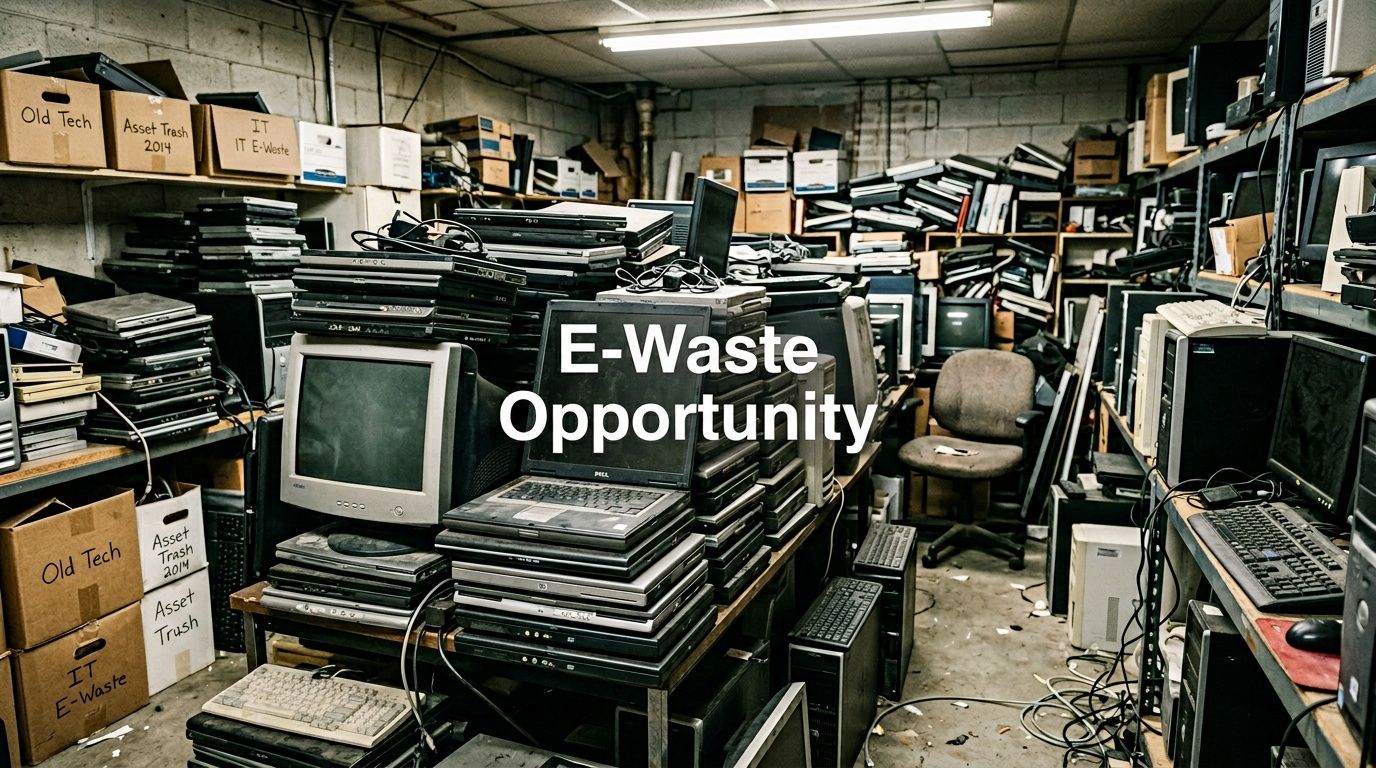
That pile is easy to misread. It looks like clutter. In practice, it behaves more like a backlog of unresolved business decisions. Each device may hold data, require documentation, and carry environmental handling obligations.
A retired laptop works like a file cabinet that was never emptied before being sent to surplus. Even if the screen is cracked or the battery is dead, the storage media can still contain customer records, saved credentials, HR files, financial documents, or internal communications. Age does not remove risk. Powering a device off does not remove risk either.
Why old laptops create three problems at once
Many IT teams first feel the operational problem. Equipment starts taking over a closet, a corner of the warehouse, or a staging area needed for active projects. Once you look past the space issue, three larger concerns usually come into focus:
- Security exposure: Devices that have not been properly sanitized may still hold recoverable data.
- Compliance pressure: Your team may need documented proof of destruction, chain of custody records, and a clear audit trail.
- Environmental responsibility: Electronics contain materials that need controlled recycling rather than disposal with general trash.
That shift in perspective is important. Secure recycling belongs inside the lifecycle of the asset, not at the very end as a cleanup task.
Why Atlanta businesses need a more disciplined process
Informal disposal creates avoidable gaps. A laptop set aside "for later" can sit for months without inventory control. A box of drives can change rooms during an office move. A well-meaning staff member can drop equipment with a general recycler before anyone confirms how data destruction is handled. Small process breaks like these are how security, compliance, and sustainability goals drift apart.
Old laptops are still business records and storage devices until documented destruction or documented reuse is complete.
For an IT manager, that changes the economics of the project. The same effort that clears floor space can also tighten controls, support reporting to leadership, and strengthen your ESG and CSR narrative. Instead of asking only, "How do we get rid of this equipment?" the better question is, "How do we turn retirement into a documented outcome the company can stand behind?"
That is where the opportunity sits. A disciplined IT asset disposition process can reduce risk and create evidence of responsible action at the same time. With secure data destruction and recycling services, the disposal step can support a broader story about responsible operations. In Atlanta Green Recycling's model, that story extends beyond materials recovery to veteran support and reforestation, giving leadership something stronger than a cleared storage room. They get proof of care for data, proof of care for the environment, and a credible community impact story they can use in ESG reporting and brand communications.
What 'Secure' Really Means in Laptop Recycling
When a recycler says a process is secure, ask what exactly happens to the data. “Deleted” is not enough. “Factory reset” is not enough. Even “we wiped it” isn’t enough unless the vendor can explain the method.
Software wiping and why it matters
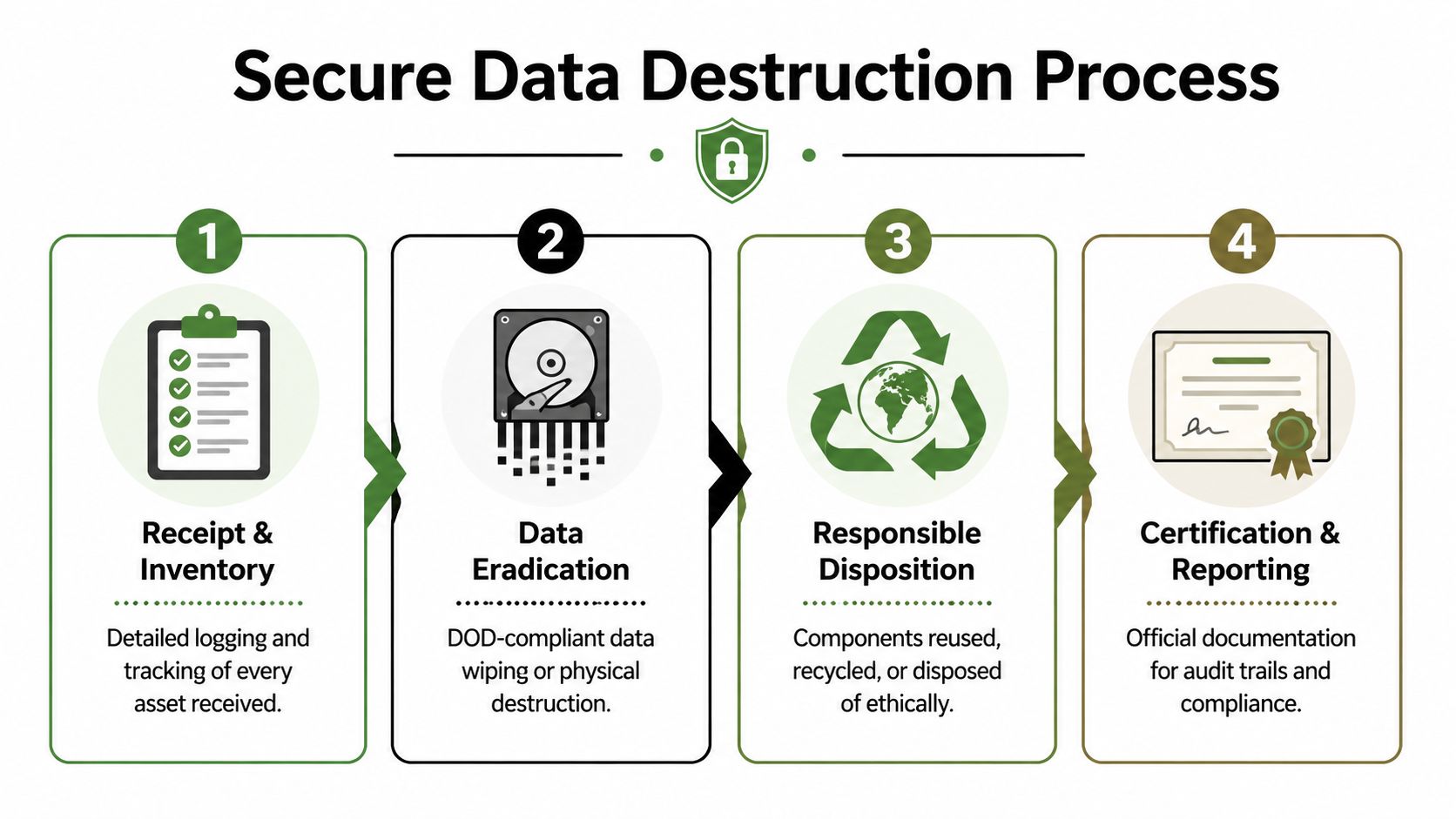
A proper wipe overwrites the stored data so it can’t be recovered through normal forensic methods. That’s very different from sending files to the recycle bin or reimaging a laptop for the next user. In secure recycling, wiping is a data sanitization process, not basic file removal.
For businesses in regulated sectors, the language you’ll hear most often is DoD-compliant wiping and NIST 800-88. Those standards matter because they signal a methodical approach to sanitization rather than a casual one.
One Atlanta option, secure destruction of data services, uses workflows built around those requirements. Verified provider information states that Atlanta Green Recycling employs DoD-compliant hard drive wiping and physical shredding for secure data destruction in laptop recycling, ensuring 100% eradication of sensitive data to meet NIST 800-88, HIPAA, and Georgia regulatory standards, as described in Green Atlanta’s IT equipment disposal guidance.
When physical shredding is the better choice
Some drives shouldn’t be remarketed. Some can’t be wiped because they’re damaged. Some hold data so sensitive that your organization will only accept physical destruction. In those cases, shredding is the simplest conceptually and often the strongest from a risk perspective.
Think of it this way:
- Software wiping is like erasing and rewriting a whiteboard until the original writing is gone.
- Physical shredding is like feeding the whiteboard through an industrial shredder.
- The choice depends on risk, condition, and policy.
For functional devices, wiping may preserve hardware value for reuse or resale. For failed drives, obsolete media, or high-sensitivity environments, shredding removes the debate.
Practical rule: If a vendor can’t explain when they wipe, when they shred, and how they document both paths, they’re asking you to trust a process they haven’t made visible.
What secure should include beyond destruction
A secure process isn’t only about the final moment of erasure. It should also include:
- Receipt and inventory controls: Every device is logged so nothing disappears into a mixed pile.
- Asset identification: Serial-number tracking helps tie each laptop to its final outcome.
- Documented method: The recycler should state whether the device was sanitized, shredded, refurbished, or recycled by component.
- Final reporting: Your records should match what left your office.
Many teams get confused on this point. They think secure recycling begins at destruction. It begins at intake. If a laptop goes untracked before destruction, the process already has a weak point.
The Logistics of Secure Recycling in Atlanta
Security doesn’t end once you approve a pickup. The movement of devices from your office to a processing facility is part of the risk picture. If that handoff is loose, the destruction method downstream won’t fix the gap.
Pickup versus drop-off
For a household recycling event, drop-off may be fine. For a business environment, especially one with multiple devices and regulated data, pickup is usually more controlled. Your team keeps custody until a documented transfer occurs, and trained personnel handle the loading process.
A facility drop-off can work in some situations, but it puts more responsibility on your staff. Someone has to pack devices, transport them, and make sure the inventory is accurate. If your team is already stretched thin, that’s not a small ask.
A managed pickup model is easier to defend internally because the process is more formal. It can include de-installation, packing, labeling, loading, and a signed handoff.
What a stronger chain of custody looks like
The phrase chain of custody sounds legal, but the idea is simple. It means there is a continuous, documented record of where the assets were, who handled them, and what happened next.
A strong chain of custody often includes these checkpoints:
- At your site: Devices are gathered, counted, and matched against an inventory list.
- During handoff: The recycler accepts custody and records the transfer.
- In transit: Assets travel in secured vehicles rather than informal or mixed transportation.
- At processing: The recycler logs receipt and ties each item to the destruction or recycling workflow.
If one of those steps is vague, your audit trail becomes harder to defend.
Why onsite service matters for larger business projects
For office closures, refresh cycles, and data center work, onsite service usually reduces both confusion and risk. Teams don’t have to carry equipment to personal vehicles or coordinate several trips. The process stays inside a managed workflow from the start.
One operational model to ask about is whether the recycler uses its own logistics fleet and whether it handles loading-dock coordination for commercial buildings. Services described through Atlanta loading dock support are relevant because many downtown and campus properties have building access rules, freight elevator schedules, and security procedures that can complicate pickups.
If a vendor treats transportation as an afterthought, they’re overlooking one of the few stages where your assets are still physically intact and still portable.
Good logistics protect your company in practical ways. Fewer touches mean fewer opportunities for loss. Clear documentation reduces disputes. Onsite handling also tends to be easier on your staff, who can focus on inventory review rather than figuring out how to move pallets of retired laptops through an active office.
Compliance Certification and Your Audit Trail
If your company ever has to answer the question “What happened to those laptops?”, you don’t want the answer to be “We sent them out for recycling.” You want a paper trail.
That’s especially true in healthcare, education, finance, government, and any business with internal security controls. In those environments, disposal is not complete when equipment leaves the building. It’s complete when the records show what happened to each asset and who performed the work.
The certificate that matters most
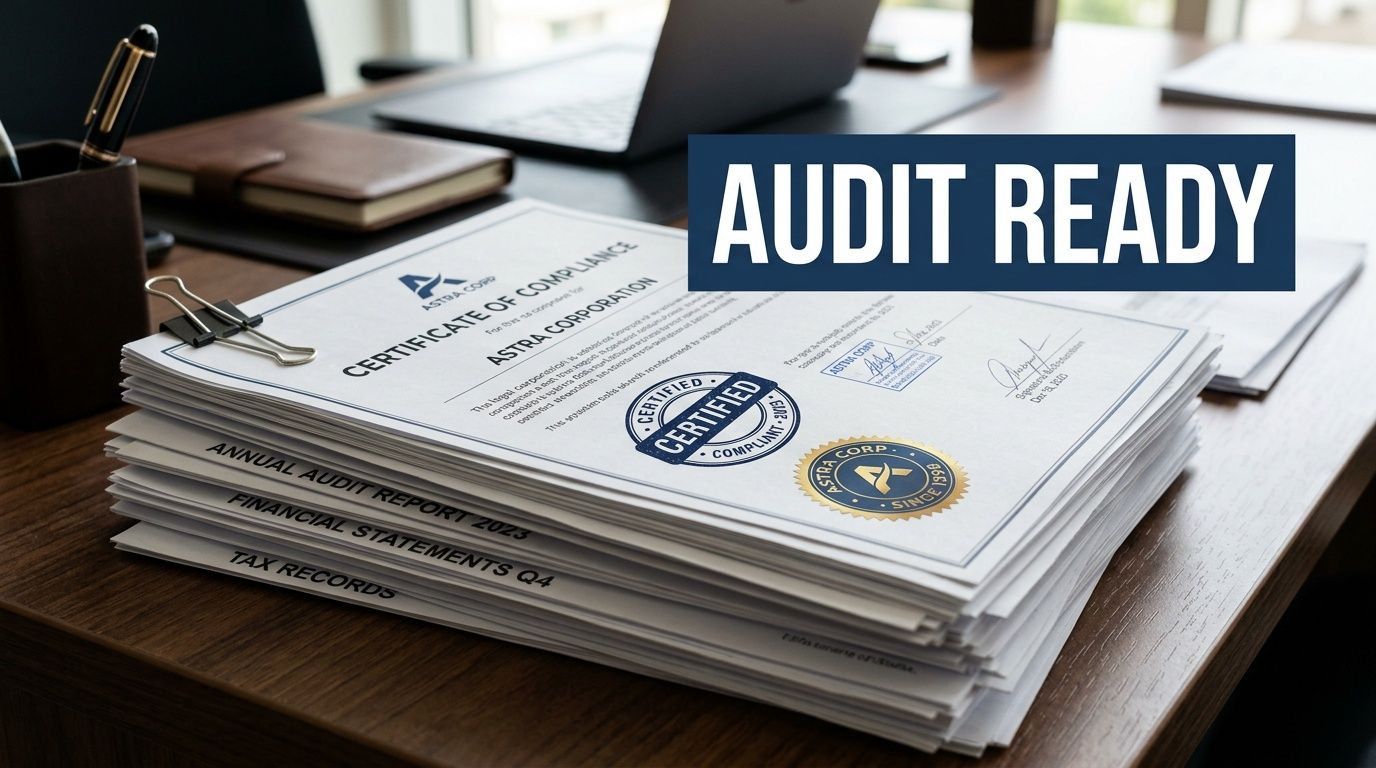
The most important document in many IT disposition projects is the Certificate of Destruction. It serves as a formal record that data-bearing assets were destroyed or sanitized using a defined method. If your internal audit, compliance team, insurer, or outside regulator asks for proof, this is often the first document they’ll request.
If you need a plain-language reference, what a Certificate of Destruction is explains the role this document plays in documenting secure disposal.
The confusion in the Atlanta market is real. Verified background notes that an underserved angle in Atlanta secure laptop recycling is the lack of detailed guidance on compliance documentation for regulated sectors, and existing content often fails to answer practical questions such as what certificates are issued after destruction. That gap leaves IT departments uncertain, especially in light of projected 2026 Georgia e-waste audit mandates, as noted in Atlanta electronics recycling guidance on documentation gaps.
What a defensible audit trail should contain
A certificate by itself helps, but a stronger record set usually goes further. Look for reporting that supports asset-level accountability, not just a general statement that a batch was processed.
Useful documentation often includes:
- Asset identifiers: Serial numbers, tag numbers, or another unique device record.
- Service date: The date of pickup, processing, and destruction if those differ.
- Method used: Whether the asset was wiped, shredded, refurbished, or dismantled.
- Responsible party: The company that took custody and completed the work.
- Chain-of-custody support: Transfer records that connect your office to final processing.
That level of detail helps your IT team, legal team, and compliance team answer different questions from the same file set.
Why “trust us” is not enough
Many buyers still choose a recycler based on convenience alone. That’s understandable, but risky. If the vendor can’t show sample documentation before the project begins, you’re buying uncertainty.
Here’s what often goes wrong:
| Documentation issue | Why it creates risk |
|---|---|
| Generic recycling receipt | Doesn’t show what happened to individual devices |
| No serial-level reporting | Makes it hard to prove a specific laptop was handled |
| No destruction certificate | Leaves a gap in legal and audit records |
| Weak transfer records | Breaks the chain of custody |
Your documentation should let a third party reconstruct the story without calling your memory into service.
For HIPAA-sensitive environments, this matters even more because disposal isn’t just an operational task. It’s part of information governance. The same thinking applies to school systems, universities, and agencies with records retention obligations.
Questions worth asking before pickup day
Ask these before you schedule service, not after:
- Will you issue a Certificate of Destruction or Certificate of Data Destruction?
- Can you provide serial-number reporting for the assets we release?
- What transfer records are created at pickup?
- How do you document wiped devices versus shredded media?
- Can our compliance team review sample reporting in advance?
If a vendor answers those clearly, the rest of the project tends to go more smoothly. If they answer vaguely, assume the paperwork will be vague too.
Beyond Compliance Turning E-Waste into ESG Wins
A laptop retirement project often starts with a narrow goal. Remove old devices, protect data, and document the outcome. Then the sustainability team asks what happened to the materials, HR asks whether the company can share the effort internally, and procurement wants proof that vendors reflect company values. One disposal event suddenly touches security, ESG, and brand reputation at the same time.

That shift is important because secure recycling is no longer only an IT housekeeping task. It is closer to a supply chain decision. The way your company retires laptops says something about how it handles waste, how carefully it selects downstream partners, and whether stated ESG goals show up in day-to-day operations.
Why ESG teams care about disposal now
ESG reporting has pushed routine operational choices into the spotlight. Waste handling, vendor accountability, and community impact all show up more often in board discussions, customer questionnaires, and procurement reviews. For IT managers, that creates a useful opening. A process built for risk reduction can also support sustainability reporting and CSR storytelling if the recycler can document more than pickup and destruction.
Laptop recycling sits at the intersection of three business priorities:
- Environmental: Keep devices and recoverable materials out of landfill channels.
- Governance: Show that retirement was handled through documented, defensible procedures.
- Social: Connect disposal programs to measurable community benefit when the provider supports it.
The business benefits of e-waste recycling become easier to explain when you frame the project this way. It is not just waste removal. It is a documented example of responsible operations.
The value of impact reporting
The next question is usually simple. Can you prove the broader impact, or are you just describing intentions?
That distinction matters to ESG and CSR teams. A Certificate of Destruction proves one part of the story. Impact reporting adds the second layer. It helps your company show that a device retirement project supported environmental goals or community initiatives in a way that can be referenced later in reports, recruiting materials, client conversations, or internal updates.
A good comparison is chain of custody versus chain of impact. Chain of custody shows where the laptop went and how it was controlled. Chain of impact shows what positive result came from handling the project responsibly.
Examples of useful impact documentation include:
- Tree-planting certificates that can be saved with CSR records
- Veteran support summaries tied to the recycling event
- Digital recognition assets for company communications
- Approved language for Earth Day, Arbor Day, or Veterans Day campaigns
That insight reveals what buyers increasingly want from a recycling partner. They want evidence that the same project can satisfy security requirements and produce credible ESG value.
Turning a disposal event into a brand asset
Handled well, a hardware refresh can become part of your company’s public responsibility story. The message changes from “we got rid of old laptops” to “we completed a secure technology retirement project that also supported environmental and community outcomes.”
That shift is more than word choice. It changes who benefits from the work.
- Employees see a practical sustainability effort instead of another back-office task.
- ESG and communications teams get documented material they can use.
- Procurement and sales teams gain a concrete example of responsible vendor management.
- Leadership gets a cleaner connection between operational discipline and company values.
Atlanta Green Recycling offers a useful case study in this approach. Its model connects secure recycling with two visible outcomes, veteran support and reforestation. For an IT manager, that means the same project can satisfy data handling expectations and give the business a credible story to share. For the company, it turns a necessary compliance activity into evidence of ESG and CSR follow-through.
Compliance reduces risk. Impact reporting helps the same project create reputational and cultural value.
Timing also helps. Technology refresh cycles often line up well with annual sustainability reporting, Earth Day campaigns, or community engagement initiatives. If the underlying recycling process is documented carefully, the organization does not need to manufacture a story after the fact. The story is already there, backed by records.
How to Choose Your Atlanta Secure Recycling Partner
A vendor choice here works a lot like choosing a document shredding company for your legal files. If the pickup is cheap but the handling is sloppy, the low price stops mattering fast. With retired laptops, the risk is broader. You are handing over storage media, audit obligations, and a piece of your company’s sustainability record at the same time.
Atlanta has no shortage of companies willing to haul away electronics. The hard part is telling the difference between a recycler that limits their service to equipment removal and an IT asset disposition partner that can protect your data, document the process, and support your ESG goals. That distinction matters because your team is not buying trash removal. You are buying controlled retirement of business assets.
Confirm the fundamentals
Before comparing extras, verify the parts of the process that affect risk and reporting:
- Data destruction method: Ask whether the vendor uses software sanitization, physical shredding, or a risk-based mix of both.
- Chain of custody: Ask how devices are labeled, transferred, transported, and logged from pickup through final processing.
- Reporting quality: Request sample Certificates of Destruction and asset-level reports with serial numbers.
- Downstream handling: Ask what is remarketed, what is dismantled, and how the vendor tracks those decisions.
- Business experience: Confirm the provider regularly handles office pickups and regulated or high-accountability projects.
If you are comparing several providers, a list of IT asset disposition companies can help you separate general e-waste collectors from firms with a more controlled ITAD process.
Vendor Selection Checklist
| Criteria | What to Ask | Why It Matters |
|---|---|---|
| Data destruction method | Do you wipe, shred, or both? When is each method used? | Shows whether the vendor matches the method to the asset and the data risk |
| Chain of custody | What records are created from pickup through processing? | Preserves accountability during internal handoff and transport |
| Audit documentation | Can we review a sample Certificate of Destruction and serial-level report? | Confirms the paperwork will hold up during audits and internal review |
| Onsite services | Do you provide de-installation, packing, and building coordination? | Reduces work for your internal team and lowers handling mistakes |
| Logistics control | Do you use your own fleet or subcontract transportation? | Clarifies who is responsible while equipment is in transit |
| Compliance alignment | How do your processes support HIPAA or other regulated environments? | Helps you judge fit for your legal and policy requirements |
| Witness options | Can our team observe destruction or receive additional verification? | Adds confidence for highly sensitive projects |
| ESG reporting | Do you provide impact certificates or sustainability reporting support? | Gives sustainability and communications teams documented outcomes they can use |
A strong vendor usually answers practical questions clearly and in sequence. That is a good sign. Secure recycling should feel like a controlled workflow, not a vague promise.
Questions that reveal how mature the process really is
These questions tend to expose weak spots quickly:
- Can you show us the exact report package we will receive after pickup?
- What happens if a drive is damaged, unreadable, or missing an asset tag?
- Who handles transport from our office to your processing facility?
- How do you decide whether a laptop is reused, dismantled, or destroyed?
- What proof do we receive that all approved assets reached final disposition?
Listen for specifics, not polished sales language. A provider with a real process will explain who does what, when records are created, and how exceptions are handled. A provider without that discipline usually answers in broad terms.
There is also a strategic question worth asking. Can this partner help you turn a required compliance task into a documented ESG result? Some companies now want both. Atlanta Green Recycling is a useful example of that model because it connects secure recycling work with veteran support and reforestation. For an IT manager, that means the same laptop retirement project can satisfy data handling requirements and give leadership a credible story about environmental and community impact.
The best partner is the one that reduces uncertainty. You should know how assets leave your office, how data is handled, what paperwork you will receive, and whether the project can contribute to broader company goals after the last laptop is processed.
Frequently Asked Questions about Secure Laptop Recycling
Do businesses need secure recycling if laptops were already reset?
Yes. A reset is not the same thing as documented sanitization or destruction. If the devices held company data, you should use a process that includes formal handling and proof of final disposition.
What items can usually go in the same pickup?
Many business projects include more than laptops. Offices often retire monitors, desktops, servers, hard drives, networking gear, and related accessories at the same time. The right scope depends on the vendor’s accepted items list and whether your project includes data-bearing media.
Is onsite pickup better than bringing devices to a facility?
For most companies, yes. Pickup reduces the number of internal handoffs and makes it easier to maintain a documented transfer of custody. It’s especially useful for larger batches, office relocations, and regulated environments.
What should we do before pickup day?
Prepare an internal list of what’s leaving, identify any devices that need special handling, and decide who on your team will authorize release. If equipment is still deployed, coordinate de-installation in advance so the pickup window stays orderly.
A simple prep list helps:
- Confirm inventory: Even a basic internal list is better than none.
- Flag sensitive assets: Separate anything your policy requires to be shredded.
- Assign an owner: One internal contact should oversee the handoff.
- Check building access: Freight elevator and loading dock rules can affect timing.
Can laptops be recycled if they no longer power on?
Yes. A nonworking laptop can still be processed, but it may follow a different path than a reusable device. If the storage media can’t be sanitized through software, physical destruction may be the more appropriate option.
What documentation should we expect after service?
At minimum, most business buyers should look for a formal destruction-related certificate and supporting records for the assets released. Stronger reporting includes serial-level details and chain-of-custody support.
A recycler should be able to tell you what documents you’ll receive before the truck arrives, not after the project is finished.
Is secure laptop recycling only for hospitals and government agencies?
No. Those sectors often have the strictest requirements, but any business with employee data, customer information, contracts, email archives, or financial records should treat retired laptops carefully. The issue is not your industry label. It’s the data that lived on the device.
Can secure recycling support our sustainability reporting?
Yes, if the vendor provides documentation your ESG or CSR team can use. That may include recycling records, landfill-diversion framing, and in some programs, impact certificates tied to community or environmental outcomes.
What if we have a large batch from an office refresh or closure?
That’s where structured IT asset disposition matters most. Larger projects benefit from coordinated pickup, clear inventory handling, and stronger reporting. The more devices involved, the more important it is to avoid an improvised process.
How do we know when to wipe and when to shred?
Your policy, the condition of the device, and the sensitivity of the data should drive that decision. Functional laptops may be candidates for sanitization and remarketing. Damaged drives or high-risk media often belong in a destruction workflow.
Is this only about risk reduction, or can it create business value too?
It can do both. A well-run recycling project reduces exposure, improves documentation, and may also support sustainability and community-impact goals. That’s why many organizations now view laptop recycling as part of governance and ESG, not just facilities cleanup.
If your team is planning an office cleanout, device refresh, or data-bearing asset disposal project, Atlanta Green Recycling provides business-focused electronics recycling, secure data destruction, onsite pickup, and compliance-minded documentation for organizations across the Atlanta metro area.