
Atlanta Office Computer Disposal Services: Atlanta Office

An office cleanout usually starts the same way. Someone opens a storage closet, finds stacked laptops, aging desktops, loose hard drives, dead monitors, and a few mystery servers from a past refresh, then realizes none of it can go in the trash.
That moment matters more than many organizations realize. Old equipment holds data, consumes space, creates internal confusion, and becomes a compliance problem if it sits too long. It also represents a missed sustainability opportunity when a business treats disposal like junk removal instead of a formal IT asset disposition process.
Atlanta businesses feel this pressure acutely because office churn is constant. Companies relocate, consolidate, refresh fleets, retire remote-work devices, and decommission infrastructure. The result is a steady stream of retired electronics that need secure handling, documented disposition, and a process that won't slow down the business.
Handled correctly, disposal does more than clear a room. It protects sensitive information, supports environmental goals, and can become a credible part of a company's community impact story.
Beyond the Bin Your Guide to Responsible Computer Disposal
Most office managers don't need a lecture on e-waste. They need a practical answer to a common Atlanta problem: what to do with obsolete technology without exposing the company to data risk or sending useful material straight to landfill.
The scale of the issue has been obvious for a long time. In 2007, the EPA reported that over 63 million computers were discarded annually in the U.S., which is one reason professional recycling and IT asset disposition became necessary in commercial markets like Atlanta, not optional housekeeping (EPA benchmark discussed here).
What responsible disposal actually means
Responsible disposal starts with accepting that office electronics aren't ordinary waste. A retired workstation may contain client files. An old copier may still hold stored images. A neglected server can carry years of business records. Even when the hardware looks worthless, the information on it may still have value to the wrong person.
That changes the standard. A proper process includes inventory, segregation, secure transport, data sanitization, downstream recycling, and records your legal, IT, compliance, and sustainability teams can all use.
Practical rule: If a device ever connected to your network, stored files, or processed customer data, treat it like a governed asset until it has documented disposition.
Why Atlanta companies are changing the conversation
The smarter organizations in Atlanta no longer view computer disposal as a one-line facilities task. They use it to solve several problems at once. They reduce clutter, tighten data handling, and create documentation their teams can pull into audit files and internal reporting.
There's also a broader opportunity. Instead of asking only, "How do we get rid of this equipment?" ask, "What value can we create from a necessary disposal event?" That's where mission-driven recycling changes the conversation. Retired tech can support community outcomes and environmental restoration rather than disappearing into an opaque waste stream.
For companies that want to understand where that equipment goes after pickup, this walkthrough of what happens to recycled electronics is a useful starting point.
The better mindset
The right way to think about Atlanta Office Computer Disposal Services is simple:
- Protect data first: Security comes before convenience.
- Document every handoff: If custody isn't clear, risk stays with your business.
- Recover value where possible: Reuse and material recovery can offset cost.
- Tie disposal to impact: A necessary operational task can still support bigger ESG and community goals.
A closet full of retired devices looks like a burden. In practice, it's the start of a decision. You can treat it as trash, or you can run it like a controlled business process that leaves your office cleaner, your risk lower, and your impact stronger.
Internal Preparation for a Seamless Disposal Process
A pickup goes off track long before the recycler reaches your loading dock. It usually starts with a vague asset count, unclear retention decisions, or a last-minute scramble to figure out who approved what.
The companies that handle this well treat internal prep as risk control, not office cleanup. They leave pickup day with cleaner custody records, fewer internal disputes, and documentation that stands up later in audits, insurance reviews, and ESG reporting.
Start with a practical asset list
A spreadsheet is enough if the information is usable. What matters is consistency, ownership, and a format your recycler can reconcile against final reporting.
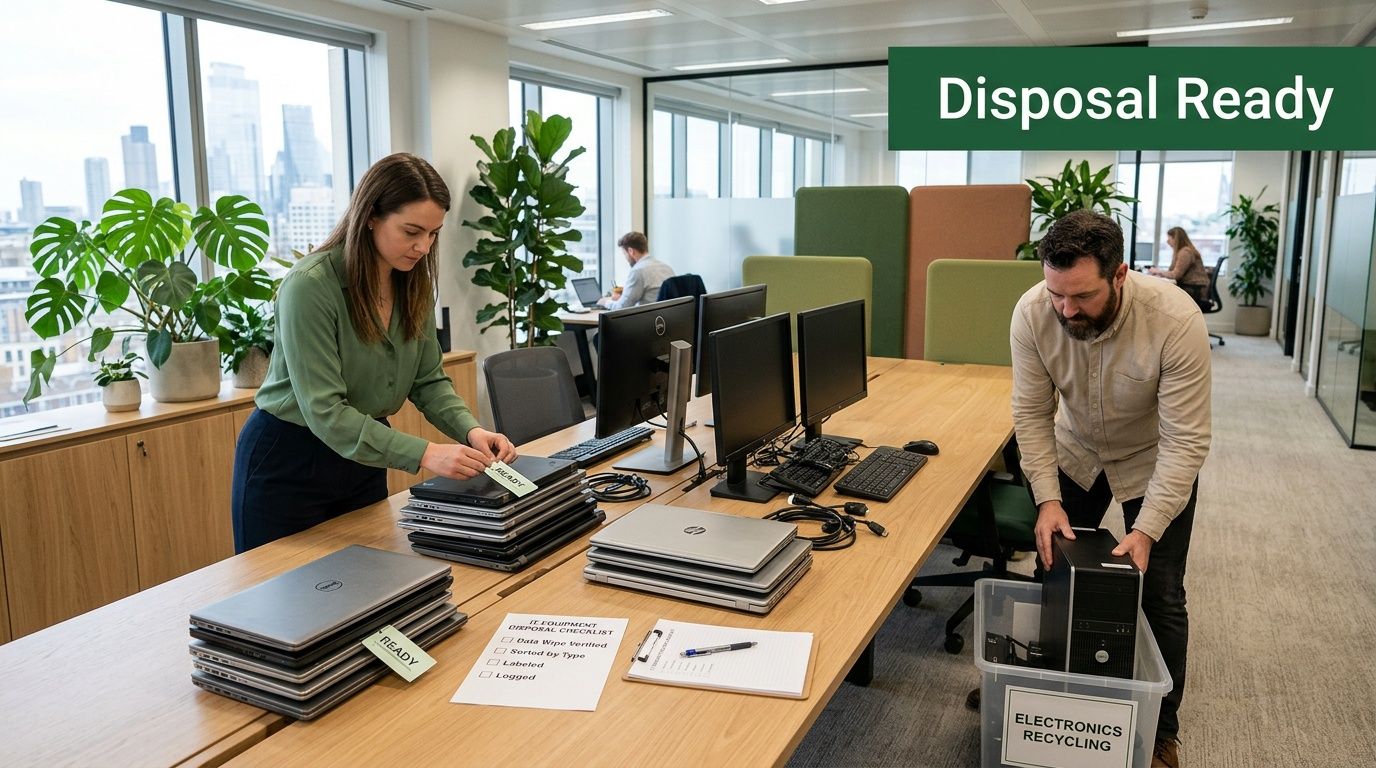
Record the basics first: device type, manufacturer, serial number, location, department, and whether the device holds data. If equipment is spread across storage rooms, offices, and satellite closets, build the list by area. That one step prevents the common pickup-day problem where another cart of laptops appears after the manifest is already closed.
A workable internal template should track:
- Asset identity: Desktop, laptop, server, tablet, phone, switch, copier, external drive
- Serial tracking: Serial number or internal asset tag
- Intended disposition: Recycle, remarket, destroy, hold
- Data status: Contains storage media, no storage media, unknown
- Site notes: Dock access, elevator limits, stairs, pallet needs, after-hours access, onsite contact
Good inventory work also helps with a bigger business question. If your company wants to connect disposal to community support or environmental reporting later, you need a clean record of what left the building and how it was processed.
Confirm backup, retention, and ownership decisions
Internal mistakes usually happen before any destruction starts. An employee assumes files were backed up. A department head expects one more data pull. Legal has not cleared the asset group. Then the equipment is already staged for removal.
IT should confirm backups and validate that no business unit expects future access to files stored on retired hardware. Legal or compliance should review any applicable retention hold. Department leaders should sign off on devices tied to finance, healthcare, HR, client records, or other regulated work.
If staff need help understanding what to do with a workstation before turnover, share this guide on how to wipe a computer's hard drive properly. It explains why deleting files is not the same as sanitizing a device.
A clean handoff starts with one clear decision: what must be preserved, and what can be destroyed.
Label equipment before anyone starts moving it
Unlabeled loads create avoidable confusion. I have seen teams lose half a day sorting mixed carts in a lobby because laptops, monitors, loose drives, and equipment on hold were all stacked together.
Use simple labels your internal team can read quickly under pressure. Broad categories work better than detailed codes if multiple departments are involved.
A labeling system that holds up in the field usually includes:
Data-bearing
Laptops, desktops, servers, copiers, phones, network gear with storage, and loose drives.Recycling only
Broken monitors, damaged accessories, cables, obsolete peripherals, and non-redeployable hardware.Pending approval
Assets still under review by finance, compliance, legal, or department management.Do not remove
Equipment that looks retired but is still active, reserved, or being held for parts.
Disconnect and stage devices with intent
Do not wait for pickup crews to unplug a live office unless de-installation is part of the approved scope. That approach slows the job and increases the chance that accessories, labels, or custody details get separated from the main unit.
Handle the basics in advance:
- Shut systems down correctly: Use normal shutdown procedures where possible.
- Remove network access: Disconnect devices from wired and wireless environments before staging.
- Keep accessories with the asset: Power supplies, docks, adapters, and keyboards affect count accuracy and resale review.
- Stage by category: Separate monitors from CPUs, loose media from peripherals, and high-risk devices from general electronics.
This is also where practical trade-offs matter. If your team wants the fastest possible pickup, pre-stage everything. If control matters more because you have sensitive devices or multiple stakeholders, keep high-risk assets in a locked room until the chain of custody begins.
Put one person in charge
Disposal projects break down when responsibility is shared too widely. One internal owner should control scope, approvals, access, and pickup-day decisions.
That person is often the IT manager, office manager, facilities lead, or compliance coordinator. Title matters less than authority.
| Internal task | Why it matters |
|---|---|
| Final scope approval | Prevents last-minute additions and disputed removals |
| Site access coordination | Avoids delays with docks, freight elevators, and building security |
| Asset list control | Keeps final reports reconcilable |
| Stakeholder signoff | Reduces internal conflict after pickup |
| Pickup-day presence | Resolves exceptions in real time |
Done right, internal preparation reduces cost, protects data, and gives your business better reporting after the job is complete. It also sets up the broader value many Atlanta companies now want from disposal. Clear records make it easier to document reuse, recycling, and the community impact tied to a responsible ITAD program.
Selecting Your Atlanta Computer Disposal Partner
A pickup goes wrong in predictable ways. The truck arrives, someone adds a closet of unlisted laptops, two hard drives are missing serial labels, and legal asks for destruction records that the vendor never mentioned during the sales call. Choosing the right partner prevents that kind of failure before collection day starts.
A computer disposal provider handles regulated assets, data risk, internal reporting, and downstream material accountability. In Atlanta, plenty of companies can remove equipment. Fewer can maintain documented custody, explain exception handling clearly, and give your IT, compliance, and ESG teams records they can use.
Certifications matter, but operations matter more
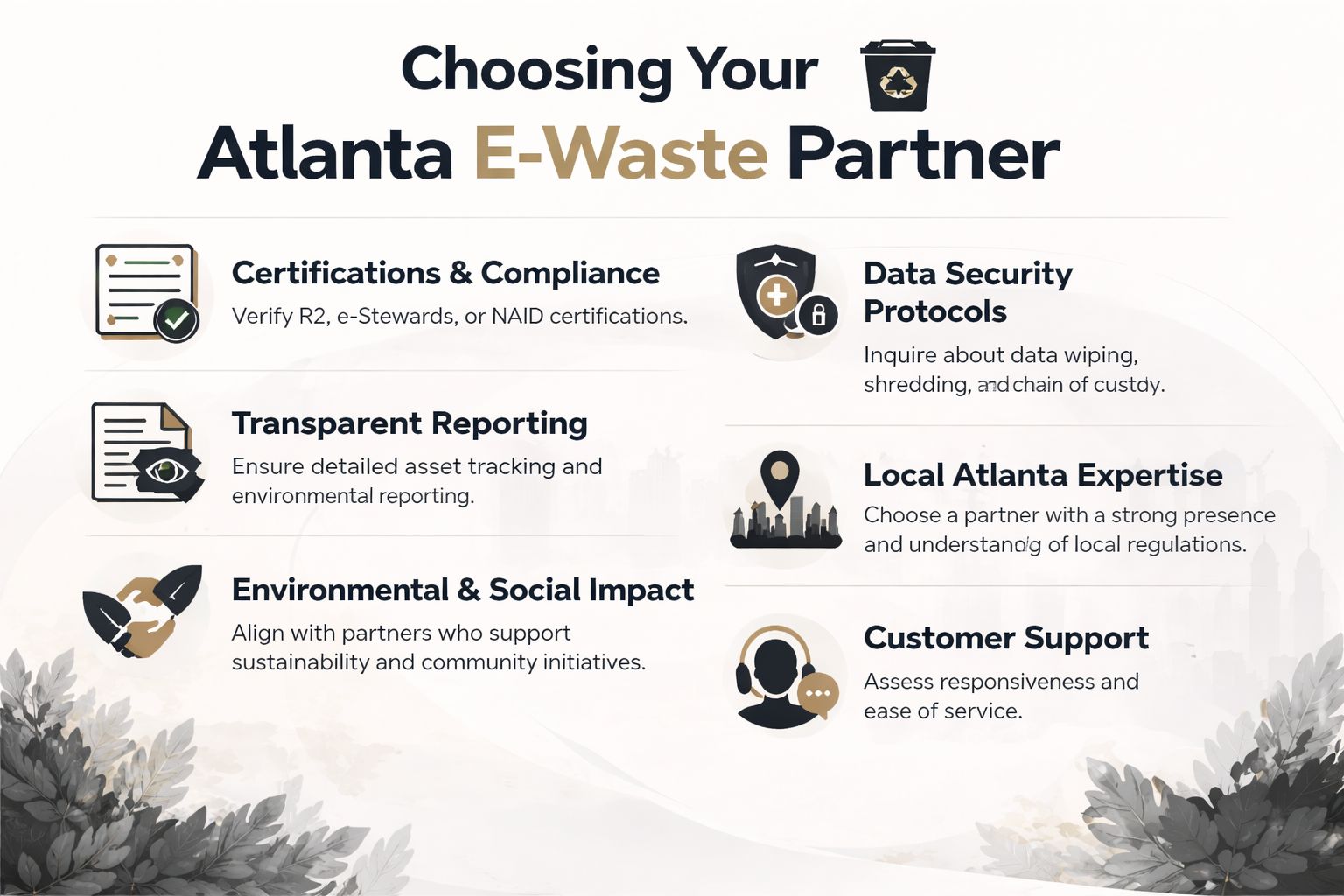
Certifications are a starting screen. They show that a provider has adopted recognized controls. They do not tell you how your job will be executed, how mixed loads are handled, or whether the final paperwork will stand up to an audit.
Ask the vendor to explain the process in plain English. A capable ITAD partner should be able to describe intake, transport, data sanitization, destruction options, asset tracking, and final reporting without hiding behind jargon. If you are comparing Atlanta e-waste disposal companies for business pickups and IT asset disposition, use that standard first.
Here are the questions that separate a real custody partner from a basic haul-away service:
- How do you sanitize data-bearing devices? Look for clear answers on software wiping, physical destruction, or both, and when each method is used.
- How is chain of custody documented? The provider should explain tagging, loading, transport logs, intake controls, and who signs at each transfer point.
- What happens downstream? Ask where equipment goes for reuse, recycling, or destruction, and whether those paths are documented.
- What reports will we receive? Request sample certificates and asset reports with sensitive fields removed.
- Can you support site realities? Confirm whether they handle de-installation, packing, elevators, loading docks, palletization, and large office clear-outs.
Exception handling tells you how mature the vendor really is
Every disposal project has edge cases. A device shows up without a serial number. A copier with stored data was never on the original list. An employee adds personal electronics to the corporate pallet. One missing laptop turns up after the truck has left.
Those moments test the process.
Strong vendors have a written exception procedure and can explain it fast. Weak vendors improvise, and the cleanup lands on your team. I have seen that create unnecessary legal review, delayed closeout, and internal disputes about whether an asset was ever transferred at all.
If a provider cannot explain how exceptions are logged, approved, and documented, they are not ready for high-trust work.
Healthcare, legal, and finance teams should press harder
Sensitive industries should ask narrower questions. General promises about secure disposal are not enough for protected health information, client records, or regulated financial data.
A useful vetting conversation sounds like this:
| Question to ask | What a useful answer includes |
|---|---|
| How do you handle devices that may contain protected or regulated data? | Separate controls for data-bearing assets and clear sanitization methods |
| What documentation do you issue after processing? | Certificates, chain-of-custody records, and asset-level reporting where applicable |
| How do you track custody from pickup through final disposition? | Logged transfer points, named responsibility, and intake reconciliation |
| Can you support witnessed or onsite destruction if policy requires it? | Clear service options, limits, and documentation steps |
| How do you handle copiers, servers, network gear, and other nontraditional storage devices? | A defined process for identifying and processing embedded media |
That level of detail protects more than compliance. It reduces friction with auditors, counsel, and internal security teams later.
Social impact belongs in the selection process
Many Atlanta companies now expect disposal programs to support ESG and CSR goals, not just risk control. That is a legitimate selection criterion if the impact is measurable and tied to your project records.
Ask a direct question. What proof will we receive for environmental outcomes, reuse, and community benefit connected to this pickup?
A vendor should be able to answer with documentation, not broad sustainability language. Atlanta Green Recycling is one local example of a provider that combines business pickup and data destruction with documented community impact, including support for veterans and reforestation efforts. For companies trying to turn IT disposal from a pure expense into a reporting asset, that model has practical value.
Price still matters. It just should not be the only filter.
The lowest quote can become the most expensive option when serials cannot be reconciled, destruction records are incomplete, or your sustainability team has nothing credible to include in an annual report. A better partner gives you control, documentation, and a disposal story that holds up with auditors, customers, and the community.
Onsite vs Offsite Disposal What Works for Your Business
Most Atlanta businesses don't need every device destroyed in the parking lot. Some do. The right choice depends on what you're disposing of, how sensitive the data is, and how much operational disruption your site can tolerate.
When onsite makes sense
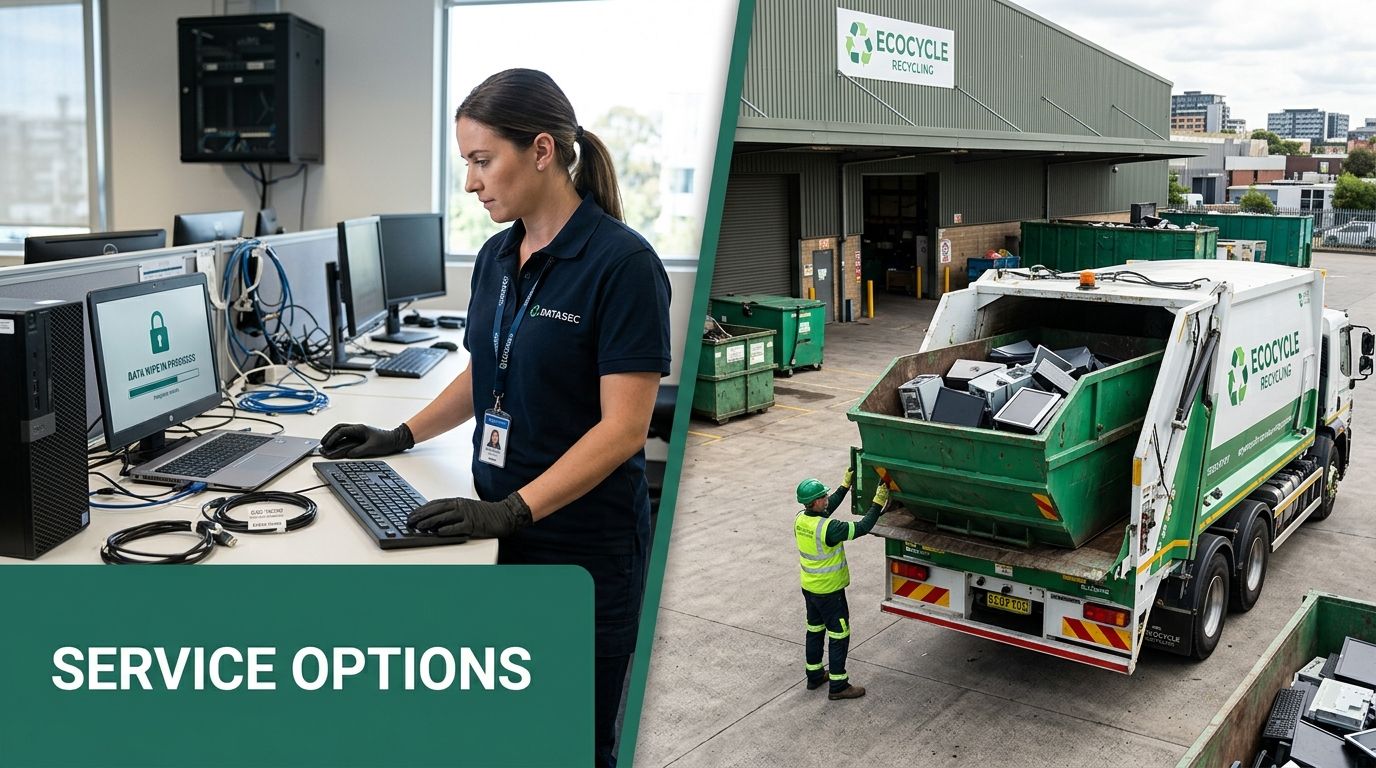
Onsite disposal gives your team direct visibility. That's valuable when the devices contain highly sensitive data, when internal policy requires witnessable destruction, or when compliance officers want immediate confirmation before assets leave the premises.
This model often fits hospitals, legal offices, government environments, financial operations, and data center projects where loose media must be destroyed before transport. It also helps when leadership wants to reduce anxiety around high-risk assets by seeing the destruction happen in real time.
Secure data sanitization is a multi-step process. Certified providers use NIST 800-88 compliant software for data wiping or, for ultimate security, physical shredders that reduce drives to particles smaller than 2mm, making data recovery virtually impossible. A documented chain of custody with video-recorded destruction is the gold standard for compliance (secure destruction methods described here).
If your team needs a deeper look at options for witnessable processing, this guide to secure destruction of data is worth reviewing.
When offsite is the better fit
Offsite disposal is often the practical answer for office refreshes, relocations, and bulk surplus where the priority is efficient removal and controlled processing at a dedicated facility. It usually works well for mixed loads that include desktops, monitors, printers, peripherals, phones, and noncritical storage devices that can remain secure in transit under documented custody.
For many companies, offsite processing creates a better workflow. Assets are loaded once, transported in a controlled manner, and then processed through a facility designed for sorting, wiping, shredding, and material recovery. That tends to be easier on office operations than staging a longer onsite event.
A side-by-side way to decide
| Factor | Onsite disposal | Offsite disposal |
|---|---|---|
| Visibility | Highest, because staff can witness processing | Strong if custody records are tight |
| Office disruption | More activity at your location | Less activity after pickup |
| Best fit | Highly regulated or highly sensitive assets | Standard office refreshes and mixed loads |
| Speed of room clearance | Good, but depends on mobile equipment setup | Often efficient for bulk removal |
| Chain of custody importance | Critical | Equally critical |
For a hospital retiring PHI-bearing drives, onsite physical destruction is often the cleaner choice. For a corporate office replacing user laptops and monitors, secure offsite processing is usually sufficient if custody and reporting are strong.
Don't confuse method with control
Some teams assume onsite automatically means secure and offsite automatically means risky. That's too simplistic. Security depends on the full chain: asset identification, handoff records, transport controls, sanitization method, exception handling, and final documentation.
A weak onsite process can still create exposure if devices aren't logged correctly. A strong offsite process can be highly defensible when the chain of custody is complete and final records reconcile back to your inventory.
The best decision usually comes from one question: what level of proof does your organization need for this asset class? Once you clearly answer that question, the right service model becomes much easier to choose.
Transform Disposal into a Powerful ESG & CSR Story
A lot of companies still treat electronics disposal as a back-office task that disappears after finance closes the invoice. That's a missed opportunity. When handled deliberately, Atlanta Office Computer Disposal Services can support procurement, sustainability reporting, employee engagement, and community positioning at the same time.
Why this matters now
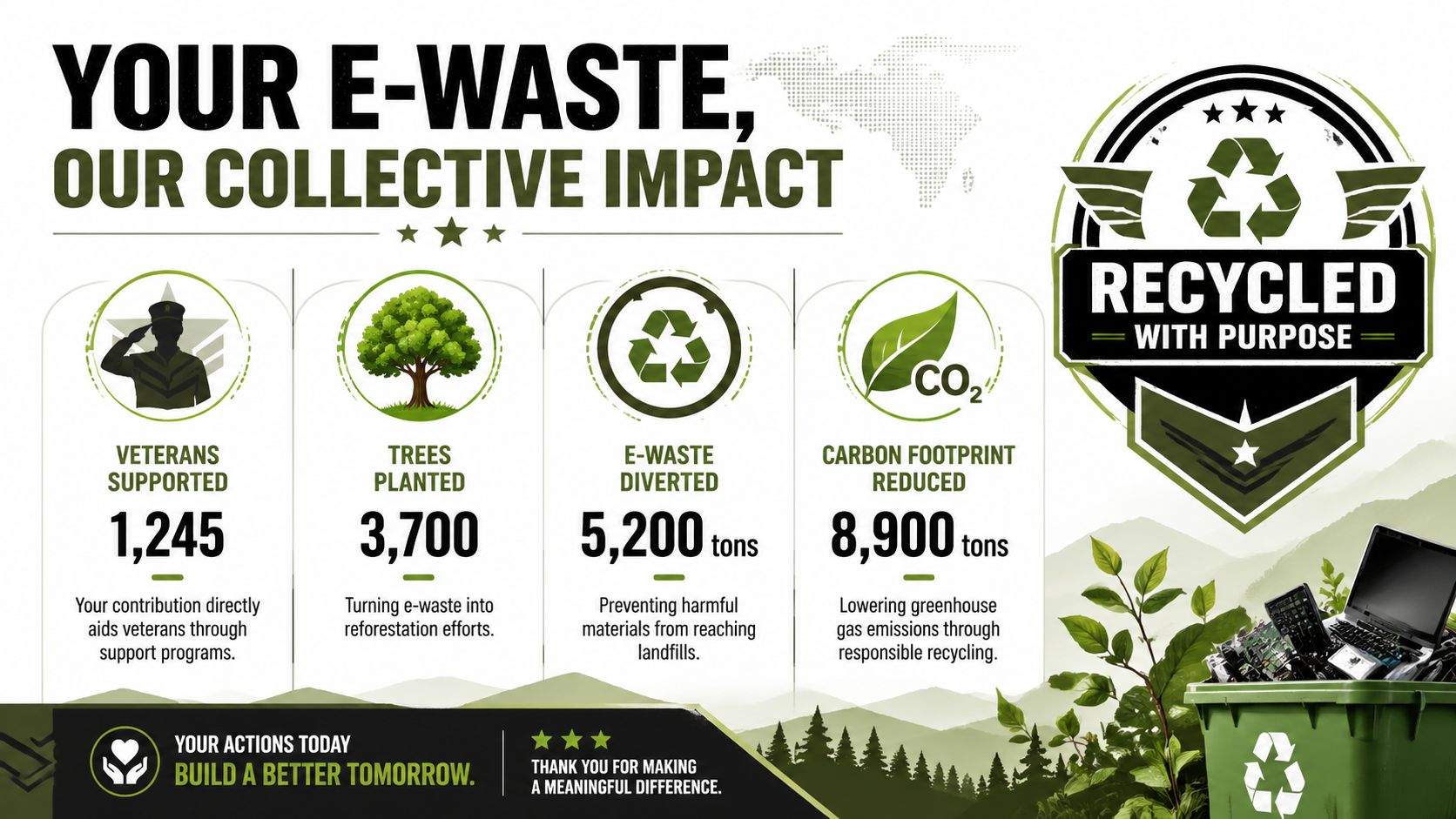
The reporting environment is changing. With SEC climate disclosure rules taking effect and Georgia's HB 1173 mandating e-waste reporting for state agencies, over 68% of Atlanta's Fortune 500 firms now require ESG-verified vendors. Services that quantify impact, such as trees planted or veterans supported, provide the concrete metrics needed for 2026 and beyond (ESG vendor requirement context here).
That changes how disposal gets evaluated. The question isn't only whether a vendor can remove old computers. It's whether they can produce records and impact outputs that procurement, communications, and sustainability teams can use.
Disposal becomes stronger when the story is specific
Generic sustainability language doesn't travel well inside an annual report or a customer proposal. Specificity does. If your organization can say retired equipment was processed securely, documented for audit, and tied to community outcomes like veteran support and reforestation, the disposal event gains real strategic value.
That matters especially for mid-market companies and public-sector bidders that need to demonstrate social contribution in practical terms. Teams working on supplier responses and public procurement often benefit from understanding broader frameworks for achieving social value for SMEs, because disposal partnerships can support that narrative when the evidence is credible.
What a strong CSR disposal program looks like
The strongest programs don't overcomplicate the message. They connect one operational action to several outcomes your stakeholders already care about.
Examples include:
- Corporate recycling drives: A business clears retired devices from one or more offices and receives documentation suitable for internal sustainability files.
- Cause-based campaigns: Messaging such as "Your old tech can house a veteran and grow a forest" gives employees and clients a human reason to participate.
- Seasonal engagement: Veterans Day, Earth Day, and Arbor Day make natural windows for office cleanouts and public-facing impact updates.
- Digital proof points: A "Recycled with Purpose" badge can reinforce that the company chose a documented, mission-aligned disposal path.
Waste leaves the building once. The story from handling it well can support recruiting, procurement, and brand trust long after pickup day.
What works in practice
The most effective ESG angle is one your business can document without stretching the truth. Keep the message tied to actual outputs: pickup completed, devices processed, destruction documented, and impact certificates issued. That material can support LinkedIn updates, board reporting, employee newsletters, or customer-facing sustainability pages.
What doesn't work is making disposal sound like a sweeping climate initiative when the company can't substantiate the claim. Audiences are more skeptical now. They respond better to narrow, credible statements supported by records.
A practical message often sounds like this: we retired obsolete office technology through a documented recycling process that supported secure data handling, landfill diversion, and verified community impact. That's specific, defensible, and useful.
Receiving Your Audit-Ready & Impact Documentation
The work isn't finished when the truck pulls away. Final closeout occurs when your business receives documentation that proves what happened to each asset and gives internal teams something they can file, reference, and reuse.

What you should expect after processing
For data-bearing equipment, the baseline document is a certificate of destruction or comparable destruction record. Your internal inventory should reconcile to what the vendor reports. If it doesn't, someone on your side should ask why before closing the project.
Most businesses should expect some mix of:
- Asset disposition report: A record showing what was received and how it was processed
- Destruction documentation: Confirmation for drives and other storage media that required sanitization or shredding
- Pickup record: Evidence of transfer from your custody to the vendor's custody
- Exception notes: Items without serials, damaged devices, or assets that required special handling
If your team needs a plain-language explanation of these records, this overview of what is a certificate of destruction is helpful.
Why the paperwork has value beyond compliance
Good documentation serves more than one department. IT uses it to close asset records. Compliance uses it during audits. Legal may need it to demonstrate controlled handling. Sustainability and communications teams may use the environmental and community portions for reporting.
That cross-functional value is where many disposal projects either gain traction or get forgotten. When documentation is clear, a single event can satisfy several internal needs without forcing teams to chase the vendor later.
Impact records create a longer relationship
Mission-driven disposal adds one more useful layer: impact documentation. That may include certificates tied to tree planting, veteran support, or other community outcomes linked to the recycling project.
Those records aren't just feel-good extras. They help companies show employees and stakeholders that disposal wasn't only about risk reduction. It also contributed to a broader purpose. That's why some organizations turn one cleanout into an annual program, then reinforce it through internal campaigns, referral participation, and recurring impact updates.
The best disposal projects leave behind three things: cleared space, reduced risk, and documentation your team can use long after the equipment is gone.
Frequently Asked Questions on Atlanta Computer Disposal
Is office computer disposal always a paid service
Not always. In Atlanta, many business pickups are structured so standard equipment can be collected at no charge when there is enough recoverable value in the load. Some items may still carry fees, especially older equipment that costs more to process, such as CRT monitors.
What kinds of equipment can businesses usually include
Most office projects include desktops, laptops, servers, monitors, printers, networking gear, phones, tablets, external drives, cables, and accessories. If your load includes specialty devices, copiers, or proprietary equipment, send the list in advance so the vendor can confirm handling requirements.
Can small businesses use the same kind of service
Yes, but the service model may differ. Some vendors focus on scheduled business pickups for larger loads, while smaller organizations may be directed to drop-off options or grouped pickups depending on quantity and location.
Should employees bring in personal electronics during a company pickup
Only if your company approves it first and the vendor is informed. Mixing personal and business equipment without a plan causes custody confusion and can complicate reporting. Keep personal devices separate unless the program is intentionally designed to accept them.
Is deleting files enough before recycling a computer
No. Basic deletion doesn't equal verified data destruction. Data-bearing devices should go through a documented sanitization or destruction process aligned with your company's security requirements.
What if the office is moving or closing quickly
That can be managed, but speed doesn't replace process. Fast turnarounds work best when your team already has a rough inventory, building access details, and a clear point of contact for pickup day.
If your organization needs a documented path for Atlanta Office Computer Disposal Services, Atlanta Green Recycling provides business-focused electronics recycling, secure data destruction, pickup logistics, and compliance-minded reporting for offices, healthcare environments, schools, agencies, and data center projects across the metro area.