
Atlanta Hard Drive Destruction for Businesses: A 2026 Guide

Every Atlanta business has one. A back room, server cage, file closet, or shelf with retired laptops, dead desktops, loose hard drives, and equipment nobody wants to touch because everyone knows there’s risk hiding in it.
The operational problem looks small. The business risk isn’t.
A discarded drive can still hold employee records, customer files, financial data, health information, contracts, passwords, or archived email. Deleting files or reformatting a device doesn’t make that risk disappear. Once equipment leaves your control without a documented destruction process, you’re no longer dealing with clutter. You’re dealing with exposure.
That’s why Atlanta Hard Drive Destruction for Businesses has become a much bigger conversation than simple recycling. Demand for destruction equipment keeps rising, and the global hard disk destruction equipment market is projected to reach USD 4.23 billion by 2032, a projection tied to growing data security and regulatory pressure on businesses, according to Montclair Crew’s secure destruction overview.
For Atlanta companies, there’s another shift happening too. End-of-life IT isn’t just a compliance task anymore. Handled well, it becomes part of your sustainability program, your audit readiness, and your community impact story. Old tech can move out of storage, sensitive data can be destroyed the right way, reusable assets can be evaluated properly, and the recycling outcome can support causes people actually care about.
That’s the modern opportunity. Instead of treating retired equipment as a liability, smart organizations treat it as a controlled process with security, environmental accountability, and social value built in.
Why Your Old Hard Drives Are an Untapped Opportunity
A lot of IT managers in Atlanta are sitting on the same problem. The office move happened. The refresh cycle finished. The data center retired a batch of equipment. Now there are stacks of drives and nobody wants to be the person who signs off on “just get rid of it.”
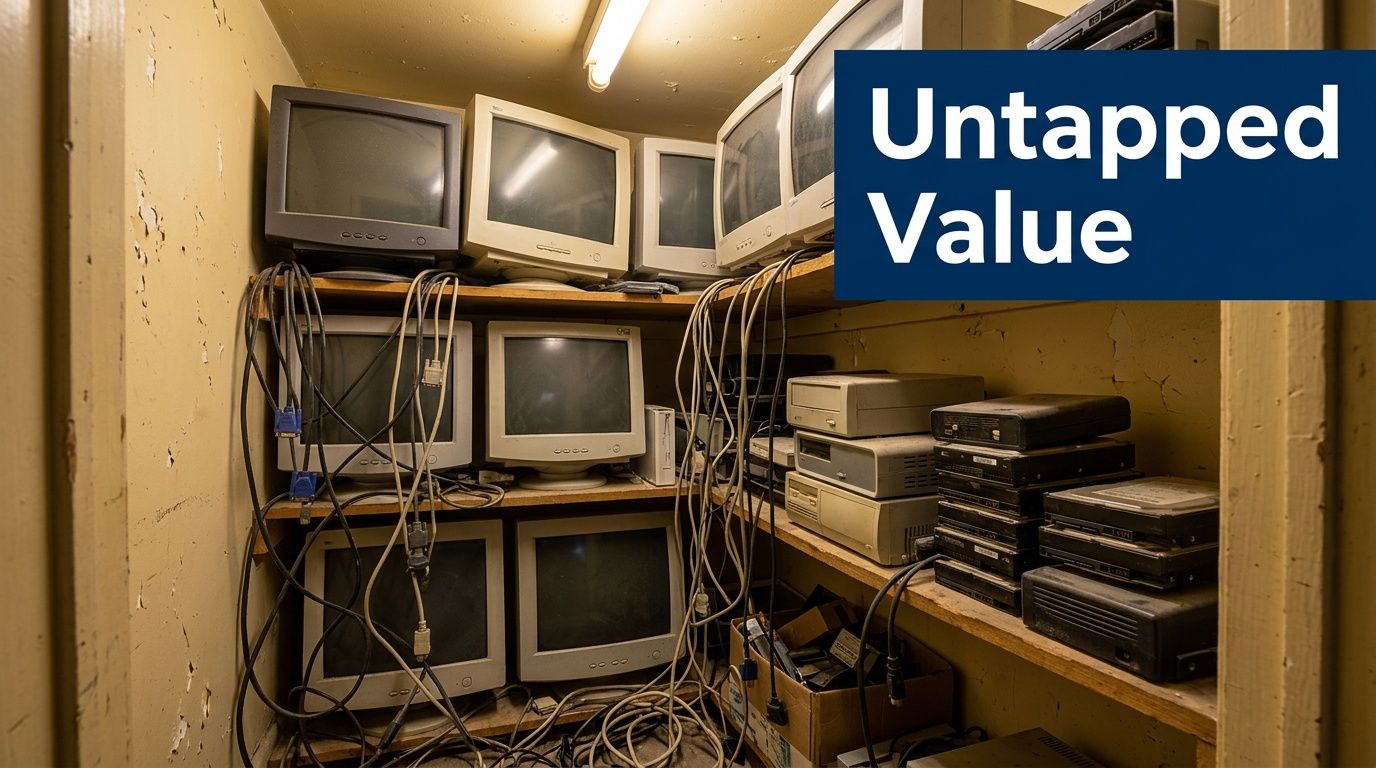
That hesitation is healthy. Once a storage device held business data, it deserves a formal end-of-life decision. Some assets should be wiped because they still have remarketing value. Others should go straight to physical destruction because reuse isn’t practical or the risk profile is too high. Companies that blur those categories usually create unnecessary exposure.
The closet is a risk register
A pile of old drives isn’t harmless inventory. It’s a collection of unresolved security decisions.
Healthcare groups in Atlanta have to think about patient information. Financial firms have to think about consumer records. Schools and public agencies have to think about identity data, archived files, and equipment that changed hands many times over its life. The danger isn’t just theft. It’s poor process. Drives get misplaced during office cleanouts, mixed into scrap pickups, or handed to vendors that can recycle metal but can’t prove secure destruction.
Practical rule: If you can’t show where a drive is, who handled it, and how its data was destroyed, you don’t have a disposal process. You have a gap.
The opportunity is bigger than cleanup
Handled correctly, those old assets can do more than leave the building. They can strengthen your ESG and CSR reporting, support internal audit documentation, and contribute to causes your employees and customers recognize.
That’s where a mission-driven recycler changes the conversation. Businesses already want secure disposition, environmental responsibility, and easier logistics. If the same project also supports veteran aid and reforestation, the work becomes easier to champion internally. Facilities teams, IT, compliance, procurement, and marketing can all see the value.
For companies exploring whether older electronics may still carry residual value before destruction, it also helps to review options for turning old electronics into value through responsible disposition. Not every asset belongs in the shredder on day one.
What works and what doesn’t
A few patterns show up repeatedly in Atlanta business cleanouts:
- What works: separating reusable equipment from end-of-life media before pickup.
- What works: choosing a vendor that can document destruction, transport, and environmental handling.
- What doesn’t: mixing hard drives into a general junk haul.
- What doesn’t: assuming “deleted” means “gone.”
- What doesn’t: waiting until an office closure deadline forces a rushed decision.
The best time to plan drive destruction is before the equipment starts piling up. The second-best time is now.
Decoding Destruction Methods Shredding Degaussing and Wiping
Businesses usually hear three terms when discussing media sanitization: wiping, degaussing, and shredding. They are not interchangeable, and treating them like they are is where many disposal programs go sideways.
The simplest way to think about them is this. Wiping is like clearing a whiteboard and rewriting over it. Degaussing is like scrambling the magnetic pattern on the board. Shredding is breaking the board into fragments.
Wiping for reusable assets
Software-based wiping has a valid place in business IT disposition. If a drive is functional and the asset still has resale or redeployment value, wiping can support a controlled reuse workflow. That’s why many ITAD programs reserve wiping for equipment that’s still worth remarketing.
Wiping makes sense when all of these are true:
- The drive still works: failed media can’t be sanitized reliably through software if it won’t complete the process.
- The asset has value: resale, redeployment, or reuse is the reason to wipe instead of destroy.
- The workflow is documented: the organization needs proof of what was wiped and how it was handled.
Businesses that need a practical overview of secure disposal options can review secure HDD disposal guidance for business equipment.
What wiping does not do is replace physical destruction for every scenario. If the media is damaged, obsolete, highly sensitive, or outside a trustworthy workflow, wiping stops being the right answer.
Degaussing has a narrower role than many buyers think
Degaussing uses a magnetic field to disrupt stored data on magnetic media. In older conversations about hard drive destruction, it often sounded like the fast, high-security option. The problem is that modern storage environments aren’t built around one media type anymore.
According to Atlanta Computer Recycling’s hard drive destruction guidance, physical shredding through industrial equipment remains the only methodology that guarantees 100% irreversible data elimination across all hard drive architectures, including modern SSDs, and degaussing cannot reliably erase solid-state drives.
That last point matters. Many organizations now have mixed batches that include traditional hard drives, SSDs, hybrid devices, and storage pulled from laptops, servers, workstations, and network equipment. A method that fails on part of the batch isn’t a complete security plan.
Degaussing sounds strong. In mixed-media environments, “sounds strong” isn’t the same as “works for everything.”
Shredding is the hard stop
Physical shredding is what you choose when the goal is finality.
It’s the method that fits the highest-risk scenarios because it doesn’t depend on the drive being functional, doesn’t depend on the media type, and doesn’t leave the organization arguing later about whether a process completed correctly. For drives that held confidential information and no longer need to exist, shredding closes the loop.
In practice, shredding is usually the right call for:
- Dead or nonfunctional drives
- SSDs and mixed storage batches
- Highly sensitive data sets
- Bulk cleanouts where reuse isn’t worth the effort
- Decommissioned infrastructure with strict audit requirements
Hard Drive Destruction Method Comparison
| Method | How It Works | Security Level | Best For | Not Suitable For |
|---|---|---|---|---|
| Wiping | Software sanitizes data on a functional drive | High when applied correctly to reuse workflows | Remarketable or reusable assets | Failed drives, unknown-condition media, final destruction needs |
| Degaussing | Magnetic field disrupts data on magnetic media | Limited by media type | Certain magnetic drives in narrow workflows | SSDs, mixed batches, organizations needing one method for all devices |
| Shredding | Industrial equipment destroys the physical media | Highest | Confidential end-of-life drives, SSDs, failed drives, regulated environments | Assets intended for resale or redeployment |
What businesses often get wrong
The most common mistake isn’t choosing the wrong method once. It’s using one method by habit for every asset class.
A better approach is tiered:
- Evaluate for reuse first
- Wipe functional assets that still carry value
- Physically shred anything nonfunctional, high-risk, or unsuitable for resale
That’s a cleaner operational model because it balances security, value recovery, and documentation. It also gives procurement and compliance teams a much easier answer when they ask why one batch was wiped and another was shredded.
Navigating Data Destruction Compliance in Atlanta
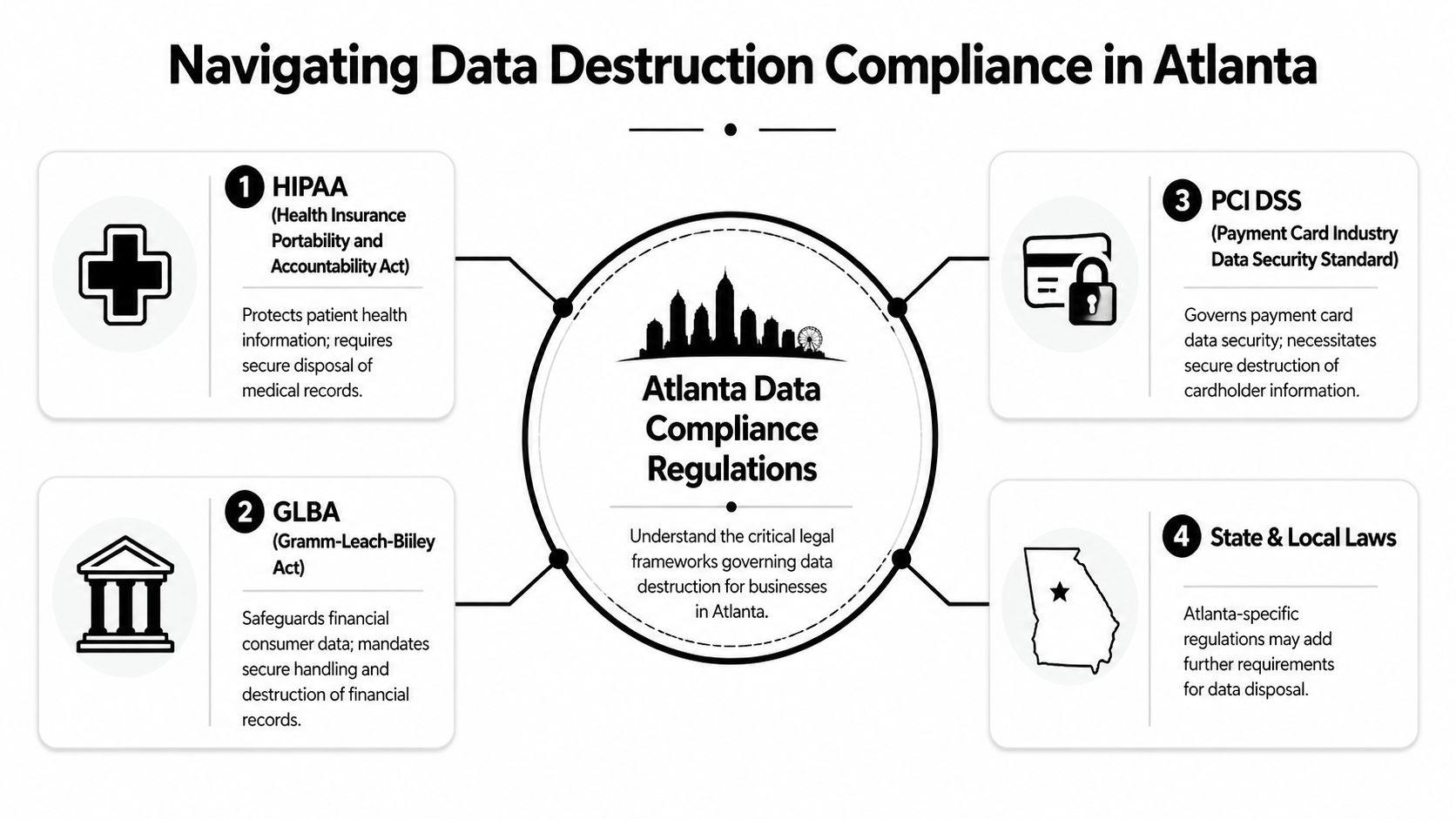
Atlanta businesses don’t operate under one simple disposal rule. They operate under a web of sector-specific obligations, internal policies, customer requirements, and audit expectations. That’s why hard drive destruction decisions tend to involve legal, compliance, IT, facilities, and procurement all at once.
The secure hard drive destruction services market was valued at USD 0.72 billion in 2024 and is projected to reach USD 1.2 billion by 2033, a trend tied to compliance pressure in sectors such as healthcare and finance, according to ReWorx Recycling’s secure hard drive shredding overview.
What the rules mean in practice
The names change by industry, but the practical expectation is consistent. Sensitive data must be disposed of securely, and your company must be able to prove it.
- HIPAA: Healthcare organizations need secure disposal for media that held protected health information.
- GLBA: Financial institutions need defensible handling of consumer financial data.
- PCI DSS: Payment environments need secure destruction of media tied to cardholder data.
- FACTA: Organizations handling consumer information need secure disposal procedures that reduce exposure from discarded records and devices.
For many companies, the primary concern isn’t whether destruction happened. It’s whether documentation would satisfy an auditor, insurer, customer questionnaire, or legal review.
Auditors want proof, not good intentions
A policy that says “we wipe drives before recycling” isn’t enough if nobody can show the serial numbers, dates, chain of handling, and destruction method.
That’s why compliance-minded teams ask operational questions:
- Who removed the drives from service
- Where they were stored before pickup
- Whether the devices were inventoried
- What destruction method was used
- What certificate was issued afterward
Organizations that are still building disposal policies often also look at how to wipe a hard drive in a compliant workflow. That’s useful for understanding when wiping belongs in the process and when it doesn’t.
Atlanta context matters
Atlanta has a dense mix of hospitals, fintech operations, legal offices, higher education institutions, public agencies, and growing technology firms. Those environments don’t just create more e-waste. They create more regulated e-waste.
A hospital in Midtown won’t evaluate disposal risk the same way a design agency in Decatur does. A payment processor in Buckhead won’t use the same internal controls as a school district or public office. But they all face the same core question: if a retired drive became the subject of an audit, breach review, or customer inquiry, could the organization defend every step?
Compliance isn’t the shred itself. Compliance is the combination of secure handling, correct method selection, and evidence that stands up after the fact.
That’s why the disposal vendor matters so much. The service isn’t just hauling and shredding. It’s documentation, procedure, and defensible execution.
The Unbreakable Chain of Custody Your Audit Trail
Take one hard drive from an office in Buckhead. It came out of a retired workstation used by finance staff. The drive is small, easy to overlook, and dangerous for exactly that reason.
A secure destruction program treats that drive like evidence. It doesn’t rely on memory, hand-labeled boxes, or a pickup driver saying, “We’ve got it from here.”

What the chain should look like
Before the drive leaves your site, it should enter an inventory. In regulated workflows, each device is assigned or confirmed by serial number. The device is logged, grouped with the rest of the batch, and prepared for transfer.
From there, control matters at every handoff. The pickup is documented. The transport method is documented. Intake at the facility is documented. Final destruction is documented. At the end, the client receives a record tying the physical event back to the specific assets that were collected.
According to Green Atlanta’s secure destruction process overview, the industry standard for regulated industries involves assigning each device a unique serial number, maintaining documented logs at every stage, and issuing a Certificate of Destruction that details every serialized asset. That creates the unbroken audit trail required for frameworks such as HIPAA and FACTA.
Where weak vendors fail
Most chain-of-custody failures happen in the boring parts of the job.
Not the final shred. The pickup.
A vendor that can’t explain container security, intake controls, transport logging, or serialized reporting is asking you to trust a black box. That’s risky even for ordinary office cleanouts. It’s unacceptable for healthcare, government, finance, and education.
Watch for these weak points:
- Loose batch handling: drives tossed together without asset-level logging
- Unclear transport process: no answer on who moved the media or how it was tracked
- Generic paperwork: a vague disposal receipt instead of a proper destruction record
- No serialized reporting: impossible to prove which exact devices were destroyed
What a usable certificate includes
A strong certificate isn’t ceremonial. It’s evidence.
A business should expect the final document to identify the destroyed assets and the event itself clearly enough to use in audit files and internal retention records. If you’re comparing vendors, ask to see a sample hard drive certificate of destruction and what it should contain.
A solid certificate should clearly show:
- Asset identity: serialized listing of the devices destroyed
- Destruction details: date, media type, and method used
- Event record: where and when the destruction was completed
- Vendor accountability: enough information to connect the certificate to the provider’s documented process
If the certificate can’t answer “which drives, destroyed when, by what method,” it won’t help much when compliance asks questions later.
Why this matters operationally
Chain of custody protects more than legal compliance. It protects internal trust.
When IT, compliance, procurement, and leadership all know there’s a documented trail from pickup to destruction, projects move faster. Office closures get simpler. Data center decommissions create less friction. People stop arguing over whether old media is still sitting in a closet somewhere because the paperwork answers the question.
Your Atlanta Hard Drive Destruction Vendor Checklist
Choosing a vendor for Atlanta Hard Drive Destruction for Businesses shouldn’t come down to who can show up with a truck first. This is a risk transfer decision. You’re selecting the company that will handle devices containing your customers’ data, your employees’ information, and your internal records.

One of the most overlooked questions is cost structure between service models. Beyond Surplus’s Atlanta hard drive shredding discussion notes that on-site service can carry a 20% to 50% premium and argues that vendors should be transparent about those trade-offs while offering hybrid options and GPS-tracked fleets.
Start with the security baseline
If a vendor can’t answer these questions cleanly, keep looking.
- Certification and process discipline: Ask whether the provider follows recognized destruction and tracking standards for regulated work.
- Serialized asset tracking: You need more than a pallet count.
- Documented chain of custody: Every handoff should be explainable.
- Certificate quality: Ask for a sample, not a promise.
- Employee handling controls: Find out who touches the media and what controls exist around pickup, transport, and intake.
Security language on a website is easy. Process detail is harder to fake.
Decide between on-site and off-site the right way
This decision gets oversimplified. On-site is not automatically “better,” and off-site is not automatically “cheaper but risky.” The right choice depends on the sensitivity of the batch, your internal policy, and whether visual verification matters to your stakeholders.
Use this framework:
| Service model | Usually makes sense when | Main advantage | Main trade-off |
|---|---|---|---|
| On-site destruction | The batch is highly sensitive, leadership wants direct witness, or policy requires immediate destruction | Visual confirmation at your facility | Higher cost and more scheduling constraints |
| Off-site destruction | You have larger routine volumes and strong confidence in chain-of-custody controls | Operational efficiency and lower cost | Requires trust in transport and facility documentation |
| Hybrid program | You have mixed asset classes or mixed risk levels | Matches method and logistics to the batch | Requires better planning upfront |
Ask about value recovery, not just destruction
A vendor that only talks about shredding may be leaving money and sustainability value on the table. Some devices or components may still qualify for remarketing, parts harvesting, or controlled reuse before the fully end-of-life media is destroyed.
For businesses comparing broader ITAD partners, it helps to review what business IT asset disposition companies should handle.
This is one place where the right partner can do more than destruction. For example, Atlanta Green Recycling offers business e-waste pickup, DoD sanitization workflows for appropriate drives, physical shredding for obsolete or nonfunctional media, and broader IT asset disposition support. That’s useful when a company needs one workflow for removal, evaluation, destruction, and documentation rather than juggling multiple vendors.
Add ESG and CSR questions to your vendor interview
Most RFPs still stop at chain of custody and price. That leaves a lot of value unused.
Ask these questions too:
- Can they support your ESG reporting needs: Some organizations want documentation they can reference in sustainability or stakeholder reporting.
- Do they connect recycling to a social mission: A provider with veteran support and reforestation programs gives your company a stronger internal and external story.
- Can they help with campaign assets: Certificates, impact summaries, and program language make it easier for marketing and HR to share the outcome.
- Do they support seasonal drives or employee engagement: That matters if you want to connect recycling with Earth Day, Arbor Day, or Veterans Day initiatives.
A hard drive destruction vendor can be a commodity hauler, or a strategic partner. The difference shows up in the questions they’re prepared to answer.
Red flags worth taking seriously
Some warning signs are subtle:
- They avoid discussing method selection and push the same answer for every asset
- They can’t explain what happens after pickup
- They promise compliance but don’t show sample documentation
- They don’t distinguish between wiping and physical destruction
- They treat recycling and data security as separate conversations
A strong vendor makes those issues clearer, not murkier.
Transforming E-Waste into Your ESG and CSR Story
Most companies file hard drive destruction under operations. That’s understandable, but it’s incomplete.
Retired technology touches security, environmental stewardship, employee engagement, and community impact. When a business handles the process intentionally, a disposal project can support both compliance records and public-facing ESG or CSR goals.

From back-office task to visible impact
A mission-driven recycling program gives companies a better narrative than “we disposed of obsolete drives.” The stronger message is that the company protected sensitive data, kept electronics out of the landfill stream, and supported causes that matter locally.
That’s where cause-based messaging becomes useful. “Recycle for a Cause” is more compelling than generic sustainability language because people can understand the result. Your old tech can support veteran aid and contribute to reforestation. That gives employees, clients, and leadership a real-world outcome they can point to.
What this can look like inside a business
A practical program often includes more than pickup and destruction.
Consider the communication layer:
- Impact certificates: Businesses can attach recycling outcomes to internal sustainability updates or employee communications.
- Veteran support reporting: Useful for CSR storytelling and community engagement.
- Tree-planting recognition: A simple, credible way to connect e-waste diversion to environmental action.
- Digital partner badges: A “Recycled with Purpose” mark gives companies something visible for websites, proposal materials, or reports.
ESG work often struggles with one problem: teams do the work, but they don’t package the outcome in a way others can understand. Secure electronics recycling solves a real operational need and creates a cleaner story at the same time.
Good ESG stories are operationally true
The strongest sustainability stories don’t start in marketing. They start in process.
If your company can say, truthfully, that it used a documented destruction workflow, diverted retired electronics responsibly, and partnered with a provider whose model supports veterans and tree planting, that’s more credible than broad claims about caring for the community. There’s a direct line from a retired server room to something measurable and local.
That’s also why seasonal campaigns work well. Businesses can tie internal cleanouts, upgrade cycles, and employee drives to moments like Veterans Day, Earth Day, and Arbor Day without manufacturing a campaign from scratch. The equipment already exists. The need already exists. The story is already there.
The most effective ESG initiatives aren’t separate from operations. They come from doing operational work in a way that creates community value.
Atlanta Hard Drive Destruction FAQs
Can old business drives still have value before destruction
Sometimes, yes. Not every retired asset belongs in immediate destruction. All Green Recycling’s Atlanta hard drive shredding overview notes that integrating hard drive destruction with IT asset recovery can offset destruction costs by 30% to 50% in some cases. The right approach is to evaluate reusable equipment first, then wipe appropriate assets and shred the rest.
Do small Atlanta businesses need the same level of process
Yes, especially if they handle customer data, employee records, financial information, or protected health information. The batch may be smaller, but the exposure is still real. A smaller office usually needs a simpler version of the same documented workflow, not a lower standard.
What should we do before scheduling pickup
Separate obviously dead drives from equipment that may still be reusable. Identify anything especially sensitive. Keep the media in a controlled location and avoid informal disposal. If you already maintain asset records, have them ready to reconcile with the vendor’s inventory process.
Is on-site destruction always necessary
No. On-site makes sense for some high-security situations. Off-site can work well when the chain of custody, transport controls, and final documentation are strong.
If your organization needs a secure, documented way to handle retired drives, servers, and end-of-life IT equipment, Atlanta Green Recycling provides business-focused electronics recycling, data destruction, pickup logistics, and compliance-minded disposition workflows across the Atlanta metro area. It’s a practical way to reduce data risk, clear out aging equipment, and connect responsible recycling with veteran support and reforestation.