
How to Completely Wipe Out a Hard Drive for Your Business


To completely wipe a hard drive, you need to go far beyond simple deletion. The right method depends on the drive itself—think software overwriting for traditional HDDs, a cryptographic erase for SSDs, or, for ultimate security, physical destruction. Just dragging files to the trash bin only removes the pointers to the data, leaving the actual information intact and frighteningly easy to recover.
Why Dragging Files to the Trash Is Not Enough

It's a common scene: a stack of old hard drives waiting to be retired. The temptation is to just hit 'delete' and call it a day, but that's one of the biggest data security mistakes a business can make.
Think of it this way: deleting a file is like tearing the table of contents out of a book. All the pages and the stories they contain are still there, just waiting for someone with the right tools to come along and read them. This simple oversight leaves a massive hole in your security perimeter.
Your retired hard drives are often treasure troves of sensitive information, including:
- Customer Data: Names, addresses, credit card numbers, and other personal identifiers.
- Employee Records: Social Security numbers, payroll details, and private performance reviews.
- Corporate Secrets: Financial reports, strategic plans, and your most valuable intellectual property.
Letting these devices leave your control without proper data sanitization is like handing over the keys to your entire operation.
Data Removal Method vs True Data Security
It's easy to get a false sense of security from common "data removal" tactics. This table breaks down what's really happening versus what's needed for true, professional-grade data destruction.
| Method | What It Does | Is Data Recoverable? | Best For |
|---|---|---|---|
| Simple Deletion | Marks file space as available | Yes, easily with basic software | Non-sensitive, personal files |
| Quick Format | Wipes the file allocation table | Yes, with most data recovery tools | Preparing a drive for reuse (non-secure) |
| Single-Pass Overwrite | Writes random data (0s or 1s) over the drive once | Mostly No, but possible with advanced forensics | Low-risk data, personal computers |
| Multi-Pass Overwrite | Writes random data multiple times (e.g., DoD 5220.22-M) | Extremely Difficult / No | Corporate data, regulatory compliance (HDDs) |
| Physical Destruction | Shreds, pulverizes, or melts the drive | Absolutely Not | Highest security needs, end-of-life media |
As you can see, the only way to be certain your data is gone for good is to use a method that makes it physically impossible to recover.
The Real-World Consequences of Improper Disposal
The risks aren't just theoretical; they are substantial and can have crippling effects on any Atlanta business. The fallout from a data breach from an improperly discarded drive goes far beyond a simple leak.
Consider this: in 2024 alone, the U.S. saw a staggering 3,158 data breaches, impacting 1.35 billion people worldwide. That's a massive jump from just 1,108 cases affecting 310 million people in 2020. This isn't just about numbers; it's about businesses hemorrhaging millions. Take the Change Healthcare ransomware attack, which racked up a $2.87 billion response cost after patient data was stolen.
What's worse? Studies show that forensic experts can recover up to 75% of data from drives that were supposedly "erased."
Key Takeaway: Deleting files creates a false sense of security. The underlying data remains physically on the drive platters or flash memory, accessible with freely available recovery software until it is properly overwritten or the drive is physically destroyed.
Compliance, Reputation, and Financial Fallout
Beyond the breach itself, businesses face a cascade of other serious problems. Regulatory bodies don't accept "we thought it was deleted" as a valid defense.
- Compliance Failures: Regulations like HIPAA for healthcare and GDPR for consumer data impose severe penalties for data mismanagement. A single improperly disposed drive containing patient records can trigger millions in fines.
- Reputational Damage: Trust is a company's most valuable asset. A public data breach shatters customer confidence, leading to lost business and long-term brand damage that can be nearly impossible to repair.
- Financial Loss: The direct costs of a breach—including legal fees, fines, and remediation—are immense. But the indirect costs, like lost customers and diminished market value, can be even worse. Some DIY methods are also ineffective; for instance, the old trick of using magnets is widely misunderstood. You can discover more about the effectiveness of erasing hard drives with magnets in our detailed guide.
Ultimately, knowing how to completely wipe out a hard drive is a non-negotiable business practice. It's a fundamental part of risk management that protects your data, your customers, and your bottom line.
Matching the Wipe Method to Your Drive Type
Not all hard drives are created equal, and this is a critical distinction when it's time to wipe your data. Using the wrong technique is a surprisingly common mistake, and it can leave sensitive corporate information completely recoverable. If you want to truly wipe a hard drive clean, you first have to know what kind of drive you’re dealing with.
For IT professionals in Atlanta managing a diverse fleet of assets, this isn't just a technical detail—it's a security imperative. The internal mechanics of a traditional Hard Disk Drive (HDD) are a world away from a modern Solid-State Drive (SSD), and that means they require entirely different approaches to data sanitization.
Wiping Traditional Hard Disk Drives (HDDs)
Old-school HDDs store data magnetically on spinning platters, almost like a high-tech record player. When you "wipe" one of these drives, the goal is to physically overwrite the magnetic traces of your original data with meaningless, random data. A single overwrite pass might be fine for non-sensitive info, but when corporate or regulated data is on the line, you need to bring in the big guns.
This is where multi-pass overwriting standards become non-negotiable. The DoD 5220.22-M 3-pass wipe is a tried-and-true method that effectively scrambles the data beyond recognition.
- Pass 1: It writes a pattern of all zeros across the drive's entire surface.
- Pass 2: Next, it writes a pattern of all ones, the exact inverse of the first pass.
- Pass 3: Finally, it writes a random character pattern and verifies that the overwrite was successful.
This process essentially turns the original data into digital noise, making it incredibly difficult for even forensic-level tools to piece back together. For a deeper dive into these methods, our guide on how to clear a computer's hard drive gives your IT team even more practical insights.
The Unique Challenge of Solid-State Drives (SSDs)
Here's where things get tricky. Trying to use a standard overwriting method on an SSD isn't just ineffective; it can actually damage the drive by causing unnecessary wear and tear. SSDs rely on flash memory and a clever feature called wear-leveling to spread write operations evenly across all memory cells. This is great for the drive's lifespan, but a nightmare for data wiping.
Because of wear-leveling, data isn't always where you think it is. When you tell the software to overwrite a specific block, the SSD's controller might say, "Nope, that block has seen enough action," and remap the write to a different, less-used area. This leaves the original data completely untouched and hidden away in an "over-provisioned" space—invisible to the operating system but easily recoverable by a skilled attacker.
Crucial Insight: Standard overwriting software simply can't guarantee it will hit every single block of data on an SSD. Wear-leveling and over-provisioning mean that fragments—or even entire files—of your most sensitive data can survive a supposed "wipe."
Correct Sanitization Methods for SSDs
So, how do you securely erase an SSD? The key is to use the drive's own internal security features, which are specifically designed to sidestep the wear-leveling problem.
ATA Secure Erase: Think of this as the drive's self-destruct button. It's a command built right into the firmware of most modern SSDs. When you execute it, the drive's controller blasts every flash memory block with a jolt of voltage, resetting every cell to its original, empty state. The entire drive is wiped clean in seconds, with zero unnecessary wear.
Cryptographic Erase (Crypto Erase): This is the gold standard for speed and security, but it's only available on self-encrypting drives (SEDs). These drives encrypt everything written to them by default using a built-in encryption key. A crypto erase doesn't actually delete any data. Instead, it just deletes the encryption key. Without that key, the terabytes of encrypted data left on the drive are rendered permanently inaccessible—just a useless pile of digital gibberish.
Choosing Your Level of Data Destruction
Okay, you know whether you're dealing with an HDD or an SSD. Now for the real question: how thoroughly do you need to wipe it? The answer isn’t always to bring out the biggest hammer. It's about matching the method to the data's sensitivity, making sure you're compliant without overspending.
To take the guesswork out of it, the National Institute of Standards and Technology (NIST) published what's become the industry bible: Special Publication 800-88. This framework gives us a clear roadmap with three distinct levels of data sanitization: Clear, Purge, and Destroy. Getting familiar with these will help your Atlanta business make a smart, risk-based call for every piece of hardware you retire.
The first step is always matching the basic technique to the drive technology itself, which this chart makes simple.
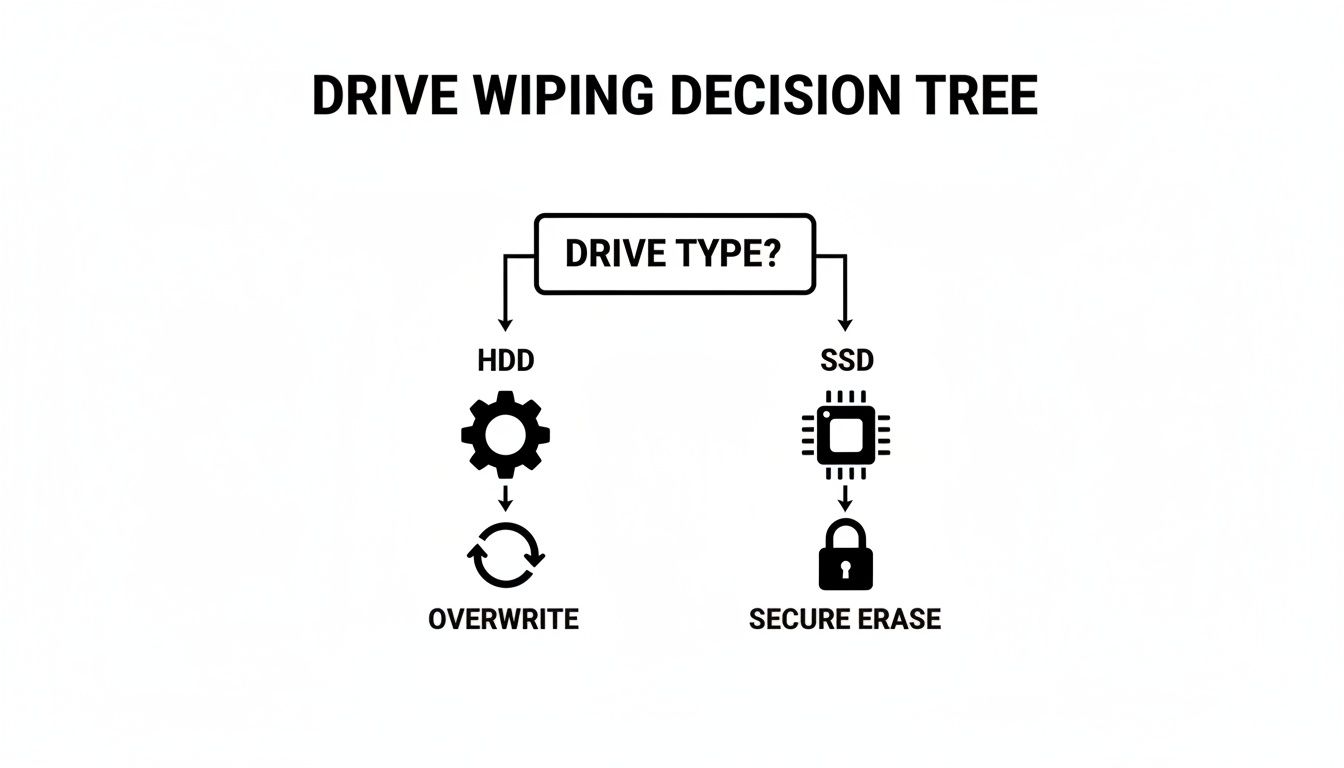
As you can see, the physical makeup of the drive is your starting point. You can't just apply any method and hope for the best; you have to use the right tool for the job from the get-go.
The Clear Level For Low-Risk Internal Reuse
First up is the Clear level. This is all about using logical techniques—basically, software—to overwrite data in all the spots a user can normally access. Think of the DoD 3-pass method we talked about earlier. That’s a perfect example.
This approach is your go-to when you plan to reuse a drive inside your own organization. The risk is low because the hardware never leaves your control. Let's say you're shifting a computer from the finance department over to marketing. A "Clear" wipe is generally all you need to keep the new user from stumbling upon old files.
Scenario: An Atlanta law firm is upgrading its paralegal workstations. The old computers are still perfectly good and will be given to interns. A NIST Clear (a multi-pass software overwrite) is run on the HDDs to securely remove old case files before the machines are redeployed within the office.
But let's be realistic: "Clear" won't stop a skilled attacker armed with forensic tools. For that kind of threat, you need to level up.
The Purge Level For Protecting Sensitive Data
When data absolutely cannot fall into the wrong hands, you need the Purge level. This is a much higher standard of security. It involves techniques that make data recovery practically impossible, even with the kind of equipment you'd find in a specialized lab. This is non-negotiable for any drive with sensitive or regulated data that's leaving your facility.
Methods that meet the "Purge" standard include:
- Degaussing: Blasting an HDD with a powerful magnetic field to scramble its magnetic platters. It's instant and effective, but it also renders the drive completely useless afterward.
- Cryptographic Erase (CE): The go-to for modern SSDs. By deleting the unique encryption key, the data on the drive becomes a meaningless jumble of characters, forever locked.
- ATA Secure Erase: A command built into the firmware of SSDs that forces every memory cell to reset to its original "empty" factory state.
Getting this right has never been more important. The hard drive destruction market is expected to hit $2.5 billion globally in 2025, driven by companies terrified of massive fines. A single GDPR violation can cost up to 4% of annual revenue, and recent incidents like the Snowflake attacks saw ransoms hit $5 million per victim.
You can dig deeper into these methods in our guide explaining what data sanitization truly means.
The Destroy Level For Ultimate Security
And then there's the final option: the Destroy level. This is exactly what it sounds like—the point of no return. We're talking about physically disintegrating the drive so that data recovery is not just difficult, but physically impossible. If you need 100% certainty that your data is gone forever, this is the only way to get it.
This method is reserved for the most highly classified data, or for drives that are simply too old, damaged, or broken to be properly purged. At Atlanta Green Recycling, we use industrial shredders that pulverize hard drives into tiny, 1mm fragments, ensuring not a single bit can ever be put back together.
So, how do you choose? It all comes down to a simple risk assessment. Ask yourself: where is this drive going, and what kind of data did it hold? By applying the NIST framework, you can confidently protect your information, meet your compliance duties, and sleep a little better at night.
When DIY Wiping Becomes a Business Risk
Wiping a single hard drive at home is one thing. But when you’re responsible for managing the IT assets for an entire business, the game changes completely. For Atlanta companies, deciding whether to wipe drives in-house or call a certified pro is a critical risk management decision. Knowing where to draw that line is everything.
On the surface, DIY methods seem like a great way to save a few bucks. But they introduce variables that can—and often do—lead to catastrophic failures. What happens when an employee runs a software wipe but clicks the wrong setting? What about when a free tool can't handle bad sectors on a drive, leaving behind fragments of customer PII or company secrets?
These aren't just hypotheticals. I've seen them happen, and they're the most common points of failure in an unsupervised process.
High-Stakes Scenarios Demand Professional Oversight
Some business operations come with a level of risk that a DIY approach simply can't cover. In these cases, trying to manage data destruction internally isn't a cost-saving measure—it's a massive liability waiting to be exposed.
Think about these high-risk events:
- Company-Wide Tech Refresh: Swapping out dozens or even hundreds of computers at once creates a tidal wave of data-bearing devices. Trying to make sure every single one is wiped correctly, verified, and logged is a logistical nightmare for any internal IT team.
- Data Center Decommissioning: This is the big leagues. A data center can house thousands of drives filled with operational data, customer information, and proprietary code. One mistake here doesn't just cause a problem; it causes a breach of immense scale.
- Disposing of Regulated Data: If your drives hold patient records (HIPAA), financial details (GLBA), or any other PII, the stakes are sky-high. The law requires auditable, legally defensible proof of destruction—something a simple software log can never provide.
Complex projects like professional office decommissioning also pile on the risk. Moving an entire office full of IT assets creates a huge compliance challenge, and without a certified partner managing the data destruction, the potential for data exposure is enormous.
The Hidden Dangers of In-House Data Wiping
Beyond simple user error, the technical and logistical gaps in a DIY process can open up a business to some severe consequences. Hard drives fail. It's a fact of life. But a failed drive that isn't properly handled is a data breach waiting to happen.
I've seen it countless times: a dead drive from an office upgrade gets tossed in a recycling bin because the standard software wipe won't run on it. But here’s the scary part: data recovery specialists can often retrieve 100% of the data from drives with bad sectors if they haven't been physically destroyed. That old, broken drive isn't junk—it's a treasure trove for the wrong person.
DIY Wipe vs Professional Service A Risk Analysis
When you weigh the true costs and risks, the picture becomes much clearer. A DIY approach might seem cheaper upfront, but the potential for error, compliance failure, and lack of legal proof can be devastating. Let's break down the real-world differences.
| Factor | DIY In-House Method | Professional Service (Atlanta Green Recycling) |
|---|---|---|
| Data Security | High risk of human error, software failure, or incomplete wipes on damaged drives. | Guaranteed data destruction using NIST 800-88 compliant methods, including physical shredding. |
| Compliance Risk | Lacks legally defensible proof. Fails to meet strict HIPAA, GLBA, or DoD requirements. | Certified and auditable process. Provides a Certificate of Destruction as legal proof of compliance. |
| Chain of Custody | Non-existent. No secure, documented tracking from desk to final destruction. | Secure, documented chain of custody from pickup to final destruction, with locked bins and GPS-tracked vehicles. |
| Resource Cost | Consumes valuable IT staff hours on a non-core, high-risk task. | Frees up your IT team to focus on core business functions. We handle the entire process. |
| Verification | Often relies on simple software logs, which may not be accurate or sufficient for audits. | 100% verification of every single drive, with serialized reporting for your records. |
| Handling Failed Drives | Ineffective. Software can't wipe physically damaged drives, leaving them as a major security hole. | Physical destruction (shredding) is the only guaranteed method for failed or damaged drives. |
The table makes it obvious: while DIY seems appealing, the hidden risks can easily outweigh the perceived savings. A professional service isn't just about convenience—it's a critical investment in your company's security and reputation.
Key Takeaway: The biggest risk isn't just a failed software wipe; it's the complete lack of an auditable chain of custody. If a regulator ever asks for proof of destruction, a simple log file from a free utility won't suffice. You need a legally defensible Certificate of Destruction.
This is exactly why a professional service is an investment in risk mitigation, not just another line item on a budget. Outsourcing data destruction is a strategic move to shield your business from legal, financial, and reputational ruin.
To dig deeper into this, check out our guide on why you should use a data destruction service when dealing with your company's retired assets.
From Destruction to Documentation and Social Impact
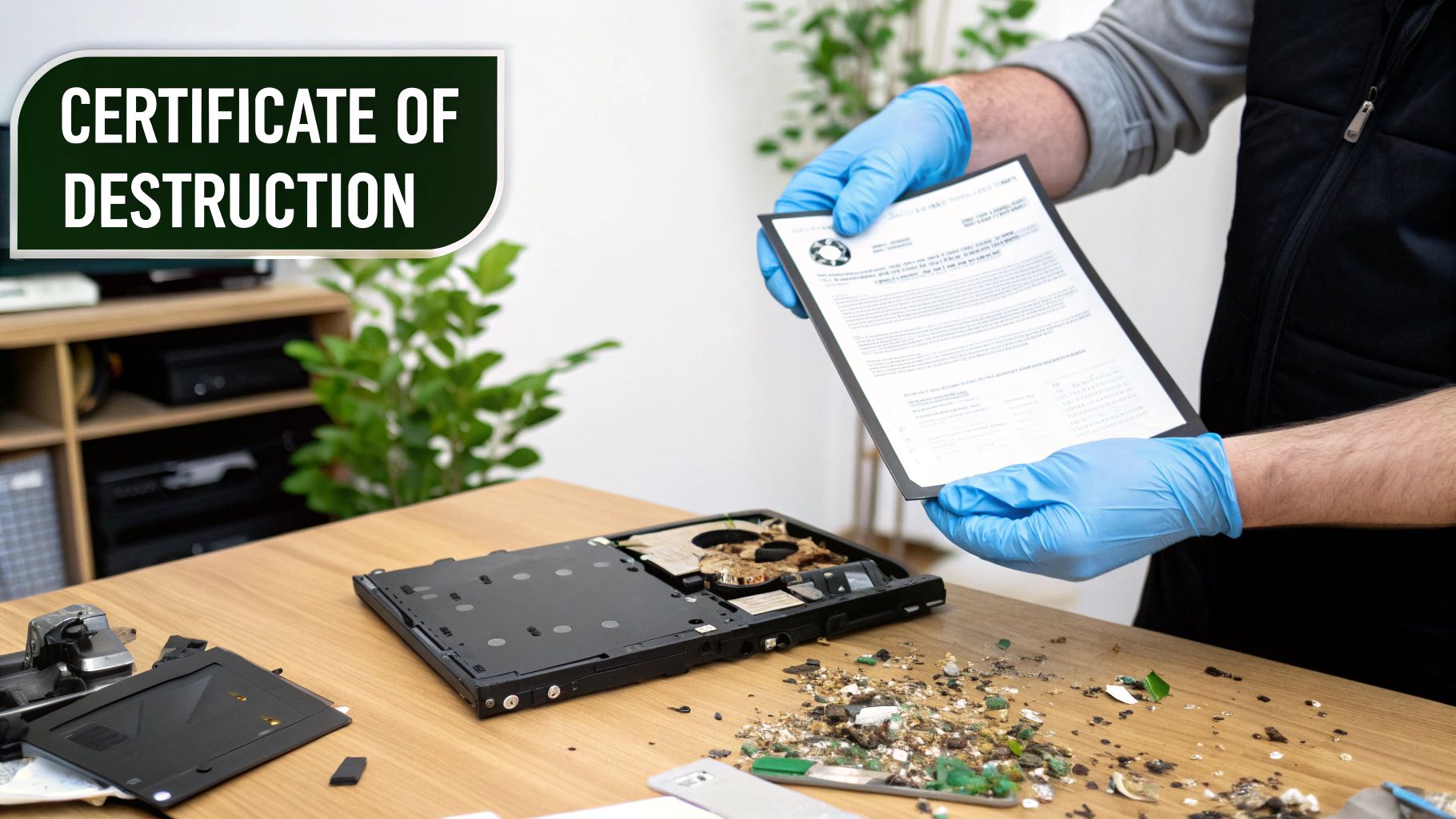
So you've wiped, degaussed, or physically destroyed your old hard drives. The data is gone. But your job isn't quite done yet.
In the business world, the final, most critical step isn't the act of destruction itself—it's the proof. Without proper documentation, you’re leaving your company wide open to legal and financial headaches, especially if an auditor comes knocking.
That’s where a Certificate of Data Destruction comes in. Think of it as more than just a piece of paper; it's your legal evidence that you've done your due diligence in protecting sensitive information. This document creates a clear, auditable trail that stands up to scrutiny from regulators and stakeholders alike.
What a Certificate of Destruction Must Include
A legitimate certificate is a detailed legal document, not a flimsy receipt. For it to hold up for compliance under regulations like HIPAA or GLBA, it needs to contain specific, verifiable details about every asset that was destroyed.
- Unique Serial Numbers: Every single hard drive or media device must be listed by its individual serial number. No exceptions.
- Method of Destruction: The certificate has to state exactly how the data was destroyed—whether by a multi-pass overwrite, degaussing, or physical shredding.
- Date and Location of Destruction: This establishes a clear timeline and physical location for when and where the sanitization happened.
- Chain of Custody Details: It should reference the secure transfer of your assets from your office to the point of destruction.
- Signature of an Authorized Witness: A representative from the certified destruction vendor has to sign off, attesting that the service was completed as promised.
Without these key elements, your "proof" is essentially worthless in an audit. For Atlanta businesses looking for that peace of mind, our certified hard drive destruction services provide this essential documentation for every single project we handle.
Key Insight: A Certificate of Destruction is your legal safeguard. It effectively shifts the liability from your company to the certified vendor, proving you took all necessary steps to prevent a data breach from your end-of-life media.
Beyond Compliance: Turning E-Waste into Hope
True corporate responsibility doesn't just end with a compliance checkbox. Modern companies are measured not just by their profits, but by their positive impact on their community and the environment. This is where a routine security task can become a powerful story for your brand's Environmental, Social, and Governance (ESG) initiatives.
At Atlanta Green Recycling, we built our entire mission around this idea. Our “Recycle for a Cause” campaign transforms every securely destroyed hard drive into a contribution with a dual impact. We call it "Recycling That Restores Lives and Landscapes."
This approach means your old tech does more than just avoid a landfill. Part of the proceeds from responsibly recycling your e-waste directly funds two critical causes: providing essential aid to veterans in our community and planting new trees to help reforest our nation. It’s a seamless way for your company to turn a necessary operational expense into a tangible social good.
An Easy ESG Win for Atlanta Companies
We've designed this to be an effortless ESG win for our corporate partners. When you work with us, you don’t just get a Certificate of Destruction. You also receive a Veteran Support Impact Report and Plant-A-Tree certificates that you can proudly feature in your annual CSR and sustainability reports. It’s a powerful message to share: “Your old tech can house a veteran and grow a forest.”
By partnering with local VFW chapters and environmental nonprofits, we co-host community recycling drives aligned with events like Veterans Day and Earth Day, strengthening our "Greener Atlanta" initiative. This dual-impact model offers businesses an easy ESG win, turning their e-waste into verifiable sustainability and CSR benchmarks.
Beyond the technical methods of wiping data, understanding the broader implications of retiring hardware is crucial. To learn more about minimizing environmental impact, explore proper IT asset disposal (ITAD). This process isn't just about data security; it’s about making a positive, measurable difference that resonates with your employees, customers, and the entire community.
Common Questions About Wiping Hard Drives
When it comes to getting rid of old hard drives, the details matter—a lot. For Atlanta businesses protecting sensitive information, there’s no room for guesswork. Let’s tackle some of the most common questions we hear about how to completely wipe a drive, so you can make decisions that are both confident and compliant.
Can a Formatted Hard Drive Be Recovered?
Yes, absolutely. This is probably the single most dangerous myth in data security.
When you run a “quick format” on a drive, you’re not actually deleting anything. You’re just removing the file system’s address book. The files themselves—all the ones and zeros—are still physically present on the drive. Think of it like tearing the table of contents out of a book; all the pages are still there for anyone willing to flip through them.
Widely available data recovery software can easily rebuild that "address book" and pull back nearly everything that was on the drive. For real security, you have to go further by either overwriting the data (the NIST Clear/Purge method) or physically destroying the drive (the NIST Destroy method).
What Is the Most Secure Way to Wipe a Hard Drive?
Without a doubt, the most secure method is physical destruction.
When a hard drive is run through an industrial shredder and torn into tiny, unrecognizable pieces of metal, there’s zero chance of recovery. It’s a 100% guarantee that the data is gone for good. This is what NIST refers to as the "Destroy" level of data sanitization.
If a drive needs to be reused and destruction isn't an option, the next best methods are:
- For HDDs: A multi-pass overwrite using a proven algorithm, like the DoD 5220.22-M standard.
- For SSDs: Using a built-in command like ATA Secure Erase or, for self-encrypting drives, performing a Cryptographic Erase.
These "Purge" level methods make data recovery practically impossible, even for someone with sophisticated forensic tools.
Expert Insight: Real security isn't just about the method; it’s about the proof. The most secure process is one that includes a certified, auditable chain of custody and ends with a legal Certificate of Data Destruction. That's what proves compliance and transfers liability away from you.
How Long Does It Take to Completely Wipe a Drive?
The time it takes can vary wildly depending on the drive's size, its type, and the method you choose.
- Physical Shredding: This is the fastest way to guarantee destruction. Once a drive hits the shredder, it’s over in just a few seconds.
- Degaussing: For HDDs, this is almost instant. A powerful magnetic pulse scrambles the data in a matter of seconds.
- Cryptographic Erase / Secure Erase (for SSDs): These are also incredibly quick, often finishing in less than a minute. They work by either deleting the encryption key or telling the firmware to reset all the memory cells.
- Software Overwriting (for HDDs): This is the slow one. A multi-pass wipe on a large-capacity hard drive can easily take many hours, and sometimes even days, to finish. For a business with dozens of drives, this can tie up your IT team for an impractical amount of time.
Is It Safe to Sell or Donate Old Hard Drives?
It’s only safe if you can prove the drive has been professionally sanitized according to NIST 800-88 standards. Just formatting the drive or running a basic wipe is nowhere near enough and leaves your business wide open to risk.
Before any drive leaves your control, it needs to undergo a "Purge" level sanitization. A better approach is to work with a certified IT Asset Disposition (ITAD) vendor. They can manage the entire process and provide the official documentation needed to prove the data was securely destroyed before the asset was sold or donated. It’s the only way to ensure your good deed doesn’t become a data breach nightmare.
Why Choose a Professional Service Over DIY?
While DIY software might feel like an easy fix for a single computer at home, it’s a minefield of risk for any business. A professional service like Atlanta Green Recycling doesn't just wipe drives; it eliminates risk and provides guarantees a DIY approach simply can't offer.
| Factor | DIY In-House Method | Professional Service (Atlanta Green Recycling) |
|---|---|---|
| Guaranteed Security | Vulnerable to human error, software glitches, and completely ineffective on damaged drives. | NIST 800-88 compliant methods, including physical destruction for any media that fails sanitization. |
| Legal Compliance | Creates no legally defensible proof and won't hold up in a serious audit. | Provides a legal Certificate of Destruction for every drive, giving you auditable proof of compliance. |
| Efficiency & Scale | Becomes a massive time-sink for large batches of drives, pulling your staff away from their real jobs. | Handles hundreds of drives quickly and efficiently, letting your internal team focus on what they do best. |
| Social Impact | A simple disposal task. | Turns e-waste into a positive ESG story, supporting veterans and reforestation efforts. |
At the end of the day, hiring a professional service isn't an expense—it's an investment in risk management. It's the only way to be completely sure your sensitive data is gone and you have the legal paperwork to prove it.
Ready to turn your e-waste into a force for good while ensuring absolute data security? At Atlanta Green Recycling, we offer certified data destruction and responsible electronics recycling that supports our nation's veterans and helps restore our forests. Schedule your secure pickup today and join our "Recycling That Restores Lives and Landscapes" mission.
Learn more and get a quote at https://www.greenatlanta.com.