What To Do With Old Desktop Computer: 10 Impactful Ideas


That outdated desktop computer gathering dust in a closet or taking up space under a desk holds more potential than you might think. Before you consider tossing it, understand that there are numerous sustainable, charitable, and even profitable options available. From empowering students to creating a home media hub, knowing what to do with an old desktop computer not only prevents hazardous e-waste from entering landfills but also creates value for your community and your business. This is especially true for corporate environments, where retiring hardware is a regular part of the IT lifecycle. Disposing of this equipment responsibly is more than an operational task; it's an opportunity to strengthen your company's Environmental, Social, and Governance (ESG) profile.
This guide offers ten practical, actionable solutions for individuals and Atlanta-based organizations looking to make an impactful choice. We'll explore everything from corporate recycling drives that turn your e-waste into community support to simple DIY projects that give old hardware a second life. Each option provides a clear path to transforming surplus tech from a liability into a valuable asset, whether you’re a hospital managing HIPAA-regulated data or a university upgrading its computer labs. Let’s dive into the best ways to repurpose, donate, sell, or responsibly recycle your old desktop computers.
1. Donate to Schools or Educational Institutions
Deciding what to do with an old desktop computer often ends with a simple choice: donation. Giving your surplus IT equipment to schools, libraries, or educational nonprofits is an excellent way to extend its lifespan while creating a tangible social impact. This approach directly supports STEM education, enhances computer literacy programs, and helps bridge the digital divide for students who may lack access to technology at home.
For corporations, this action serves as a powerful component of their Corporate Social Responsibility (CSR) strategy. By partnering with organizations that facilitate these donations, businesses can align their e-waste disposal with community support. This creates a compelling narrative for a “Recycle for a Cause” campaign, turning routine asset disposition into a story of local empowerment. Learn more about how your old electronics for schools can make a difference in the community.
Key Considerations for Donating
Before donating, secure data destruction is non-negotiable. Use a tool like DBAN (Darik's Boot and Nuke) to wipe hard drives completely, ensuring sensitive corporate or personal information is irretrievable. When you're ready to donate, consider these steps:
- Contact Institutions Directly: Reach out to local Atlanta-area school districts or libraries.
- Use Established Platforms: Services like TechSoup Global connect corporate donors with thousands of verified nonprofits.
- Include Peripherals: Maximize your donation's value by including monitors, keyboards, mice, and power cords.
- Request Documentation: Always ask for a donation receipt for potential tax deductions and to include in your company's CSR reporting.
2. Convert to Media Center/Home Entertainment PC
Instead of sending an old desktop to the landfill, consider what to do with an old desktop computer by giving it a second life as a dedicated media center. Transforming it into a Home Theater PC (HTPC) connects directly to your television, providing a powerful hub for streaming services, local media playback, and even vintage gaming. This repurposing project is a cost-effective way to gain smart TV functionality without buying new hardware, extending the machine's useful life.

This approach not only prevents e-waste but also centralizes your digital entertainment. Software like Plex or Kodi can organize and serve your entire library of movies, music, and photos to any device in your home. For businesses with older, non-sensitive client-facing machines, this conversion can create a simple, reliable digital signage or presentation player for lobbies and conference rooms, offering a sustainable alternative to premature disposal.
Key Considerations for HTPC Conversion
Before beginning, ensure the machine's hardware can handle video playback, which most desktops from the last decade can. Once you've confirmed compatibility, take these steps to build a powerful and user-friendly system:
- Install a Lightweight OS: Use a Linux distribution like Ubuntu or a dedicated media OS like LibreELEC to minimize resource usage.
- Choose Your Media Software: Install user-friendly platforms like Plex for easy server management or Kodi for extensive customization.
- Upgrade for Speed: Consider replacing the old hard drive with a small, inexpensive SSD to dramatically speed up boot times and responsiveness.
- Add a Remote Control: Purchase an affordable USB infrared receiver and remote to control the system from your couch for a seamless experience.
3. Sell as Used/Refurbished Hardware
For companies with relatively modern or still-functional desktop computers, reselling offers a direct path to recovering asset value. Selling your surplus hardware on the secondary market not only provides a financial return but also extends the lifecycle of the equipment, giving others access to affordable, reliable technology. This sustainable approach turns asset disposition from a cost center into a potential revenue stream.
This strategy is particularly effective for businesses undergoing hardware upgrades where the outgoing equipment is only a few generations old. By partnering with specialized refurbished computer retailers or using established online marketplaces, you can efficiently liquidate these assets. For businesses in the Atlanta area, this process can be seamlessly integrated into a larger Corporate Social Responsibility (CSR) initiative, showcasing a commitment to both fiscal prudence and environmental sustainability.
Key Considerations for Selling
To maximize returns and ensure a smooth transaction, preparation and transparency are crucial. Secure data destruction is the mandatory first step before any resale. Consider these additional points:
- Provide Detailed Specifications: Accurately list the CPU, RAM, storage type and size, and GPU. This information is critical for buyers.
- Document Cosmetic Condition: Take clear, high-resolution photos from multiple angles and honestly describe any scratches, dents, or wear.
- Use Secure Data Erasure: Use professional tools to wipe hard drives completely and, if selling to other businesses, be prepared to provide a certificate of data destruction.
- Explore Bulk Buyback Programs: Services like Gazelle or IT asset disposition (ITAD) vendors often purchase corporate equipment in bulk, simplifying the logistics for large quantities.
4. Repurpose as a Home Server or NAS
Instead of recycling, what if you could give your old desktop computer a new, powerful job? Transforming it into a home server or Network-Attached Storage (NAS) device is a surprisingly practical and cost-effective solution. This approach breathes new life into aging hardware, creating a centralized hub for file backups, media streaming, or even hosting a private cloud, all with minimal additional investment. It’s an ideal project for tech-savvy individuals or IT departments looking to experiment with self-hosted solutions.
For a business, repurposing a few older machines as internal servers for non-critical tasks can be a smart move. It can serve as a test environment for new software, a local backup for specific team projects, or a dedicated server for internal tools. This not only extends the hardware's lifecycle but also offers a low-stakes way to build internal IT capabilities. If repurposing isn't viable, consider a “Recycle for a Cause” program that turns e-waste into community impact.
Key Considerations for Repurposing
A successful server conversion requires the right software and setup. Before you begin, ensure the hardware meets the minimum requirements for your chosen server operating system. To get started, consider these practical steps:
- Install a Specialized OS: Use robust, free platforms like TrueNAS CORE (formerly FreeNAS) or OpenMediaVault to manage storage and services efficiently.
- Expand Storage: Add more hard drives to increase capacity. For data protection, configure them in a RAID array (like RAID 1 or RAID 5) for redundancy.
- Ensure Proper Ventilation: Servers run 24/7 and generate heat. Place the machine in a cool, well-ventilated location to prevent overheating.
- Configure for Remote Access: Set up SSH or a web-based management interface so you can administer the server from any computer on your network.
5. Donate to Senior Citizens or Underserved Communities
Donating refurbished desktop computers to senior citizens and low-income communities is a powerful way to bridge the digital divide. For many, an old desktop computer isn't obsolete; it's an essential gateway to telehealth appointments, job applications, and vital social connections. This act of corporate giving transforms e-waste into a tool for empowerment, enabling digital literacy and fostering social inclusion for vulnerable populations.
For an Atlanta business, this is a prime opportunity for a "Recycle for a Cause" campaign focused on community well-being. Partnering with local VFW chapters, veteran shelters, or senior centers positions your company as a leader in corporate social responsibility. When considering donating an old desktop to senior citizens, think about how it can provide entertainment and mental stimulation. You might explore ideas for engaging games for seniors that can be pre-installed to enhance their experience.
Key Considerations for Donating
Secure data destruction is the critical first step. Use a certified data destruction service or a tool like DBAN (Darik's Boot and Nuke) to ensure all sensitive information is permanently erased before the computer is repurposed. After sanitization, focus on making the device user-friendly.
- Partner with Established Nonprofits: Work with reputable groups like Senior Planet (AARP) or local community action agencies that have established distribution and training programs.
- Optimize for Accessibility: Pre-install accessibility features, such as large fonts and screen readers, to accommodate users with visual or motor impairments.
- Simplify the User Experience: Install only essential applications and create a clean, uncluttered desktop to avoid overwhelming new users.
- Provide Printed Guides: Include simple, printed instructions covering basic operations like connecting to Wi-Fi and opening a web browser.
6. Recycle Through E-Waste Programs
When an old desktop computer is non-functional or too outdated for any practical use, responsible recycling is the best course of action. Certified e-waste programs are designed to properly dismantle electronics, recovering valuable materials like gold, copper, and aluminum while safely disposing of hazardous components such as lead and mercury. This prevents toxic materials from contaminating landfills and reduces the need for virgin resource extraction.
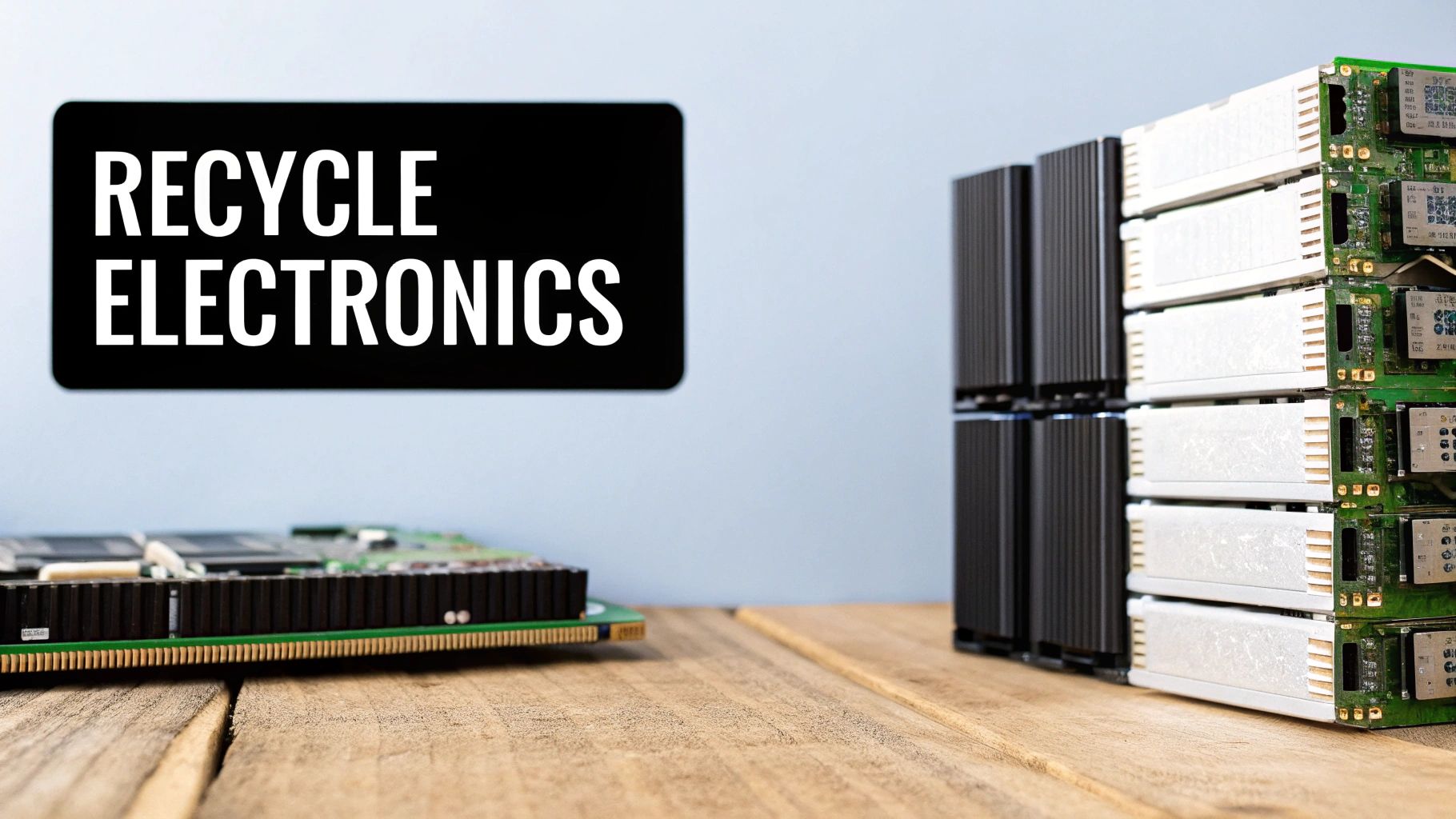
For Atlanta organizations, partnering with a mission-driven recycler transforms a compliance task into a powerful "Recycle for a Cause" campaign with messaging like, “Your old tech can house a veteran and grow a forest.” This approach directly contributes to Corporate Social Responsibility (CSR) and Environmental, Social, and Governance (ESG) goals by turning e-waste into hope. To see how this process works, get familiar with this guide to recycling obsolete computers and laptops for more details.
Key Considerations for E-Waste Recycling
Properly recycling electronics is a crucial final step in a computer's lifecycle. To ensure your company is compliant and making a positive impact, follow these guidelines:
- Verify Certifications: Only use recyclers with R2 or e-Stewards certifications. These standards guarantee responsible and secure data handling and environmental practices.
- Prioritize Take-Back Programs: Check if the original manufacturer, like Dell or Apple, offers a take-back or mail-in recycling program for their products.
- Partner for Corporate Recycling Drives: For Atlanta companies with 50+ devices, seek partners that offer free pickup and provide Veteran Support Impact Reports for your CSR documentation.
- Confirm Data Destruction: Ensure the recycling partner provides certified data destruction services to protect sensitive corporate information from breaches.
- Request Documentation: Always obtain recycling certificates for your records to prove compliance and include in your annual CSR and ESG reports.
7. Set Up as a Gaming PC or Retro Arcade Cabinet
Breathing new life into an old desktop computer can be as simple as transforming it into a dedicated gaming rig. For enthusiasts and hobbyists, this approach offers a rewarding project that turns surplus hardware into an entertainment powerhouse. An older PC can often handle less demanding indie games or esports titles, or it can be converted into a retro arcade cabinet that emulates classic games from past decades, preserving digital history and providing endless fun.
This option is particularly appealing for companies looking to engage employees through creative internal projects or for community-focused initiatives. A business could sponsor a local makerspace or youth center by donating older PCs for a "build-an-arcade" workshop. This turns e-waste disposal into a community-building activity, a perfect fit for a "Recycle for a Cause" campaign that highlights innovation and hands-on learning, aligning well with Corporate Social Responsibility (CSR) goals.
Key Considerations for a Gaming PC Conversion
Before diving in, a successful conversion requires some planning. While a high-end gaming PC isn't the goal, a few strategic upgrades and software choices are crucial for a smooth experience.
- Install a Lightweight OS: Use a resource-friendly operating system like a Linux distribution (e.g., Pop!_OS or Linux Mint) to maximize performance on older hardware.
- Upgrade Key Components: If budget allows, a modern, budget-friendly graphics card and a Solid State Drive (SSD) will dramatically improve game loading times and overall performance.
- Use Established Gaming Platforms: Access vast libraries of compatible games through platforms like Steam, GOG, or itch.io, many of which offer titles specifically designed for lower-spec systems.
- Embrace Retro Gaming: Install emulation software like RetroArch or a dedicated OS like Lakka to turn the PC into a console that can play thousands of classic arcade and console games.
- Ensure Proper Cooling: Gaming puts a strain on components, so ensure the computer's fans are clean and functioning correctly to prevent overheating during long sessions.
8. Create a Linux Development or Programming Workstation
An aging desktop computer that struggles with modern Windows or macOS can find a powerful new purpose as a dedicated Linux workstation. Linux distributions are famously lightweight and efficient, making them ideal for breathing new life into older hardware. This transforms a potentially sluggish machine into a robust environment for software development, programming education, or even hosting small server applications.
For companies, this approach offers a cost-effective way to create isolated development or testing environments without investing in new hardware. It aligns with sustainability goals by extending asset lifespan and supports employee training initiatives in coding or system administration. Turning an old desktop into a functional tool is a smart IT asset management decision.
Key Considerations for a Linux Workstation
Setting up a Linux environment is more accessible than ever. To maximize its utility as a development machine, focus on the right software and a few simple hardware tweaks.
- Choose a User-Friendly Distribution: Start with Ubuntu LTS or Linux Mint. These distributions are known for their ease of installation and extensive community support.
- Install Essential Development Tools: Equip the machine with core utilities like
gitfor version control,gccfor compiling, and Docker for containerization to create isolated and reproducible development environments. - Consider Minor Upgrades: A small investment in additional RAM or a solid-state drive (SSD) can dramatically improve performance, making the workstation feel much more responsive.
- Leverage Virtualization: Use tools like VirtualBox to run different operating systems or test environments within your Linux setup, maximizing the machine's versatility.
9. Donate to Non-Profit Organizations or Churches
Expanding your philanthropic reach beyond schools, donating old desktop computers to non-profit organizations and churches is a powerful way to support community-level initiatives. These organizations, from local food banks to community development corporations, often operate on tight budgets where new technology is a luxury. Your donated equipment can directly empower their administrative work, community outreach programs, and efforts to expand digital access for underserved populations.
For corporations, this presents a unique opportunity to engage in cause-based marketing. Partnering with a non-profit transforms a standard e-waste disposal process into a "Recycle for a Cause" campaign, creating a compelling narrative of social responsibility. It demonstrates a commitment to community uplift, turning surplus assets into tangible support for missions that resonate with both employees and customers.
Key Considerations for Donating
Secure data destruction remains the critical first step. Ensure all hard drives are professionally wiped to protect sensitive information before any handover. When you’re prepared to donate, follow these best practices:
- Identify Local Needs: Contact local Atlanta-area nonprofits like Habitat for Humanity, Boys & Girls Clubs, or church community centers directly to inquire about their specific technology needs.
- Provide a Complete Package: Enhance the value of your donation by including essential peripherals like monitors, keyboards, mice, and any necessary software licenses.
- Document for Tax Purposes: Always request a formal donation receipt. For a deeper understanding of the benefits, consult a complete guide on what donations are tax deductible to ensure you maximize your company's financial advantages.
- Request Impact Stories: Ask the organization to share how the equipment is being used. These stories are invaluable for your company’s CSR reports and internal communications. Learn more about how to donate a laptop and other devices to make a local impact.
10. Use as a Security Monitoring or Smart Home Hub
Transforming an outdated desktop into a dedicated control center is an innovative way to handle old IT assets, especially for managing facility operations or tech-forward office environments. An old desktop can be repurposed as an always-on hub for a security surveillance system or a smart building controller, managing everything from IP cameras and sensors to automated lighting and HVAC systems. This approach maximizes the hardware's remaining value, turning a decommissioned asset into a functional operational tool.
This strategy is particularly effective for businesses looking to implement a low-cost, on-premise monitoring solution without relying on expensive cloud subscriptions. It turns routine asset disposition into a smart, internal upgrade. For companies in Atlanta, this represents a practical step in managing their e-waste, turning potential recycling into a direct operational benefit.
Key Considerations for a Dedicated Hub
Before repurposing the machine, ensure it can handle the task. A dedicated hub requires robust security and reliable performance. Learn more about how to protect your network when repurposing old hardware by reviewing essential data security protocols.
- Install Dedicated Software: Use powerful open-source platforms like Home Assistant or OpenHAB for smart device control, or install ZoneMinder or Frigate NVR for AI-powered video surveillance.
- Prioritize Network Security: Isolate the hub on its own network segment or VLAN to protect your primary corporate network from potential vulnerabilities.
- Ensure Adequate Storage: Security camera footage consumes significant disk space. Equip the desktop with sufficient hard drive capacity for recording archives.
- Optimize for Efficiency: Install a lightweight Linux distribution (like Ubuntu Server) to minimize resource consumption and ensure the system runs smoothly 24/7.
10-Way Comparison: Uses for an Old Desktop Computer
| Option | Implementation Complexity 🔄 | Resource Requirements ⚡ | Expected Outcomes 📊 | Ideal Use Cases 💡 | Key Advantages ⭐ |
|---|---|---|---|---|---|
| Donate to Schools or Educational Institutions | Moderate 🔄 — data wiping & coordination | Low–Moderate ⚡ — transport, possible upgrades | High 📊 — educational impact; reduces e‑waste | STEM programs, libraries, bulk donations | Tax-deductible; direct student benefit ⭐ |
| Convert to Media Center/Home Entertainment PC | Low–Moderate 🔄 — software + connectivity | Low ⚡ — HDMI, SSD, remote control | Medium–High 📊 — streaming, local media playback | Living room TV, Plex/Kodi setups | Cost-effective, highly customizable ⭐ |
| Sell as Used/Refurbished Hardware | Low 🔄 — erase, list, ship | Low ⚡ — packaging, shipping costs | Medium 📊 — recover resale value (20–50%) | Online marketplaces, local sales | Financial return; extends lifecycle ⭐ |
| Repurpose as a Home Server or NAS | High 🔄 — RAID, remote access, uptime | Moderate ⚡ — extra drives, continuous power | High 📊⭐ — centralized backup, private media/cloud | Home backup, media streaming, smart home storage | Lower cost than commercial NAS; fully customizable ⭐ |
| Donate to Senior Citizens or Underserved Communities | Moderate 🔄 — prep, accessibility setup | Low–Moderate ⚡ — training, simplified software | High 📊 — social inclusion; improved access | Senior centers, community programs | Strong social impact; often tax benefits ⭐ |
| Recycle Through E-Waste Programs | Low 🔄 — drop-off; verify certification | Low ⚡ — transport to certified recycler | Medium–High 📊 — material recovery; safe disposal | Non-functional or end-of-life hardware | Environmentally responsible; professional data destruction ⭐ |
| Set Up as a Gaming PC or Retro Arcade Cabinet | Moderate–High 🔄 — GPU/thermal upgrades; cabinet work | Moderate ⚡ — GPU, cooling, SSD, power | High 📊 — gaming performance or retro experience | Home gaming rigs, arcade projects | Repurposes hardware for high entertainment value ⭐ |
| Create a Linux Development or Programming Workstation | Moderate 🔄 — OS/install & tooling setup | Low ⚡ — RAM/SSD recommended | High 📊⭐ — stable dev environment; learning platform | Programming practice, hosting dev servers | Free OS, strong community support; secure ⭐ |
| Donate to Non-Profit Organizations or Churches | Moderate 🔄 — locate orgs; coordinate delivery | Low–Moderate ⚡ — transport, possible customization | High 📊 — supports operations and programs | NGOs, churches, community centers | Charitable tax write-off; builds goodwill ⭐ |
| Use as a Security Monitoring or Smart Home Hub | High 🔄 — 24/7 config, network security | Moderate ⚡ — storage, cameras, continuous power | High 📊 — local control; private recordings | Home surveillance, smart home automation | No subscription fees; data stays local ⭐ |
Turn Your Atlanta E-Waste into a Force for Good
Navigating the end-of-life process for your IT assets presents a crucial decision point. As we've explored, the options for what to do with an old desktop computer are vast and varied. From transforming a single machine into a dedicated home media server or a Linux development environment to donating a fleet of PCs to local schools and nonprofits, the potential extends far beyond the landfill. Each path offers a unique way to extract remaining value, whether for personal projects, community support, or financial return.
The key takeaway is that retired technology is not waste; it is an untapped resource. The challenge, especially for corporations, healthcare institutions, and government agencies in the Atlanta area, lies in managing this process securely, efficiently, and responsibly. The choice to sell, donate, or repurpose requires careful consideration of data security, logistical resources, and potential impact. However, the most powerful solutions are often those that consolidate these considerations into a single, impactful action.
From Corporate Responsibility to Community Impact
For organizations guided by Environmental, Social, and Governance (ESG) principles, the decision of how to handle old desktops becomes a strategic opportunity. Instead of viewing IT asset disposition as a mere operational task, you can frame it as a cornerstone of your corporate social responsibility (CSR) initiatives. This is where a partnership-based approach transforms a logistical burden into a powerful narrative.
By aligning your e-waste disposal with a mission-driven partner, you create a ripple effect of positive change. This strategy allows you to:
- Amplify Your ESG Story: Go beyond simple recycling metrics. A "Recycle for a Cause" campaign turns your disposed assets into tangible stories of veteran support and environmental restoration, providing compelling content for your sustainability reports and marketing efforts.
- Engage Your Stakeholders: Involve employees and customers in your mission. A corporate recycling drive co-hosted with a nonprofit partner builds community and showcases your commitment to local issues.
- Achieve Verifiable Impact: Secure concrete results for your CSR goals. Receiving impact certificates, such as "Plant-A-Tree" and "Veteran Support" documents, provides the transparent, auditable proof of your company's positive contributions.
Ultimately, the most effective answer to "what to do with an old desktop computer" is one that closes the loop responsibly while opening new doors for others. Your retired technology can become a tool for education, a connection for a senior citizen, or, through a dedicated program, a source of hope and restoration for our veterans and our planet. By choosing a path of purpose, your organization can ensure that every retired asset leaves a legacy of positive impact long after its final shutdown.
Ready to transform your company's e-waste into a powerful force for good in Atlanta? Partner with Atlanta Green Recycling to handle your IT asset disposition with certified data destruction, full compliance, and a dual mission to support veterans and reforestation. Visit Atlanta Green Recycling to schedule your free corporate pickup and turn your old technology into a verifiable ESG achievement.