What To Do With an Old Desktop Computer: 10 Smart Options

Every office has a closet of retired technology. These old desktop computers represent a challenge and a significant opportunity. The question of what to do with an old desktop computer goes beyond simple disposal. For businesses and organizations in Atlanta, the answer involves data security, environmental responsibility, and even a chance to make a profound community impact. Leaving them to gather dust risks data breaches and compliance violations, while improper disposal harms our environment.
This guide offers ten strategic, actionable solutions for your organization's end-of-life IT assets. It is designed to transform a logistical headache into a powerful win for your company's ESG goals, your community, and your bottom line. We will move past generic advice and provide specific, actionable pathways for every piece of surplus equipment, from secure data destruction compliant with HIPAA to repurposing hardware for specialized tasks.
By partnering with a certified provider like Atlanta Green Recycling, your organization can do more than just dispose of old equipment. You can turn e-waste into hope, supporting veterans and contributing to reforestation efforts with every device you recycle. This is “Recycling That Restores Lives and Landscapes.” Let's explore how you can turn outdated tech into tangible good, securely and sustainably, and how to schedule a pickup to start the process.
1. Donate to Schools or Educational Institutions
When your organization is deciding what to do with an old desktop computer, one of the most impactful options is donating it to a school, library, or educational nonprofit. These institutions often operate on tight budgets where funding for new technology is scarce. Your surplus desktops, even if a few years old, can become invaluable assets in a classroom, computer lab, or library, providing students with essential tools for digital literacy and learning.
This approach not only extends the useful life of your IT assets but also aligns perfectly with Corporate Social Responsibility (CSR) and Environmental, Social, and Governance (ESG) goals. By collaborating with schools and municipalities on a “Greener Atlanta” initiative, a routine IT asset disposition task is transformed into a powerful community program. Your donation directly addresses the digital divide, equipping the next generation with the resources they need to succeed.
How to Implement a Donation Program
Before donating, it is critical to ensure all sensitive corporate and customer data is securely and permanently erased. A simple factory reset is insufficient. Professional data destruction services are necessary to prevent data breaches and maintain compliance.
Here are the key steps to follow:
- Secure Data Destruction: Partner with a certified vendor to perform DoD 5220.22-M or NIST 800-88 compliant data wiping on all hard drives. This ensures data is unrecoverable.
- Assess and Inventory: Create a clear inventory of the desktops, including their specifications (CPU, RAM, storage). This helps the receiving institution understand if the hardware meets their needs.
- Include Peripherals: Maximize your donation's value by including functional keyboards, mice, and monitors. A complete setup is far more useful than a standalone tower.
- Request Documentation: Always ask for a donation receipt from the institution for your records. This is essential for tax purposes and for documenting your company's CSR contributions.
Beyond direct donations, many educational institutions secure additional funding to enhance their tech resources. Learn about the top sources of grant money for computers in education to see how your hardware donation can be complemented by other funding streams. To facilitate these types of high-impact community partnerships, you can explore specialized programs for donating electronics for schools.
2. Convert to a Media Center or Home Theater PC
Another excellent way to extend the life of an old desktop computer is by repurposing it into a dedicated Home Theater PC (HTPC) or media center. Instead of heading to a landfill, an older desktop can become the central hub for your home's entertainment, capable of streaming movies, organizing music collections, and displaying photo slideshows directly on your television. This is a practical and sustainable solution for handling end-of-life IT assets.

This approach gives functional hardware a second life, reducing e-waste and maximizing the value of your initial investment. For businesses looking for creative ways to engage employees or donate to community centers, a pre-configured media center can be a welcome gift. For individuals, it's a cost-effective way to build a powerful entertainment system. This method aligns with green initiatives by promoting reuse over disposal.
How to Implement a Media Center Conversion
Converting a desktop into an HTPC is straightforward but requires a few key steps to ensure it performs well and is easy to use. The goal is to create a seamless, remote-controlled experience similar to a commercial streaming device, but with far more power and flexibility.
Here are the key steps to follow:
- Install Media Server Software: Use robust, free software like Plex or Kodi (formerly XBMC) to organize and stream your media. These platforms offer user-friendly interfaces that can be controlled with a remote.
- Assess and Upgrade Hardware: While most older desktops are sufficient, consider a small RAM upgrade for smoother playback or a larger hard drive to store more content. An HDMI port is essential for connecting to modern TVs.
- Ensure Proper Connectivity: Connect the PC to your television via HDMI for both video and audio. For convenient control from the couch, use a wireless keyboard with a built-in trackpad or a dedicated media remote.
- Optimize for Quiet Operation: Media centers run for long periods, so ensure the computer has adequate ventilation to prevent overheating. If the internal fans are noisy, consider replacing them with quieter models to avoid disrupting your viewing experience.
If a DIY project isn't the right fit, especially when dealing with multiple corporate devices, a certified recycling program is the best alternative. Atlanta Green Recycling offers secure and responsible disposal, turning your old tech into a force for good. We partner with initiatives that support U.S. veterans and contribute to reforestation through the USDA Forest Service, embodying our "Recycling That Restores Lives and Landscapes" mission.
3. Sell to Refurbishment Companies
For organizations with still-functional but outdated desktop computers, selling them to refurbishment companies presents a financially savvy and environmentally responsible solution. These specialized businesses purchase used IT hardware, perform certified data destruction, repair or upgrade components, and then resell the renewed systems on secondary markets. This process extends the lifecycle of your assets, recovering a portion of their initial value.
This route is a key component of a circular economy, turning potential e-waste into affordable technology for students, small businesses, or consumers on a budget. Partnering with a reputable refurbisher like Green Atlanta Recycling transforms your IT asset disposition into an efficient revenue recovery operation. It’s a strategic choice that supports sustainability goals while ensuring your data is handled securely and professionally from pickup to final resale.
How to Partner with a Refurbisher
Engaging with a refurbishment company requires diligence to ensure you receive fair market value and guaranteed data security. Vetting potential partners is the most critical step in this process.
Here are the key steps to follow:
- Verify Data Destruction Protocols: Only work with vendors that provide certificates of data destruction compliant with NIST 800-88 or DoD 5220.22-M standards. This is non-negotiable for protecting sensitive corporate information.
- Obtain Multiple Quotes: Provide a detailed inventory of your desktops (model, CPU, RAM, storage) to several certified refurbishers to compare offers and ensure you get a competitive price.
- Check for Certifications: Prioritize partners with R2 (Responsible Recycling) or e-Stewards certifications. These credentials guarantee they adhere to the highest standards for environmental protection and data security.
- Clarify Logistics: Understand the logistics involved, including who covers the costs of packaging, shipping, or pickup. A transparent process avoids hidden fees that can erode your return.
A well-managed refurbishment program is a cornerstone of effective IT asset management. To better understand how this fits into a larger strategy, you can explore the fundamentals of what IT asset disposition is. Selling your old desktops ensures they find a new life, turning surplus equipment into both capital and opportunity.
4. Repurpose as a Network Attached Storage (NAS) Server
Instead of disposing of an old desktop, consider repurposing it into a powerful Network Attached Storage (NAS) server. This approach transforms a decommissioned computer into a centralized, secure data hub for your organization or home office. By installing dedicated NAS software, the desktop becomes an always-on file server accessible to any authorized device on your network, ideal for backups, file sharing, and media streaming.
This strategy is an excellent example of resourceful IT asset management and a fantastic answer to the question of what to do with an old desktop computer. It extends hardware life, reduces e-waste, and provides a cost-effective alternative to purchasing a commercial NAS device. Open-source solutions like TrueNAS (formerly FreeNAS) and OpenMediaVault are popular choices for creating robust, customizable storage solutions for small businesses and tech enthusiasts alike.
How to Implement a NAS Conversion
The process involves wiping the old operating system and installing specialized NAS software. Before you begin, ensure the desktop has sufficient drive bays for your storage needs and adequate internal cooling to handle continuous operation.
Here are the key steps to follow:
- Choose Your Software: Select a NAS operating system that fits your needs. TrueNAS CORE is a powerful, enterprise-grade option, while OpenMediaVault is known for its simplicity and is great for beginners.
- Install Hard Drives: For data redundancy, start with at least two identical hard drives. This allows you to set up a RAID 1 (mirroring) configuration, which duplicates your data across both drives for protection against a single drive failure.
- Configure for Security: Once the software is installed, create user accounts with specific permissions. This step is crucial to control who can access, read, or modify files stored on the server.
- Schedule Automatic Backups: Set up automated backup schedules for critical workstations and servers in your network to ensure data is consistently protected without manual intervention.
For increased data redundancy and performance on your new NAS, you might also want to explore options to learn how to set up a RAID system to protect against hardware failure. This internal project is a smart way to maximize the value of aging IT assets.
5. Donate to Nonprofit Organizations
Beyond the classroom, donating your organization's old desktop computers to nonprofit and charitable organizations is another highly effective way to create lasting community value. Nonprofits, from community centers and youth organizations to homeless service providers, often run on lean budgets where technology is a much-needed but unaffordable expense. Your surplus desktops can empower these groups to streamline administrative tasks, manage volunteer efforts, provide client services, and deliver crucial job training programs.
This route for IT asset disposition directly supports your organization’s ESG and CSR objectives. By co-hosting recycling drives with local Atlanta shelters, VFW chapters, or environmental NGOs, you transform a logistical task into a powerful act of corporate citizenship. Your donation helps bridge the technology gap for those working on the front lines of social change, ensuring their resources are maximized for mission-driven work.
How to Coordinate a Nonprofit Donation
Data security is paramount when donating used corporate computers. A simple file deletion or factory reset is not enough to protect sensitive information. Professional data sanitization is essential to prevent breaches and ensure full compliance with privacy regulations like HIPAA.
Follow these key steps for a successful donation program:
- Implement Certified Data Wiping: Engage a certified ITAD partner to perform data destruction compliant with DoD 5220.22-M or NIST 800-88 standards. This guarantees that all data is permanently and irretrievably erased.
- Identify and Vet Potential Partners: Use platforms like Charity Navigator or local community foundation networks to find reputable nonprofits in the Atlanta area whose needs align with the hardware you have.
- Bundle Complete Systems: Increase the utility of your donation by including essential peripherals. A full setup with a monitor, keyboard, and mouse is immediately usable and far more valuable to the receiving organization.
- Obtain Donation Documentation: Always secure a formal donation receipt from the nonprofit. This document is vital for your company’s tax records and for reporting on your CSR and community engagement initiatives.
Donating functional hardware is one of the most direct and meaningful ways to make a positive impact. To further understand the ripple effect of such contributions, you can learn more about the key ways that computer donations benefit your community.
6. Sell as Used Equipment on Secondhand Marketplaces
Another viable option for what to do with an old desktop computer, especially for functional or high-demand models, is selling them on secondhand marketplaces. Platforms like eBay, Facebook Marketplace, and OfferUp allow your organization to recover residual value directly from individual buyers or small businesses seeking affordable computing solutions. This approach turns a decommissioned asset into a revenue stream, helping to offset the cost of new equipment.
Selling used desktops not only recoups a portion of your initial investment but also promotes a circular economy by extending the device's lifecycle. It's a practical, market-driven solution that benefits both your organization's bottom line and environmentally conscious consumers. For example, a bulk listing on Craigslist could attract a local startup, while specialized or vintage systems might find dedicated buyers on eBay.
How to Implement a Resale Strategy
Before listing any equipment, the absolute priority is ensuring all corporate data has been irretrievably destroyed. A standard format is not sufficient to protect sensitive information and maintain regulatory compliance. Professional data destruction is non-negotiable before any sale.
Here are the key steps to follow:
- Mandatory Data Destruction: You must perform certified data wiping that meets NIST 800-88 or DoD 5220.22-M standards. To ensure compliance and prevent data breaches, you must understand how to properly wipe a computer hard drive.
- Create Detailed Listings: Take clear, well-lit photos of each unit from multiple angles. Provide precise specifications, including CPU model, RAM amount, storage type and size, and GPU. Be transparent about any cosmetic damage or known issues.
- Price Competitively: Research similar listings on your chosen platform to set a realistic price. Factor in the age, condition, and specifications of the desktops.
- Safe Transaction Practices: For local sales via platforms like Facebook Marketplace, arrange to meet buyers in safe, public locations. For online sales, use secure payment systems like PayPal Goods & Services that offer seller protection. Plan for secure packaging and shipping logistics.
7. Recycle Responsibly Through E-Waste Programs
When reuse or donation is not viable, responsible e-waste recycling is the most environmentally sound decision for what to do with an old desktop computer. Certified recycling programs ensure that obsolete electronics do not end up in landfills, where hazardous materials like lead, mercury, and cadmium can contaminate soil and water. These specialized facilities dismantle desktops to recover valuable materials such as copper, gold, and aluminum for reuse in new products, supporting a circular economy.
Partnering with a certified Atlanta-based recycler like GreenAtlanta.com goes beyond simple disposal; it becomes a powerful tool for your corporate ESG and CSR initiatives. Our unique model ensures your e-waste creates a dual impact: supporting U.S. veterans and contributing to national reforestation efforts. This transforms a standard compliance task into a compelling "Recycle for a Cause" campaign, where your old tech can house a veteran and grow a forest.
How to Implement a Responsible Recycling Program
Choosing the right recycling partner is critical to ensure compliance and environmental integrity. Simply dropping off equipment at an uncertified facility can expose your organization to significant data and environmental liability risks. A structured approach is essential.
Here are the key steps to follow:
- Verify Certifications: Only work with recyclers holding industry-leading certifications like R2 (Responsible Recycling), e-Stewards, or ISO 14001. These standards guarantee that materials are processed safely and ethically.
- Confirm Secure Data Destruction: Ensure the vendor provides a Certificate of Data Destruction for every hard drive. This is non-negotiable for protecting sensitive corporate data and meeting compliance requirements.
- Schedule a Pickup: For businesses with multiple desktops, coordinate a scheduled pickup service. We offer free pickup for 50+ devices, making logistics seamless and secure.
- Request Impact Reporting: Ask for documentation detailing the positive outcomes of your recycling. We provide personalized Impact Certificates showing how you planted trees and helped veterans—data invaluable for your CSR and ESG reports.
Properly managing e-waste is a legal and ethical responsibility for every organization. To find certified local options and understand the process further, explore our guide on where you can recycle electronics in the Atlanta area.
8. Repurpose as a Home Server for Web Development
For organizations with technical teams or individual developers looking for what to do with an old desktop computer, repurposing it as a local development server is a highly practical and cost-effective solution. An old desktop, even with modest specs, can be transformed into a powerful, self-hosted environment for building, testing, and staging websites and applications before they are deployed to a live production server. This avoids the costs associated with cloud-based staging environments and provides a sandboxed space for experimentation.
This approach is particularly valuable for developers who need to run local instances of databases, test API endpoints, or manage containerized applications using tools like Docker. Setting up a dedicated LAMP (Linux, Apache, MySQL, PHP) stack or a local WordPress development server on a retired machine gives your team a stable and controlled testing ground. It not only extends the hardware's lifecycle but also enhances your development workflow, allowing for rapid iteration and debugging without affecting live systems.
How to Set Up a Development Server
Transforming a desktop into a server requires a few key software and hardware considerations to ensure stability, security, and performance. Before starting, ensure any sensitive corporate data has been professionally wiped from the hard drives.
Here are the key steps to follow:
- Install a Server-Friendly OS: Replace the existing operating system with a lightweight Linux distribution like Ubuntu Server. This provides better performance, security, and access to a vast repository of open-source development tools.
- Use Containerization: Install Docker to run applications in isolated containers. This simplifies the process of setting up and managing complex development environments, ensuring consistency between testing and production.
- Implement Version Control: Set up a local Git server to manage code repositories, track changes, and facilitate collaboration among team members.
- Establish a Backup Strategy: Configure automated backups for critical project files and databases to prevent data loss. An Uninterruptible Power Supply (UPS) can also protect the server from power outages.
This method turns obsolete hardware into a productive asset, supporting innovation and streamlining your development cycle. If the hardware is ultimately too old for this purpose, a certified recycler can ensure its components are handled responsibly. Programs in Atlanta can even align this disposal with CSR goals, turning your e-waste into positive community impact through initiatives that support veterans and environmental restoration.
9. Create a Retro Gaming or Emulation Station
For organizations with a few extra desktops, a creative and engaging reuse option is transforming an old computer into a dedicated retro gaming and emulation station. This process involves installing specialized software that allows the hardware to run classic games from vintage consoles and arcade machines. It's a fantastic way to extend a machine's life, providing a unique amenity for employee break rooms, community centers, or even as part of a creative technology curriculum.
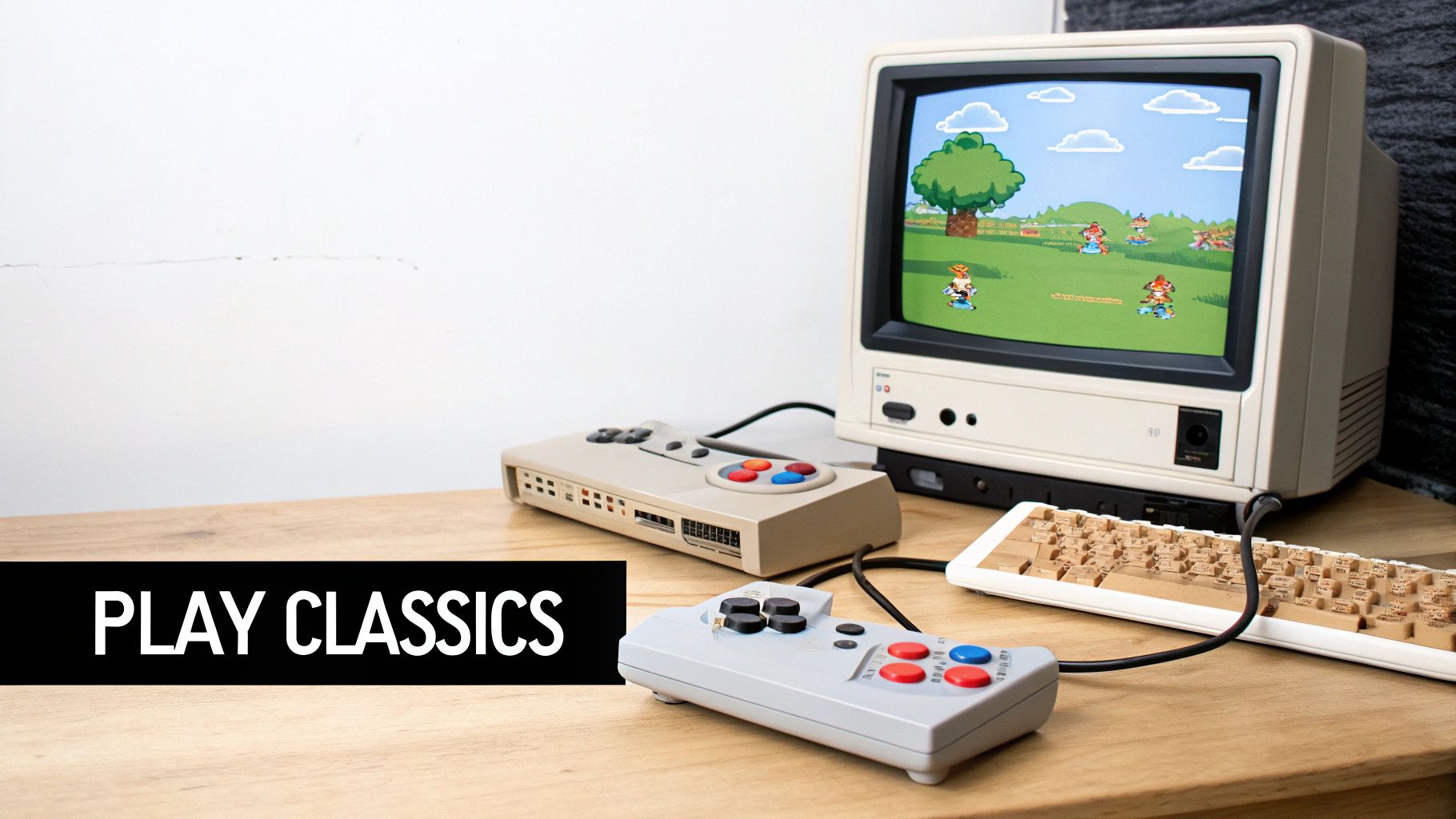
This approach not only prevents functional hardware from becoming e-waste but can also support community engagement initiatives. A local Atlanta non-profit, for example, could use a donated retro gaming PC to create a fun, interactive space for youths. This turns a simple IT asset disposition task into a project that fosters community and provides entertainment, aligning with corporate social responsibility (CSR) goals focused on local impact and creative reuse.
How to Implement a Retro Gaming Project
The first step in any reuse project is ensuring the complete and secure destruction of all previous data. An old desktop must be professionally wiped before repurposing it for gaming to eliminate any risk of data exposure.
Here are the key steps to follow:
- Perform a Secure Data Wipe: Before any software installation, engage a certified service to perform a NIST 800-88 compliant data wipe on the hard drive. This is a non-negotiable step to protect sensitive corporate information.
- Install Emulation Software: Choose a user-friendly operating system designed for emulation, such as Lakka or Recalbox. These platforms provide an all-in-one interface for organizing and playing games.
- Configure Hardware: Connect and configure USB or Bluetooth controllers. For the best visual experience, use a quality HDMI or DVI connection to a modern monitor or TV.
- Source Game ROMs Legally: It is crucial to only use game files (ROMs) from cartridges or discs that you legally own. This ensures your project complies with copyright laws.
By repurposing hardware for a fun and functional second life, you demonstrate a commitment to sustainability. When other machines are ready for final disposal, consider a partner that maximizes their value. At Green Atlanta, we turn your retired electronics into tangible support for veterans and vital reforestation projects, making every donation a part of a larger mission.
10. Donate to Cybersecurity and Tech Training Programs
Another impactful destination for your organization's old desktop computers is a cybersecurity bootcamp, coding academy, or vocational tech training program. These institutions equip the future IT workforce with hands-on skills in system administration, networking, and cybersecurity. Your surplus hardware, even if several years old, can serve as the perfect training ground for students learning to build, troubleshoot, and secure computer systems.
This type of donation creates a direct pipeline of talent for the tech industry while extending the life of your IT assets. By partnering with programs like Year Up or local Atlanta-based coding academies, your company’s IT asset disposition becomes a powerful tool for workforce development. This initiative perfectly aligns with Corporate Social Responsibility (CSR) and ESG goals by bridging the skills gap and promoting economic opportunity within the community.
How to Implement a Tech Training Donation
Before donating, it is essential to ensure all sensitive data is completely and verifiably destroyed. These training programs often involve disassembling hardware, making secure data erasure an absolute prerequisite to prevent any potential exposure of corporate or customer information.
Follow these key steps for a successful donation:
- Ensure Certified Data Destruction: Engage a certified vendor to perform NIST 800-88 compliant data wiping on all hard drives. This professional process guarantees data is irrecoverable, protecting your organization from liability.
- Verify Program Needs: Contact program directors to understand their specific hardware requirements. Many CompTIA A+ certification courses or networking labs have minimum specs for CPU and RAM that your desktops must meet.
- Offer Complete Systems: A donation is most valuable when it includes the full setup. Bundle desktops with functional monitors, keyboards, and mice to provide students with a ready-to-use learning station.
- Document Your Impact: Request a donation receipt and, if possible, a report on student impact. This documentation is crucial for tax purposes and for showcasing your company's community contributions in your CSR and sustainability reports.
Organizations like Year Up and local community colleges are excellent partners for this initiative. By turning your e-waste into educational resources, you can support a “Greener Atlanta” and empower the next generation of tech professionals.
10 Options for Old Desktops — Comparison
| Option | 🔄 Implementation Complexity | ⚡ Resource Requirements | 📊 Expected Outcomes & ⭐ Effectiveness | Ideal use cases | 💡 Quick tips |
|---|---|---|---|---|---|
| Donate to Schools or Educational Institutions | Moderate — data wipe & coordination | Low — time, possible shipping/peripherals | High social impact; extends lifespan; tax-deductible. ⭐⭐⭐⭐ | K–12, libraries, university labs, STEM programs | Contact local schools, securely wipe data, include peripherals, request receipt |
| Convert to a Media Center / Home Theater PC | Low–Moderate — install Plex/Kodi, minor upgrades | Low — storage/RAM upgrades, HDMI, remote | Centralized entertainment; cost-effective alternative to new devices. ⭐⭐⭐ | Home streaming, local media libraries, TV setups | Install Plex/Kodi, upgrade storage/RAM, ensure ventilation, use wireless input |
| Sell to Refurbishment Companies | Low — quote, ship or drop-off | Minimal seller effort; possible shipping costs | Fast payout; professional data handling and resale certifications. ⭐⭐⭐⭐ | Bulk disposals, working systems you don't want to manage | Get multiple quotes, check e-Stewards/R2, provide accurate specs |
| Repurpose as a NAS Server | High — install TrueNAS/Unraid/OpenMediaVault, configure RAID | Medium–High — extra drives, power, networking gear | Centralized backups, privacy and scalable storage. ⭐⭐⭐⭐ | Home backups, small office file server, media storage | Start with 2–3 drives for redundancy, ensure cooling, monitor disk health |
| Donate to Nonprofit Organizations | Moderate — find org, arrange delivery | Low — time; possible shipping/delivery | Direct community impact; tax benefits; minimal donor upkeep. ⭐⭐⭐ | Charities, community centers, administrative use | Vet nonprofits, wipe data, document donation, include peripherals if possible |
| Sell on Secondhand Marketplaces | Moderate — list, negotiate, ship/meet buyer | Medium — time for listings, packaging, potential fees | Potentially higher returns; seller controls pricing and terms. ⭐⭐⭐ | Individual buyers, niche/vintage markets, local sales | Use clear photos/specs, price competitively, prefer secure payments or public meetups |
| Recycle Responsibly via E‑Waste Programs | Low — drop-off or schedule pickup; verify recycler | Low — transport; sometimes processing fees | Prevents contamination; recovers materials; no resale value. ⭐⭐⭐ | End-of-life or nonfunctional hardware | Verify R2/e‑Stewards, request data destruction cert, check manufacturer take-back first |
| Repurpose as Home Server for Web Development | High — install LAMP/Docker, configure networking/security | Medium — SSD/RAM upgrades, electricity, time | Private dev/testing environment; cost-saving vs cloud; learning tool. ⭐⭐⭐⭐ | Developers, students, testing/staging environments | Use Linux, Docker, automated backups, secure firewall, use UPS for uptime |
| Create a Retro Gaming / Emulation Station | Moderate — install emulators, configure controllers | Low–Medium — controllers, storage, config time | Affordable nostalgia and entertainment; customizable library. ⭐⭐⭐ | Hobbyists, family game nights, retro-arcade builds | Use RetroPie/Recalbox, source ROMs legally, add cooling and controller configs |
| Donate to Cybersecurity & Tech Training Programs | Moderate — coordinate with program needs, possibly bulk | Low–Medium — multiple units preferred for classes | Strong workforce impact; supports training pipelines; tax benefits. ⭐⭐⭐⭐ | Coding bootcamps, vocational schools, cybersecurity labs | Align donations to course requirements, request impact reporting, consider multi-year support |
Turn Your E-Waste Into a Force for Good with Atlanta Green Recycling
Navigating the end-of-life journey for your organization's desktop computers is more than an IT task; it’s a strategic decision with far-reaching implications. Throughout this guide, we've explored a diverse landscape of possibilities, from transforming a machine into a dedicated home server or a retro gaming station to donating it to schools or nonprofits. Each path offers unique value, whether it's extending the life of hardware, supporting a local cause, or recovering residual financial value. These options highlight a core principle: an "old" computer is not necessarily a "useless" one. With a bit of creativity and planning, these assets can continue to serve a purpose long after their primary role has ended.
However, for organizations juggling dozens, hundreds, or even thousands of units, the complexities of data security, environmental compliance, and logistical efficiency become paramount. The decision of what to do with an old desktop computer shifts from a single-unit project to a large-scale asset disposition challenge. While reselling, repurposing, and direct donations are viable for smaller quantities, they often introduce risks and administrative burdens that are untenable at a corporate level. This is where the strategic advantage of partnering with a certified IT Asset Disposition (ITAD) specialist becomes undeniable.
From Liability to Leadership: The Strategic Advantage of Certified Recycling
For businesses, hospitals, and government agencies, the most critical concerns are data security and regulatory compliance. A single data breach from an improperly wiped hard drive can lead to devastating financial penalties, reputational damage, and legal consequences, especially under frameworks like HIPAA. Similarly, improper disposal can violate environmental laws and undermine corporate sustainability goals. A certified partner removes these risks from the equation entirely.
By choosing a provider like Atlanta Green Recycling, you are not just ticking a box for e-waste disposal. You are implementing a comprehensive risk management strategy. We provide:
- DoD-Compliant Data Destruction: We offer both software-based wiping that meets Department of Defense 5220.22-M standards and physical shredding for complete data obliteration, ensuring sensitive information is permanently unrecoverable.
- Chain-of-Custody Documentation: From pickup to final processing, every asset is meticulously tracked. You receive detailed reports and Certificates of Destruction, providing an auditable trail for your compliance records.
- Responsible R2v3 and RIOS Certified Recycling: We adhere to the highest industry standards for environmental protection, preventing hazardous materials from contaminating landfills and ensuring that valuable resources are recovered and returned to the circular economy.
Transform Your E-Waste into a Powerful ESG Statement
Beyond compliance and security, your decision on what to do with an old desktop computer can become a cornerstone of your Corporate Social Responsibility (CSR) and Environmental, Social, and Governance (ESG) initiatives. This is where Atlanta Green Recycling offers a unique and powerful value proposition. Our mission is built on a dual-impact model that turns your retired IT assets into a force for profound positive change.
We call it “Recycling That Restores Lives and Landscapes.” For every qualifying device your organization recycles with us, we make a contribution to support U.S. military veterans and plant a tree through our partnership with the USDA National Forest Foundation. This transforms a standard operational process into a compelling story of community support and environmental stewardship.
Imagine your next CSR report featuring not just recycling metrics, but tangible outcomes:
- Veteran Support Impact Reports: Documenting how your old technology directly contributed to aiding veterans in need.
- Plant-A-Tree Certificates: Showcasing the exact number of trees planted in national forests on your company's behalf.
- "Recycled with Purpose" Digital Badge: A verifiable credential for your website and sustainability reports, demonstrating your commitment to a mission-driven partnership.
This approach turns your e-waste from a logistical problem into a cause-based marketing opportunity, resonating with employees, customers, and stakeholders who increasingly value corporate citizenship. By partnering with us, you don't just dispose of old desktops; you build a legacy of hope and restoration.
Ready to transform your retired IT assets into a secure, compliant, and impactful success story? Partner with Atlanta Green Recycling to handle every aspect of your electronics disposal, from secure data destruction to certified recycling that supports veterans and restores national forests. Visit Atlanta Green Recycling today to learn more and schedule your free corporate pickup in the Atlanta metro area.