
Master Disaster and Recovery Planning for IT Assets


A lot of disaster and recovery planning still lives in the data center diagram. Backups are mapped. Failover is documented. Cloud recovery gets attention. Then a real incident hits an Atlanta office, clinic, school, or warehouse, and the weak point shows up fast. The hardware is still sitting there.
A burst pipe over a workstation row. A server room leak after a storm. Smoke exposure from a small electrical fire. A rushed office closure that leaves laptops, copiers, phones, and failed drives piled in a conference room with no chain of custody. At that point, recovery isn't just about getting systems back online. It's about controlling damaged assets, protecting regulated data, documenting disposition, and keeping scrap electronics out of the wrong hands and the wrong waste stream.
That physical layer belongs inside disaster and recovery planning from day one. If it doesn't, teams improvise under pressure. Improvisation is where data loss, compliance mistakes, and bad environmental outcomes usually begin.
Beyond Downtime Why E-Waste is the Missing Link in Your DRP
An Atlanta facilities manager calls IT after water starts dripping from a ceiling tile onto a bank of desktops. Someone unplugs what they can. Someone else throws wet keyboards and docking stations into plastic bins. A damaged external drive disappears into a cardboard box with power cords and broken monitors.
The systems team focuses on restoring access. That's the right instinct, but it isn't enough. The damaged equipment now carries three risks at once. It may still hold sensitive data. It may require documented destruction. It may also become environmental liability if people treat it like ordinary trash.

Recovery fails when hardware is treated as cleanup
Most disaster plans are written around service restoration. Fewer teams write down what happens to soaked laptops, failed drives, retired switches, badge readers, printers with storage, or partially damaged servers that can't go back into production.
That's where the gap opens.
A practical disaster and recovery planning process has to answer questions like these:
- Who secures damaged devices first: Is it IT, facilities, security, or a third-party logistics team?
- What happens to media that won't power on: Can it be wiped, or does it go straight to physical destruction?
- How is chain of custody preserved: Who logs serial numbers when the normal asset system is offline?
- Where do assets go while decisions are made: Locked room, sealed container, loading dock, or offsite hold area?
If those answers don't exist before the incident, the team starts making them up while water is still on the floor.
The business case is already clear
Preparedness pays for itself. Every dollar invested in disaster preparedness saves communities $13 in economic impact, damages, and cleanup costs, with $6 tied to reduced physical damages and $7 tied to preserved jobs, income, and economic output according to the U.S. Chamber Foundation analysis of disaster preparedness ROI.
For IT leaders, that number matters because physical asset handling is part of that savings. A server you recover quickly is one issue. A pallet of untracked storage devices left in a damaged office is another.
Practical rule: If a device has storage, treat it as a security event until you can prove otherwise.
The environmental side matters too. Damaged electronics often get pushed into a general cleanup stream because operations teams want the space cleared. That creates avoidable disposal mistakes, especially after floods, moves, and emergency renovations. A stronger plan recognizes that recovery and sustainability aren't competing goals. They're linked. Teams that understand the environmental impact of electronic waste usually write better disposition procedures because they stop viewing damaged hardware as just debris.
What works and what usually doesn't
A few approaches consistently work.
| Approach | What works | What fails |
|---|---|---|
| Early segregation | Separate storage-bearing devices from peripherals immediately | Tossing everything into one mixed pile |
| Clear decision rules | Pre-approve wipe vs. shred by asset condition | Debating disposal methods during the incident |
| Documented custody | Log who touched what and where it moved | Relying on memory after the fact |
| Sustainability alignment | Route assets into compliant recycling streams | Using emergency cleanup vendors with no ITAD process |
The missing link in many plans isn't technical recovery. It's physical control of end-of-life hardware under stress. When that piece is built in, disaster and recovery planning gets more realistic, more compliant, and easier to execute.
Assessing Your Risks for IT Asset Disposition
Start with the assets that become a problem the moment normal operations break down. Not every device deserves the same attention. A wet monitor isn't the same risk as a failed laptop with cached credentials or a copier with internal storage.
The best risk assessments for IT asset disposition are specific. They map asset type, location, data sensitivity, and removal constraints. Generic "hardware failure" language isn't enough.
Build the risk list around four exposures
Use four lenses when you review your environment.
Data security
List anything that stores, caches, or processes sensitive information. Laptops, desktops, servers, SAN gear, phones, multifunction printers, surveillance recorders, and removable media all belong on this list. Include damaged devices that may no longer boot. A device that can't power on can still leak data if it isn't controlled.Regulatory compliance
Healthcare groups, schools, and public agencies need more than a cleanup plan. They need documented handling. Ask where chain of custody could break if a building is closed, elevators are offline, or access is limited to emergency personnel.Operational disruption
Removal delays become business delays. If teams can't clear failed hardware, they can't rebuild work areas, validate losses, or re-stage replacement equipment. Loading dock access, freight elevators, building management rules, and temporary holding areas are critical factors.Financial exposure
Manual recovery work is expensive. All surveyed organizations reported downtime-related revenue losses in 2025, and incident responders spent 38% of their time dealing with manual processes, translating to approximately $700,000 per year in manual work costs in the figures summarized by InvenioIT's disaster recovery statistics roundup. If your ITAD actions are ad hoc, the incident response team pays for it in time and labor.
Use a simple scoring method
You don't need a complicated model. A plain worksheet often works better than a long policy nobody opens during an incident.
A useful starting point is a structured template like this SOC 2 risk assessment template. It helps teams document threats, assets, impact, and existing controls in a format compliance and IT stakeholders can both use.
Score each asset group against:
- Likelihood of damage: Water intrusion, smoke, power events, mishandling during evacuation
- Sensitivity of data: Public, internal, confidential, regulated
- Ease of recovery: Can it be moved safely, wiped, repaired, or destroyed quickly
- Dependency risk: Does clearing this hardware unblock another business function
Then rank assets into tiers.
| Tier | Example assets | Priority action |
|---|---|---|
| Tier 1 | Servers, laptops with regulated data, backup media | Immediate secure control and disposition decision |
| Tier 2 | Network gear, desktops, printers with storage | Logged removal and evaluated destruction path |
| Tier 3 | Monitors, cables, accessories, non-storage peripherals | Environmental handling and volume clearance |
Ask the questions people skip
Most organizations already know where their backups are. Fewer know the answers to these:
- If the asset database is down, what is the fallback inventory method?
- If a department head isn't reachable, who can authorize emergency destruction?
- If a device is damaged but readable, who decides whether to wipe or hold for legal review?
- If a cleanup vendor arrives first, how will they know which bins are restricted?
Unsecured damaged equipment creates a second incident after the first one. The first is the disaster. The second is loss of control.
Make the assessment local and physical
In Atlanta, the practical issues are often building-specific. High-rise offices may have restricted loading windows. Medical campuses may require escort procedures. Schools may have devices spread across classrooms, media centers, and storage closets. Data centers face their own complexity during decommissioning, especially when retired racks and failed drives overlap.
That is why a risk register should sit next to an operational inventory of what qualifies as IT asset disposition, not apart from it. The assessment should show exactly which assets need secure handling, which teams own each decision, and what bottlenecks are likely when the site isn't functioning normally.
Creating Your Prioritized Recovery Runbooks
A risk list tells you what can go wrong. A runbook tells your team what to do next.
Most failed recovery efforts don't collapse because the staff is careless. They collapse because the plan is vague. People know the objective, but not the sequence. Under pressure, sequence matters. Who approves pickup first, who logs serials, who isolates damaged drives, who contacts legal, who clears transport routes. If those actions aren't written down, the response slows down immediately.
Define recovery targets for hardware, not just systems
Disaster and recovery planning usually assigns Recovery Time Objectives (RTOs) and Recovery Point Objectives (RPOs) to applications and data. The same discipline should be applied to physical assets.
The underlying recovery guidance is clear. Thorough planning includes defining RTOs and RPOs aligned with business criticality, with examples such as an RTO under 1 hour for HIPAA-regulated hospital data. The same source notes that 1 in 6 executives lack RTO knowledge, older systems have only a 57% backup success rate, and accessible documentation helps avoid decision delays** in the Risk & Resilience Hub overview of business continuity statistics.
For ITAD, that translates into practical targets such as:
- Time to secure exposed storage devices
- Time to remove damaged regulated assets from an unstable area
- Time to produce a verified inventory of affected hardware
- Time to complete approved data destruction for unrecoverable media
Those targets don't have to be identical across departments. A hospital imaging workstation, a university lab desktop, and a corporate conference room PC won't share the same urgency.
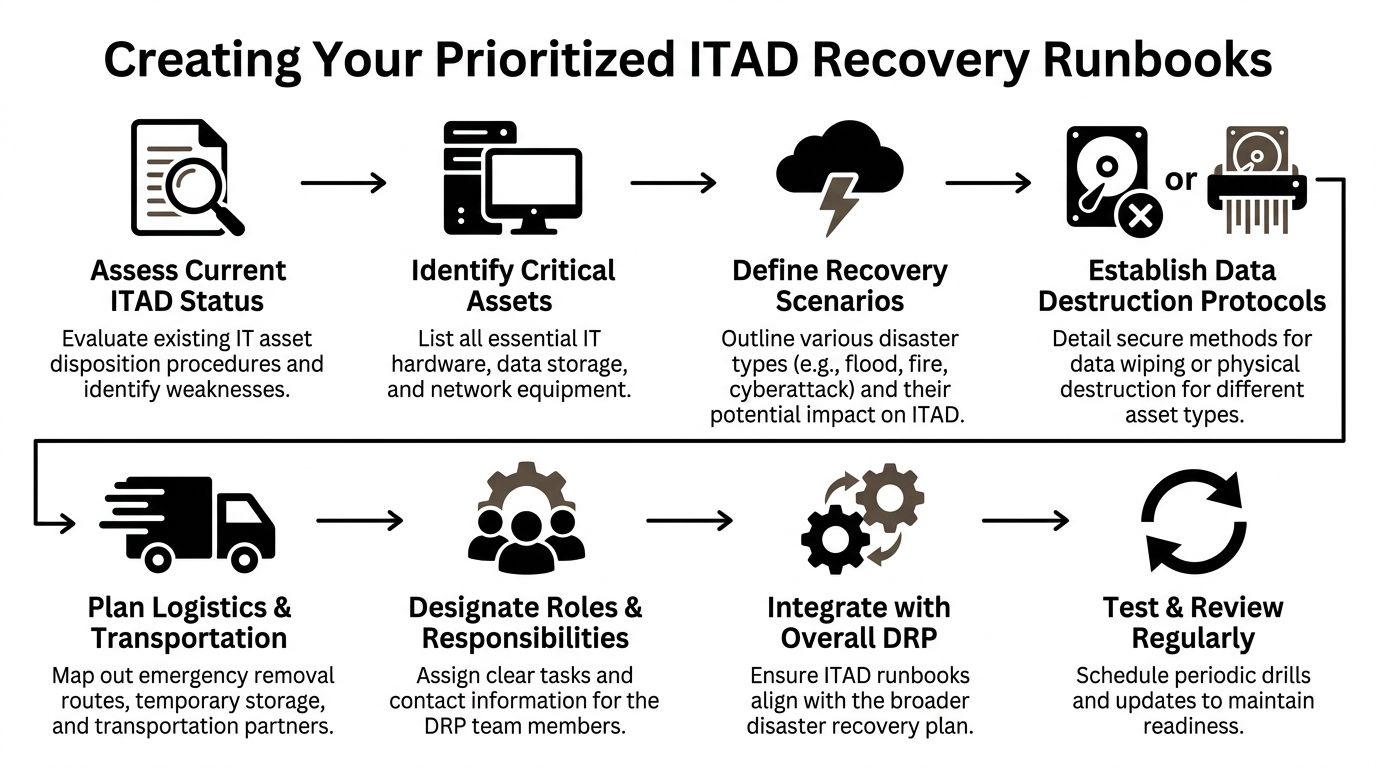
The runbook structure that works under pressure
The strongest runbooks are short enough to use and detailed enough to trust. A good format looks like this.
Trigger conditions
State what event activates the runbook.
Examples include water intrusion in an IT room, smoke damage to endpoint devices, office evacuation that leaves active equipment unsecured, or decommissioning delays that expose retired hardware longer than planned.
Decision authority
Name actual roles, not departments. "IT" is too broad. Use titles such as infrastructure manager, compliance officer, facilities director, security lead, or privacy officer.
Include alternates. People are often unavailable during real incidents.
Asset triage rules
Use plain decision logic.
- If the device is accessible and operational, evaluate wipe eligibility.
- If the device is inaccessible, physically compromised, or unreliable, route it for physical destruction.
- If legal hold or investigation applies, isolate and document before any destruction step.
Chain-of-custody method
Choose your fallback before you need it.
| Situation | Recommended fallback |
|---|---|
| Asset platform unavailable | Paper log with serial, tag, location, handler, timestamp |
| Label printer unavailable | Pre-numbered tamper-evident tags |
| Network outage | Offline spreadsheet stored on encrypted laptop |
| Limited access site | Security desk release form plus photo record |
Communications tree
Keep this brutally simple.
One page should show who gets called in what order, who can approve transport, who notifies compliance, and who updates leadership. If you use digital incident tooling, map the runbook into efficient emergency workflows so the same sequence can be triggered.com/features/workflows) so the same sequence can be triggered without hunting through PDFs.
A runbook nobody can reach during a building outage is documentation theater.
Include the physical migration path
A lot of organizations forget the transport path. They know what to destroy, but not how to move it safely from incident site to staging area to final disposition. That gap gets expensive during office moves, flood cleanup, and server refresh projects.
Your runbook should note:
- Pickup points: freight elevator, dock, secure room, loading bay
- Packaging rules: sealed bins, locked carts, anti-static containers when needed
- Escort rules: who must accompany regulated assets
- Site constraints: badging, dock hours, after-hours access, municipal restrictions
- Documentation outputs: inventory manifest, destruction authorization, custody handoff
This is also where teams should align the runbook with broader infrastructure changes and relocation work. If your organization is planning a server move, hardware refresh, or shutdown event, use a detailed data center migration checklist to connect the recovery runbook to actual asset flows.
Keep one version for executives and one for operators
Executives need trigger, status, exposure, and approvals. Operators need exact handling steps.
Trying to make one document serve both groups usually creates a bloated file neither side uses well. Keep the executive summary to one page. Keep the operator runbook task-based and print-ready.
The teams that recover cleanly aren't always the ones with the biggest DR budget. They're usually the ones that wrote down the ugly, physical details most plans ignore.
Secure Data Destruction and Emergency Logistics Under Pressure
Incidents rarely leave equipment in ideal condition. Water-damaged drives may not spin. Burned devices may be unsafe to power. A smashed laptop from a hurried evacuation may still contain intact storage. Under pressure, teams need a decision path that respects both security and physics.
That starts with accepting a simple truth. Not every asset can be wiped, and not every asset should be.
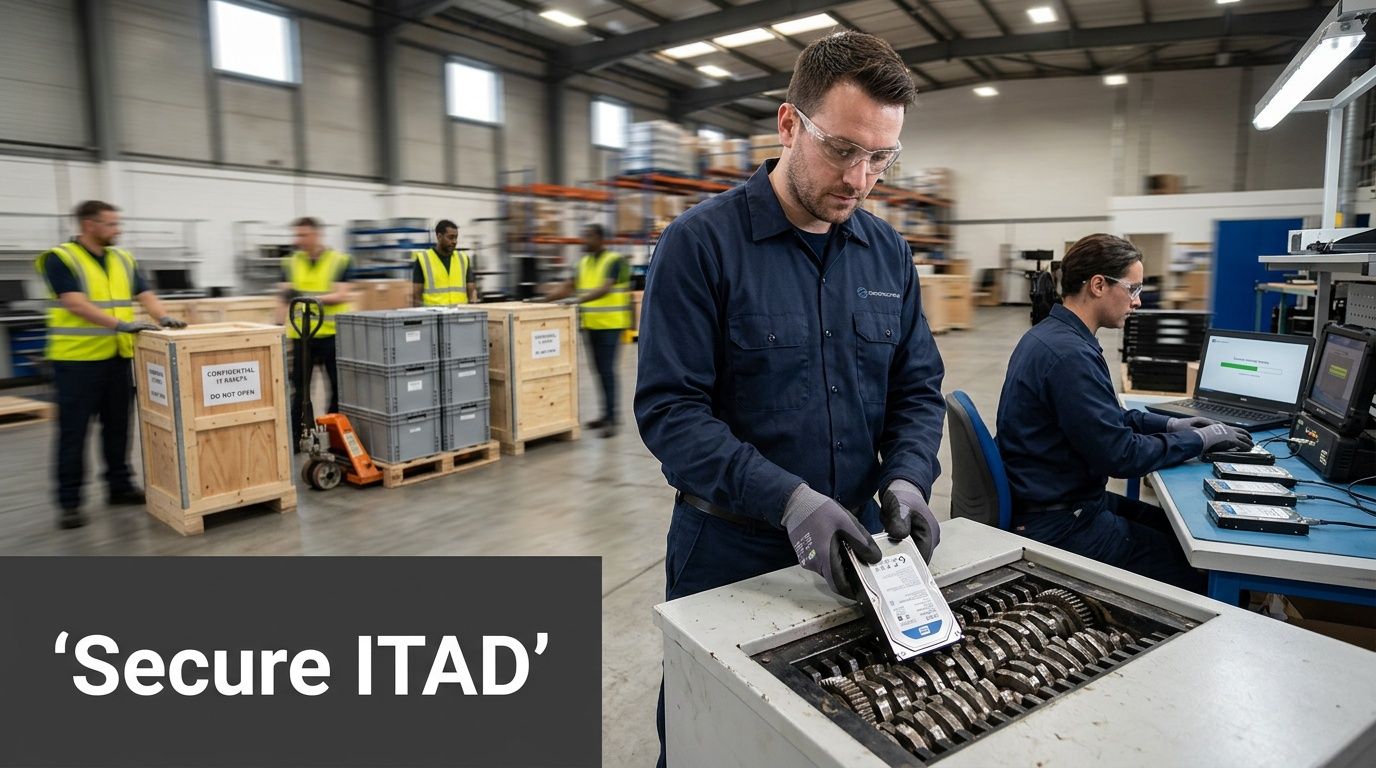
When wiping works and when shredding is the safer call
Software-based sanitization has a place. If a device is stable, accessible, and the storage media can be reliably addressed, wiping can preserve documentation and sometimes support redeployment or resale paths.
But emergency conditions narrow that option quickly.
Use this field logic:
| Asset condition | Better path | Why |
|---|---|---|
| Operational and accessible | Wipe | The media can be verified and logged |
| Water-damaged | Usually physical destruction | Corrosion and instability make verification unreliable |
| Fire or smoke damaged | Physical destruction | Electronics may be unsafe or unreadable |
| Crushed or inaccessible | Physical destruction | You can't trust partial access |
| Under legal review | Hold and isolate | Destruction may need approval delay |
The mistake I see most often is hesitation. Teams keep unstable devices in temporary storage while they debate what might still be recoverable. That delay creates custody risk.
Chain of custody has to survive the chaos
A clean chain of custody isn't just for normal operations. It matters more during a crisis because auditors, insurers, counsel, and internal leadership will ask the same questions later. What was affected. Who handled it. Where did it go. When was it destroyed.
Keep the process tight:
- Tag assets at first touch: Use durable labels or numbered seals.
- Separate regulated media: Don't mix high-risk drives with general scrap.
- Log each handoff: Name, timestamp, location, reason for transfer.
- Photograph damaged batches when needed: Especially if labels are compromised or water exposure is severe.
- Retain destruction records: Store them where the recovery team and compliance team can both access them.
A formal certificate of destruction form is one of the documents that becomes far more valuable after the incident than during it. It supports internal review, audit trails, and post-event reporting.
Field note: If a device can't be reliably inventoried at the desk, move it under seal to a controlled staging area first. Don't let half-documented hardware circulate through cleanup crews.
Logistics is part of data security
Teams often separate "security" from "pickup." In practice, they are the same operation.
If the transport path is sloppy, the destruction method hardly matters. Damaged devices sitting overnight on an open dock, mixed in unsealed gaylords, or left in a hallway for a next-day decision undermine the entire process.
The logistics checklist should cover:
- Secure staging area
- Approved containers for drives and small media
- Vehicle loading sequence
- After-hours access procedures
- Escalation contact if the site becomes inaccessible
- Manifest reconciliation after departure
For metro Atlanta organizations, traffic, building controls, campus access, and weather all complicate removal timing. That's why emergency logistics should be preplanned as part of disaster and recovery planning, not arranged after the event starts.
The right tactical approach is simple. Decide early. Separate clearly. Move securely. Document everything.
Testing Your Plan with Tabletop Exercises
An untested recovery plan isn't a recovery plan. It's a draft.
That sounds harsh, but the evidence backs it up. 71% of organizations skip failover testing and 62% neglect backup restorations, leading to 80% being unprepared for a disaster. The same source notes that testing is often infrequent, and older backup systems succeed only 61% of the time on restores according to Secureframe's disaster recovery statistics roundup.
Those numbers matter because testing failures in technical recovery usually mirror testing failures in physical asset handling. If the team doesn't rehearse hardware control, documentation, and emergency disposition, the first real incident becomes the exercise.
Tabletop exercises are the fastest way to expose gaps
You don't need a full shutdown drill to test your ITAD response. A tabletop exercise works because it forces people to talk through decisions in sequence.
Put the right people in the room:
- IT operations
- Security
- Compliance or privacy
- Facilities
- Procurement or asset management
- Executive approver
- Any managed service or logistics contact who plays a real role
Then give them a scenario with enough friction to feel real.
Sample Atlanta scenario
A tornado warning forces an immediate building evacuation from a midtown office. The sixth floor houses HR, finance, and a staging room for laptop refreshes. During evacuation, water enters through damaged windows. The building closes until structural review is complete. The asset inventory platform is only partially accessible. Several bins of retired laptops are on site, along with active employee devices left at desks.
Now run the room through these questions:
- Who declares the IT asset disposition runbook active?
- Which assets are considered highest risk in the first operational period?
- How do you verify what was on the refresh staging floor if the inventory system is unavailable?
- Who can approve emergency destruction if devices are heavily damaged?
- Where are vendor contacts stored if staff can't access normal systems?
- What happens if building management allows only a short escorted entry window?
- How will the team separate active assets, retired assets, and unknown devices?
- What documentation is required before hardware leaves the site?
What good testing looks like
You are not looking for polished answers. You're looking for hesitation, contradictions, and hidden dependencies.
Watch for these common failures:
- Authority confusion: Two people think the other one approves disposal
- Documentation gaps: Nobody knows where the offline forms are
- Inventory dependence: The team can't function without one software platform
- Vendor dependence: A critical contact lives only in one person's inbox
- Physical blind spots: No one has defined staging space, packaging, or escort rules
The purpose of a tabletop isn't to prove the plan works. It's to catch the part that won't.
Keep the output disciplined
End the exercise with a short action log.
| Gap found | Owner | Fix |
|---|---|---|
| No offline contact list | IT manager | Create printed emergency contact sheet |
| No destruction approval alternate | Compliance lead | Assign backup approver |
| No manual asset log template | Asset manager | Add paper manifest to site kit |
| No defined secure staging room | Facilities | Pre-approve room at each location |
A tabletop should change the runbook within days, not months. If a team completes the exercise and nothing in the documentation changes, the exercise was performative.
Building a Resilient Partnership with Atlanta Green Recycling
Resilience gets stronger when it includes partners outside your walls. Internal teams handle approvals, security, and business priorities. Community-based and mission-driven organizations often help carry the long tail of recovery that traditional operations plans miss.
That broader idea shows up in disaster research. Community and faith-based organizations play a critical role in long-term support unmet by traditional agencies, and a mission-driven ITAD partnership can extend a company's impact into a broader support system that aids veterans and restores local environments as discussed in the USC Dornsife report on working with religious groups in disaster planning, response, and recovery.
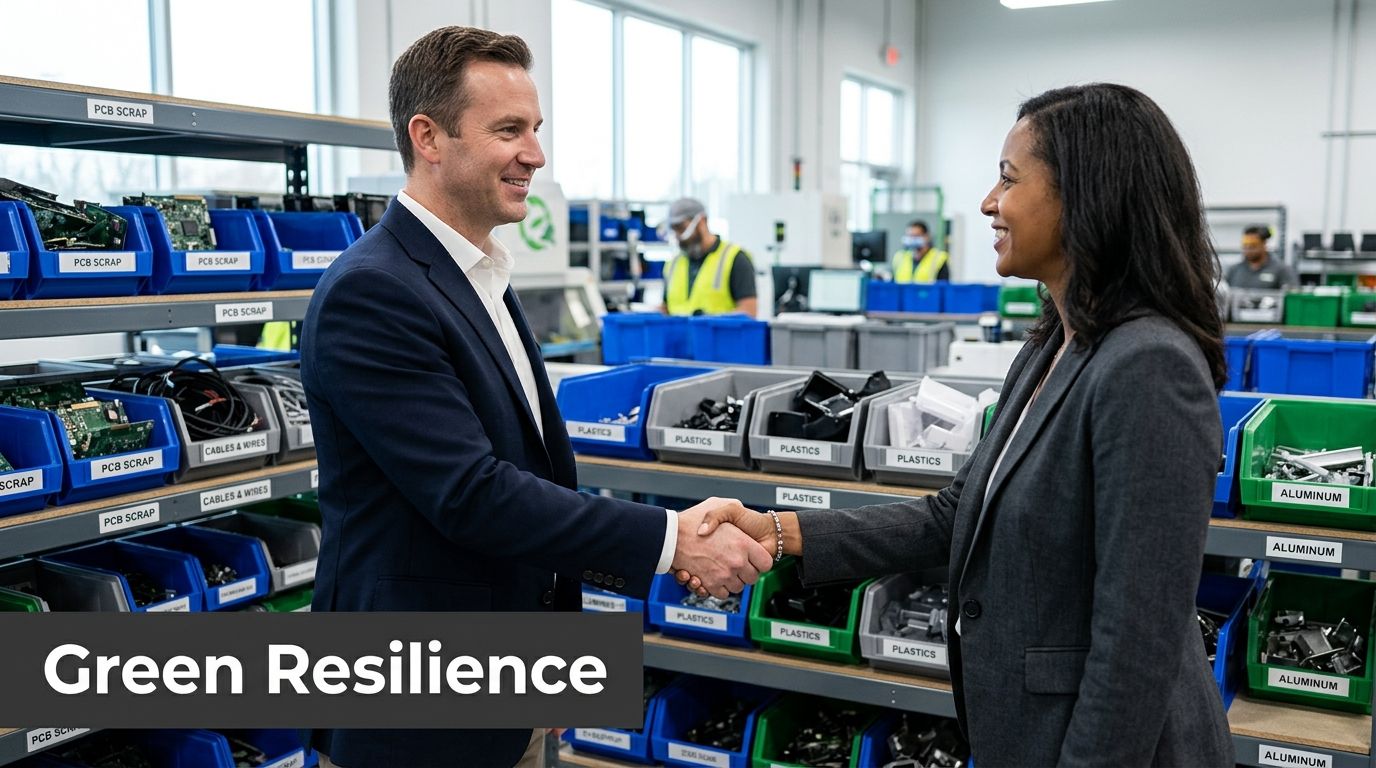
Why this matters for ESG and CSR reporting
A lot of companies still treat emergency electronics disposal as a narrow compliance task. That misses the larger opportunity.
A better model treats post-incident ITAD as part of ESG execution. Secure disposition protects data. Responsible recycling supports environmental reporting. Cause-based outcomes strengthen CSR storytelling without feeling forced because the activity is operationally necessary anyway.
That is why mission-driven messaging works so well in this space. "Recycle for a Cause" is memorable because it ties a painful operational moment to something constructive. Your old tech can support veterans and contribute to reforestation. For companies trying to show practical social impact, that creates a clearer narrative than generic landfill diversion language alone.
What a strong partnership should produce
The partner relationship should create useful outputs, not just pickup capacity.
Look for deliverables such as:
- Documented disposition records for audit, legal, and insurance needs
- Impact reports that support internal ESG and CSR summaries
- Certificates tied to tree-planting or environmental programs when available
- A reusable recognition asset such as a "Recycled with Purpose" digital badge for sustainability pages or reports
- Seasonal campaign support around Veterans Day, Earth Day, and Arbor Day for internal drives and local PR
For Atlanta businesses, that can also include corporate recycling events, school collaborations, municipality partnerships, and veteran-centered collection drives that turn a vendor relationship into a community presence.
The result is bigger than disposal
Responsible disaster and recovery planning isn't only about reducing downside. It's also about deciding what kind of recovery footprint your organization leaves behind.
A practical local partner can help with that through corporate e-waste solutions that fit enterprise, healthcare, education, government, and data center needs across the Atlanta metro. The strongest partnerships don't bolt mission onto operations after the fact. They build both into the same workflow.
When that happens, retired assets stop being the final mess from a bad event. They become one of the few parts of the response that can still create measurable good.
Conclusion Turning Crisis into Community Impact
The strongest disaster and recovery planning for IT assets follows a simple path. Assess the actual risks. Write runbooks people can use. Secure data destruction decisions early. Test the plan before an incident tests you. Partner with organizations that can carry both the operational load and the broader community impact.**
That approach protects more than uptime. It protects chain of custody, regulatory posture, workspace recovery, environmental performance, and leadership credibility when people are looking for answers.
For Atlanta organizations, the physical side of recovery deserves the same discipline as backups and failover. Damaged hardware isn't an afterthought. It's part of the event. If you plan for it properly, you reduce confusion, control data exposure, and keep end-of-life electronics moving through a responsible path.
The best recovery plans do more than restore operations. They restore trust. Done right, e-waste recovery can support your ESG goals, strengthen local impact, and turn a difficult moment into something constructive.
Recycling that restores lives and environments is a strong standard to build toward.
If your organization needs a practical partner for secure electronics recycling, data destruction, and business-ready disaster recovery support, connect with Atlanta Green Recycling. They help Atlanta businesses turn retired and damaged IT assets into a compliant, sustainable, community-minded outcome.